If you’re comparing Wix, HubSpot, and Landingi to choose your next landing page builder, you’re likely balancing design freedom, marketing automation, and cost efficiency. Each tool approaches landing page creation differently — Wix as an all-in-one website builder, HubSpot as a CRM-driven marketing hub, and Landingi as a dedicated landing page platform.
This guide breaks down how they differ in pricing, usability, integrations, and scalability, so you can decide which tool truly fits your business goals in 2026.

Key Differences Between Wix, HubSpot, and Landingi
The differences between Wix, HubSpot, and Landingi boil down to focus, automation depth, and flexibility.
- Wix is ideal for freelancers and small businesses that want creative control with built-in AI design.
- HubSpot serves larger marketing and sales teams needing a full CRM and automation ecosystem.
- Landingi combines both – offering pixel-perfect design, A/B testing, and marketing automation without enterprise-level costs.
The table below highlights the main pros, cons, pricing tiers, ease of use, and notable clients for each platform.
| Platform | Pros | Cons | Pricing | Ease of Use | Notable Clients |
| Wix | AI-powered builder, 950+ templates, collaboration via Wix Studio, integrations with Google Ads, Meta Ads, and TikTok Ads, cloud hosting with global CDN and SSL included | Manual mobile edits, no dedicated funnels, limited analytics in lower plans, support not available 24/7; no autolayout; | Free–$159/mo | Very easy | Vevo, Bolt, Clarins |
| HubSpot | Full customization, advanced drag-and-drop editor; powerful user-behavior analytics; automation and dynamic content personalization; built-in A/B and MVT testing for pages, emails, and CTAs with automatic winner selection | Difficult mobile layout adjustments, very complex pricing structure; editor relies on column-based autolayout, which still feels rigid and clunky | Free base plan available; paid tiers vary by features, users, and contact volume. | Moderate | Casio, Walmart, Shell |
| Landingi | Pixel-perfect control, great value for money, easy drag-and-drop and fast setup, Programmatic pages, dynamic text replacement, AWS hosting, CDN, built-in A/B tests, strong integrations + tracking, WordPress plugin | Manual mobile layout, no 24/7 support | Free–$57/mo; Enterprise $1150/mo | Easy | Credit Agricole, Bonduelle, Wantable |
1. Wix
Wix is an Israel- and U.S.–based website platform founded in 2006, with more than 260 million users worldwide. The company’s mission is to provide a complete solution for creating, managing, and growing professional websites – combining simplicity, automation, and the power of AI.
Pricing: Plans range from Free to $159/month, depending on storage, users, and marketing features.
Key Features: Wix AI Website Builder, Wix Studio for teams, 950+ templates, drag-and-drop control, A/B testing, CRM, and eCommerce modules.
Best for: Freelancers, creators, and eCommerce businesses seeking design freedom with light marketing tools.
Ratings:
- G2 – 4.2/5
- Trustpilot – 3.9/5
- Capterra – 4.4/5
Cons:
Wix’s biggest limitations come from its closed ecosystem and the higher price of premium plans. Many users mention that the editor and published websites load slowly, and it’s common to encounter freezing during editing.
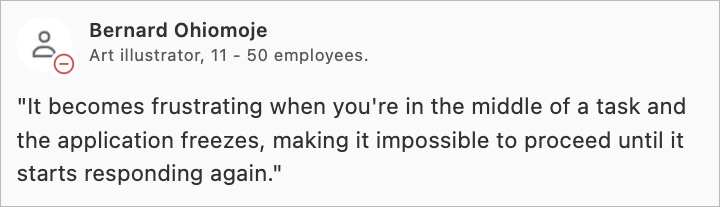
Scalability is another recurring concern. Once a site is published, changing templates can be difficult, and the styling options within many themes often feel restrictive. This makes more advanced or heavily customized design work harder to execute.
Many users also report frustration around payments, renewals, and support. Complaints often mention unexpected auto-renewals for annual plans, unclear billing notices, and difficulty getting refunds when something goes wrong. When users try to resolve these issues, support interactions are frequently described as slow, unhelpful, or unwilling to offer flexibility.
Pros:
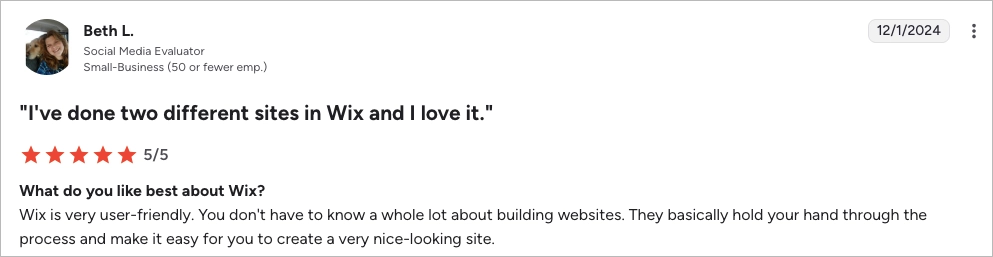
Wix stands out for its ease of use. Many users highlight how simple the platform feels from the very first project, noting that it guides beginners through the process and makes it easy to create a professional-looking site. The drag-and-drop editor offers precise visual control with its smart-grid system, and the large library of templates – more than 950 layouts plus hundreds of AI-generated sections – helps users build pages quickly.
The platform also benefits from a strong set of built-in marketing tools. Wix includes an AI Website Builder that can create an entire page in minutes, built-in SEO support, and native integrations with Google, Meta, and TikTok Ads. For teams, Wix Studio adds collaboration and approval workflows that make shared projects easier to manage.
My opinion
Wix does a great job at making website building feel simple. The editor is friendly, the templates look clean, and the AI tools genuinely speed things up. For small projects or early-stage businesses, it removes friction and helps people get online fast without worrying about code or complex setup.
But it’s also pretty clear where Wix starts to hit its limits. The platform feels closed once you try to customize beyond the basics, and the editor can slow down or freeze just when you need it most. Changing templates can be hard, scaling a project becomes clunky, and the plugin ecosystem forces you into Wix-approved add-ons only. Add to that the recurring feedback about billing frustrations and unhelpful support, and it becomes obvious that the experience shifts as your needs grow.
If you’re building something small and want speed and simplicity, Wix does the job and makes the process feel lightweight. If you expect to scale, need more flexibility, or want full creative control, the constraints—and the customer service headaches—can get in the way fast. In short: great starter tool, but not always the best long-term home for serious marketing or multi-layered websites.
Best for: Users who need a quick, beginner-friendly way to build good-looking sites and landing pages — especially small businesses, creators, and early-stage projects.
2. HubSpot
HubSpot is a U.S.-based leader in all-in-one marketing automation and CRM solutions. Founded in 2006, it serves more than 216,000 customers in 135 countries and employs over 7,800 people. The company’s mission — “Helping millions of organizations grow better” — reflects its focus on uniting marketing, sales, and service in one connected platform.
Pricing: Free CRM; paid hubs start at $15–$20 per user/month, while Marketing Hub Professional starts at $890/month.
Key Features: CRM + CMS Hub, AI Content Assistant, workflow automation, A/B and multivariate testing, advanced analytics dashboards, dynamic content personalization, lead scoring, email marketing and sequences, 1,500+ integrations, segmentation and smart lists, collaboration tools, full customer-lifecycle management.
Ratings:
- G2 – 4.4/5
- Trustpilot – 1.9/5
- Capterra – 4.5/5
Cons:
HubSpot’s biggest drawback is the cost structure. Many users appreciate the free tier at first, but pricing rises quickly once you need meaningful marketing features, larger contact volumes, or automation. Several reviews mention unexpected plan upgrades or strict annual contract rules that make the platform feel expensive and rigid.
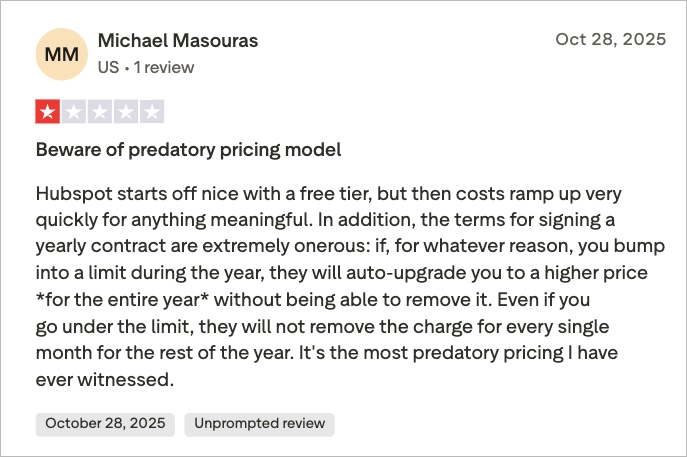
Design flexibility is another recurring theme. Users admit that the editor is clean but limited – especially when working with free themes. Some templates restrict layout options, mobile responsiveness can be inconsistent, and advanced personalization sits behind the Professional and Enterprise tiers.
HubSpot can also be overwhelming for smaller teams. The learning curve is steeper than expected because many features connect across the CRM, CMS, and automation hubs. Complex workflows can become messy fast, and hitting account limits adds more friction. A few users also note performance slowdowns and the feeling of “vendor lock-in” once the whole stack is adopted.
Pros:
HubSpot remains one of the strongest all-in-one marketing platforms. Its biggest advantage is how tightly everything works together — CRM, CMS, email, automation, analytics, and landing pages all live in one ecosystem. For many teams, that level of integration removes tool chaos and makes collaboration feel much smoother. The platform also benefits from powerful automation, advanced segmentation, and a growing set of AI features that help marketing and sales teams move faster with less manual work.
The CMS itself is stable and reliable, with easy forms, quick automation triggers, and a wide catalog of free and premium Marketplace themes. For teams that need more control, HubSpot supports custom modules, HubL development, HubDB, and serverless functions — giving technical teams room to build beyond templates. Integrations are a strong point as well, with native support for tools like Zapier, Google Tag Manager, Gmail/Outlook, ZoomInfo, and dozens of sales and analytics platforms.
Users frequently mention that workflows, sequences, reporting, and lead management feel streamlined rather than stitched together. The platform gives teams a consistent 360° view across marketing and sales, which makes tracking campaigns, customer journeys, and revenue impact much easier.
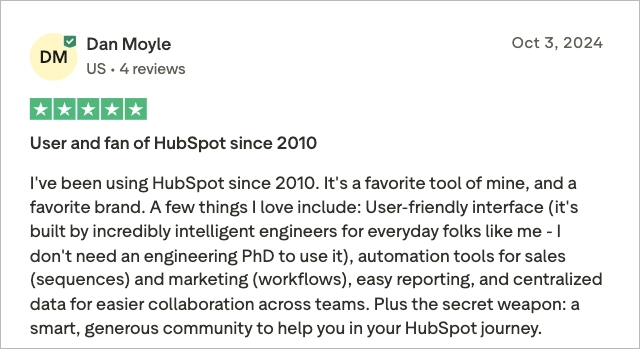
For growing teams – especially those juggling marketing, sales, and customer operations – HubSpot offers a scalable, unified environment that can keep pace as the organization expands.
My opinion:
HubSpot is one of those platforms that makes an immediate strong impression. The experience feels unified in a way few tools can match — CRM, CMS, email, automation, and analytics all speaking the same language. For teams that want one place to manage leads, run campaigns, track revenue, and keep marketing and sales aligned, it delivers a level of consistency that’s hard to argue with.
But the moment you move beyond the surface, the trade-offs become clear. HubSpot’s power comes with high costs, and pricing climbs fast as you add contacts, automation features, or more advanced personalization. Many useful capabilities sit behind the Professional and Enterprise tiers, and the editor itself doesn’t offer the creative freedom you get from more design-focused builders. The result is a platform that can feel heavy, structured, and expensive — especially for smaller teams or those with detailed design requirements.
If your organization truly benefits from deep automation, CRM-driven personalization, and full-funnel visibility, HubSpot can be worth the investment. If not, the rigidity and cost can become harder to justify, particularly when competing tools offer more flexibility at a lower entry point.
Best for: Mid-size and large B2B teams that want a single, data-driven platform to manage marketing, sales, and customer operations.
Take your landing pages with you! We’ll move up to 3 landing pages for free to make switching easy.
3. Landingi
Landingi is a Polish landing page platform founded in 2013. The company has grown into a global player used by brands such as Credit Agricole, Bonduelle and Wantable. Landingi’s mission is to help marketers and agencies build, test, and optimize landing pages quickly, without relying on developers. Its focus on scalability, automation, and data-driven optimization makes it a strong alternative to larger U.S. platforms.

Pricing:
- Free plan: $0/month – 5 pages, 100 visits/month
- Lite: $24/month – unlimited conversions, 5K visits – with 14-day free trial
- Professional: $57/month – 50K visits, 10 domains, A/B testing – with 14-day free trial
- Enterprise: $1,150/month – unlimited resources and SSO – with 14-day free trial
Key Features: Pixel-perfect editor, EventTracker analytics, Programmatic Pages, A/B/x Testing, Smart Sections, Dynamic Text Replacement, and AI Assistant.
Ratings:
- G2 – 4.5/5
- Trustpilot – 4.0/5
- Capterra – 4.8/5
Cons:
Landingi’s biggest drawback is that mobile layouts often need hands-on work. Several users mention that desktop designs don’t automatically translate well to mobile and that it takes extra time to adjust spacing and align elements.

Support is generally well-rated, but it isn’t available 24/7, and users outside European time zones sometimes mention slower response times. Some long-time customers also point out periodic price increases on older “legacy” plans and note that rare bugs or short downtimes can appear, though they tend to be resolved quickly.
Pros:
Landingi is often praised for its speed. Users like how quickly they can spin up a landing page – whether starting from a template or dropping in ready-made components. The editor feels intuitive, and publishing takes minutes, not hours.

A big advantage is creative freedom. Unlike builders locked into rigid grids, Landingi lets you adjust every pixel. Designers and marketers highlight how easy it is to match brand guidelines without fighting the editor — and the growing library of templates and smart sections helps keep production fast and flexible.
Performance and reliability also come up a lot. Teams running heavy traffic say pages stay fast, uptime is solid, and built-in A/B testing and Event Tracker make optimization simple without extra tools. Tracking for GA4, Meta, Google Ads, and GTM is already built in.
Integrations and workflow are another strong point. Landingi connects smoothly with HubSpot, Zapier, MailerLite, and most CRMs. Agencies especially appreciate multi-domain management, white-label options, subaccounts, and the WordPress plugin that speeds up client delivery.

And finally, price-to-value is where Landingi stands out most. Many reviewers point out that it delivers almost everything they need — at a fraction of what tools like Unbounce or Instapage cost.
My opinion:
Landingi positions itself as a fast, flexible landing page builder built for teams that want creative control without the heavy price tag. The editor is intuitive, the publishing workflow is quick, and features like EventTracker, A/B testing, and programmatic pages make it feel engineered for marketers who need to move fast. Add strong uptime, smooth integrations, and genuinely helpful support, and you get a tool that fits naturally into day-to-day campaign work. But it’s also clear where Landingi may not be the perfect match. Mobile layouts still require manual tuning, and very large or design-heavy pages can slow the editor down.
If your priority is speed, flexibility, and value, Landingi delivers more than expected at its price point. If you need deep automation, built-in CRM layers, or a fully integrated marketing ecosystem, you’ll probably need something bigger – and much more expensive. For most performance-focused teams and agencies, though, Landingi hits a very practical balance: fast to use, easy to scale, and powerful enough to run real campaigns without draining the budget.
Best for: Agencies and marketing departments that need scalable, conversion-focused landing pages without paying enterprise prices.
Pricing Comparison: Wix vs. HubSpot vs. Landingi
Pricing across Wix, HubSpot, and Landingi differs not only in cost but in what you actually get for your money. Wix offers affordable plans focused on design, HubSpot’s pricing scales sharply with features and contacts, while Landingi delivers advanced automation and testing at a much lower entry point.
The table below summarizes the main pricing tiers, features, and limitations of each platform.
| Platform | Monthly/Annual Plans | Included Features | Limitations |
| Wix | Free, Light $17/mo, Core $29/mo, Business $36/mo, Business Elite $159/mo (plans vary by storage, number of collaborators, lead-capture form limits, and access to premium features) | Drag-and-drop builder, 950+ templates, AI builder, CRM, analytics, eCommerce | Limited analytics on lower plans, manual mobile edits |
| HubSpot | Free CRM, Starter ($15–$20/user), Marketing Hub Professional $890/mo, Enterprise (custom pricing) – pricing varies by selected hubs—CRM, Marketing, Sales, Content Hub—and scales with features, users, and contact limits | CRM, CMS Hub, automation, A/B testing, analytics, AI assistant | Expensive; pricing scales by contacts; limited pixel control |
| Landingi | Free, Lite $24/mo, Professional $57/mo, Enterprise $1150/mo (annual billing) | Pixel-perfect builder, Event Tracker, A/B/x testing, AI Assistant, integrations | Manual mobile editing, complex UI for beginners |
In short, Wix is the cheapest, HubSpot is the most expensive, and Landingi gives the best balance between capability and cost.
Comparison by Use Case
Different tools shine in different scenarios. Here’s how Wix, HubSpot, and Landingi perform when used for lead generation, product sales, event promotion, and optimization.
Lead Generation Capabilities
Lead generation is supported across all three, but the tools take different paths.
- Wix provides forms, CRM, and automations through Wix Automations, but its reporting is basic.
- HubSpot excels with lead scoring, CRM integration, and AI-powered workflows – ideal for inbound marketing.
- Landingi supports lead generation with easy custom forms and built-in autoresponders. Its 170+ integrations make it simple to send leads straight into your CRM or email tools, keeping follow-ups fast and organized.
If your focus is maximizing lead capture while maintaining creative control, Landingi offers the strongest balance.

Product Sales
Product sales vary widely between platforms.
- Wix has full eCommerce modules with product management, checkout, and booking tools.
- HubSpot integrates with eCommerce systems (like Shopify) but lacks a native store builder.
- Landingi includes an optional E-commerce Hub (built-in for Professional+ plans) for checkout, upsells, and conversion tracking.
For direct sales and marketing funnels, Landingi and Wix outperform HubSpot.
Event Promotion
Event promotion relies on forms, registrations, and automation.
- Wix includes Wix Events and booking widgets.
- HubSpot allows automated workflows for registrations and follow-ups through its CRM.
- Landingi makes event registration simple with customizable forms, autoresponders, and dynamic thank-you pages.
All three platforms offer solid, user-friendly solutions for promoting events and collecting registrations, making them suitable for webinars, launches, or live events.
Testing and Optimization
Testing is where the platforms diverge most.
- Wix includes built-in A/B testing inside its conversion analytics. You can test pages and CTAs, track performance, and let the platform pick winning variants based on real data.
- HubSpot offers A/B testing across pages, emails, and CTAs, along with multivariate testing (MVT) for deeper experiments. Dynamic content based on segments makes personalization easier, and winner selection can run automatically.
- Landingi delivers the most advanced testing suite with A/B/x server-side tests, multivariate tests, and split tests. Combined with EventTracker’s behavioral insights, it gives teams a detailed look at how users scroll, click, and interact with each element.
If optimization and experimentation matter most, Landingi delivers the most flexible testing suite.

Core Features Compared
Each tool includes the essentials – builder, templates, analytics – but the depth and flexibility vary significantly.
Drag-and-Drop Builder
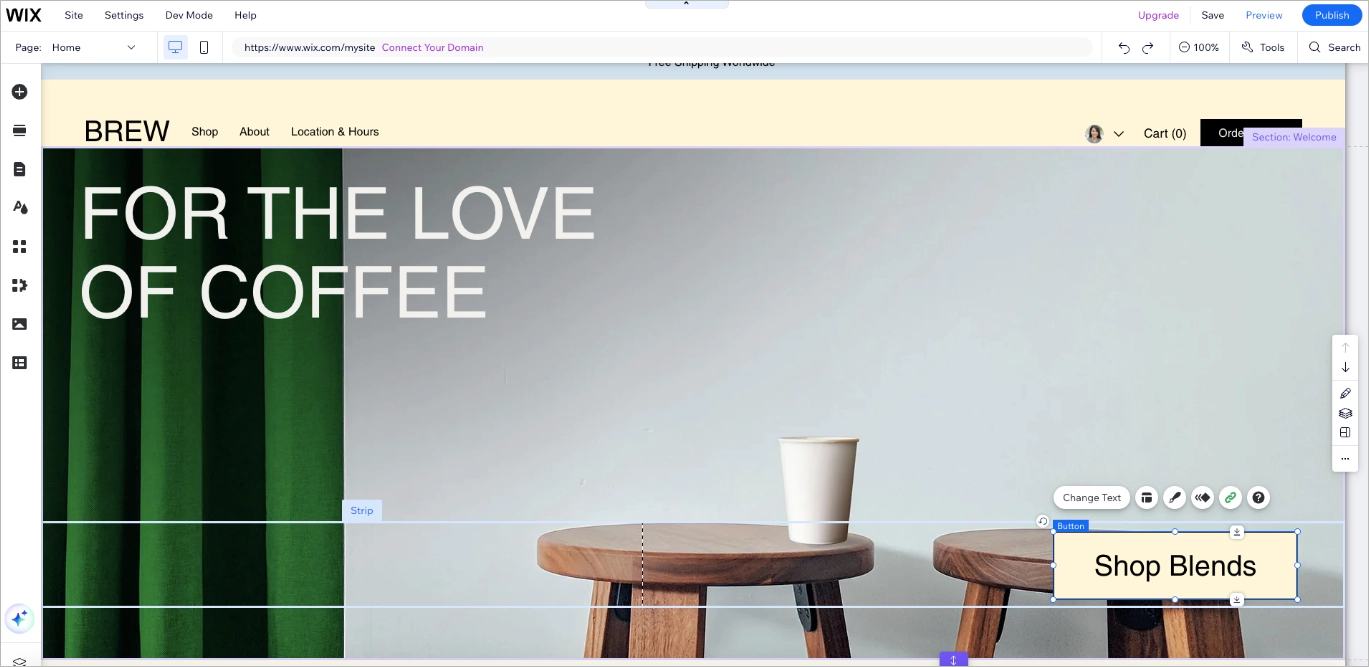
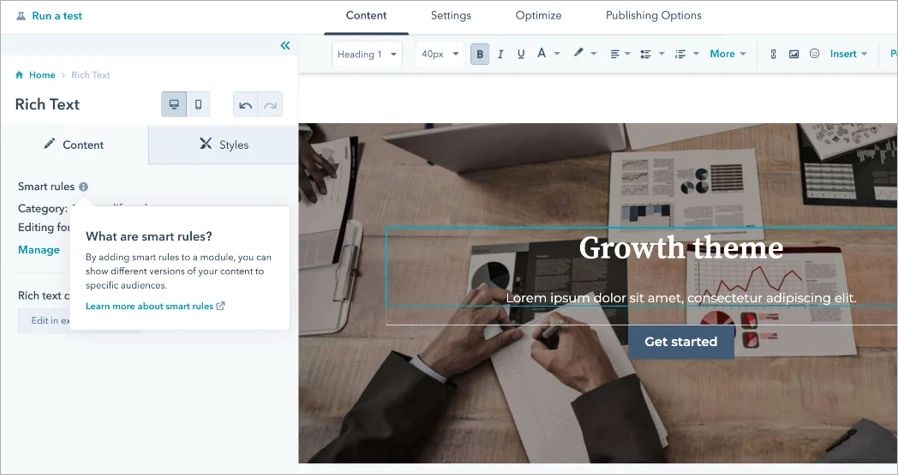
All three platforms use drag-and-drop editors. Wix and Landingi provide pixel-perfect control, while HubSpot’s modular layout limits fine adjustments but ensures consistent branding.

Responsive Design
Responsive design works differently across the three platforms. Wix now uses an improved mobile algorithm that automatically adjusts layouts using its smart responsive features, though complex pages may still need small tweaks. HubSpot handles responsiveness automatically through its Smart Responsive Grid, where components scale and reflow based on screen size without manual edits. Landingi allows users to adjust mobile elements by hand to ensure every section renders exactly as intended.Pre-Built Templates
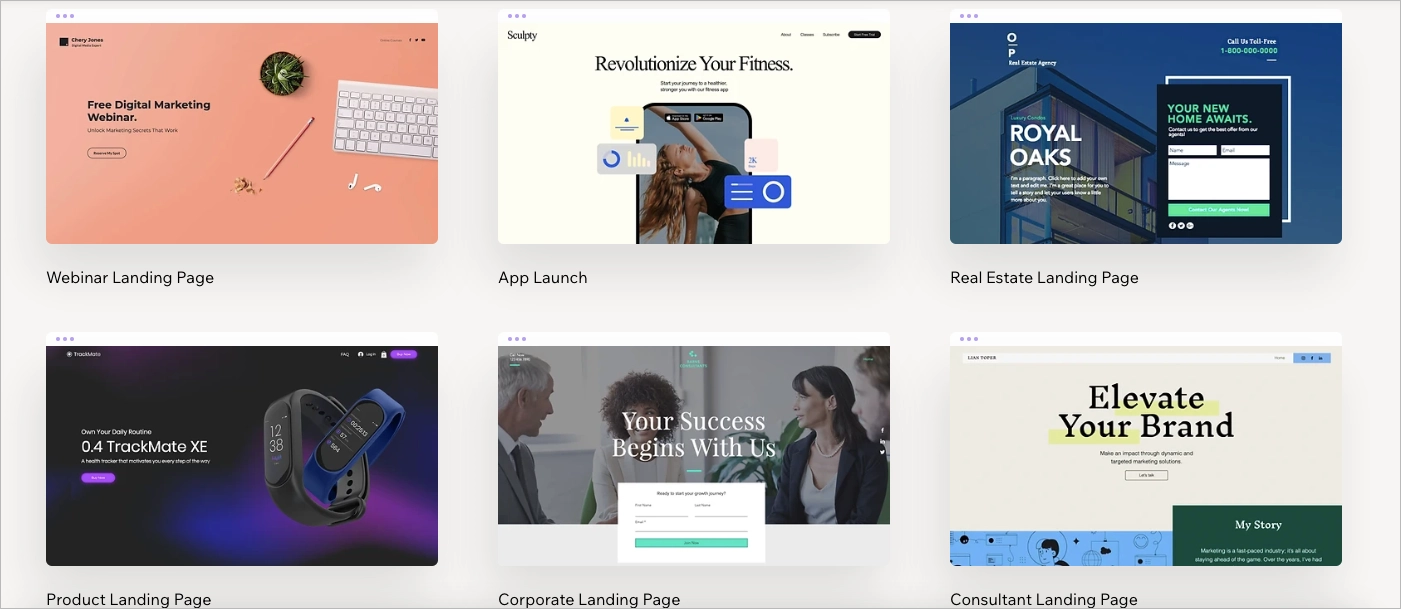
Template availability shapes creative speed. Wix offers one of the largest template libraries, with 900+ designs that include mobile variants and ready-made sections. The selection is broad and updated often, and the AI builder can suggest layouts based on your content. The main limitation is flexibility after publishing – switching templates later can require rebuilding parts of the page.
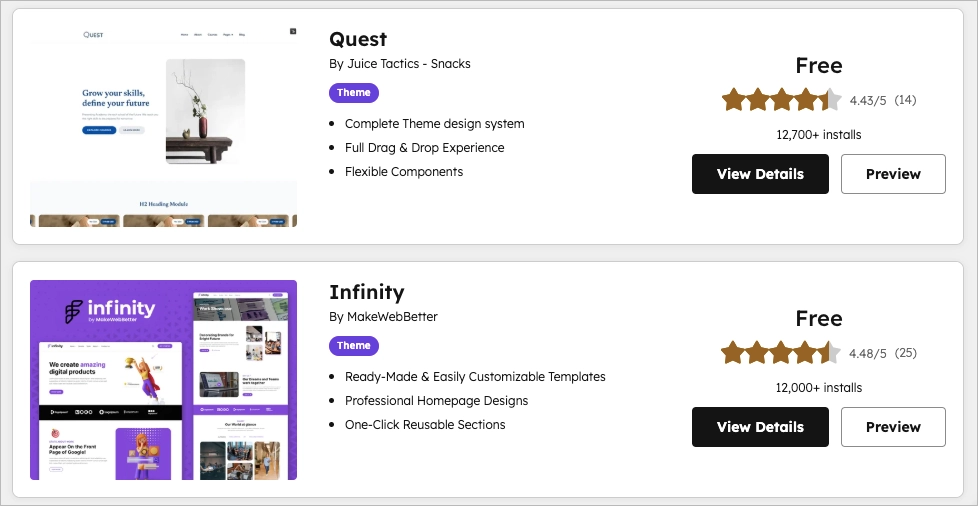
HubSpot provides 500+ professional templates through the HubSpot Marketplace, along with the option to build fully custom themes. This gives teams a solid mix of plug-and-play designs and developer-level customization when needed.
Landingi stands out with 400+ industry-specific templates for landing pages and pop-ups. They’re modern, conversion-focused, and easy to customize, making Landingi the strongest option here for teams that build landing pages regularly.\

Forms and Pop-Ups
All platforms offer form builders. Wix and HubSpot tie forms into their CRM systems; Landingi focuses on conversion forms with logic, validation, and custom fields. Pop-ups and lightboxes are built-in to Landingi’s Professional plan and higher.
Integrations
HubSpot wins in quantity (1,500+ integrations), but Landingi connects natively with the most popular marketing tools – HubSpot, Zapier, MailerLite, Facebook Ads, Google Analytics – while Wix relies heavily on its App Market.
A/B Testing
Testing options scale with price: HubSpot supports multivariate tests, Wix has built-in split tests, and Landingi enables server-side A/B/x experiments even on mid-tier plans.
Analytics
Analytics vary by depth. Wix includes dashboards for visits and conversions, HubSpot tracks complete funnels through CRM data, and Landingi uses EventTracker to capture clicks, scrolls, and engagement patterns – invaluable for conversion optimization.
Customization and Scalability
Customization and scalability determine how a platform grows with your business.
Can You Fully Customize Templates, Colors, and Layout?
You can fully customize pages in Wix, including individual elements, styles, fonts, effects, and even adding your own code. It allows flexible, non-standard layouts, though very large pages may slow the editor down.
In HubSpot, customization is strong but more structured. You can build custom themes and modules, but layouts still follow blocks and grids geared toward brand consistency rather than total visual freedom.
Landingi offers the highest level of control, with true pixel-perfect editing and optional CSS on any element.
Boost your brand with a professionally designed landing page tailored to your needs.
Does the Tool Support Custom Code (HTML/CSS/JS)?
All three do support custom code, but with limits. Landingi and Wix support HTML/CSS/JS injections; HubSpot restricts editing to users with CMS Developer permissions.
Is It Scalable for Multiple Campaigns, Teams, or Clients?
Scalability is strongest in Landingi and HubSpot, both of which support large teams and growing campaign needs. Landingi offers multi-user accounts, subaccounts, permissions, and enterprise-level infrastructure, making it easy to manage many projects at once. Wix, while supported by Wix Studio for teamwork, is less practical when you need to run and oversee multiple campaigns simultaneously.
FAQ about Wix vs. HubSpot vs. Landingi
If you’re comparing these three platforms and still have questions, the answers below cover the essentials to help you choose
What is Wix?
Wix is an all-in-one website builder that lets users create visually polished websites without coding. It’s best known for its drag-and-drop control, AI Website Builder, and Wix Studio, a collaboration tool for agencies. With over 260 million users globally, Wix offers strong eCommerce tools, booking systems, and integrations with Google and Meta Ads. However, it lacks built-in funnels and advanced marketing automation, making it better suited for small businesses and creators than enterprise teams.
What is HubSpot?
HubSpot is an all-in-one CRM and marketing automation platform. Its tools span marketing, sales, service, and content management, enabling teams to handle campaigns and pipelines in one ecosystem. The HubSpot CMS Hub supports drag-and-drop page creation, A/B testing, and AI-assisted content generation. It’s powerful but expensive, with plans that scale sharply by user count and contact volume. HubSpot is ideal for B2B marketers and enterprise teams who need full automation and data integration.
What is Landingi?
Landingi is a dedicated landing page and conversion platform built for marketers, agencies, and enterprise teams. It combines a pixel-perfect editor, automation, and testing tools to help users design, personalize, and optimize campaigns without developers. With features like EventTracker, programmatic pages, and A/B/x testing, Landingi focuses purely on conversion performance. It integrates easily with HubSpot, MailerLite, and Zapier, making it a flexible hub for lead generation, product sales, and event marketing.
Choose the Right Landing Page Tool and Boost Your Campaign Conversion Rates
Choosing the right platform depends on how much control, automation, and scalability you need.
- Wix gives you design freedom at a low cost – perfect for simple pages and small eCommerce stores.
- HubSpot delivers enterprise-level automation but comes with a steep price and complexity.
- Landingi stands out by blending creative freedom, advanced analytics, and scalability while staying far more budget-friendly than comparable tools.
If you’re running multiple campaigns, managing clients, or scaling marketing operations, Landingi is the right landing page builder. It gives you full control, deep analytics, and automation that help you optimize every click without the enterprise overhead. Try Landingi for free and see how quickly your team can build, test, and launch landing pages that convert!