Turn one project into hundreds of landing pages with full campaign control
Build one landing page template, connect it with structured data, and generate campaign-specific pages in minutes. Programmatic Landing Pages help you launch localized, personalized projects without manually creating each page.
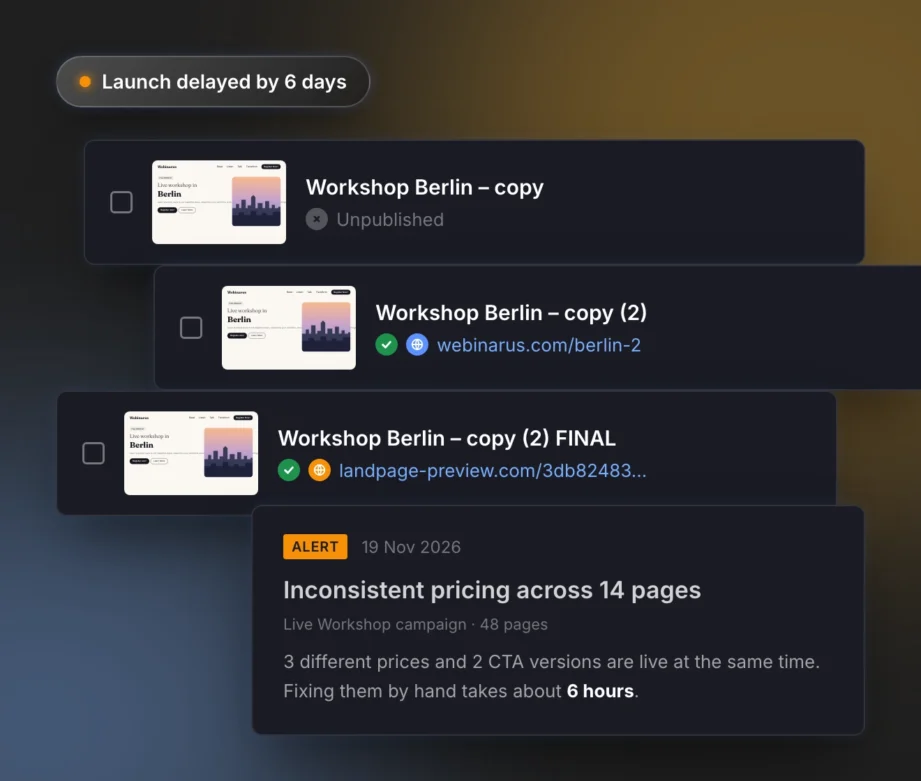
Scaling landing pages should not slow your campaigns down
High-volume campaigns need more landing page variations, but building each one manually can quickly turn campaign execution into production work.
Programmatic Landing Pages replace manual workflow with one template and one structured data source
More pages, less effort – programmatic landing pages let you create, customize, and deploy at scale. Get the flexibility to target multiple audiences while staying efficient.
Text and headlines
Adapt messaging to locations, products, services, audience segments, or search intent.
Buttons and links
Change CTA copy and redirect URLs for different campaign paths, offers, or lead sources.
Images and backgrounds
Use different product visuals, property photos, regional images, or campaign creatives.
Videos
Display different YouTube or Vimeo videos depending on the page, product, location, or audience.
Forms
Adjust field labels, placeholders, and form button text for different lead generation scenarios.
SEO settings
Manage titles, descriptions, and keywords for every generated landing page.
Page names and URLs
Control page names, publication domains, subdomains, and paths directly from the CSV file.
…and more
Personalize counters, accordions, and favicons to keep every page aligned with its campaign context.
How it works: from one template to multiple campaign pages
Programmatic Landing Pages turn structured data into hundreds of ready-to-publish landing pages. The process is simple, but built for serious campaign operations.
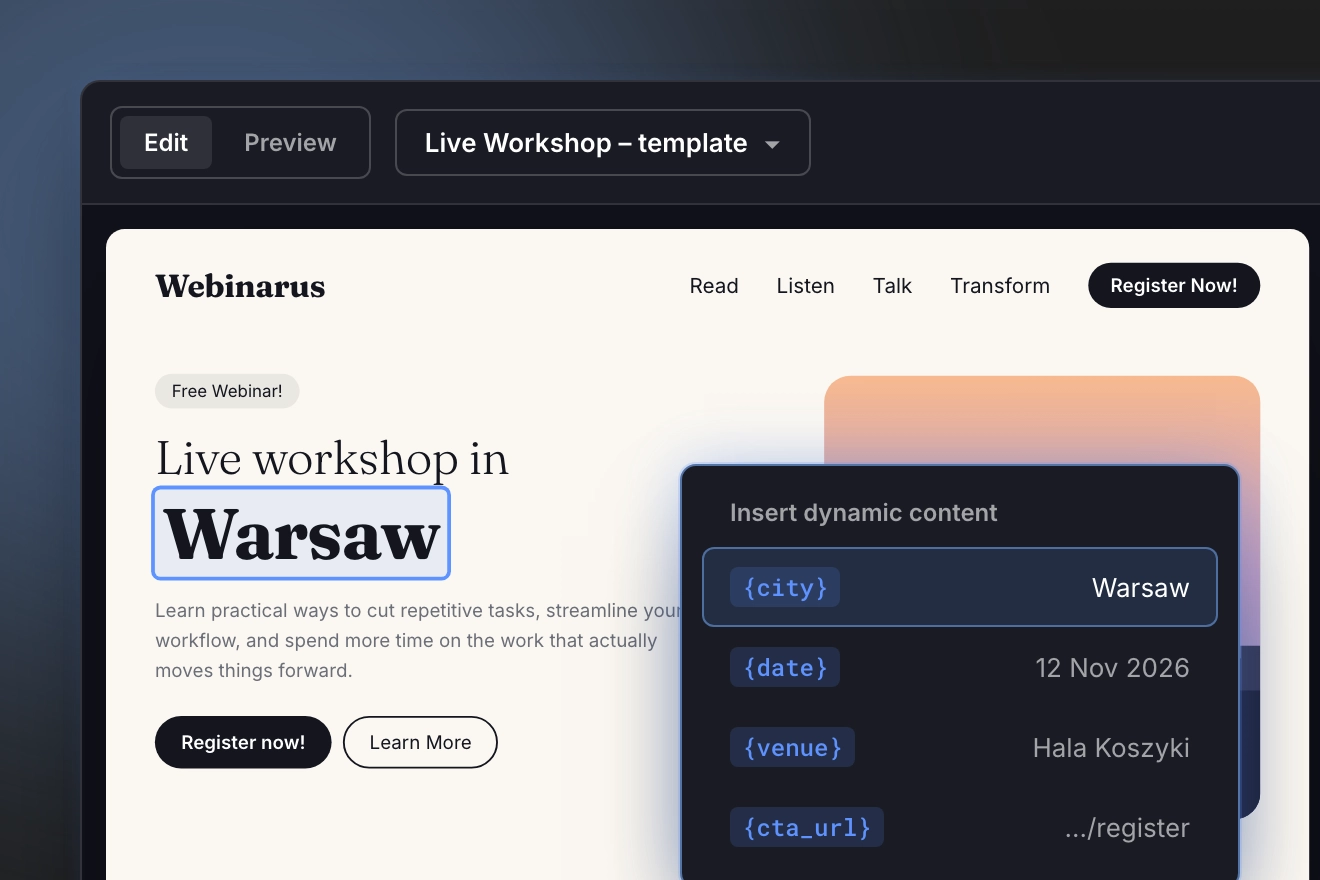
Create a base landing page in the Landingi editor. This template becomes the foundation for every generated page.
Add dynamic fields where content should change. These can include headlines, product names, city names, CTA labels, links, images, forms, videos, and SEO fields.
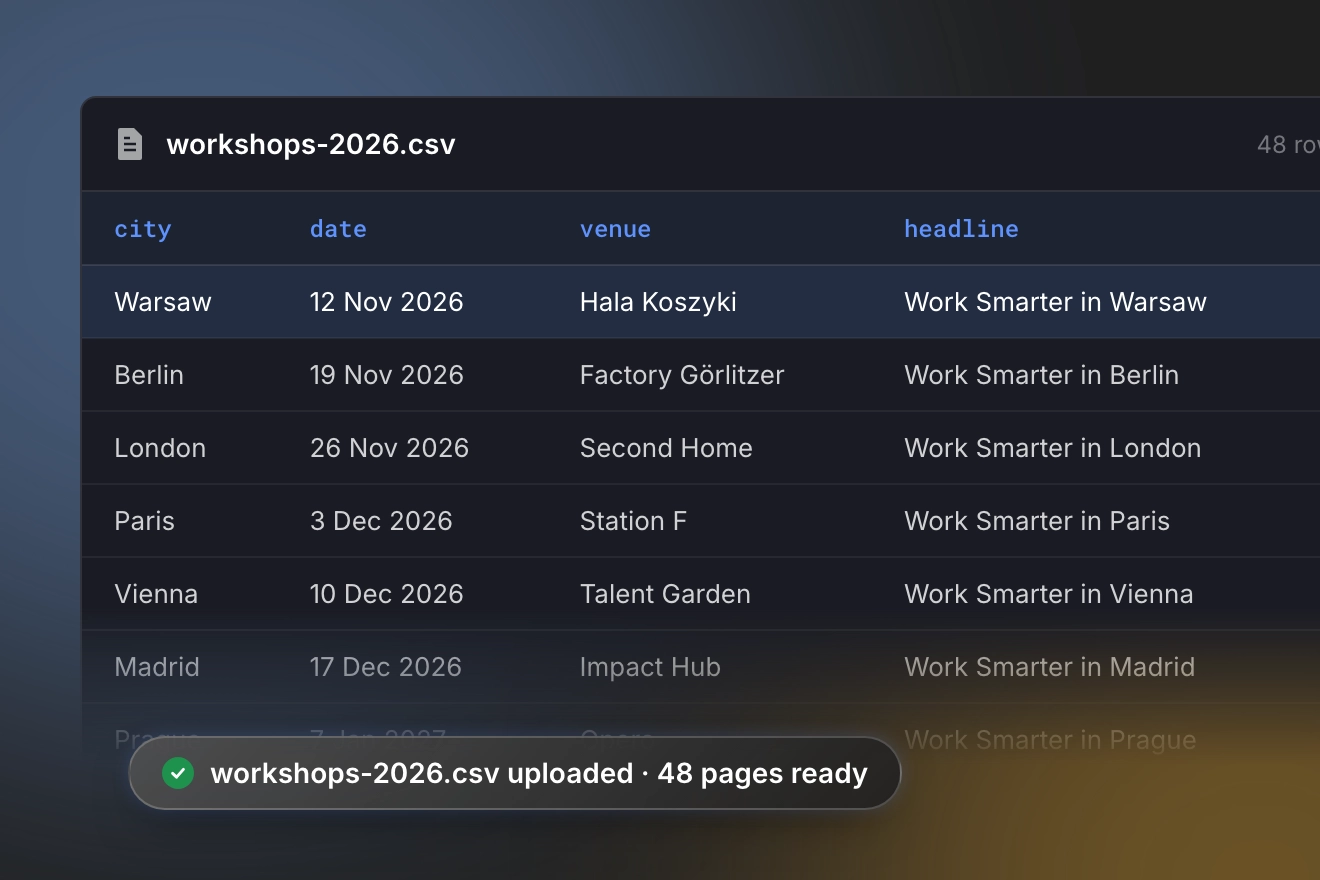
Create a CSV file with the data for each page. Each row represents one landing page. Each column corresponds to a variable in the template.
You stay in control of what changes and what remains consistent.
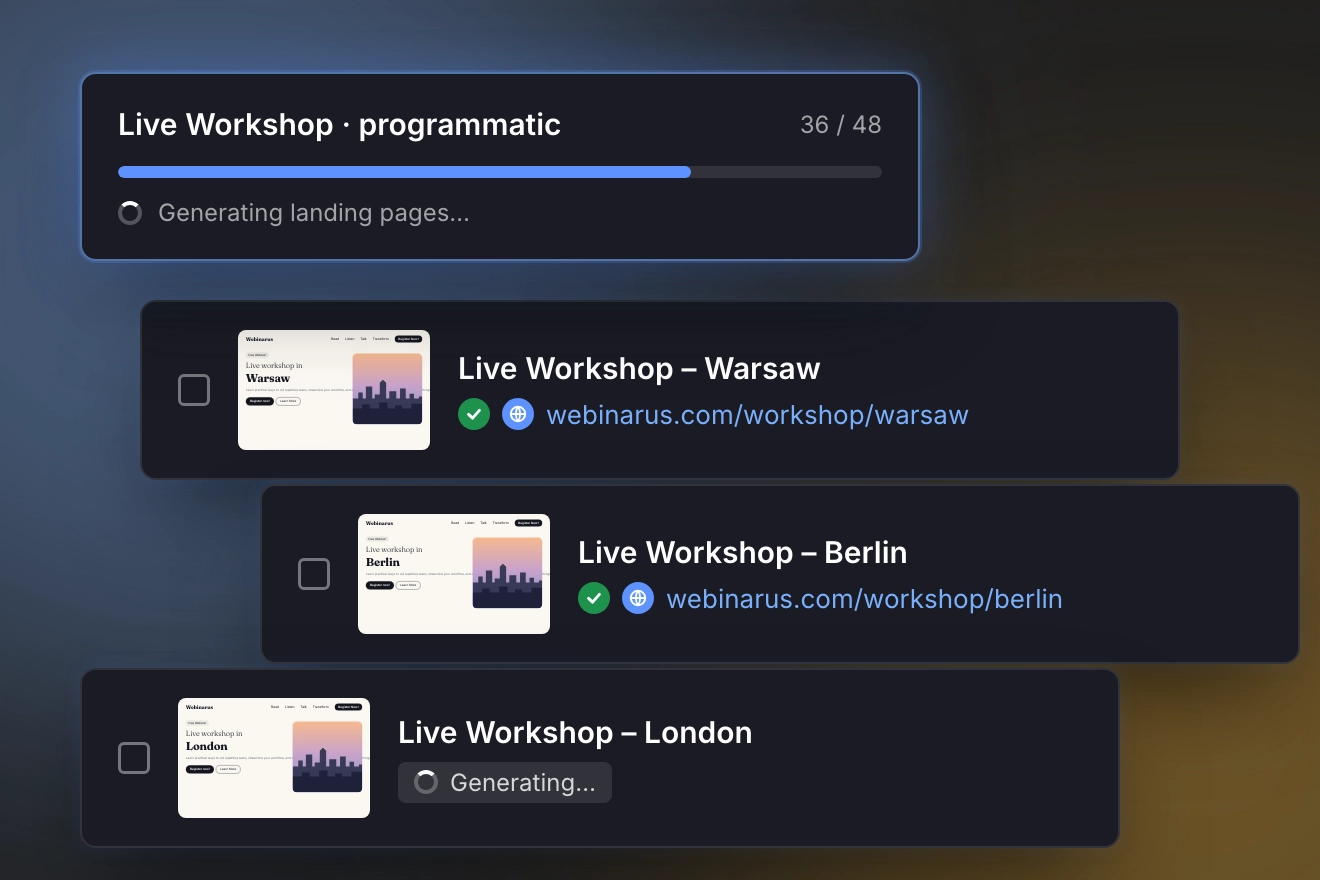
Connect the template with your CSV file and generate pages in bulk. Landingi uses your data to create individual landing pages with unique content, URLs, and settings.
Your campaign pages are generated in minutes and ready for review, publishing, and optimization.
Built for campaigns with many variations
Programmatic Landing Pages work best when your team regularly launches new offers, expands campaigns, or needs landing page variations. Instead of building separate landing pages manually, your team can create a controlled system for page generation.
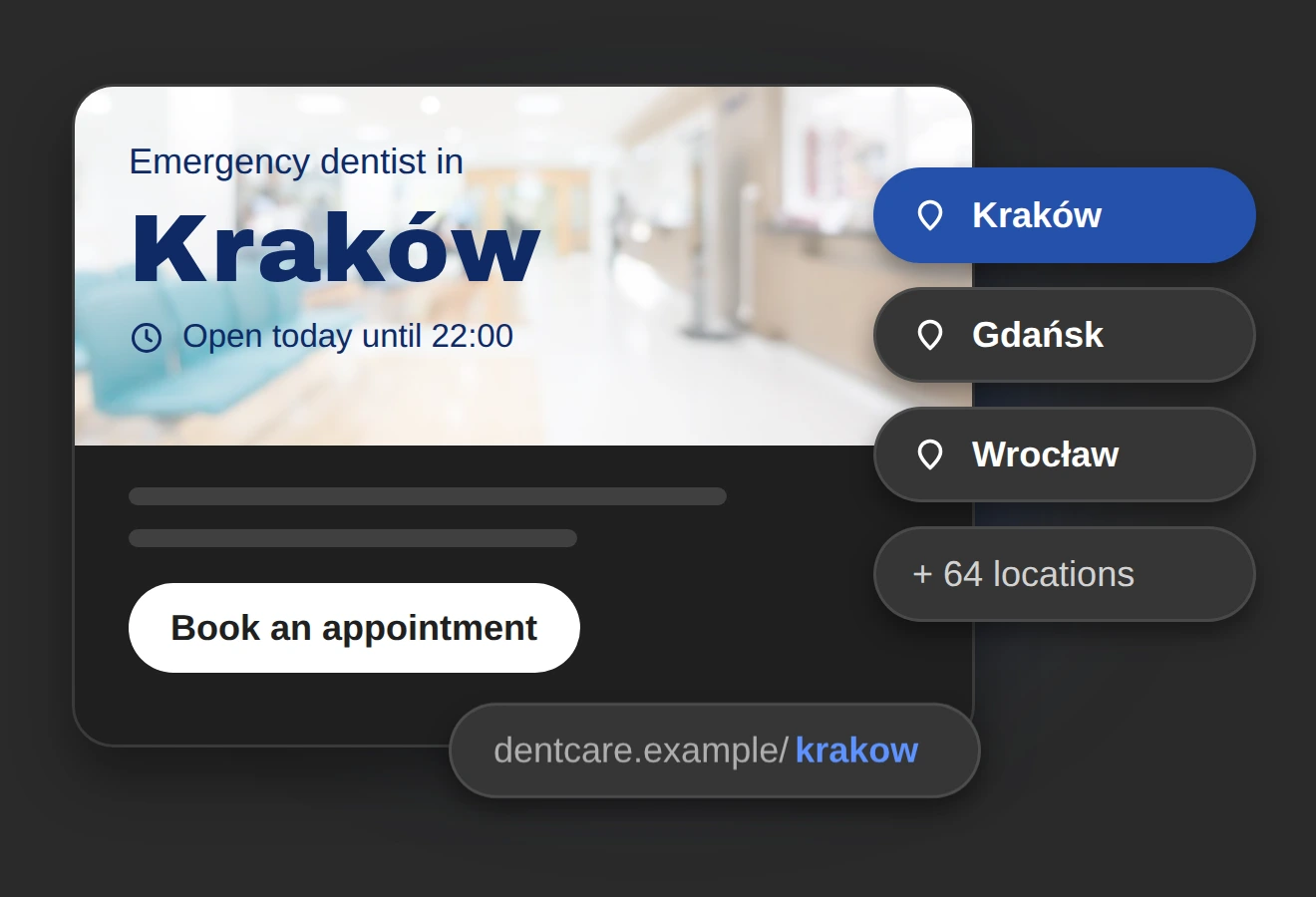
Localized campaigns
Create landing pages for different cities, regions, stores, offices, or service areas. Use local keywords, location-specific copy, regional images, and dedicated URLs.
Example:
A company operating in multiple cities can generate landing pages for each location while keeping one approved layout and brand structure.
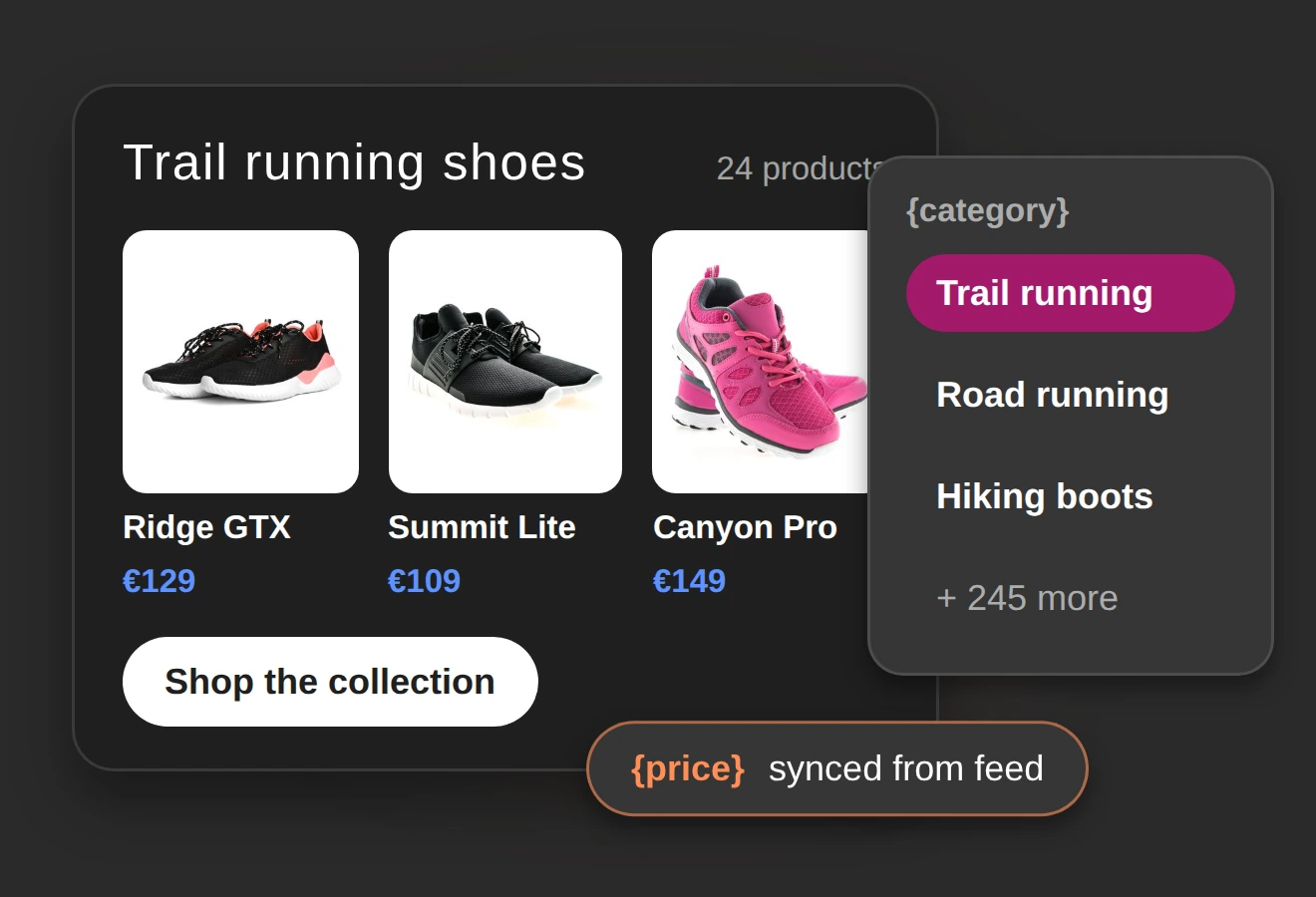
Product and category pages
Generate pages for large product catalogs, product groups, feature sets, or seasonal collections. Replace product names, descriptions, images, pricing context, CTAs, and links from a CSV file.
Example:
A retail team can create campaign pages for hundreds of products or categories without rebuilding the page structure each time.
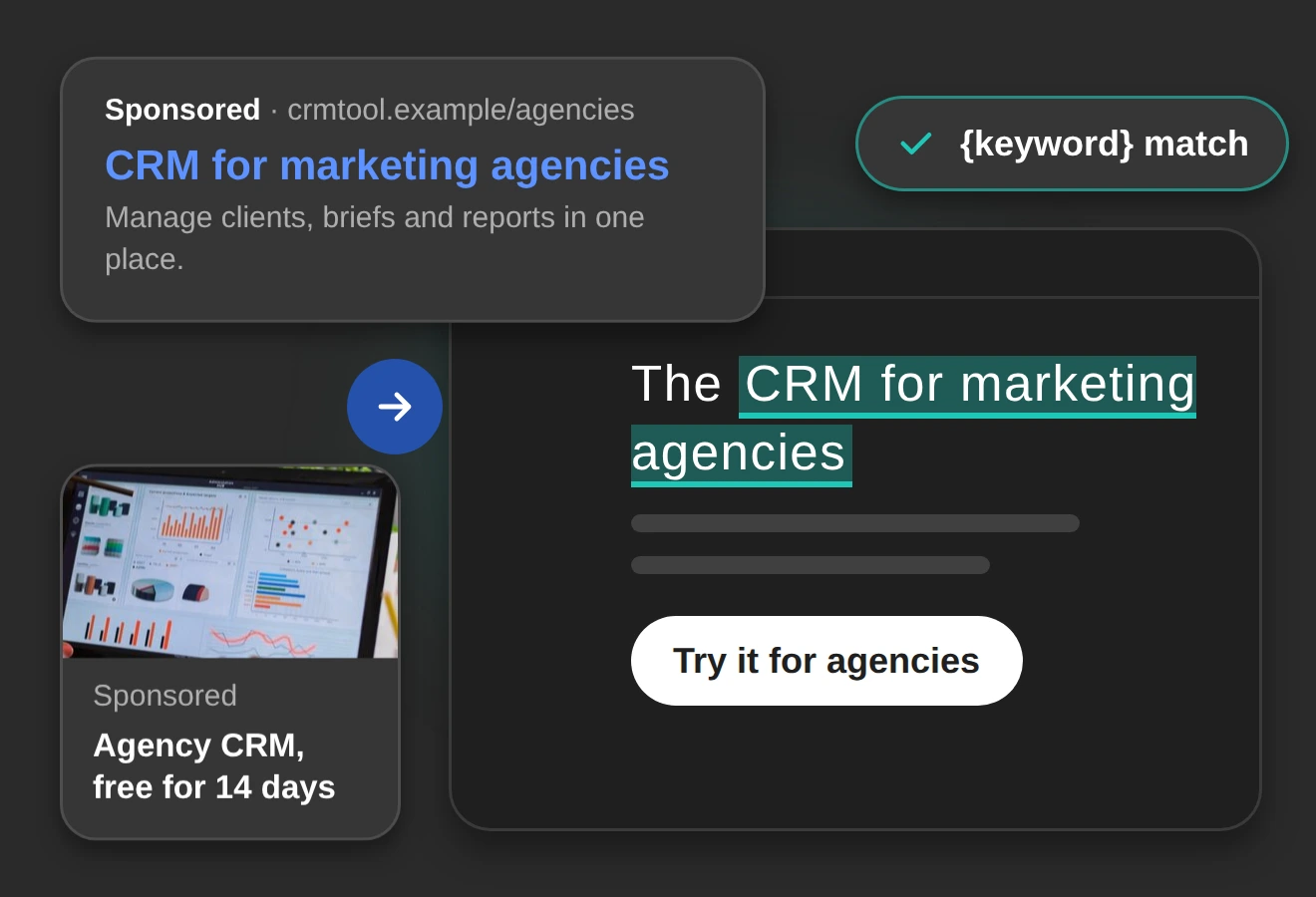
Paid search and paid social campaigns
Match landing pages to ad groups, audiences, keywords, or offers. Use campaign-specific headlines, CTAs, images, and URLs to keep the message consistent from ad click to landing page.
Example:
A performance marketing team can create separate pages for different search intents while keeping production time under control
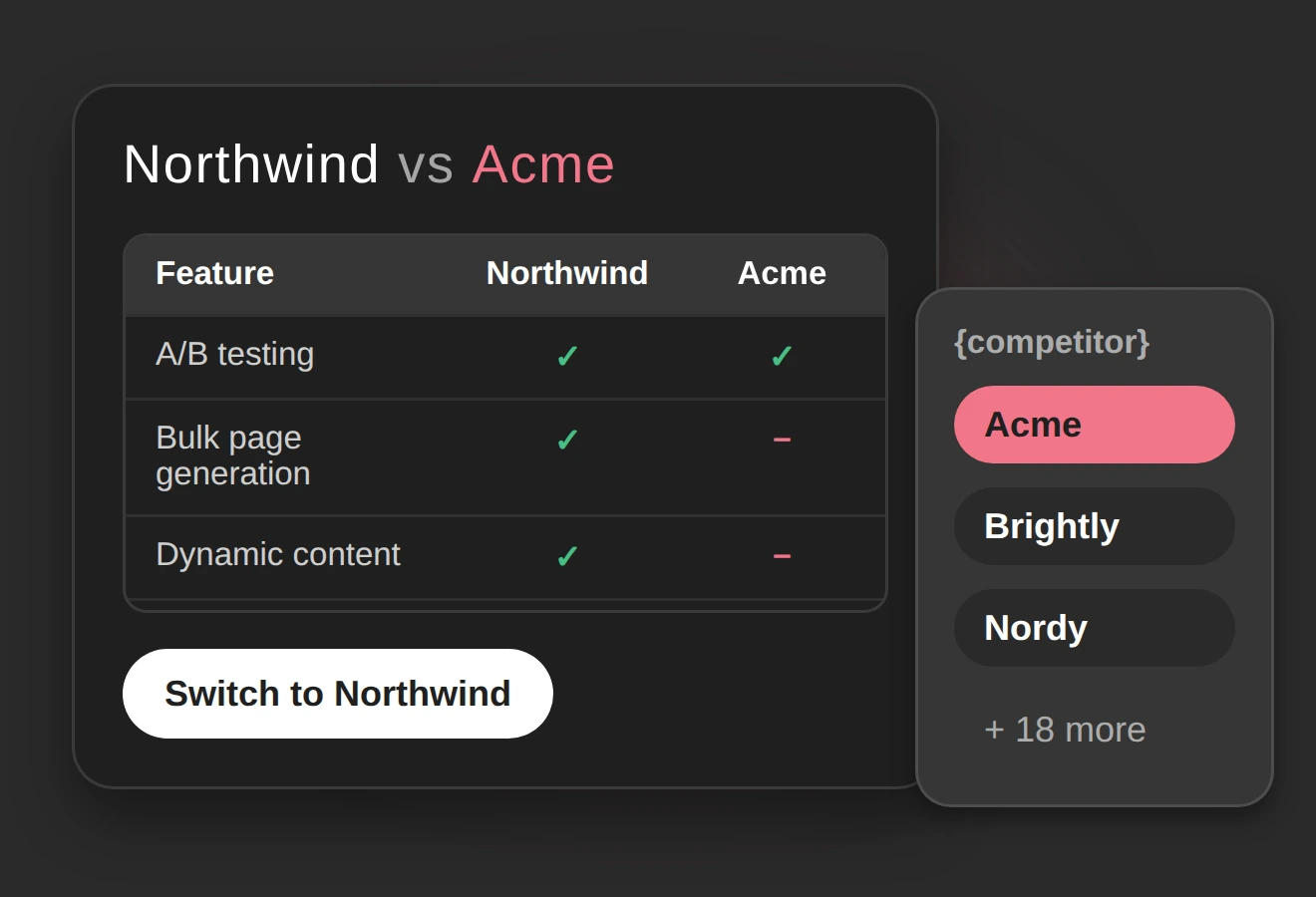
Comparison pages
Create structured pages comparing tools, features, locations, products, plans, or service packages. Use the same layout and update the comparison data dynamically.
Example:
A SaaS company can generate pages for “Product A vs. Product B” queries using one comparison template and structured data.
Event and time-sensitive campaigns
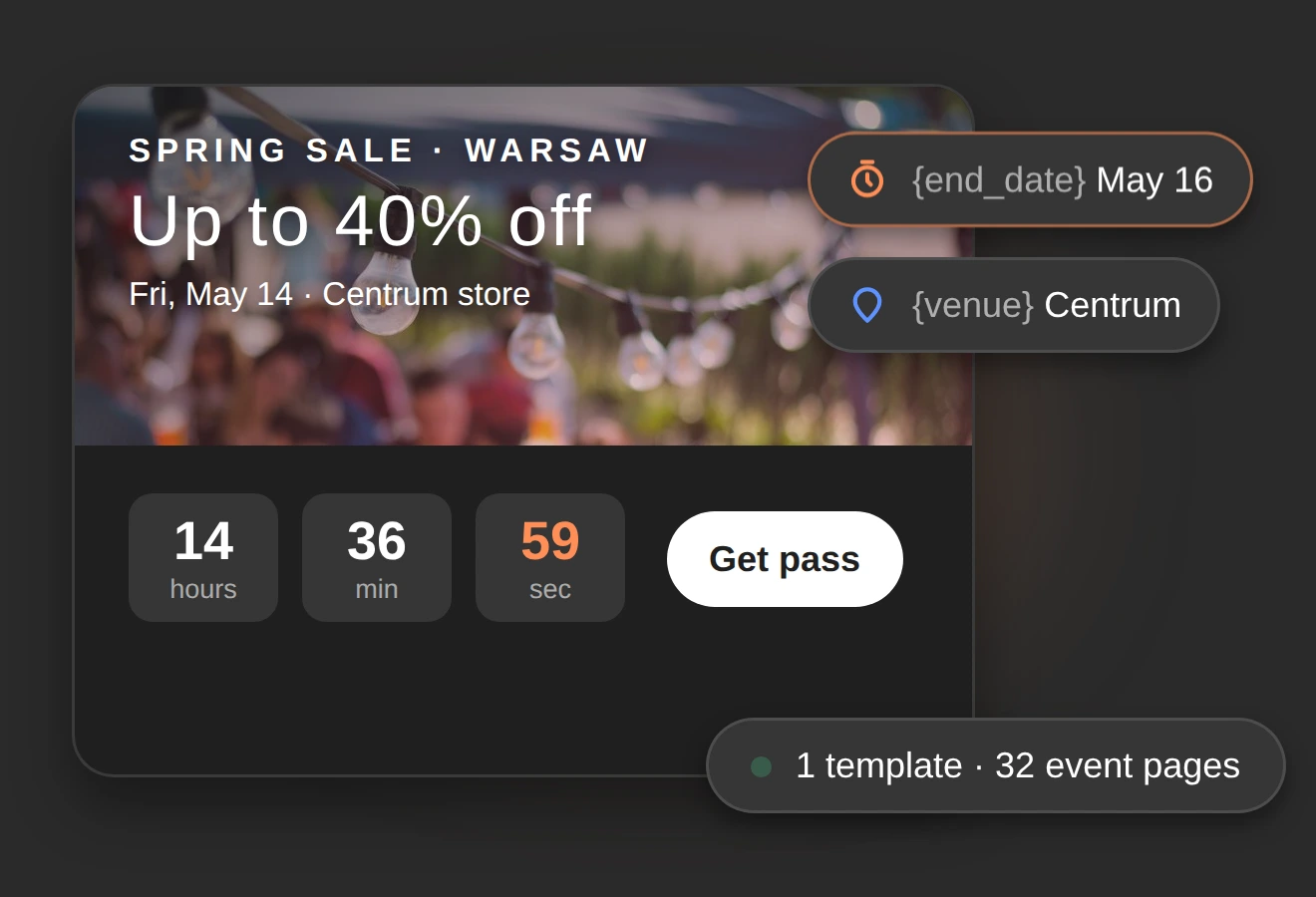
Launch many campaign variations for events, deadlines, promotions, or seasonal offers. Update countdowns, visuals, page copy, and CTAs based on campaign data.
Example:
A team running regional promotions can generate programmatic pages with different offer dates, locations, visuals, and calls to action.
Where Programmatic Landing Pages create the most value
Programmatic Landing Pages are especially useful in industries where teams manage many offers, locations, products, or audience segments. The more campaign variations you need, the more value you get from structured page generation.
Real estate
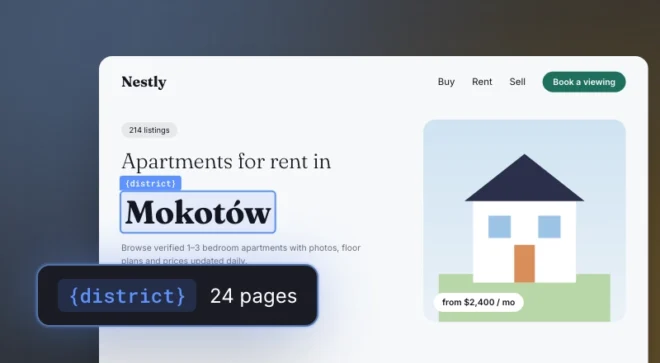
Real estate campaigns often depend on location, property type, price range, amenities, and availability. Programmatic Landing Pages make it easier to create pages for individual properties, neighborhoods, investment projects, or local search queries.
Use variables for: property names, addresses, images, floor plans, CTA links, contact forms, and SEO metadata.
Sports betting and gaming
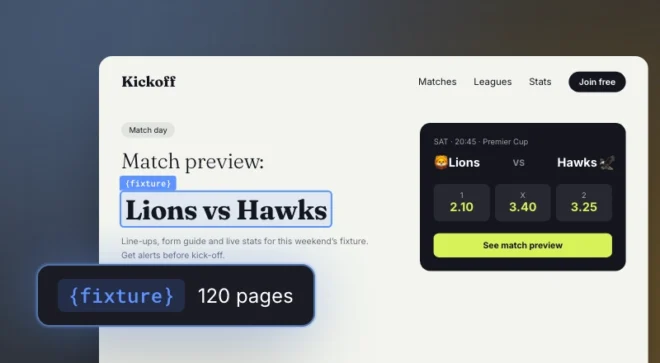
Betting and gaming campaigns change quickly. Offers, events, matches, odds-related messaging, and acquisition campaigns often need dedicated landing pages with timely content.
Use variables for: team names, event dates, stake amounts, potential winnings, promotional copy, CTA links, visuals, legal disclaimers, and SEO metadata.

Retail and ecommerce
Retail teams manage large catalogs, seasonal campaigns, promotions, and product categories. Programmatic Landing Pages allow them to generate campaign pages for products, collections, locations, or offers without duplicating work manually.
Use variables for: product names, images, category descriptions, CTAs, campaign URLs, and SEO fields.
SaaS and software
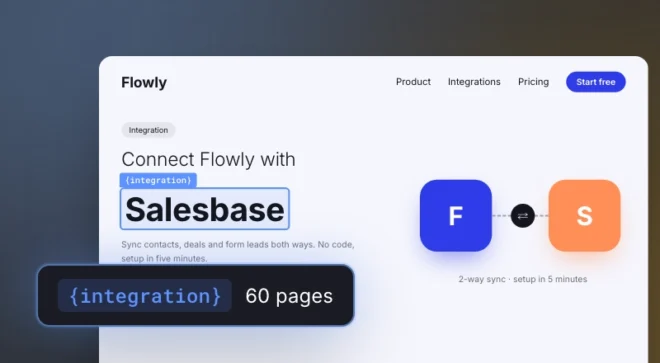
SaaS teams often need pages for use cases, industries, integrations, competitor comparisons, and feature-specific campaigns. Programmatic Landing Pages help them create structured page sets that match search intent and paid campaign segmentation.
Use variables for: feature names, integration names, comparison tables, screenshots, proof points, and CTA links.
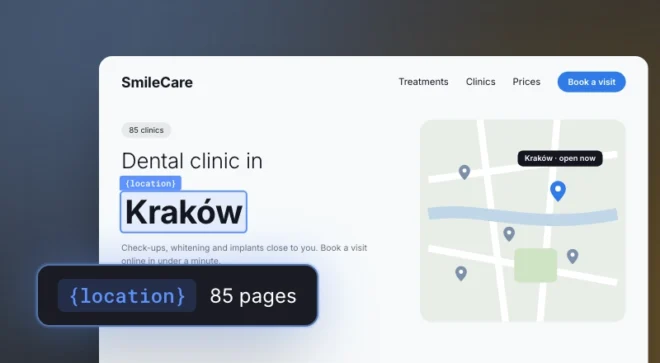
Multi-location services
Companies operating across many cities or branches need landing pages that feel local without rebuilding each page from scratch. Programmatic Landing Pages make it possible to combine one controlled template with location-specific data.
Use variables for: city names, local addresses, service availability, contact details, maps, and location-specific CTAs.
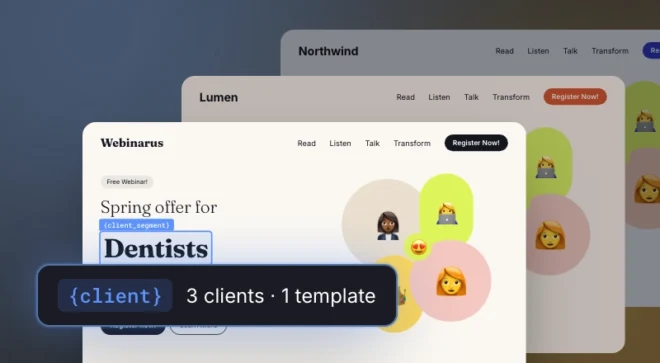
Marketing agencies
Agencies managing campaigns for multiple clients, markets, or brands need repeatable workflows. Programmatic Landing Pages help teams reduce manual production and keep large campaign structures organized.
Use templates and CSV data to generate client-specific, market-specific, or campaign-specific pages with consistent quality.

Turn structured campaign data
into landing pages
Programmatic Landing Pages FAQ
What are Programmatic Landing Pages?
Programmatic Landing Pages in Landingi are landing pages generated from one template and a structured data source, such as a CSV file. Each row in the file creates a separate page variation with its own content, URL, visuals, and settings.
Can I use Programmatic Landing Pages through API?
Yes. Programmatic Landing Pages can be used through Landingi’s API, which allows teams to automate page generation as part of a broader campaign workflow. This is especially useful for teams that manage large datasets, frequent campaign launches, or custom internal systems.
Do I need developers to create Programmatic Landing Pages?
No, you don’t need a developer to create Programmatic Landing Pages. Your team creates the base landing page in Landingi, adds variables, and connects the template with a CSV file. Developers may help with data preparation or advanced workflows, but they are not required to generate the pages.
When should I use Programmatic Landing Pages?
Use Programmatic Landing Pages when your campaign needs many landing page variations, for example for different products, locations, keywords, offers, audiences, or comparison pages. They are especially useful for high-volume campaigns where manual page creation would slow execution down.
Which Landingi plan includes Programmatic Landing Pages?
Programmatic Landing Pages are available in Landingi’s Scale and Enterprise plans. They use Credits for page generation, so your final usage depends on the number of landing page variations you want to create.
Which industries should use Programmatic Landing Pages?
Programmatic Landing Pages should be used in industries that need many landing page variations across products, locations, audiences, offers, or search intents. Programmatic Landing Pages work especially well for real estate, sports betting and gaming, retail and ecommerce, SaaS and software, healthcare, education, multi-location services, and marketing agencies.