
Key Facts:
- Landing page costs in 2026 range from the price of a software subscription to several thousand dollars for outsourced design and development.
- The biggest landing page cost differences come from the creation method, required functionality, integrations, content production, and ongoing optimization.
- AI-native landing page tools can reduce manual production work by generating page structure and content from a brief, then supporting publishing and optimization in the same workflow.
The cost to create a landing page depends less on the page itself than on the workflow behind it. A simple campaign page built in-house with a landing page platform can be covered by a monthly subscription, while projects that involve external designers, developers, copywriters, or custom integrations quickly move into the hundreds or thousands of dollars. In 2026, AI-based landing page creation adds another option by reducing the amount of manual work needed between the campaign brief and a published page.

How Much Does It Cost to Create a Landing Page?
The cost to create a landing page in 2026 ranges from $0 with a free DIY tool to $3,000 or more for outsourced design and development. The wide range reflects different ways of paying for the work: free tools usually come with limits, landing page platforms charge a recurring subscription, and freelancers or agencies typically charge per page or project.
| Creation method | Typical cost | Pricing model |
| Free DIY tool | $0 | Free plan with usage or feature limits |
| Landing page platform | From about 20–30 per month | Monthly or annual subscription |
| Freelancer | About 150–2,100 per project | Per project or hourly |
| Agency | About 1,100–3,000+ per page | Per page or project |
The numbers are not directly comparable. A freelancer or agency fee usually pays for one defined page project, while a platform subscription gives a team the tools and infrastructure to create and manage landing pages over time.
What is the average price range for a basic landing page?
A basic landing page can cost anywhere from $0 to around $1,500, depending on who builds it and what is included. A free DIY tool can bring the direct software cost down to zero, while hiring someone to handle the design, content, or implementation raises the landing page price.

Free does not necessarily mean unsuitable for a real marketing campaign, but it usually comes with tighter limits on traffic, domains, integrations, analytics, or publishing options. Paid landing page platforms are the next step when the page needs to support ongoing campaigns rather than a one-off experiment.
What is the average price range for advanced landing page?
An advanced landing page typically costs hundreds to several thousand dollars, depending on how much design, development, integration, and optimization work is outsourced. Upwork estimates 750–3,000 for a full landing page system with development handoff, while agency pricing can reach $3,000 or more per page.

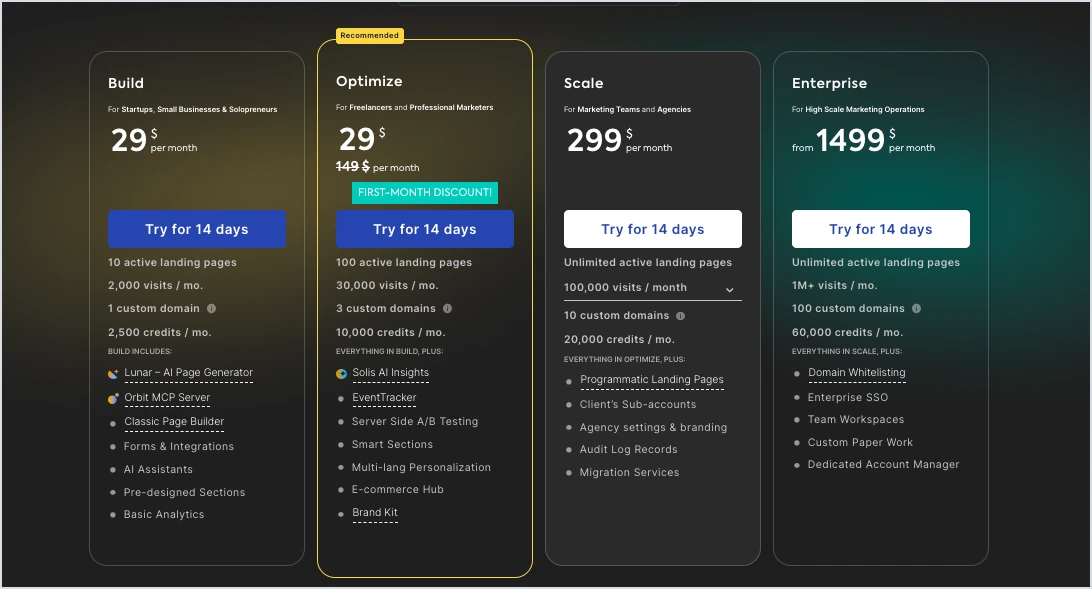
With a landing page platform, the cost covers more than the creation of a single page. Landingi’s Optimize plan costs $149 per month and supports up to 100 active landing pages, 30,000 monthly visits, 10 users, and 3 domains, while also covering testing, behavioral tracking, AI-assisted optimization, and campaign management. Scale starts at $299 per month and raises capacity to unlimited active landing pages and users, 100,000 monthly visits (or up to 500,000), and 10 domains, while adding infrastructure for larger-scale operations, including subaccounts, and programmatic landing pages.

For enterprise teams, Landingi pricing starts at $1,499 per month and is built around much higher traffic volumes, more domains, larger credit pools, and dedicated services for complex landing page operations.
Create, connect, and manage landing pages in one platform instead of piecing together separate tools for every campaign.
What Factors Affect Landing Page Development Costs?
The main factors that affect landing page development costs are scope and functionality, design and content requirements, integrations, infrastructure, optimization needs, campaign scale, and external expertise. The more custom work, technical setup, and ongoing management a page requires, the higher the overall landing page cost.
1. Scope and functionality
Scope has the biggest impact on landing page development cost. A straightforward lead-generation page with a form, CTA, and standard tracking is relatively simple to produce, while calculators, payment flows, dynamic content, multi-step forms, or custom logic require more development and testing.
What matters most is not the number of sections, but how much custom behavior the page needs.
2. Design and content requirements
Design and content requirements affect landing page cost when the project needs work beyond existing brand materials. Custom layouts, original graphics, video, new copy, or campaign-specific messaging add design and content-production hours that are not part of a basic page setup.
Costs stay lower when teams can reuse approved brand assets, existing copy, and established page components. AI can also reduce the time needed for an initial draft, but review, editing, and adaptation to the campaign still require human input.
3. Integrations and technical setup
Integrations affect landing page development costs when the page needs to exchange data with CRMs, email platforms, analytics tools, payment systems, or other parts of the marketing stack. The cost stays lower when these connections are already supported by the platform, since teams can use built-in or compatible integrations instead of developing them from scratch.

More complex setups – such as custom APIs, webhooks, advanced tracking, or tailored lead-routing logic – require additional configuration, development, and testing. A platform with a broad integration ecosystem can therefore reduce both the initial setup cost and the technical work needed as campaigns grow.
4. Traffic, hosting, and infrastructure
Traffic and infrastructure costs grow when a landing page has to support more visitors, domains, users, or campaigns at the same time. A small campaign may need only a few thousand visits per month, while larger operations can require capacity for hundreds of thousands or more.
Platform limits make that difference visible. In Landingi, Build includes 2,000 monthly visits and 1 domain, Optimize 30,000 visits and 3 domains, Scale 100,000 visits and 10 domains, while Enterprise starts at 1,000,000 visits and 100 domains. Higher traffic therefore affects landing page pricing even when the page itself does not change.
5. Testing and ongoing optimization
Optimization adds cost because improving a landing page requires data collection, analysis, experiments, and repeated changes after launch. The expense may come from specialist time, additional software, or a higher platform plan that already includes these capabilities.
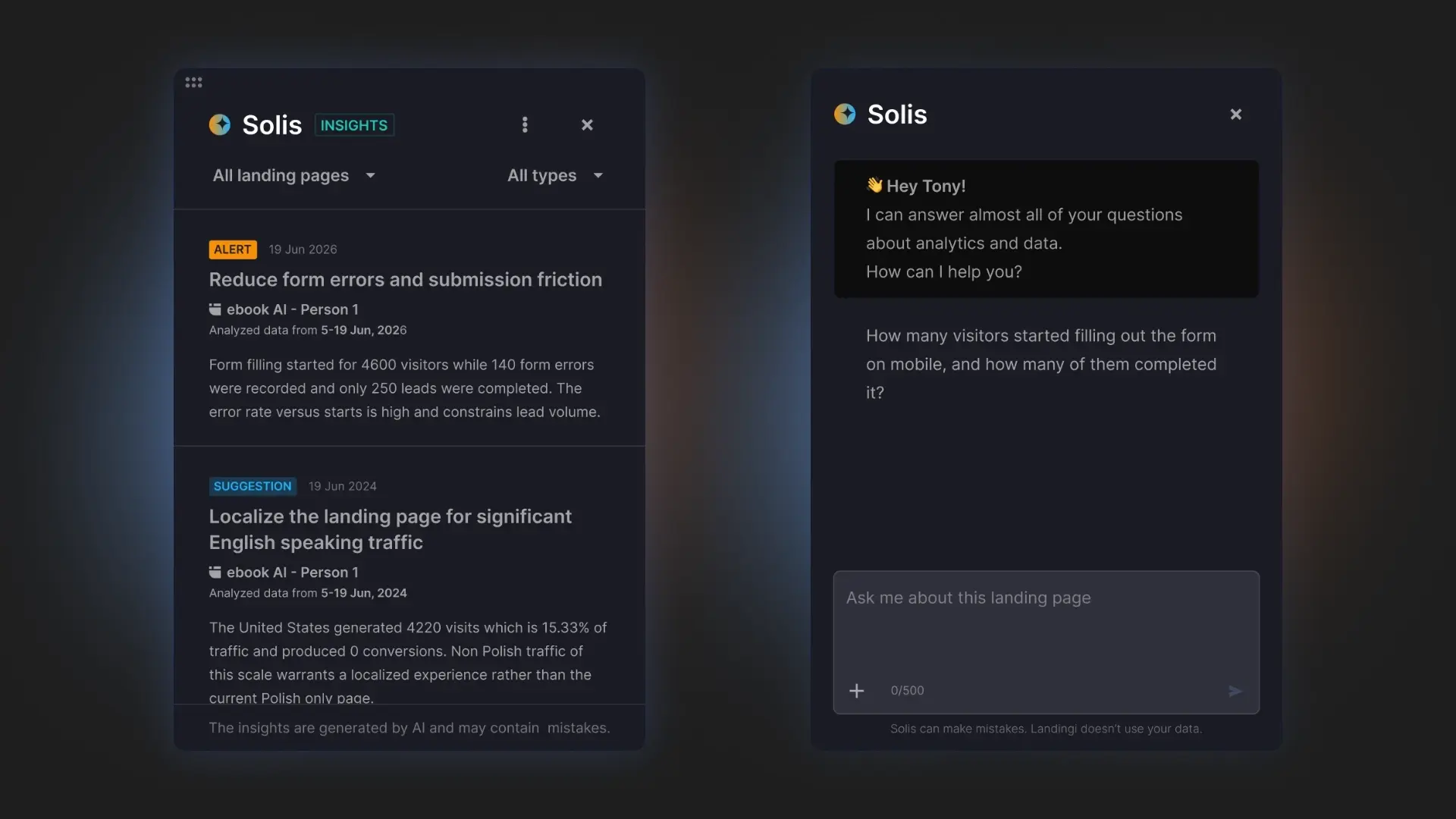
In Landingi, Optimize and higher plans include A/B testing and EventTracker, while Solis uses EventTracker data to identify issues and recommend improvements in context. This reduces the need to combine separate testing, behavioral analytics, and optimization tools, but continuous optimization still requires budget beyond the initial page build.
Turn behavioral data into actionable recommendations without adding another standalone optimization tool to your workflow.
6. Scale and campaign volume
Campaign volume affects cost because managing 50 or 500 landing pages creates different operational requirements than managing one. Teams need more active pages, more users, more domains, higher traffic capacity, and ways to update or generate pages without repeating the same work manually.
Landingi reflects that progression directly: Build supports 10 active landing pages and 5 users, Optimize supports 100 pages and 10 users, while Scale and Enterprise allow unlimited active pages and users. Scale also introduces capabilities for larger operations, including subaccounts, and Programmatic Landing Pages.
At this level, the cost is no longer tied mainly to producing a single landing page. It covers the system needed to run many campaigns consistently.
7. External expertise and turnaround time
Outsourcing increases landing page development cost according to how many specialist roles the project needs. A page that only requires implementation is cheaper to outsource than one that also needs messaging, copywriting, design, custom development, analytics setup, and CRO work.
Turnaround time matters for the same reason. A short deadline can require several specialists to work in parallel or prioritize the project over other work. Teams can reduce that cost when more of the process stays in-house and the platform handles creation, publishing, testing, and optimization within one workflow.
Create, test, optimize, and manage landing pages in one system instead of adding separate tools as campaign complexity grows.
What Are Typical Costs for Creating a Landing Page Using a Builder?
Landing page builders typically cost from around $20 to several hundred dollars per month, depending on traffic limits, publishing options, domains, collaboration features, analytics, testing, and integrations. Free plans still exist on the market, but they usually come with tighter limits on usage and functionality.
The key difference is that you are paying for ongoing access to the landing page software, not for one finished page. That makes builders more cost-efficient for teams that launch landing pages regularly, especially when the same account is used across multiple campaigns.
Costs rise when teams need more traffic capacity, more domains or users, advanced testing, or stronger integration and automation options.
What Are Typical Costs for Creating a Landing Page Using an AI Generator?
AI landing page generators typically cost from $0 for limited standalone tools to 29-300+ per month for broader platforms with publishing, analytics, testing, and campaign management built in. The price depends mainly on how much of the workflow AI actually covers.
In Landingi, Lunar AI generator is included across all the current plans and generates complete, editable landing pages from prompts. This means teams can use AI for the initial production stage while keeping publishing, campaign management, analytics, and optimization in the same landing page operation system.
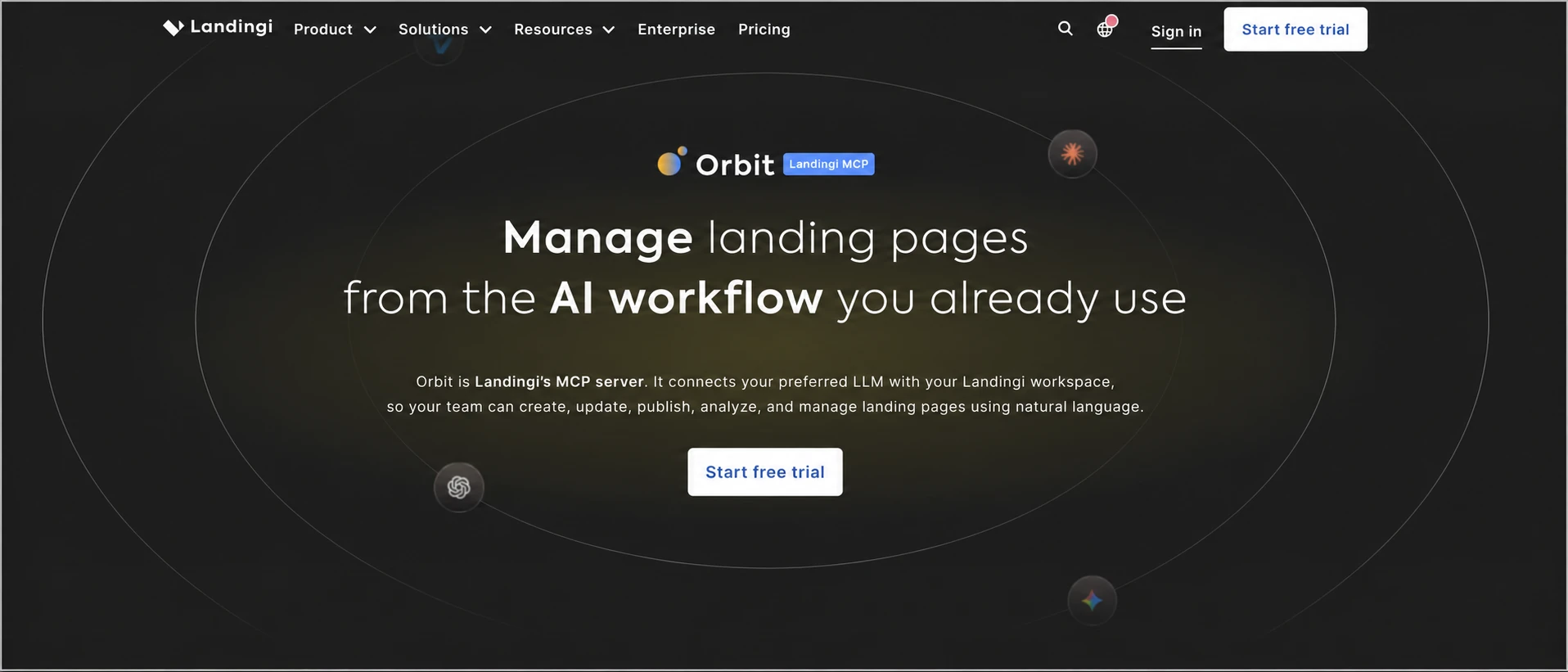
AI workflows can go further through MCP connections. Orbit, Landingi’s MCP server, connects an MCP-compatible LLM with the Landingi workspace, so a team can create, edit, duplicate, publish, and analyze landing pages directly from an AI conversation. A brief, Figma design, DESIGN.md file, brand instructions, or an existing campaign can serve as context without being manually transferred between tools.

Creating and editing pages through Landingi MCP does not consume Landingi credits because the connected AI tool generates the page or changes and sends them to Landingi. Costs or usage limits can still apply on the AI provider’s side.
For teams already working in ChatGPT, Claude, Gemini, or another MCP-compatible environment, this can reduce the operational cost of landing page production by removing repeated handoffs between the AI workspace and the landing page platform.
Create, update, publish, and analyze landing pages directly from your AI workspace.
What Are the Hidden Costs of Creating a Landing Page?
The hidden costs of creating a landing page usually come from extra software, integrations, content production, optimization, and the time spent managing the page after launch. A low starting price does not always reflect the full cost of running the campaign.
Additional expenses can appear when you need a custom domain, higher traffic limits, paid integrations, external analytics tools, premium assets, copywriting, or specialist support. Testing and optimization can add further costs if they require separate tools or outside CRO work.
Time is another cost that is easy to overlook. Building, reviewing, connecting, publishing, and updating a page all require internal resources, especially when the workflow is spread across several tools.
The most useful comparison is therefore not just the initial landing page price, but the total cost of creating, launching, measuring, and improving the page over time.
How to Reduce Landing Page Creation Costs?
The easiest way to reduce landing page creation costs is to limit custom work, reuse existing assets, and keep more of the workflow inside one platform. The biggest savings usually come from reducing repeated design, development, integration, and optimization work.
Reuse approved brand assets, page sections, copy frameworks, and campaign structures instead of starting from scratch each time. For recurring campaigns, duplicating and adapting an existing page is usually cheaper than rebuilding the layout and setup.
Use built-in integrations, analytics, testing, and publishing options where possible. Every additional external tool can add subscription fees, configuration time, and maintenance work.
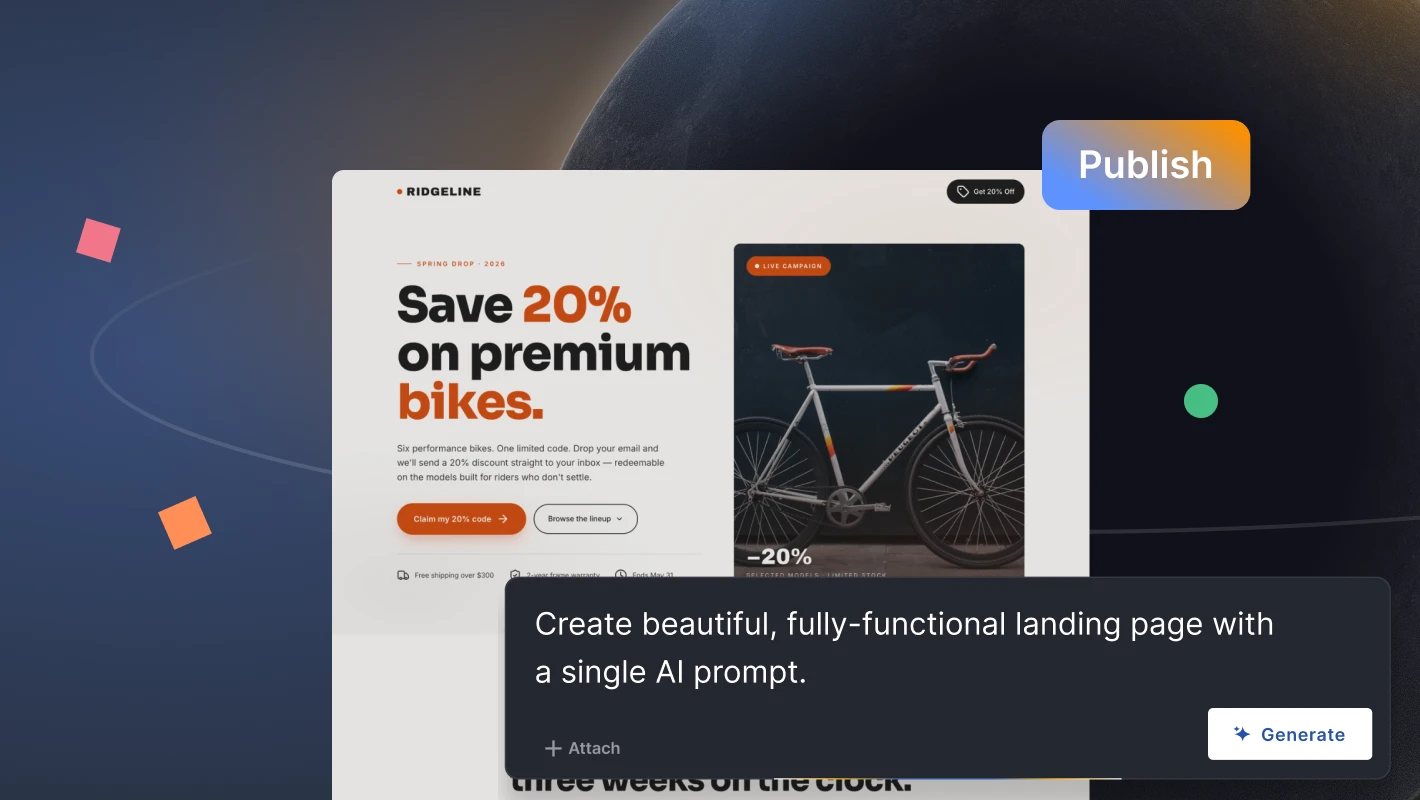
AI can also lower production costs by handling the first draft of the page, adapting content, or generating variants faster. In Landingi, Lunar can generate landing pages from prompts, while Orbit can connect an existing AI workflow with the Landingi workspace so teams can move from campaign context to execution without manually transferring the same information between tools.
Finally, reduce the number of handoffs. The more often a page moves between copywriters, designers, developers, analysts, and separate platforms, the more time and budget the process consumes.
Landing Page Costs – FAQ
The answers below cover the key cost decisions: whether you can build for free, the cheapest creation route, copywriting fees, maintenance costs, and when a paid landing page setup is worth it.
Can I create a landing page for free?
Yes. Some landing page platforms still offer free plans or free tools, but they usually come with limits on traffic, domains, integrations, branding, or publishing options.
What is the cheapest way to create a landing page?
The cheapest option is usually to build the landing page yourself using a free or low-cost platform. For recurring campaigns, a paid platform can be more cost-efficient than paying separately for design and development each time.
How much does landing page copywriting cost?
Professional landing page copywriting typically costs around 500–3,000 per page. Experienced conversion copywriters and agencies can charge 3,500–10,000+ for projects that include deeper research, messaging strategy, multiple funnel stages, or high-value offers.
How much does it cost to maintain a landing page?
Landing page maintenance costs vary from almost nothing for a simple page managed in-house to hundreds of dollars per month when ongoing testing, reporting, design updates, or CRO work is outsourced. With a landing page platform such as Landingi, hosting, publishing, analytics, testing, and ongoing optimization can stay within the same system, which reduces the need to pay for separate tools and services as the campaign evolves.
Should I pay for a landing page?
Yes, you should pay if the landing page supports an active business campaign and needs reliable publishing, integrations, tracking, testing, or regular updates. Free marketing tools are useful for simple projects and experiments, while paid platforms or external specialists make more sense when the landing page is part of an ongoing acquisition or conversion workflow.
Create, publish, test, and optimize landing pages in one AI-powered workflow without adding more tools to your stack.
Create a Landing Page Without High Development Costs with Landingi
Landingi helps marketing teams keep landing page development costs predictable by combining creation, publishing, testing, analytics, and optimization in one AI landing page platform. Landingi plans start at $29 per month, so you can manage multiple campaign pages without paying a separate design or development fee for every new launch.
In Landingi, Lunar handles AI-native page generation, EventTracker and Solis support performance analysis and optimization, and Orbit connects Landingi with MCP-compatible AI tools so marketers can move from campaign context to execution without rebuilding the workflow in another tool.
This setup is especially cost-effective for teams that launch landing pages regularly, reuse campaign structures, test variants, and need to scale production without adding more manual handoffs or standalone software. Start building in Landingi and keep page creation, management, testing, and optimization in one AI-supported workflow.