
Creating a landing page in WordPress is crucial to building a successful online presence. In today’s digital landscape, it’s remarkable to note that, according to a notable source, “WordPress is used by 62.7% of all the websites whose content management system we know. This is 43.4% of all websites”, according to W3Techs. This statistic underscores the platform’s widespread adoption and its significance for individuals and businesses looking to establish or enhance their online footprint.
Whether you aim to gather leads, promote products, or simply direct traffic to a specific section of your website, a well-crafted landing page can make a significant difference. In this guide, we’ll walk you through the process of creating an effective landing page in WordPress in just five simple steps. We’ll cover everything from choosing and installing a theme to publishing your page. Additionally, we’ll explore some examples and how to create landing pages using popular tools like Landingi.

Check your WordPress setup first. WordPress.com requires a paid plan to install plugins; self-hosted WordPress follows your hosting setup. The customization interface also depends on whether your site uses a block or classic theme.
Step 1: Choosing and Installing a Theme
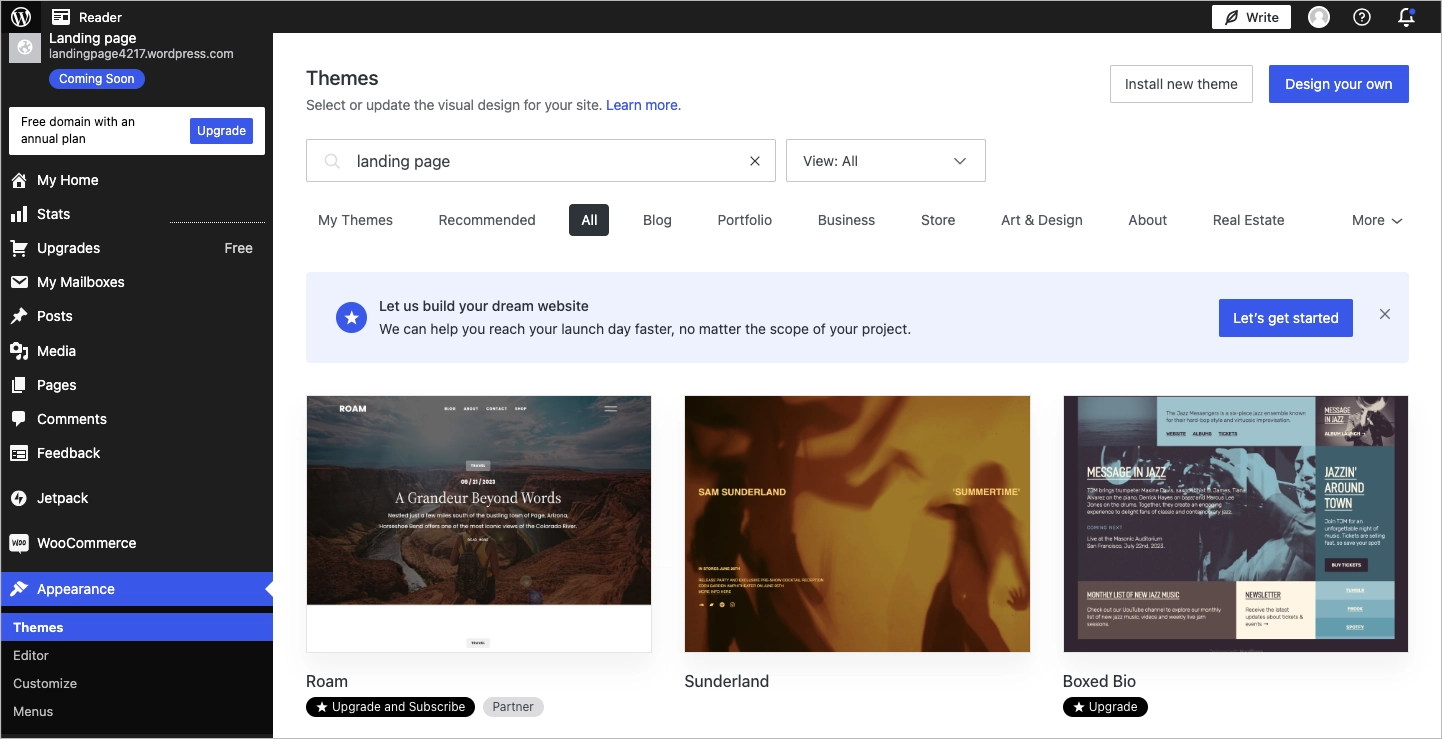
Choosing the right theme is the first crucial step in creating a WordPress landing page. Your theme dictates the overall look and feel of your site. WordPress offers a vast array of free and premium themes specifically designed for landing pages. To install a theme:
- Log in to your WordPress dashboard. Add a new site, if applicable.
- Navigate to Appearance > Themes. If you are creating a new site, you will be promptly directed to theme selection.
- Browse through the themes or use the search bar to find one that fits your style and needs. Popular options include Twenty Twenty-Four or Attar.
- Click on the theme and then “Activate this design” to apply the theme to your site.
- Customize the theme. Give your site a name and edit the page design. You can skip this step for now or launch your website immediately.
Choosing a responsive, fast-loading, and easy-to-customize theme will set a solid foundation for your landing page.
You can create your WordPress landing page from scratch using pre-made section patterns. Simply click “Design your own” and assemble your page using patterns.
Step 2: Adding Pages
Adding pages is optional, as a good landing page should be focused on one goal and fit on a single page. However, you might want to consider creating a thank you page. To do this, follow these instructions after installing your theme:
- Go to Pages > Add New in your WordPress dashboard.
- Title your page and add any essential content, keeping the design and goal of your landing page in mind.
- Select a suitable template from the Template menu on the sidebar.
Step 3: Customizing
Customization is key to making your WordPress landing page stand out. Here’s what you can do:
- For block themes, open Appearance > Editor to customize templates and styles. For classic themes, use Appearance > Customize.
- Adjust site identity settings like your site title and tagline.
- Click on elements such as the layout, header, buttons, colors, and background to customize them to match your brand’s identity. Note that customization options are limited in the free WordPress plan.
- Add widgets, menus, buttons, and other elements to enhance your landing page’s functionality and user experience.
Step 4: Setting the Homepage
Set your landing page as your homepage to ensure it is the first thing visitors see. This step ensures that all traffic directed to your homepage will see the landing page you’ve crafted.
- Go to Settings > Reading.
- Choose your newly created landing page from the “Your homepage displays” dropdown menu.
- Save the changes.
Step 5: Publishing Your Landing Page
Finally, it’s time to make your landing page live. If you haven’t already launched your website, double-check all the elements to ensure everything is in place and publish your landing page:
- Review your page to ensure all elements are correctly placed and functional.
- Test your page on different devices and browsers to ensure responsiveness and compatibility.
- Click the Publish button to make your landing page live.
- Regularly monitor performance to track visitor behavior and conversion rates.
Your landing page is now live and ready to attract and convert visitors!
8 WordPress Landing Page Examples
Examples of well-crafted WordPress landing pages can serve as valuable inspiration for creating your own high-converting pages. Leveraging the extensive range of themes, plugins, and customization options available in WordPress, businesses can design landing pages that not only captivate visitors but also drive them toward taking desired actions. Whether your goal is to gather leads, promote products, or encourage sign-ups, WordPress provides the necessary tools to build effective landing pages.
In this section, we will explore eight exemplary WordPress landing pages from various industries. Each example demonstrates unique design elements and strategies that contribute to their success. From visually stunning layouts to compelling call-to-action buttons, these pages provide insight into best practices for achieving optimal conversion rates.
1. Fellow.app
The Fellow.app landing page is an excellent example of a well-designed WordPress landing page. The page is dedicated to promoting the app’s features for creating collaborative meeting agendas, tracking action items, and more. It captures visitors’ attention with a clean, professional layout that emphasizes the app’s value proposition. Key elements such as bold headlines, clear and concise copy, and high-quality images effectively communicate the benefits of using Fellow.app.

One of the standout features of this landing page is its responsive design. It ensures a seamless experience across various devices, from desktops to smartphones. Additionally, the page incorporates compelling calls-to-action (CTAs) that encourage visitors to try the app or learn more about its features. The use of social proof, including testimonials and trust badges, builds credibility with potential users.
Key takeaways to learn from this example:
- Clean and professional layout: Ensures that the content is visually appealing and easy to read.
- Prominent and compelling CTAs: CTA buttons encourage users to take action with simple yet effective “Try for free” and “Get started.” It’s also beneficial to have CTAs in multiple locations.
- Screenshots from within the app: An authentic portrayal of the promoted product fosters trust and engagement. Additionally, it effectively showcases the app’s features.
- Responsive design: Provides a seamless experience across all devices, ensuring accessibility for all users.
- Social proof: Builds trust and credibility through testimonials, certifications, and trust badges.
Improvement areas:
- Mobile optimization: While the page is responsive, further performance optimization for mobile users could improve load times and the overall user experience on smaller screens.
Build your perfect WordPress landing page faster using Landingi’s AI page generator!
2. You Floral
The You Floral landing page serves as an exemplary WordPress landing page, showcasing a promotional offer effectively. The page is designed to highlight a 50% discount on wedding flowers, specifically targeting potential customers looking for cost-effective solutions for their special day. The headline is clear and concise, immediately grabbing the visitor’s attention with the offer. The rest of the page mainly consists of a form that maintains visitors’ focus on the offer and clearly communicates that they should fill it out.

The page layout is aesthetically pleasing, utilizing high-quality images of beautiful floral arrangements that appeal to the target audience. The use of pastel colors and elegant fonts adds to the overall visual appeal, creating a sense of luxury and quality. The call-to-action (CTA) button is highly visible and clearly presents the value proposition.
Key takeaways to learn from this example:
- Effective use of a CTA copy: Mentioning the 50% discount in the CTA copy is a great way to encourage users to complete the action and click the button.
- High-quality visuals: Cohesive colors and floral images in the background enhance the appeal and convey the quality of the product.
- Clear one goal: This landing page has only one section, so its purpose is clear and focused.
Improvement areas:
- Too many distractions: The page has a clear goal, but there are distractions that can divert visitors’ attention. These distractions include a chat window, an additional prompt to book a consultation, and a top bar and navigation menu covering a large part of the page.
- Lack of social proof: This landing page would greatly benefit from including testimonials from previous satisfied customers.
3. Natalia Nietupska
The WordPress landing page designed by Natalia Nietupska exemplifies an effective strategy for capturing user interest and driving engagement in the e-commerce and Customer Experience (CX) sector. The page is visually appealing and well-organized, featuring a prominent call-to-action (CTA) that invites users to participate in the largest e-commerce market research in Poland. The CTA is emphasized with compelling text that highlights the benefits of participating, such as gaining a competitive edge and establishing a strong market position.

The landing page employs a clean and professional design, with high-quality images and a consistent color scheme that aligns with the branding. The use of preloaded, high-priority images ensures a smooth and fast-loading user experience, which is crucial for retaining visitor attention. The page also includes a form for users to fill out, making it easy for visitors to sign up and participate in the research. The layout is intuitive, with clear sections that guide the user through the content seamlessly. Moreover, the page includes social proof by displaying logos of well-known brands and testimonials, which builds credibility and trust among visitors.
Key takeaways to learn from this example:
- Compelling headline: Using questions in a headline and a supportive description is a great way to engage visitors with the offer.
- Professional design and high-quality images: A clear, well-thought-out, and cohesive layout and design enhance credibility and visual appeal, ensuring an intuitive and seamless experience for visitors.
- Social proof elements: Incorporating logos of partners, sponsors, and members, as well as testimonials from respected industry professionals, helps to build trust and authenticity.
- Video and animations: Incorporating interactive elements make the content more engaging.
Improvement areas:
- Improved pop-up: Using a pop-up is a great way to boost micro conversions. However, the content in the pop-up should differ from the landing page and could prompt visitors to sign up for a newsletter or download free content in exchange for their contact details.
- CTAs: CTA buttons would be more noticeable if they were in a contrasting color and placed in additional locations. Also, first CTA is not initially visible as it is covered by the fold.
Ready to enhance your WordPress site? Design high-converting landing pages with Landingi!
4. YogaRenew
The YogaRenew page for the “200 Hour Online Yoga Teacher Training” serves as a great example of a well-crafted WordPress landing page. It is designed to guide visitors seamlessly through the process of learning about and enrolling in the online yoga teacher training course. The page effectively combines visual appeal with functional elements to ensure a high conversion rate.

The landing page features a clean and modern design with a balanced use of colors, whitespace, and high-quality images, making it visually engaging and easy to navigate. Key information, such as the course benefits, structure, and testimonials, is prominently displayed, ensuring visitors can quickly understand the value of the training. The use of a clear and compelling call-to-action (CTA) button, which encourages visitors to enroll, is strategically placed to maximize conversions.
Key takeaways to learn from this example:
- Visual appeal: The page utilizes a modern and clean design, with high-quality images and a balanced color scheme that aligns with the brand’s identity.
- Clear CTA: Prominent and compelling CTA button guide visitors towards enrolling in the course, enhancing the page’s conversion potential.
- Information hierarchy: Key details about the course, including benefits, structure, and testimonials, are organized logically and displayed prominently, aiding in visitor understanding and decision-making.
- SEO optimization: Meta tags and descriptions are effectively used to enhance search engine visibility.
Improvement areas:
- More CTAs: Adding more CTA buttons could create more opportunities for conversion.
- Page length: The landing page has many sections, but only a few visitors will likely scroll through them all. Removing some sections could be helpful.
Want to optimize your WordPress site? Create landing pages with Landingi’s powerful tools!
5. Unity Environmental University
The Unity Environmental University page is an excellent example of a WordPress landing page, particularly for educational institutions. The page provides comprehensive information about Animal Health and Science programs while ensuring a seamless user experience.

The landing page features a visually appealing hero section with a large background image and bold, uppercase text to immediately grab the visitor’s attention. The navigation menu is well-organized, allowing easy access to various sections like About Unity, Affordability, and Programs, which are crucial for prospective students. The color scheme, dominated by shades of green, conveys an environmental theme consistent with the university’s mission. Additionally, the request info form is prominently displayed, making it easy for visitors to inquire about programs.
Key takeaways from this landing page include:
- Two-step form: Dividing a form into two steps reduces effort and friction, increasing the likelihood of form completion.
- Engaging hero section: The hero section immediately captures attention with its large image and clear, bold text.
- Prominent call-to-action: The CTA button is repeated throughout the page, including the top bar. The request info form is easily accessible, encouraging visitor engagement.
- Consistent color scheme: The green hues align with the environmental focus of the university.
Improvement areas:
- Improved form: The form would be more effective at capturing leads by requesting an email address in the first step. Additionally, the form would benefit from a subheading explaining the offer.
6. Dietitian Live
Dietitian Live serves as an excellent example of a WordPress landing page designed to offer personalized dietitian services. The landing page is well-structured and visually appealing, which is crucial for engaging visitors and encouraging them to explore the services offered. The page begins with a clear and concise headline, “Diet and Lifestyle Made Easy,” immediately communicating the value proposition. This is followed by a subheading that highlights the key benefit: remote dietitian services covered by insurance, ensuring that 98% of clients pay $0 out-of-pocket. This cost-effective message is likely to attract a wide audience.

The design elements of the page are clean and modern, using a consistent color scheme and professional fonts that align with the brand’s identity. High-quality images are used strategically to create a personal connection, emphasizing that food is personal and unique. The call-to-action buttons are prominently placed and visually distinct, guiding users towards booking a consultation.
Key takeaways from this example:
- Clear and impactful hero section: The headline immediately communicates the main service and benefit. Trust signals located next to the button help to build trust.
- Professional and clean layout: The design enhances visual appeal and user experience. High-quality images build a personal connection with the audience.
- Effective CTA buttons: Multiple buttons guide users towards taking the desired actions.
- FAQ section: Answering common questions is highly valued by potential clients seeking dietitian services.
Improvement areas:
- Micro conversion: The landing page, being a formless click-through page, could boost user interaction by incorporating a secondary conversion chance, like a pop-up that offers a newsletter subscription or a free meal plan for their contact information.
Launch stunning WordPress landing pages in minutes – get started with Landingi today!
7. Simpplr
The landing page for Simpplr effectively showcases its offering through a blend of professional design, clear messaging, and strategic elements aimed at engaging and converting visitors. The page opens with a strong headline, “Take your internal communications to the next level with Simpplr,” immediately setting the tone for its value proposition. A subtitle reinforces this by positioning Simpplr as the leading enterprise intranet platform among internal communication leaders, which adds credibility and appeals to potential customers.

The design is clean and modern, with a prominent call-to-action (CTA) inviting users to “Watch Demo.” This CTA is supported by a form that requests contact information. However, asking for the first name, last name, company name, and business email address at the initial touchpoint may be excessive. Additionally, the page features sections highlighting the platform’s accolades, such as being named a leader in The Forrester Wave™ and Gartner® Magic Quadrant™, further boosting its authority and trustworthiness.
Key takeaways to learn from this example:
- Clear value proposition: The headline and subtitle clearly articulate the benefits of using Simpplr.
- Strong visual design: The use of modern, simple visuals and a professional layout enhances the overall appeal.
- Credibility boosters: Showcasing awards and recognition builds trust with potential customers.
Improvement areas:
- Form fields: Shortening the form could reduce friction and increase conversions.
- Secondary CTA: Secondary CTAs “Read the report” open a new page in the same tab, causing visitors to potentially leave the landing page for good.
Supercharge your WordPress site – design beautiful landing pages with Landingi!
8. Fountain
The Fountain landing page is an exemplary WordPress landing page designed to capture leads and promote its services effectively. The page features a clean and modern design, with a primary focus on onboarding frontline workers quickly and efficiently. The use of strategic headings, such as “Onboard frontline workers at the speed of your business,” immediately communicates the key value proposition. The page also highlights significant benefits through statistics like a “60% reduction in onboarding time,” “75% increase in administrator efficiency,” and “85% positive feedback on the branded onboarding experience,” which serve to build trust and credibility with potential clients.
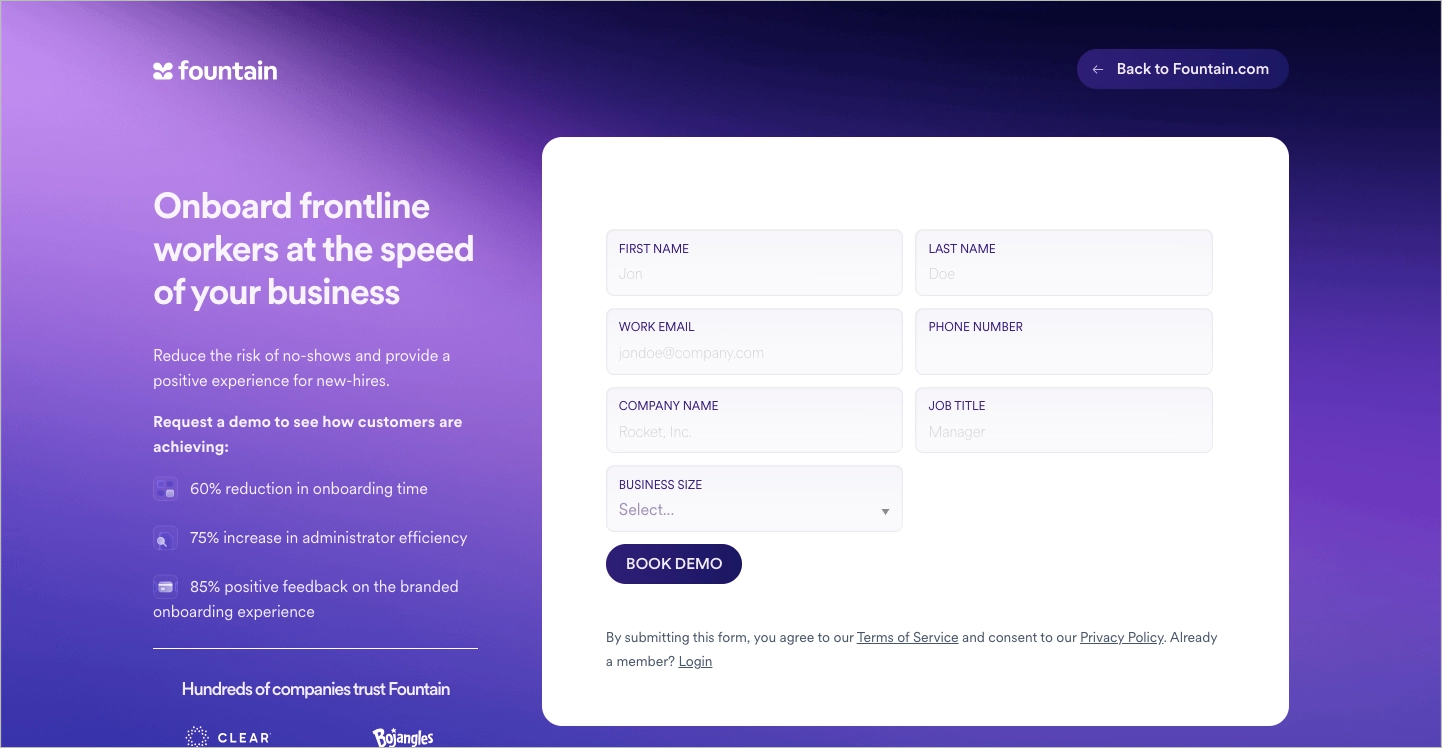
Moreover, the page uses a two-column layout, with the left column providing compelling content and customer logos to establish trust, while the right column contains a form for requesting a demo. This layout ensures a balanced and aesthetically pleasing presentation. The call-to-action (CTA) is clear and prominent, encouraging visitors to “Book Demo” to see how Fountain’s solutions can benefit their business. The inclusion of customer logos like Clear, Bojangles, Gopuff, and others further reinforces the credibility and widespread adoption of Fountain’s services.
Key takeaways to learn from this example:
- Clear value proposition: The headline and supporting content immediately communicate the main benefits.
- Effective use of statistics: Highlighting key performance improvements builds credibility.
- Balanced layout: A two-column design that is both visually appealing and functional.
- Prominent CTA: Encourages immediate action from visitors.
Improvement areas:
- Form simplification: The form could be more simplified to reduce friction for the user.
- Lack of images: The landing page would benefit from adding screenshots from the software or other visuals that showcase the offer.
How to Build a Free Landing Page on WordPress?
To build a free landing page on WordPress, create a free WordPress account and explore the diversity of free themes available through your WordPress dashboard. Navigate to Appearance > Themes and utilize search terms related to your brand to find the perfect fit for your needs. Select your theme and customize it to your liking.
Incorporate essential elements such as text, images, buttons, and forms, ensuring each component aligns with your brand identity. Key aspects of an effective landing page to include are a compelling headline, supportive subheadings, visually appealing content, clear call-to-action (CTA) buttons, data collection forms, and social proof elements like testimonials.
After finalizing your page and ensuring it’s fully optimized, publish it. You can then designate it as your homepage by adjusting your Settings > Reading preferences to your new landing page. The final step involves promoting your landing page across various channels, such as social media, email marketing, and online advertisements, to attract and engage your target audience.
How do I make a landing page in WordPress for free?
To make a landing page in WordPress for free, follow these five instructions:
- Choose a free theme. To create landing page for free, start by selecting a free theme that suits your landing page design. Go to your WordPress dashboard, navigate to Appearance > Themes, and search for themes optimized for landing pages. Once you find a theme you like, install and activate it.
- Use the Gutenberg editor or a free plugin. Next, decide whether to use the Gutenberg editor or a free page builder plugin. Gutenberg is the default WordPress editor that uses blocks to build pages and is suitable for creating basic landing pages. Builder plugins such as Elementor or Landingi offer advanced design capabilities. To install them, you can go to Plugins > Add New, search for the plugin, install it, and then activate it. However, although these plugins are free, it’s important to note that you need to upgrade to a higher WordPress plan to install them.
- Create and customize your landing page. Create a new page by going to Pages > Add New and give it a title like “Landing Page”. If your theme supports it, select a full-width layout to give you more design flexibility. Use the Gutenberg editor to add various blocks such as headings, paragraphs, images, and buttons to build your page. In a builder plugin, drag and drop elements like headings, images, text blocks, buttons, and forms to design your page, and customize each element using the settings on the left panel.
- Add essential elements. Add essential elements to your landing page, such as call-to-actions (CTAs) like buttons or links that guide users to take a specific action (e.g., Sign Up, Learn More, Download Now). Include forms using contact form plugins such as Contact Form 7 or WPForms Lite to create and embed forms. You can also create a new “Contact” page with the default WordPress contact form. Use high-quality images that resonate with your audience, and consider adding social proof elements like testimonials, reviews, or client logos to build trust.
- Publish and monitor your landing page. Once you’re satisfied with your design, click the Publish button to make your custom landing page live. If you want this landing page to be your site’s homepage, go to Settings > Reading, and choose your new landing page from the dropdown menu. Regularly monitor the performance of your landing page using tools like Google Analytics or EventTracker and make necessary adjustments to improve user engagement and conversion rates.
How to Create a Landing Page in WordPress Using Landingi?
To create a landing page in WordPress using Landingi, begin by creating an account and choosing how you want to build your page. You can use the drag-and-drop editor or Lunar, Landingi’s AI landing page generator, to create a complete, launch-ready page from a prompt and refine it through AI chat or manual editing. Landingi also offers several customizable widgets (such as sections, shapes, forms, payment gateways, buttons, and counters), advanced page settings, support for custom JavaScript, HTML, and CSS, and over 170 integrations with MarTech apps. Once your landing page is ready, you can publish it to WordPress using the dedicated Landingi plugin.
Follow the step-by-step guide below to learn how to build your first landing page with Landingi and how to integrate it with WordPress.

Step 1: Log in to your Landingi account
From your dashboard, click “Create new landing page”.
If you don’t have a Landingi account, sign up for a free 14-day trial here.

Step 2: Choose the template you’d like to use
You can pick from over 400 landing page templates designed by professionals to capture leads effectively. Templates can be filtered by goals, funnel steps, or industries. Choose the design you like, hover over it, and click “Use template”.
You can customize any of these designs using the drag-and-drop landing page builder or start with a blank page and build everything from scratch.
Alternatively, use Lunar AI to generate a complete landing page from a short description of your campaign. You can then refine the copy, layout, and visuals through AI chat or make changes manually in Lunar’s Edit Mode.
The following steps explain how to customize a page using Landingi’s classic drag-and-drop editor.

Step 3: Customize your landing page
Name your landing page and proceed to the landing page builder.
To edit landing page content, click on the text to reveal an edit window. If you need to replace an image, click on the image, then click the edit icon. You’ll be able to choose from a gallery of images, the Unsplash stock library, or upload your own. For any other element such as images, shapes, icons, or forms, click on it and go to its settings to make changes.
In the panel on the right-hand side, you can adjust the element’s settings, including its position, color, shadow, border, and more. To access the Page Settings (such as the CSS code editor, meta tags, reCAPTCHA, or alert language), click on the arrow.
You can add new elements to the page by dragging them from the left-hand sidebar menu.

Step 4: Customize your Thank you page
Once you’re happy with your landing page, you’ll also want to make sure to edit the conversion page. This is the page that the visitor will be directed to after filling out your form. You can edit this page by click the tab labeled “Thank you page” at the top of the editor.

Step 5: Preview your landing page
Before you publish the page, you can preview the landing page by clicking the Preview button at the top of the editor.

Step 6: Publish your landing page
Once you’re happy with how everything looks, exit the preview window and click “Publish.” A pop-up window will appear with some tips to enhance your landing page’s performance for better search engine visibility – follow them to maximize your results.

Once you’ve done it (or if you click “Publish anyway”), your page will be published. In a new window, you will see a link to your live landing page. You can copy this link and paste it as the destination URL for your ad or anywhere on your website where you want to direct visitors. For instance, if your landing page promotes a free ebook offer, you might want to link to it from some of your latest blog posts.
Here, you can click “Publish with WordPress” to access the guidelines for this publishing option. Or continue reading the next steps in this article.
In Landingi, you can also publish landing pages on a custom domain or by embedding a PHP file.

Step 7: Add the landing page to your WordPress website
To add your landing page to your WordPress website, use the free Landingi plugin to import landing pages from Landingi.
In the WordPress plugin marketplace, search for “Landingi Landing Pages”. Install the plugin.

Step 8: Get your API token
Go to your Landingi account, click on your profile name, select Settings, and access the “API Tokens” tab. Generate a new API token and copy it.

Step 9: Import your landing pages
Go back to WordPress. Click Landingi in the sidebar and select Settings. In the Setup connection window, paste the previously generated API token and click Save API Token.
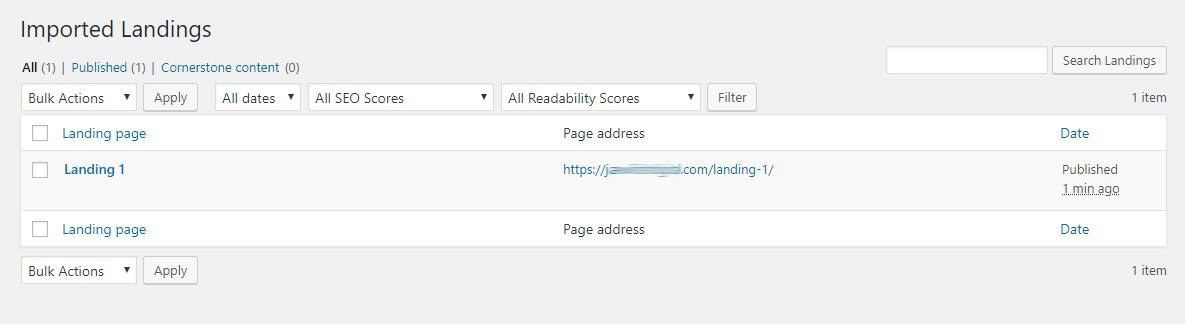
Go to the Available Landings tab. On the right side, you will see the list with your landing pages created in Landingi. Select a landing page and click Import. Every imported page is automatically published.
Import the page once. Future changes published in Landingi update the WordPress version automatically, which may take a few minutes.
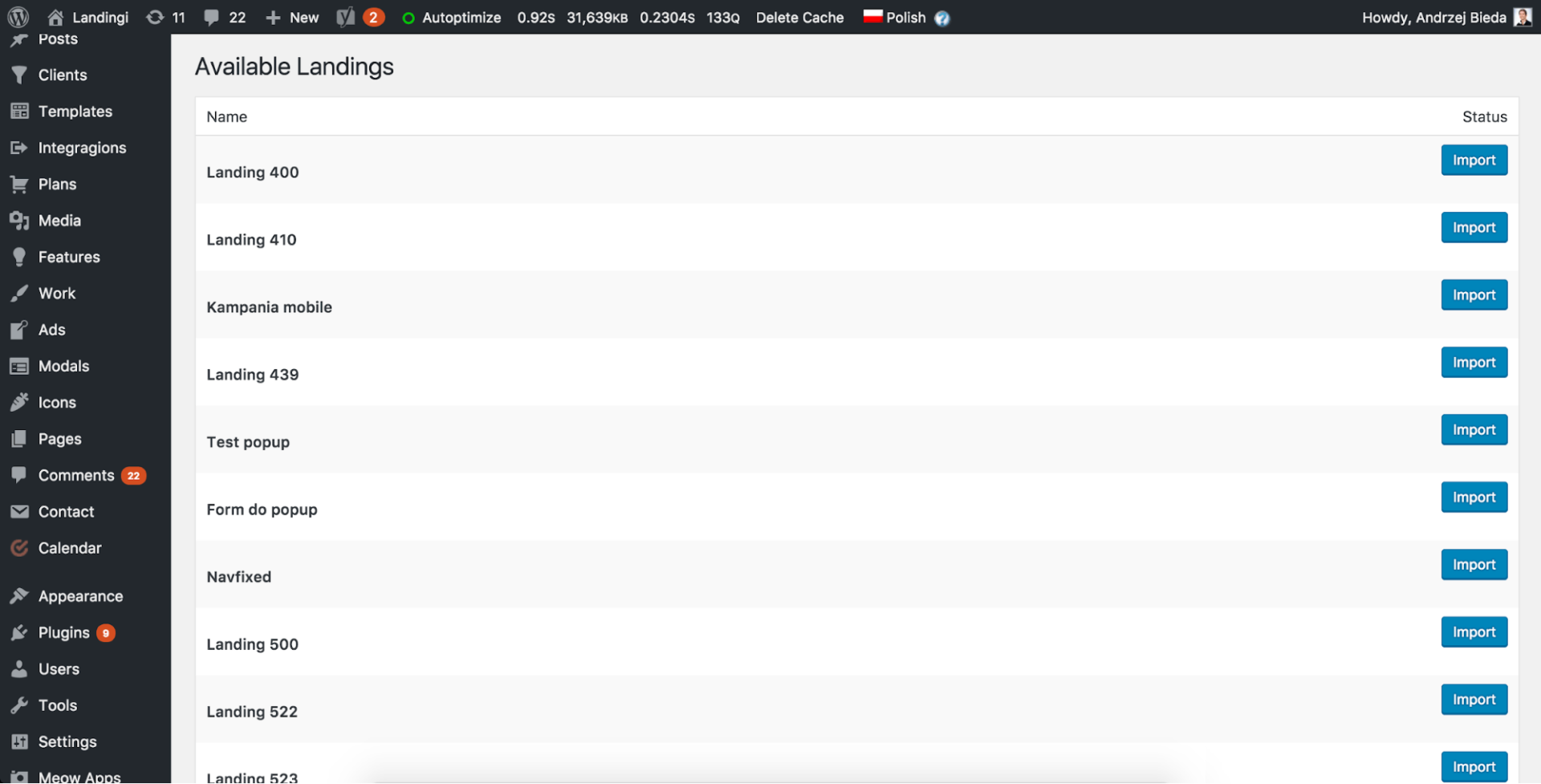
The page will then be available in your list of imported landing pages:
Step 10: A/B test your landing page (optional)
Lastly, to get the most out of our landing page, we suggest A/B testing each one. You can A/B test each of your landing pages in Landingi by creating different variants. For example, you may decide to test the headline on the landing page.
If you create two different variants, each variant will be displayed to 50% of the page’s visitors automatically. You are free to change this percentage. After that, you can compare the conversion rates of the two pages to determine which headline was most effective.
To run tests on your landing pages, initiate a test in the Optimization tab on your landing page’s Dashboard in Landingi.

5 Best WordPress Landing Page Plugins
The best WordPress landing page plugins are Landingi, Elementor, SeedProd, Divi Builder, and OptimizePress. These tools let you create landing pages without coding, but differ in customization, marketing features, and how pages are built and managed.
Here’s how each plugin supports landing page creation in WordPress.
#1 Landingi
Landingi is best for marketers who want to build, publish, and optimize landing pages without relying on the WordPress editor. Its plugin connects WordPress to a dedicated landing page platform.
You create landing pages in Landingi and import them into WordPress using the plugin. All subsequent edits are made in Landingi and automatically reflected on the published page, with no need to import it again.
With Landingi, you can create pages using Lunar, an AI landing page generator, or a drag-and-drop editor with 400+ templates. The platform also includes A/B testing, EventTracker for tracking visitor interactions, Solis AI Insights, Orbit MCP Server, and Smart Sections for updating multiple pages at once.
Best for: Marketing campaigns that require conversion tracking, testing, and managing multiple landing pages.

#2 Elementor
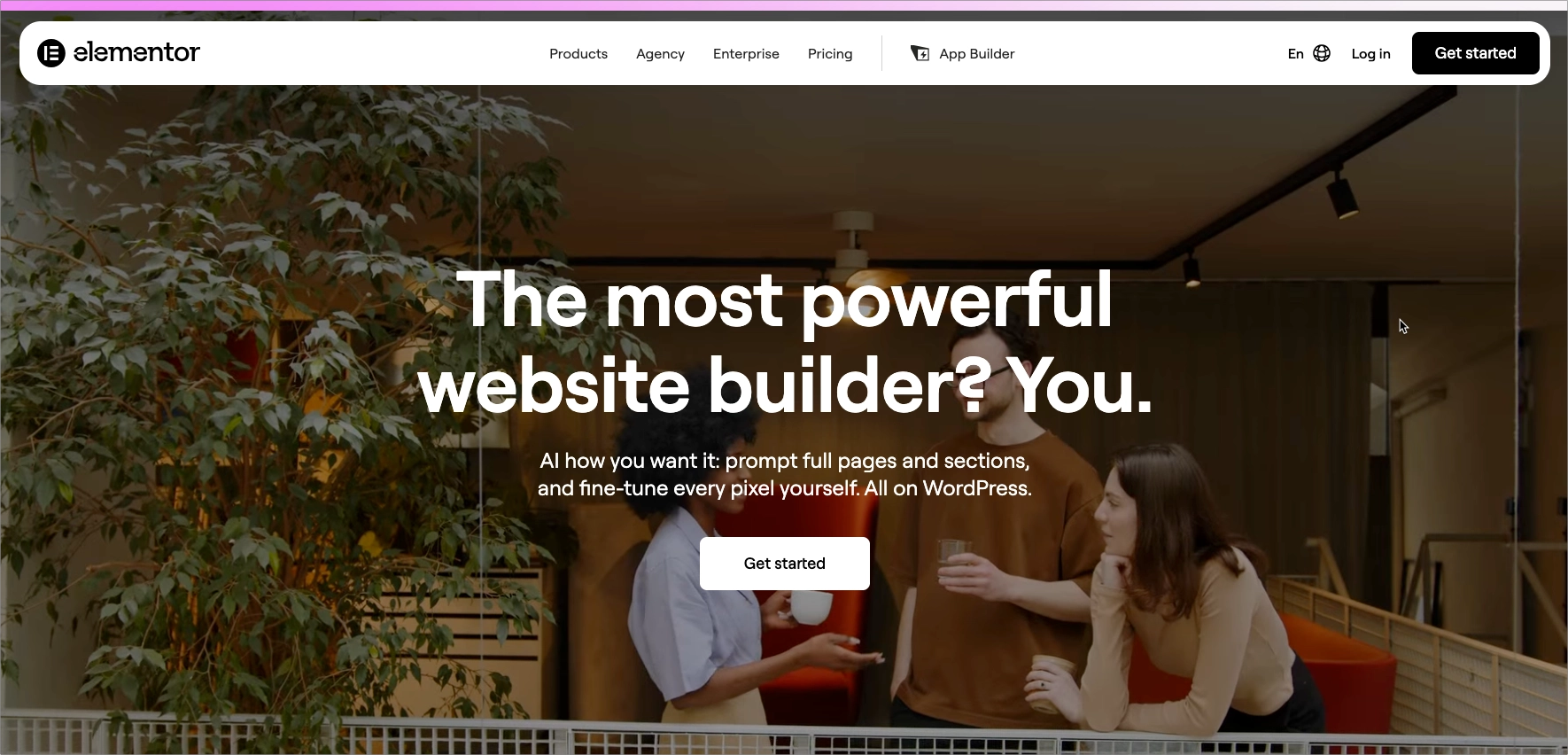
Elementor is a visual WordPress page builder with drag-and-drop editing, responsive design controls, and customizable widgets. It supports landing pages, forms, pop-ups, and full website layouts.
The free version covers basic page creation, while advanced features such as the pop-up builder and custom CSS require a paid plan.
Best for: WordPress users who want detailed design control over landing pages and website content.
#3 SeedProd
SeedProd is a WordPress landing page builder with ready-made templates, customizable blocks, and live previews. It supports lead capture forms, email marketing integrations, and dynamic text.
SeedProd also includes a theme builder, although advanced features and integrations require higher-tier plans.
Best for: Small businesses creating promotional, lead generation, and coming soon pages directly in WordPress.

#4 Divi Builder
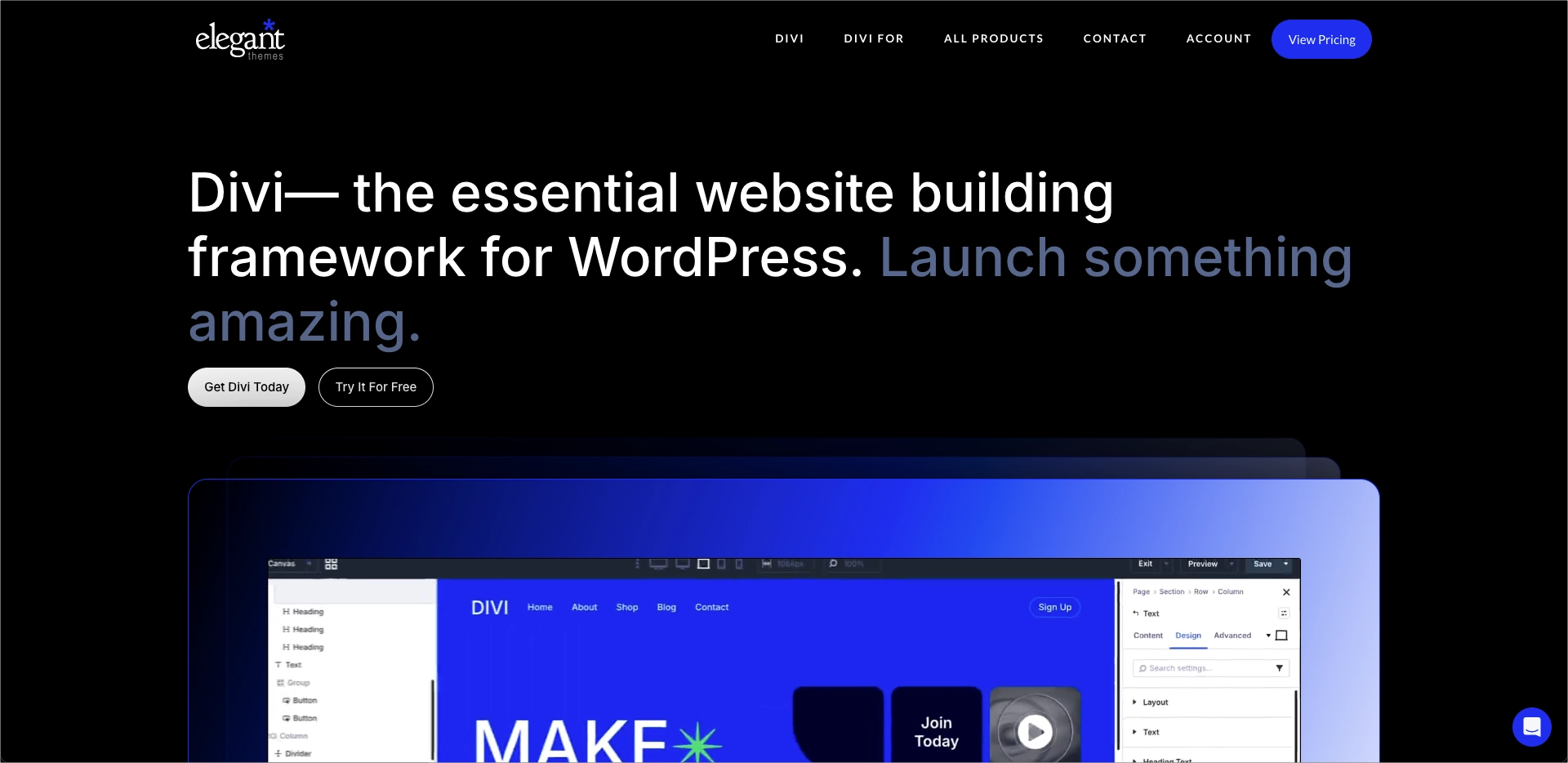
Divi provides visual editing, pre-designed layouts, and reusable design elements. Users can customize typography, spacing, colors, and individual modules without coding.
It offers extensive design flexibility, but its range of settings introduces a steeper learning curve for beginners.
Best for: Designers and agencies building highly customized WordPress pages.
#5 OptimizePress
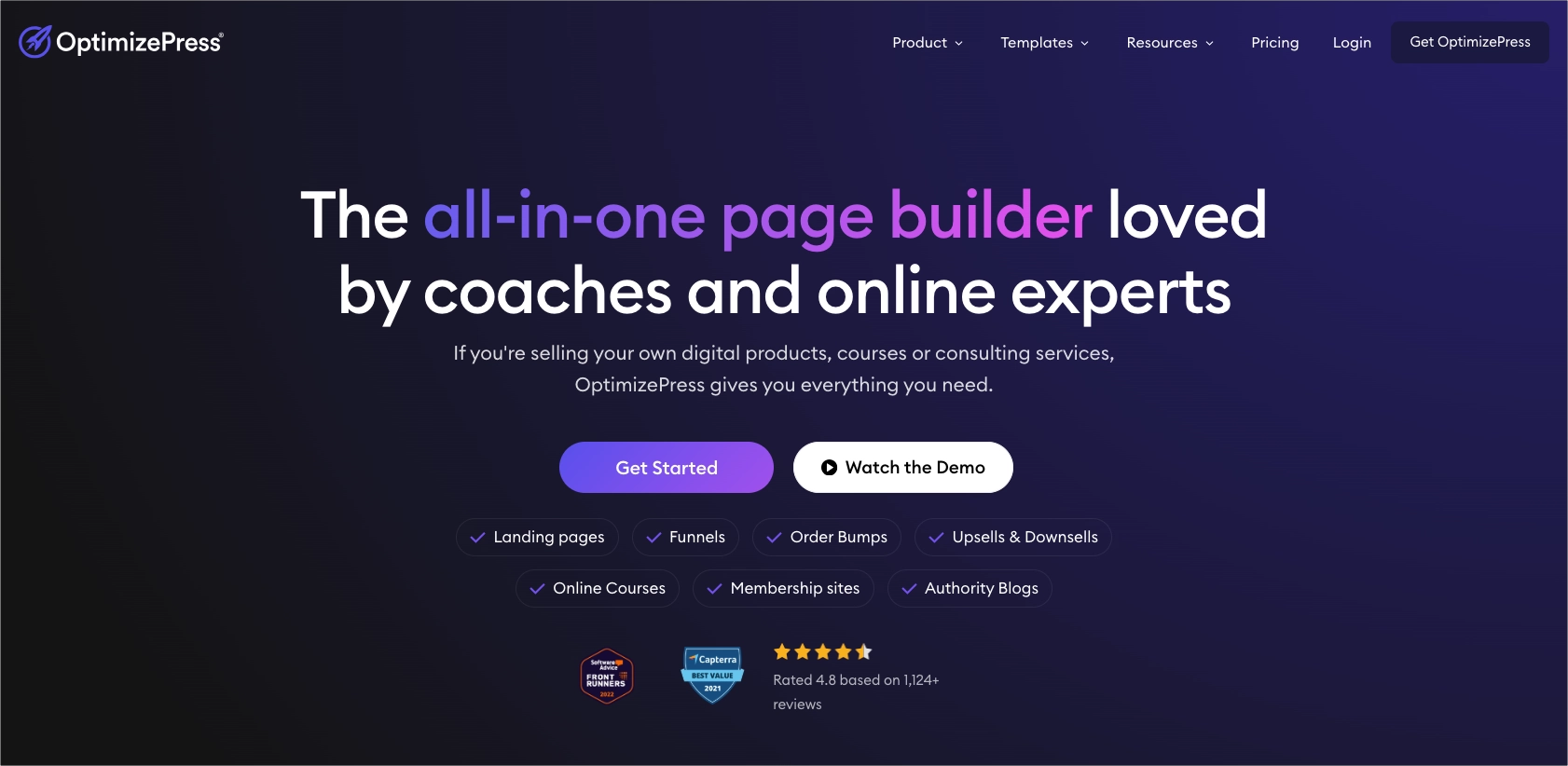
OptimizePress focuses on landing pages, sales funnels, and lead generation. It includes a drag-and-drop builder, conversion-focused templates, and integrations with email marketing and payment tools.
Its advanced funnel-building and lead management features are available in higher-tier plans.
Best for: Businesses selling digital products, building sales funnels, or collecting leads through WordPress.
FAQ About Creating Landing Pages in WordPress
These FAQs cover building WordPress landing pages with Elementor, choosing plugins and templates, and setting up lead capture. Use the answers to choose a creation method and prepare your page for launch.
How to create a landing page in WordPress using Elementor?
To create a landing page in WordPress using Elementor, first install and activate the Elementor plugin, then create a new page and choose to edit with Elementor, where you can select a pre-designed template or start from scratch, drag and drop elements to customize your page, and finally, publish the page.
Follow these 6 steps to create a landing page using Elementor:
- Install the Elementor plugin. Log in to your WordPress dashboard and navigate to Plugins > Add New, then search for “Elementor” in the search bar, click Install Now, and then Activate.
- Create a new page and edit with Elementor. To begin creating your new page, navigate to Pages > Add New in your dashboard and give your page a title that encapsulates its purpose, like “Welcome” or “Get Started.”
- Design your landing page. Start by familiarizing yourself with its interface, where the left panel offers various elements for use, and the right side shows a live preview of your work. You can add new sections, choose their structure, and easily drag and drop widgets like Headings, Images, and Forms to customize your page. Additionally, make use of Elementor’s pre-designed templates to quickly create a landing page that fits your needs, further customizing it to align with your branding.
- Add essential elements. Use a Heading widget for your main headline and supplement it with a Subheading or Text Editor widget for extra context. To enhance your message, insert high-quality images with the Image widget and embed videos with the Video widget. Don’t forget to include Button widgets for CTAs, use the Form widget for lead capture, and add social proof through Testimonials, Reviews, or client Logos to build trust and engagement. The Form widget requires Elementor Pro. If you use the free version, add a form through a compatible form plugin.
- Optimize for mobile. Activate the responsive mode in the Elementor panel and fine-tune settings for Desktop, Tablet, and Mobile views, ensuring your landing page is effortlessly navigable across all devices.
- Preview and publish. Click the eye icon and check for any layout issues or missing elements. Once you’re satisfied, publish your page by clicking the green Publish button, and it will be live to attract visitors. Optionally, set it as your homepage by going to Settings > Reading in your WordPress dashboard, selecting “A static page,” choosing your landing page from the dropdown menu, and saving the changes.
How to create a landing page in WordPress for lead generation?
To create a landing page in WordPress for lead generation, focus on compelling headlines, simple and effective forms, engaging visuals, trust signals, user experience optimization, A/B testing, integration with email marketing, and performance tracking. That way, you can create a WordPress landing page that effectively generates leads and supports your business growth.
Firstly, define a clear and compelling headline. This headline should immediately communicate the primary benefit or solution your offer provides. It needs to grab attention and encourage visitors to stay on the page. A strong subheadline can follow, offering additional details or supporting information.
The lead capture form is central to your landing page. Position it prominently, ideally above the fold, so it’s one of the first things visitors see. The form should be simple and ask only for essential information, typically a name and email address. More fields can be added if necessary, but remember that simpler forms usually have higher conversion rates. Use a strong call-to-action (CTA) on your form button. This CTA should be action-oriented and benefit-driven, such as “Get Your Free Guide” or “Start Your Free Trial.”
Visual elements like images or videos can significantly enhance engagement. Use high-quality visuals that are relevant to your offer and can help illustrate its value. A short, engaging video can be particularly effective in explaining the benefits of your offer and encouraging conversions.
Trust signals are another essential component. Include testimonials from satisfied customers, client logos, security badges, or any form of social proof that can build credibility and trust. Showing that others have benefited from your offer can reassure visitors and increase their willingness to provide their information.
Optimizing your landing page for user experience is crucial. Ensure that the page loads quickly, is mobile-responsive, and has an intuitive layout. Use plenty of white space to avoid overwhelming visitors and guide their attention to the form.
Use A/B testing to refine your landing page. Create multiple versions of your page with slight variations in headlines, images, CTAs, and form fields. Test these versions to see which performs best. This ongoing optimization can significantly improve your conversion rates over time.
Consider integrating your landing page with an email marketing platform. This will allow you to automate follow-up emails and nurture leads over time, moving them through your sales funnel.
Track your landing page performance using analytics tools. Monitor key metrics such as the number of visitors, conversion rate, bounce rate, and time on page. This data will help you understand how well your landing page is performing and identify areas for improvement.
How to create a landing page with a WordPress plugin?
To create a landing page with a WordPress plugin, search for a suitable plugin in a WordPress plugin marketplace (such as Beaver Builder, Landingi, Divi, or Thrive Architect), and activate it. Then create a new page and design it using the plugin’s tools. Once the page is ready, publish it and integrate it with any other marketing tools as needed.
Where can I find WordPress landing page templates?
WordPress landing page templates can be found in the WordPress theme repository, various theme marketplaces, and within page builder plugins like Elementor and Landingi. The WordPress theme repository offers a wide selection of free and premium themes, each providing multiple template options that you can customize to fit your specific needs. This repository is a great starting point for finding basic and functional designs without additional cost.
For more advanced and unique designs, theme marketplaces such as ThemeForest and TemplateMonster are excellent resources. These marketplaces feature high-quality, professionally developed templates that often include enhanced features and greater customization capabilities. By purchasing a premium landing page template from these platforms, you ensure a polished and distinctive look tailored to your business objectives.
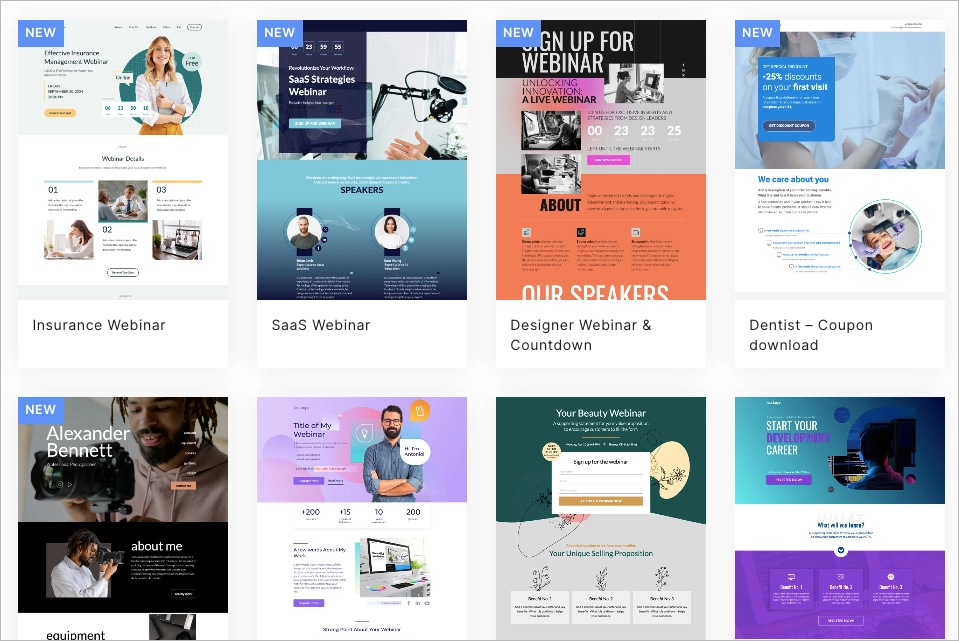
Page builder plugins like Elementor and Beaver Builder also come equipped with extensive template libraries. These libraries offer pre-designed landing pages that you can easily customize using intuitive drag-and-drop interfaces. Elementor, for instance, provides both free and premium templates suitable for various design complexities and functionalities. Similarly, Landingi offers a robust collection of landing page templates focused on conversion and lead generation. Choose and customize a template in Landingi, then import the published page into WordPress through the plugin.
Browse the Landingi’s template gallery and choose from over 400 designs!
Create Landing Page in WordPress with Landingi
Creating a landing page in WordPress is not just a skill – it’s an essential strategy for effective digital marketing. Fortunately, WordPress provides a myriad of flexible solutions to meet an array of needs, whether through the use of themes, plugins, or external tools like Landingi. Build campaign pages in Landingi and publish them through the WordPress plugin. Your team can update page content in Landingi without rebuilding it in the WordPress editor.
By starting today with Landingi’s free trial, you’ll experience how its features can dramatically improve your business’s online presence. The platform offers an array of capabilities, such as EventTracker for monitoring interactions on your page; Smart Sections for reusing and updating sections across multiple pages; a comprehensive form builder for collecting visitor information; and Lunar, an AI landing page generator that creates complete, launch-ready pages from a prompt and lets you refine them through AI chat or manual editing.
With Solis, Landingi’s AI-powered optimization tool, you can analyze landing page performance, uncover opportunities for improvement, and get actionable recommendations to boost conversions. Combined with Landingi’s page-building and optimization features, these insights help you make smarter decisions and get more from your campaigns.
Ready to create your landing page? Get started with Landingi for free!