When you compare Unbounce, ClickFunnels, and Landingi, you likely want a tool that gives you predictable results, stable workflows, and room to scale without friction. You may also be dealing with rising subscription costs, limits on customization, or slow processes that block campaign speed.
This guide will dive into the nitty-gritty of each tool and help you decide which platform supports your long-term strategy. You will see what each builder does well, where users report friction, and how these differences matter for teams working in fast-moving environments.
Key Differences Between Unbounce, ClickFunnels, and Landingi
Differences between Unbounce, ClickFunnels, and Landingi appear in pricing, customization depth, automation, and scalability. Each tool shapes daily work differently, affecting how fast teams can experiment and expand campaigns. The table below summarizes the main contrasts so you can see how they stack up before the deeper breakdowns.
Before the table, here’s a quick overview. Unbounce is strong in optimization, but its pricing and limits can affect smaller teams. ClickFunnels provides an all-in-one environment yet restricts design flexibility and can slow editors down. Landingi offers full control, automation, and a free plan, which supports scale at a manageable cost.
| Tool | Pros | Cons | Pricing | Ease of Use | Notable Clients |
|---|---|---|---|---|---|
| Unbounce | Advanced A/B testing, Smart Traffic AI, strong customization, 100+ templates | High cost, mobile editing issues, limited analytics, complex for beginners | From $22/mo (annual), no free plan | Moderate learning curve | KlientBoost, Fiverr, Forbes |
| ClickFunnels | All-in-one funnels, templates, email, courses, payments, easy funnel setup | High pricing, slow editor, limited design control, technical bugs, aggressive upsells | From ~$81/mo, no free plan | Easy start, harder to master | USA Today, Entrepreneur, Yahoo Finance |
| Landingi | AI landing page generator, AI landing page optimization, pixel-perfect builder, Programmatic Landing Pages, Smart Sections | Mobile editing takes more work, no built-in advanced questionnaire forms | From $24/mo (annual) | Easy for simple and advanced layouts | Bonduelle, PayU, Credit Agricole, DAT |
1. Unbounce
Unbounce gives marketers strong control over testing and optimization, supported by AI features and a flexible editor. Its price places it among premium tools, which suits teams with dedicated budgets. The platform appeals to marketers who want measurable improvements in conversion rates and appreciate tools built specifically for CRO work.
Pricing:
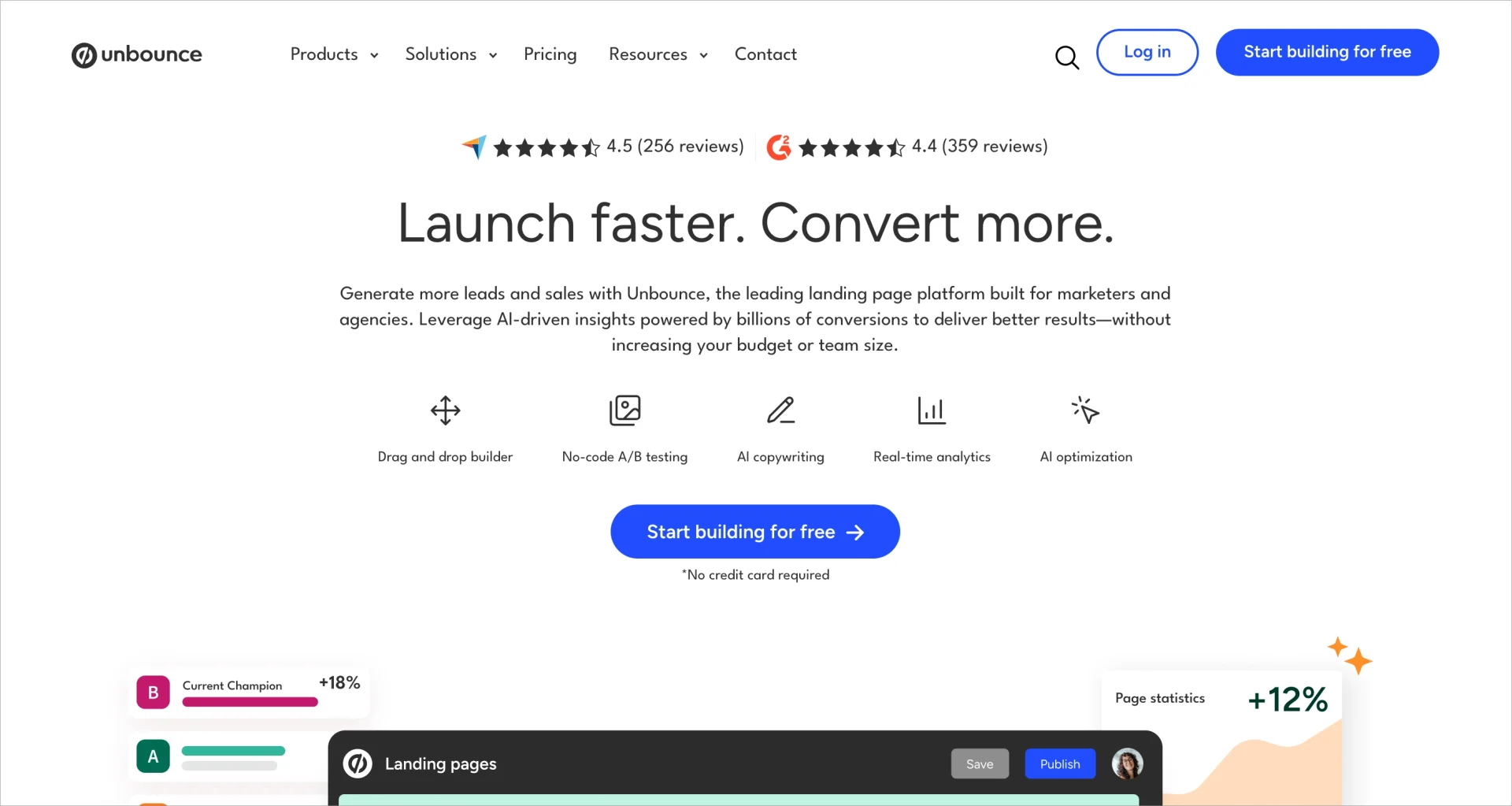
Unbounce offers six plans – Starter, Build, Experiment, Optimize, Concierge, and Agency – starting at $22/month when billed annually, with no free plan. Traffic limits increase with each tier. A/B testing, AI features, Dynamic Text Replacement, and conversion insights are available only from higher plans.
Key Features:
Key features include a drag-and-drop builder, 100+ templates, AI copywriting, A/B testing, and Smart Traffic. It integrates with CRM, email, and analytics tools through native integrations or Zapier.
Ratings:
- G2: 4.3/5
- Capterra: 4.5/5
- Trustpilot: 1.9/5
Cons
Users report sharp price increases, with some describing subscription hikes of more than 400% and the introduction of usage caps that add unexpected penalties. Many note frustration with billing policies, saying refund requests are often denied and support responses feel rigid or unhelpful. Several reviewers also share concerns that Unbounce has become more profit-focused, which reduced trust among long-time customers.
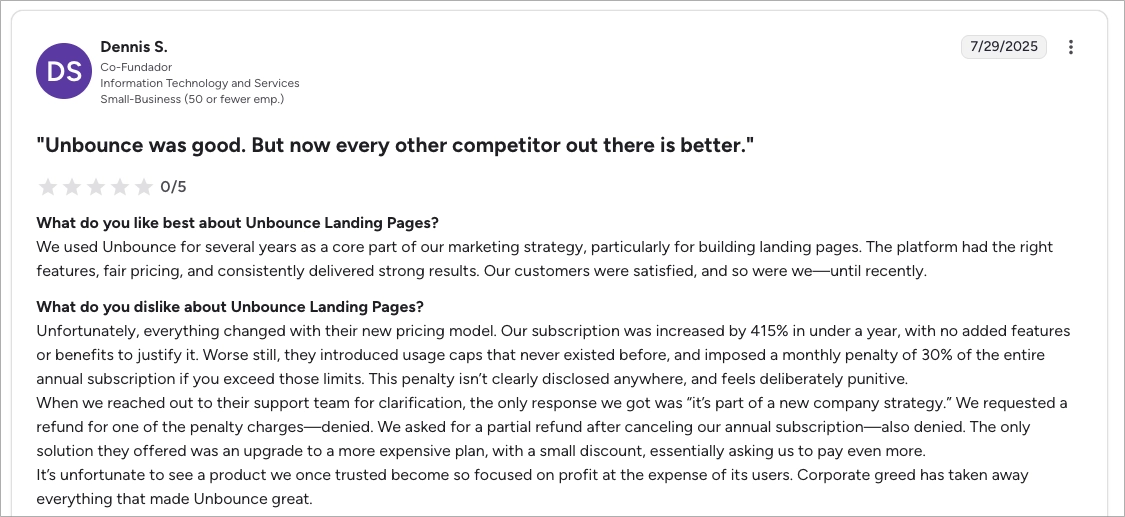
In my view, these issues create friction for teams that rely on predictable costs and responsive support – especially when campaign volume grows.
Pros
Long-time users highlight that Unbounce reliably delivered strong campaign results and satisfied their customers. Others say the platform helped them launch pages quickly (often within one or two days) thanks to straightforward building workflows. Many still value the overall performance of published pages even if their opinions about pricing have shifted.
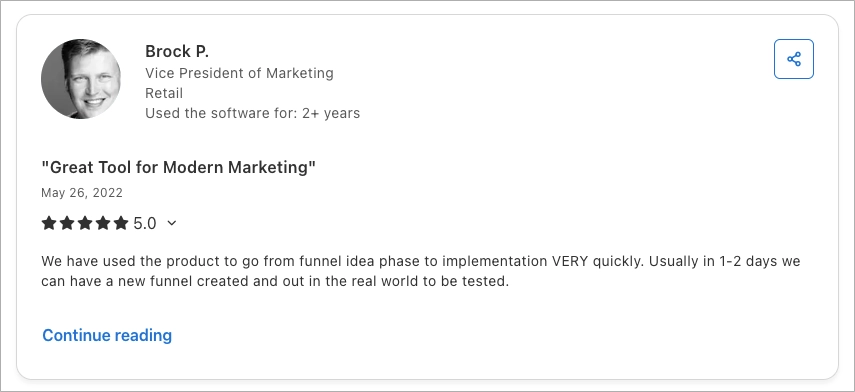
From my perspective, these strengths still matter for teams that depend on fast iteration and proven landing-page performance.
Best for
Unbounce is best for performance-driven teams that prioritize testing and paid traffic optimization.
2. ClickFunnels
ClickFunnels positions itself as a comprehensive funnel-building platform rather than a landing-page-first tool. This appeals to creators and small businesses but can be limiting for teams that need refined control or scalable landing page workflows. Many users choose it because they prefer one ecosystem for funnels, email, payments, and basic automation.
Pricing:
ClickFunnels starts at around $81/month and offers no free plan. Higher plans expand email volumes, funnels, automation, and course-hosting modules.
Key Features:
ClickFunnels includes funnel creation, landing pages, email marketing, upsells, payments, course hosting, and a CRM. A/B testing is simple, and templates cover many funnel types. Custom code is available only in higher plans.
Ratings:
- G2: 4.6/5
- Capterra: 4.5/5
- Trustpilot: 4.3/5
Cons
Some users report severe instability: frequent bugs, clunky workflows, and basic features that feel incomplete. In several cases, accounts were paused without warning, causing significant financial loss during peak campaigns such as Black Friday. Other reviewers describe the interface as frustrating – elements reset, layers break, images are difficult to manage, and saving or reusing components is inconsistent.
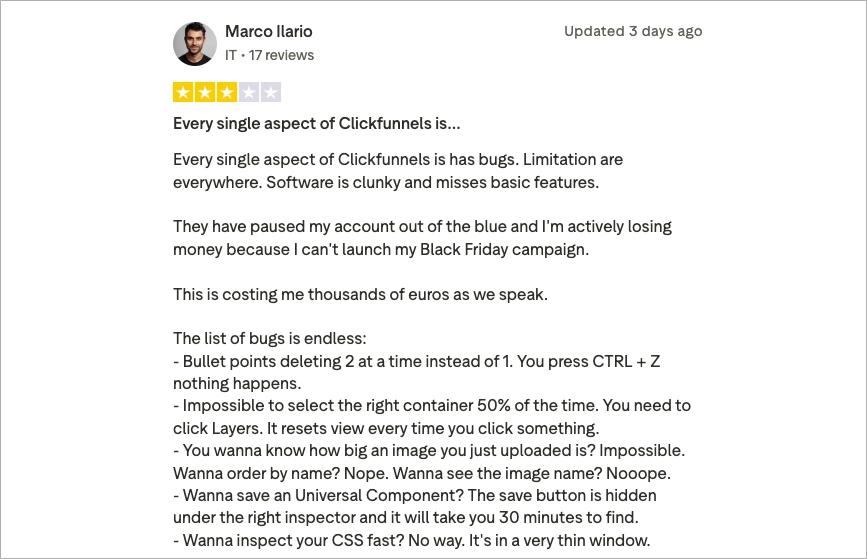
Personally, I find these issues risky for teams that need dependable tools during time-sensitive campaign windows.
Pros
Positive reviewers say ClickFunnels makes it easy to build funnels and online stores that support brand growth and real-time sales. Many appreciate having an all-in-one system that bundles design, funnels, and commerce tools into one workflow. Some long-time users report no drawbacks in daily use and rely on ClickFunnels for simple, repeatable funnel tasks.
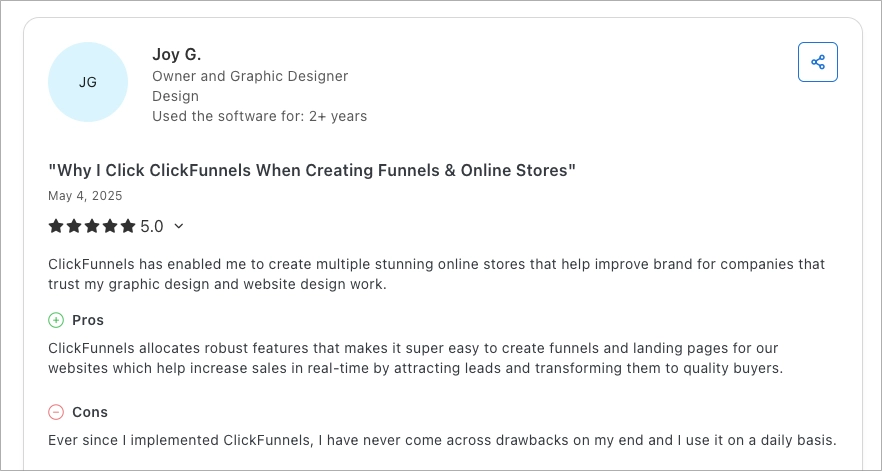
From my perspective, these strengths help smaller teams move quickly when they value convenience over pixel-level control.
Best for
ClickFunnels is best for entrepreneurs, course creators, and small businesses that want a simplified funnel ecosystem.
3. Landingi
Landingi focuses on flexibility, customization, and scale, which support agencies, enterprise teams, and companies running many landing pages across campaigns and markets. Its pricing is justified by a broad feature set that delivers value for both emerging teams and established organizations. Many users choose Landingi because it balances creative freedom with structured, repeatable workflows.

Pricing:
Landingi offers paid plans that start at $24/month when billed annually. All Landingi plans include Lunar, an AI landing page generator. Higher tiers add Solis, Programmatic Landing Pages, support for more users and domains, A/B testing, and enterprise security options such as SSO and audit logs.
Key Features:
Landingi offers an AI-native page generator, pixel-perfect visual editor, 400+ templates, Smart Sections, Programmatic Landing Pages, multi-language automatic translations, EventTracker, autoresponder, dynamic text replacement, and broad integration options. It supports multi-user access, custom code, and advanced publication models such as reverse proxy.
Ratings:
- G2: 4.5/5
- Capterra: 4.8/5
- Trustpilot: 4.5/5
Cons
Some users dislike the mobile “Rebuild” option, noting that it occasionally moves elements into the wrong place and requires manual adjustments. Others mention minor workflow frustrations, such as reorganizing sections after auto-generation. These issues tend to be small and relate to layout rather than limitations in the platform’s capabilities.

From my perspective, these trade-offs are manageable for teams that prioritize full design control and flexible scaling options.
Pros
Reviewers consistently highlight how easy Landingi is to use – from fast setup to straightforward customization. Many praise the strong WordPress integration and intuitive interface that makes page creation smooth for both beginners and experienced designers. Users also emphasize how quickly they can produce polished pages and switch between desktop and mobile editing.

I find Landingi particularly effective for teams that want speed and flexibility without sacrificing detail or scalability.
Best for
Landingi is best for agencies, growth teams, and enterprise companies that want full customization, automation, and scalable workflows without high platform costs.
Pricing Comparison: Unbounce vs. ClickFunnels vs. Landingi
Pricing across Unbounce, ClickFunnels, and Landingi differs sharply, especially in how each tool scales as teams grow. Unbounce and ClickFunnels sit in the premium range with no free plans, while Landingi offers both a free tier and affordable paid plans that expand with usage.
The table below summarizes the core plans, annual pricing, included features, and limitations. This helps you see how far each option supports growth before needing to upgrade.
| Tool | Monthly Price (Annual Billing) | Included Features | Key Limitations |
|---|---|---|---|
| Unbounce | From $22/mo (Starter) to $187/mo (Optimize). Agency and Concierge tiers are custom | Unlimited landing pages, unlimited conversions, drag-and-drop builder, 100+ templates, Smart Copy, A/B tests (from Experiment), Smart Traffic (Optimize), DTR, integrations. | No free plan, traffic limits (20k–50k+ depending on plan), A/B tests not in entry plan, higher tiers required for AI optimization. |
| ClickFunnels | From ~$81/mo to ~$248/mo+, depending on features. No free plan. | Funnel builder, landing pages, email marketing, upsells, CRM, courses, A/B testing, templates, analytics, payment integration. | No free plan, restricted customization, slow editor, high price for core features, advanced controls locked behind higher tiers. |
| Landingi | From $24/mo (Build), $119/mo (Optimize), $229-$769/mo (Scale), $1,199/mo (Enterprise). | AI generator, AI optimization, pixel-perfect builder, templates, unlimited conversions, Smart Sections, EventTracker, A/B testing, programmatic pages, autoresponder, dynamic text, analytics, integrations, | No free plan; advanced AI optimization available from the second tier |

Comparison by Use Case
Use cases reflect how each platform supports core marketing goals: lead capture, product sales, event promotion, and optimization. Unbounce excels in CRO tasks, ClickFunnels shines in funnel-driven selling, and Landingi supports broad workflows for both simple and advanced campaigns.
Lead Generation Capabilities
Lead generation depends on strong email capture, clear forms, and fast deployment. Unbounce offers flexible forms and personalization through Dynamic Text Replacement. ClickFunnels includes forms inside ready-made funnels, which works well for beginners. Landingi supports AI page generation, precise form editing, multi-language options, dynamic text replacement, and automation features that help teams personalize at scale.
Product Sales
Product sales rely on integrated checkout flows, upsells, and simple payment handling. ClickFunnels leads here with a native checkout, upsells, and sequences designed for direct sales funnels. Unbounce requires external integrations for payments. Landingi supports sales through its E-commerce Hub (e.g. PayPal, PayU, and Stripe integrations) and dynamic content features, which allow teams to promote offers across many variations of a page.
Event Promotion
Event promotion benefits from easy registrations, RSVPs, and fast duplication of pages for campaigns. Unbounce makes it quick to spin up variations for PPC campaigns, though forms may require external email tools for confirmations. ClickFunnels supports webinars, signups, nurture sequences, and thank-you flows in a single funnel. Landingi’s templates, A/B testing, scheduling, and automation features help event teams run many landing pages across regions or audiences.
Explore landing page templates designed for A/B testing, events, and automation.
Testing and Optimization
Testing and optimization shape long-term performance. Unbounce stands out with industry-leading A/B features, Smart Traffic AI, and dynamic personalization. ClickFunnels includes simple A/B testing but requires integrations for deeper analytics. Landingi offers server-side A/B testing, Event Tracker, Solis, dynamic text, and scalable automation that support long-term iteration across many campaigns.
Core Features Compared
Core features show how each tool handles design, responsiveness, templates, forms, integrations, testing, and analytics. Unbounce prioritizes conversion, ClickFunnels focuses on funnel flow, and Landingi prioritizes flexible design and automation.
Builder
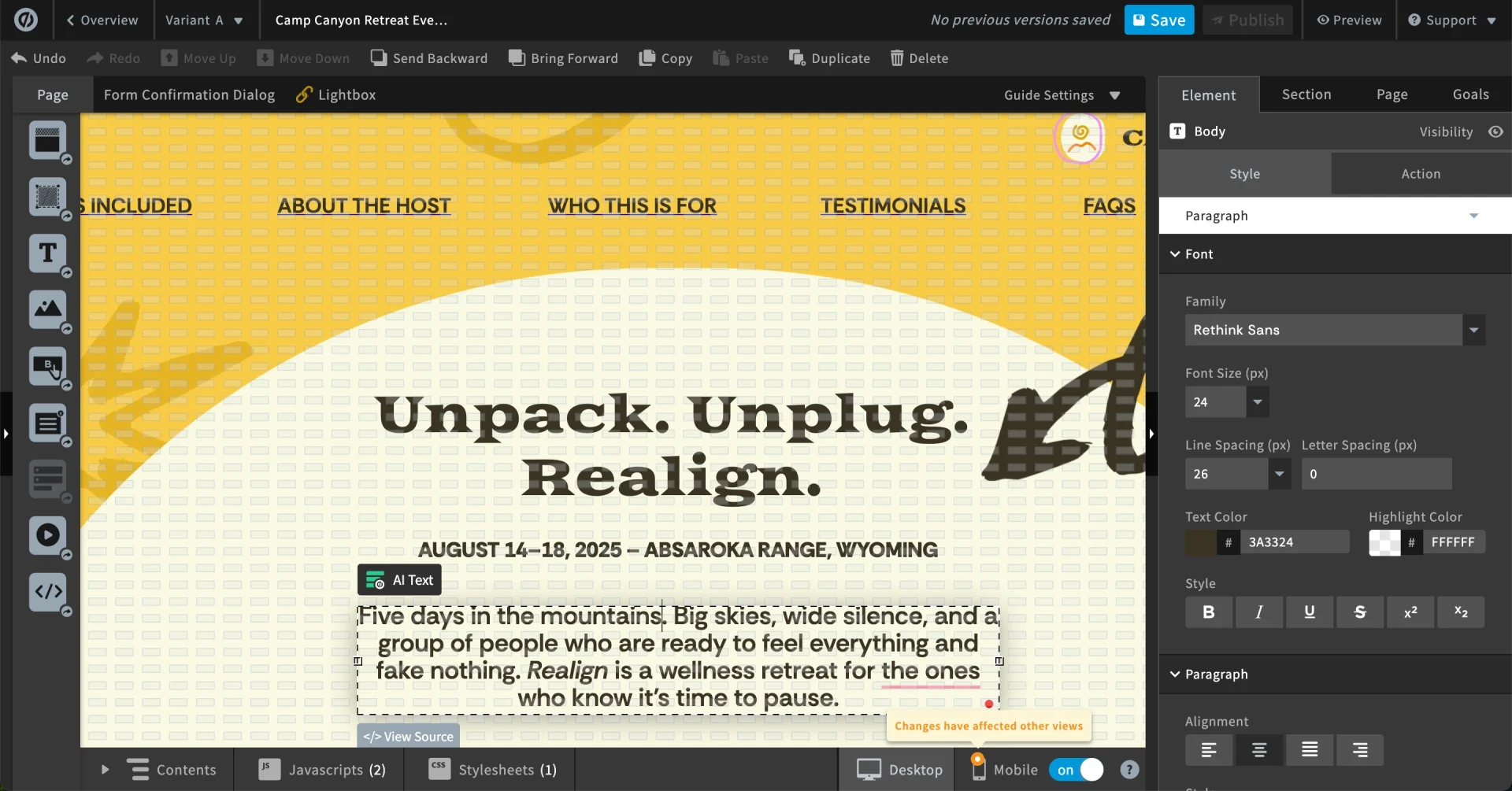
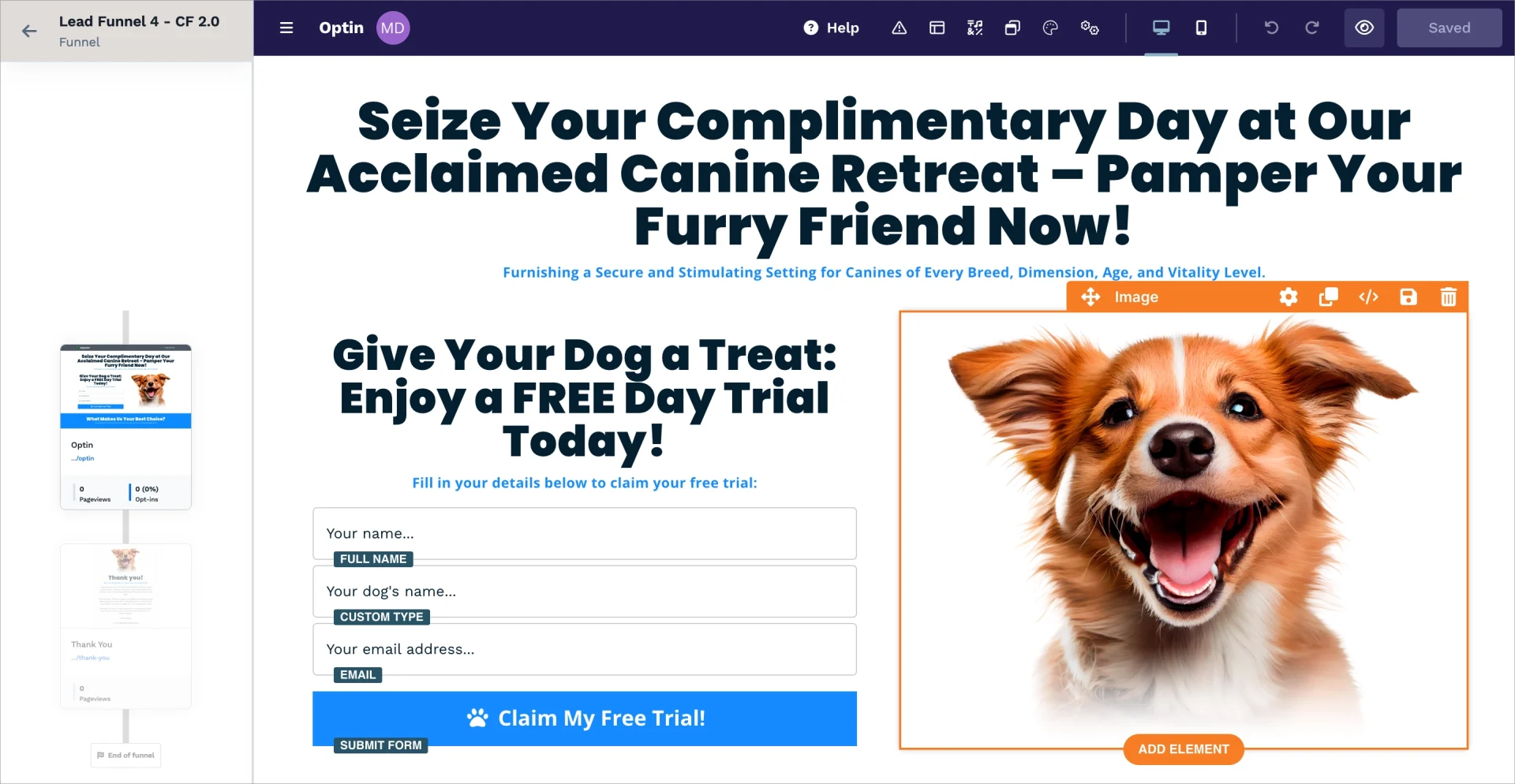
Page builders differ in freedom and structure. Unbounce offers flexible placement of elements but still uses guided positioning. ClickFunnels uses a more structured grid layout, which limits exact control. Landingi provides an AI page generator and pixel-perfect control in a visual builder over every element, supporting both simple and advanced layouts at scale.

Responsive Design
Responsive design requires stable mobile views. Unbounce and Landingi both offer separate mobile editing modes, but users report extra work with manual adjustments in each. ClickFunnels offers a stable mobile layout but limited flexibility. Some users note that more advanced changes require higher-tier plans.
Pre-built Templates
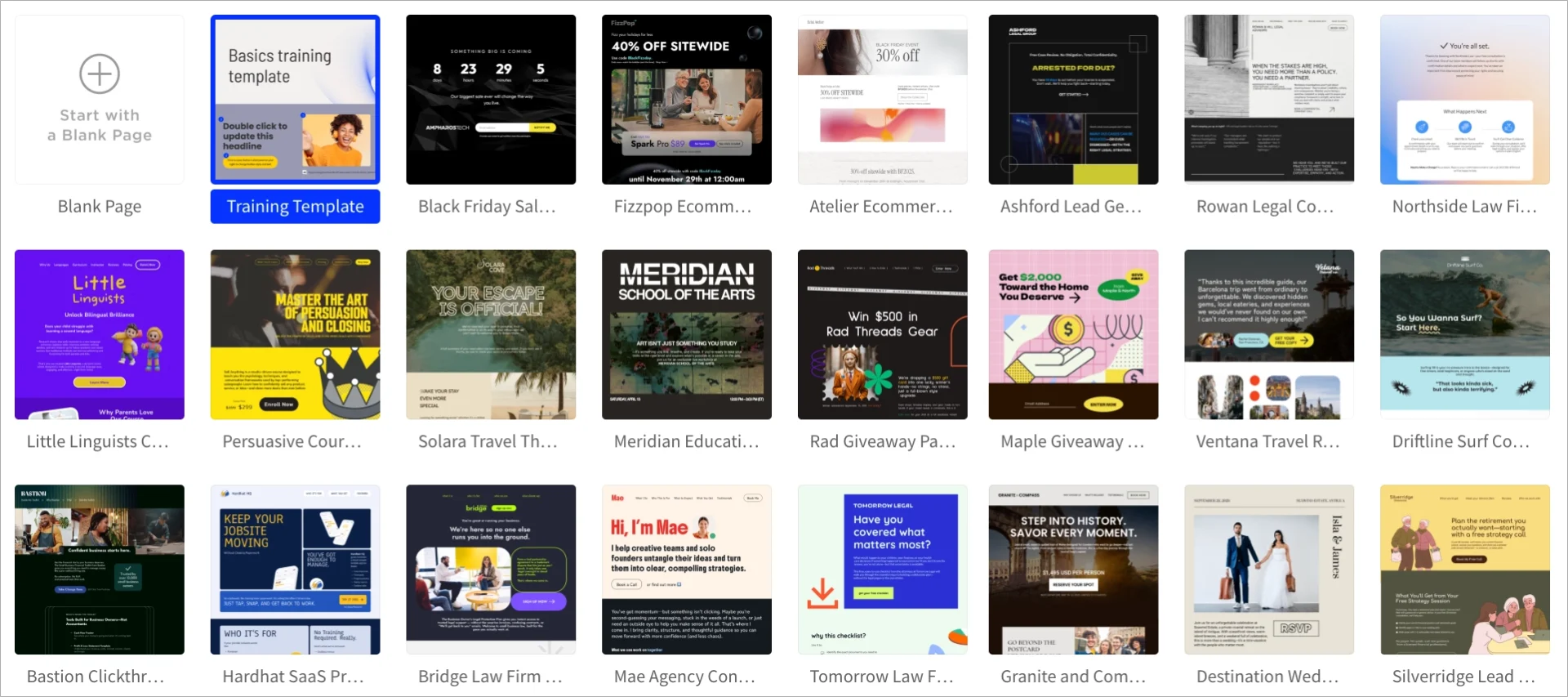
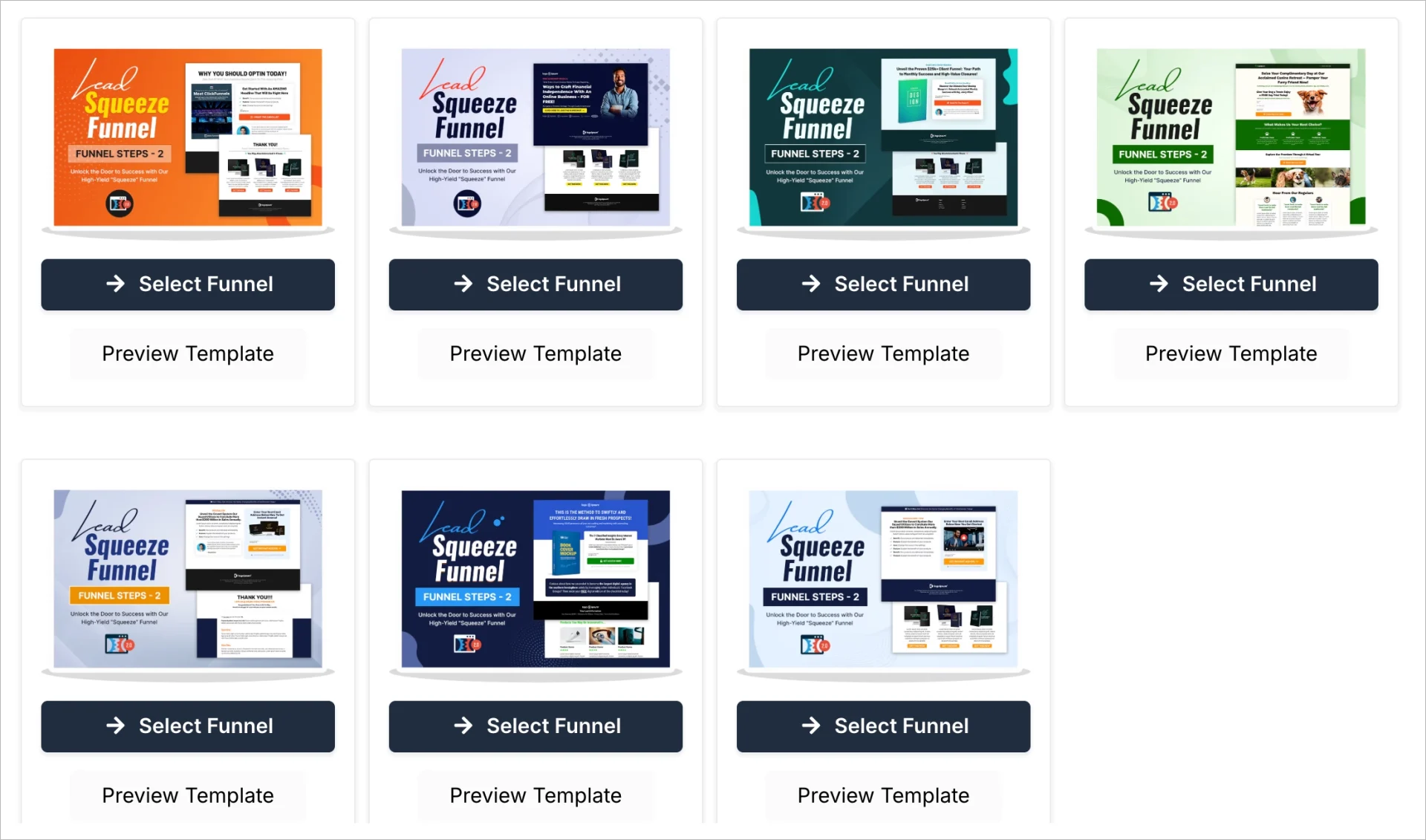
Pre-built templates save time for teams running many campaigns. Unbounce includes 100+ designer templates. ClickFunnels offers funnel-first templates paired with upsell pages and thank-you flows. Landingi provides 400+ templates arranged by category, with matching theme sets that speed up production for agencies and larger teams.

Forms and Pop-ups
Forms and pop-ups help capture leads and guide users. Unbounce and Landingi both offer form builders and pop-up tools, though Landingi’s pop-up builder is fully customizable and included from the Professional plan. ClickFunnels embeds forms directly into funnels but offers limited form customization without code.
Integrations
Integrations connect landing pages with marketing stacks. Unbounce integrates with CRM, analytics, and email tools through native connections and Zapier. ClickFunnels leans on Zapier and its own ecosystem apps. Landingi offers native integrations, Zapier, webhooks, GTM, autoresponder, and enterprise options like custom integrations.
A/B Testing
A/B testing provides clarity for optimization. Unbounce provides advanced A/B testing with confidence levels and AI-driven routing through Smart Traffic. ClickFunnels includes basic A/B tests but little in-depth data without external analytics. Landingi offers server-side A/B testing, dynamic text, and scalable testing workflows across many pages.
Analytics
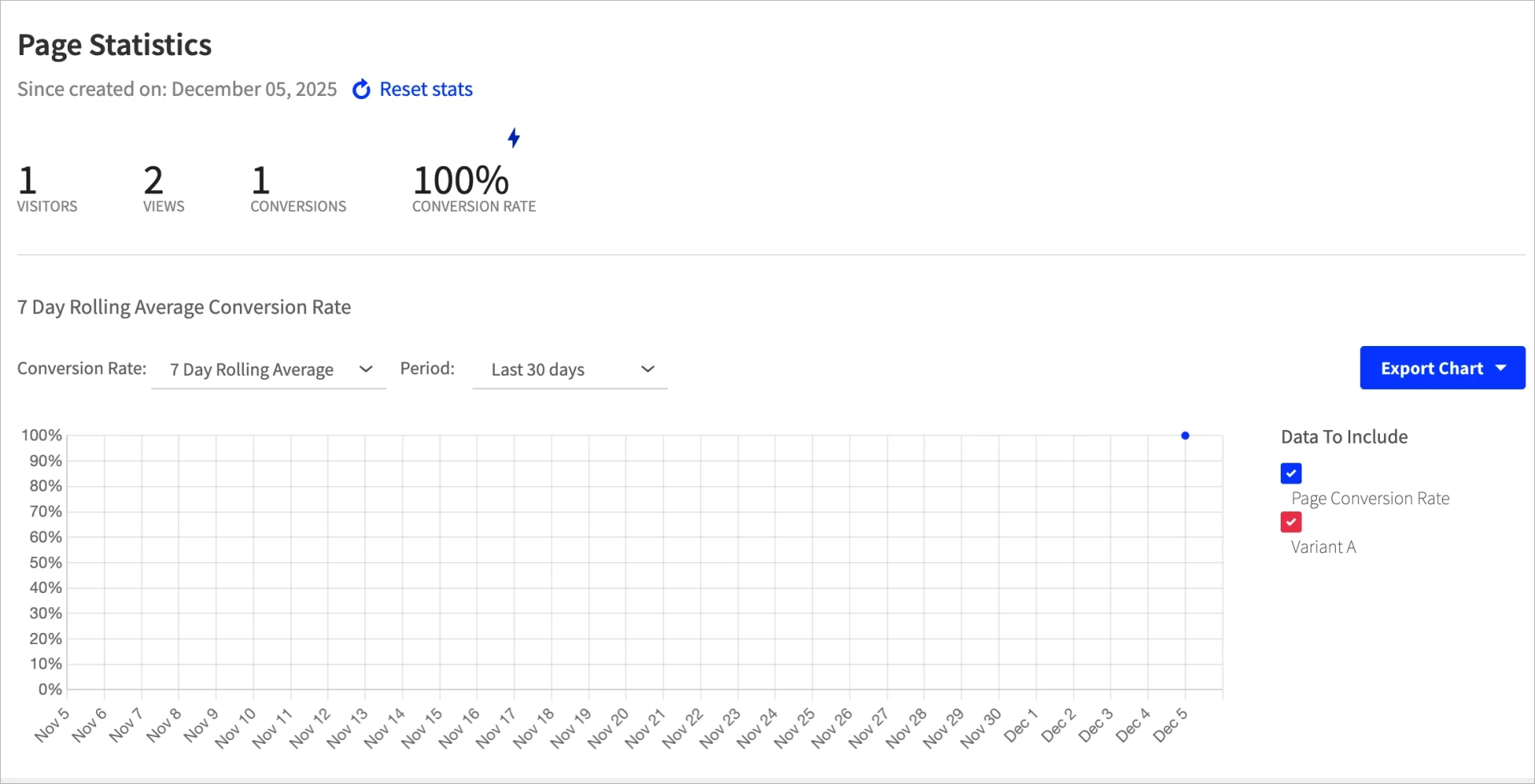
Analytics help measure performance. Unbounce provides basic statistics with more advanced insights in higher tiers. ClickFunnels offers funnel-level analytics but limited landing-page-specific detail. Landingi includes basic analytics and expands to enhanced analytics and EventTracker with Solis AI for deeper behavioral data.

Customization and Scalability
Customization and scalability define how well each tool adapts to larger teams and complex workflows. Unbounce offers broad layout control and growing AI tools. ClickFunnels focuses on funnel structure but limits fine-grain design. Landingi supports deep customization, advanced automation, and enterprise infrastructure, which makes it suitable for agencies and organizations with high-volume traffic.
Can you fully customize templates, colors, and layout?
Customizing templates is possible in all tools, but with varying depth. Unbounce supports flexible layouts with custom code options. ClickFunnels uses a structured grid that limits exact placement. Landingi enables pixel-perfect positioning, customizable sections, fully editable templates and forms, and detailed control over every component – and it also offers global colors and fonts for landing pages, which helps teams keep branding consistent across all campaigns. Also, landing pages generated in Lunar can be edited manually or via chat with the AI.
Does the tool support custom code (HTML/CSS/JS) if needed?
Custom code is available in all three tools, though with gates. Unbounce allows HTML, CSS, and JS across its pages. ClickFunnels restricts advanced editing to higher tiers. Landingi supports custom code, global scripts, GTM, and reverse proxy setups.
Is it scalable for multiple campaigns, teams, or clients?
Scalability differs by platform. Unbounce handles many pages but relies heavily on manual work for testing and adaptation, especially with mobile layouts. ClickFunnels is less suited for agencies because of limited design flexibility and high costs. Landingi includes multi-user access, workspaces, unlimited page capacity, Programmatic Landing Pages, automation tools, and enterprise-level security – making it strong for teams managing many campaigns or client accounts.
See how Landingi helps you manage 10 or 10,000 landing pages.
FAQ about Unbounce Vs. ClickFunnels Vs. Landingi
This section gives clear, short answers to the questions readers ask most often when choosing between these three tools. It helps remove confusion and gives you a direct sense of what each platform does best.
What is Unbounce?
Unbounce is a landing page builder focused on conversion optimization, offering tools like A/B testing, Smart Traffic AI, and Dynamic Text Replacement. It works well for teams running paid campaigns but comes with higher pricing and traffic limits that may affect scaling.
What is ClickFunnels?
ClickFunnels is a funnel-building platform that includes landing pages, upsells, email automation, payment integrations, and course hosting. It helps users create full funnels quickly, though customization limits and high subscription costs can slow growth for larger teams.
What is Landingi?
Landingi is an AI landing page operation system built for precise design, automation, and scale, supporting everything from simple lead forms to advanced programmatic campaigns. It offers an AI landing page generator, pixel-perfect editor, 400+ templates, A/B testing, and optimization tools, making it accessible for both marketing teams and enterprise-level operations.
Choose the Right Landing Page Tool and Boost Your Campaign Conversion Rates
The right landing page builder helps your team move faster, test more ideas, and avoid unnecessary costs. Each tool offers a different level of control and scalability, but the best long-term fit depends on how many pages you build, how often you test, and how quickly you want to grow.
Landingi excels in its landing page design capabilities and supports teams that need both freedom and structure. It offers pixel-perfect control, automation features, Programmatic Landing Pages, collaboration tools, and enterprise-ready options that make scaling smoother. From my perspective, Landingi gives organizations the most predictable foundation for long-term campaign growth – without pushing them into expensive upgrades early in the process.
If you want to see how it works in practice, start with the free trial or book a demo. Both paths let you explore how quickly your team can build, publish, scale, and optimize landing pages in Landingi.