
Universal App Campaigns (UAC) – now called App campaigns in Google Ads – are an automated way to promote your mobile app across Google Search, Play Store, YouTube, Discover, and the Display Network. Instead of building separate ads, you provide a few creative assets, and Google’s machine learning handles the rest: combining, testing, and optimizing to drive installs, in-app actions, or pre-registrations.
UAC simplifies app promotion at scale. It’s ideal for marketers who want performance without micromanaging every channel. And with mobile app downloads projected to hit 299 billion globally in 2026, according to BuildFire, the opportunity is bigger than ever.
Key takeaways:
- UAC = App campaigns in Google Ads, running across all major Google platforms.
- Automated optimization helps drive installs and engagement with minimal setup.
- App promotion at scale, backed by machine learning and real-world performance data.
In this guide, we’ll break down how Google App campaigns work, when to use them, and what to watch for – plus 3 standout universal app campaigns examples to show what’s possible. Along the way, we’ll highlight key universal app campaign statistics to help you plan smarter.
What are Universal App Campaigns?
According to Google Ads Help, Universal App Campaigns (UAC) are a fully automated campaign type in Google Ads that helps you promote your mobile app across Google’s most powerful channels, including Google Search, Google Play, YouTube, Discover, Gmail, and the Google Display Network. All you need to get started is a few lines of text, a bid, and some creative assets, and Google takes care of the rest by automatically generating and optimizing your ads.
UAC campaigns are built to drive three main outcomes:
- app installs,
- user engagement,
- pre-registration for upcoming apps.
Whether you’re launching a new app or trying to re-engage existing users, UAC uses machine learning to deliver the most relevant ads to the right users at the right time.
One of the biggest advantages is that you don’t need to create separate ads for each platform or format. Google dynamically assembles your ad variations and serves them where they’re most likely to perform: from search results to video placements to app store listings.
For marketers, this means broader reach, smarter targeting, and better budget use all from a single campaign setup.
Optimize every click with lightning-fast, campaign-ready landing pages.
Where do Universal App Campaigns Show Ads?
Universal App Campaigns promote your app across Google’s full advertising ecosystem, including Google Search, the Google Play Store, YouTube, Google Discover, Gmail, and the broader Google Display Network. This multi-channel approach ensures that your ads meet users wherever they spend time, whether they’re actively searching, watching videos, browsing apps, or checking email.
Here’s a breakdown of where your UAC ads can show up:
Google Search Network
Your app ad can appear in Google search results and across search partner sites whenever users type in relevant queries. These placements reach people actively searching for solutions – a perfect match for high-intent app installs or in-app purchases. By targeting specific keywords, you’re visible exactly when your target audience is looking.
Google Play Store
As the main discovery hub for Android and Google Play apps, this placement gives you valuable visibility. Ads appear:
- in Google Play search results,
- on app listing pages (under “Related to this app” or “You might also like”),
- and even on the Play Store homepage, under personalized recommendations.
This is especially effective for promoting your app to users already browsing for something new.
YouTube
Video ads are a powerful way to show your app in action. Your Universal App Campaign can display skippable or non-skippable videos on relevant content across YouTube. These placements are ideal when your app’s value is best communicated visually, for example, mobile games, fitness apps, or tools with unique interfaces.
Discover on Google
Discover is a personalized content feed available on Android devices and the Google app. App install campaigns placed here appear as native-style cards, allowing you to reach users before they search – often when they’re in a relaxed, exploratory mindset. This is a smart placement for building early interest or driving pre-registration for a new app.
Google Display Network (GDN)
The Google Display Network offers expansive reach across over 2 million websites, apps, and Gmail. Through text, image, and video ads, you can connect with your audience while they browse news sites, play games, or check email. These placements support both broad awareness and re-engagement strategies, especially when combined with strong bidding strategies and optimized creative assets.
3 Types of Universal App Campaigns
App campaigns can help you get more installs for your app, re-engage existing users, or generate excitement before launch. Each subtype supports a different goal — and knowing when to use each one is key to driving results.
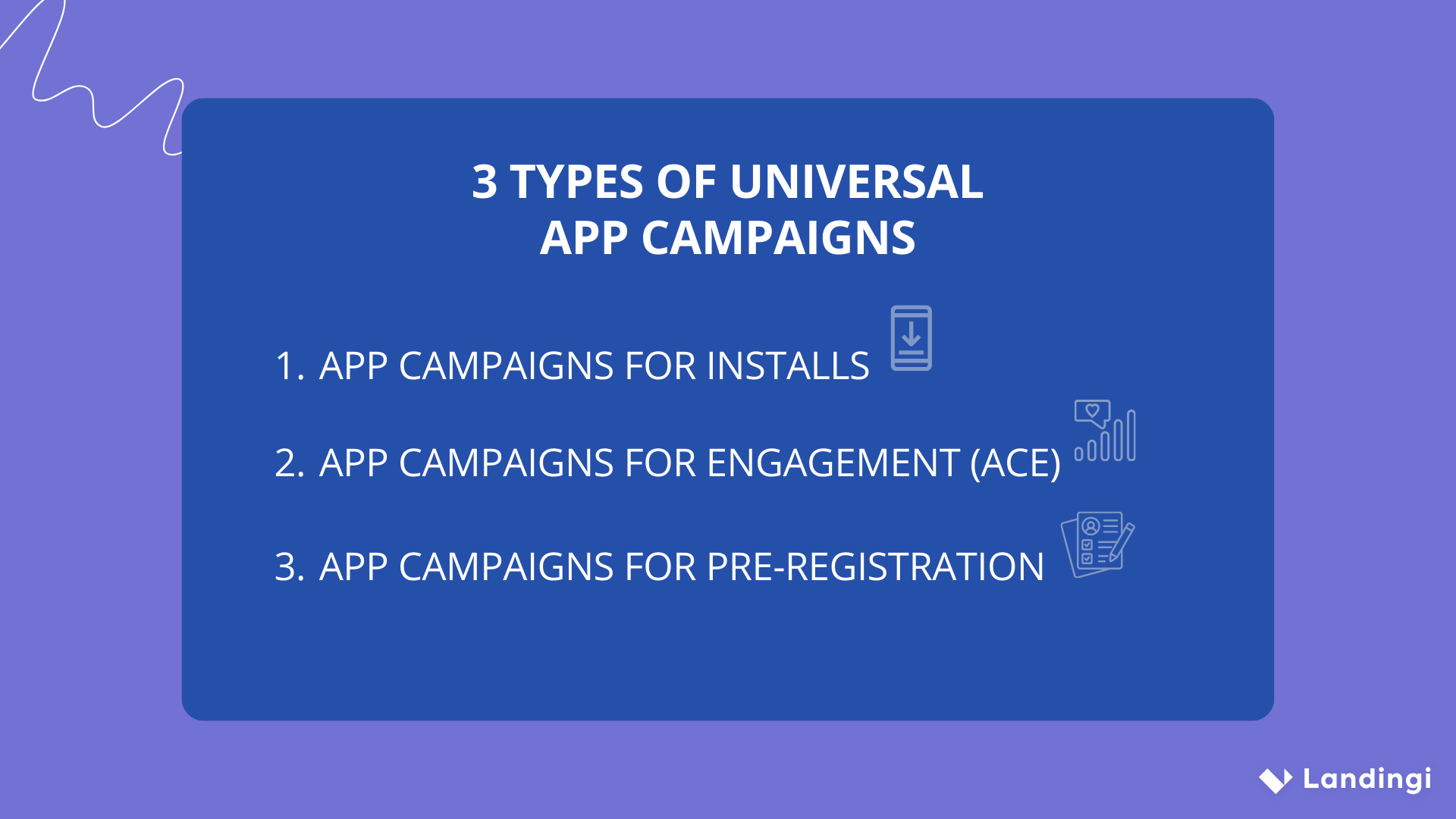
1. App campaigns for installs
This is the most common campaign type for driving app installs from new users. It’s designed to reach people likely to download your app and uses automated bidding and targeting to maximize conversions at your target cost-per-install (tCPI).
You can also enhance performance using Audience signals by providing information about the kind of users you want to reach, you help Google’s algorithm optimize faster and smarter. This approach is especially useful during the early phase of your campaign (cold start).
2. App campaigns for engagement (ACe)
If your goal is to reconnect with people who’ve already installed your app, ACe campaigns are the go-to. They’re perfect for encouraging lapsed users to come back, complete unfinished purchases, or interact with specific features.
You can promote time-sensitive events, special offers, or drive in-app actions such as upgrades or new subscriptions. Note: Your app should have at least 50,000 installs, and you’ll need to set up deep links, audience lists, and conversion tracking to run this campaign type effectively.
3. App campaigns for pre-registration
This campaign type helps you build buzz before your app or game launches on the Google Play Store. Pre-registration ads target users likely to express early interest and sign up to be notified once your app is live.
It’s especially useful for mobile games or apps with launch campaigns, betas, or waitlists. You’ll need to upload an APK to the Play Console and launch your app within 90 days after it becomes available for pre-registration.
Launch, test, and iterate on high-performance landing pages without slowing down your paid campaigns.
How do Universal App Campaigns Work?
Universal App Campaigns simplify the process of promoting your app across Google’s largest ad networks by automating what used to be manual. Instead of creating individual ads for each placement, you provide a few essential elements – and Google takes it from there.
Here’s how the Universal App Campaigns works:
- You start by adding text ideas, a daily budget, a target cost per install (CPI) or cost per action (CPA), and choosing your languages and locations. Then, you upload images, videos, or other assets, or let Google pull them directly from your app’s store listing.
- From there, Google Ads automatically tests different ad combinations across formats and placements – including Search, Google Play, YouTube, Discover, and the Google Display Network. The goal is to show your best-performing ads to the users most likely to take action.
- At the core of it all is machine learning. The system analyzes user behavior and context (device, location, app usage, etc.) to serve your ads when the chances of conversion – like app installs, in-app purchases, or pre-registration – are highest.
- You can track results in real time, optimize over time, and focus more on your marketing strategy, not micromanaging creatives or placements.
With the same approach working across Android and iOS, Universal App Campaigns offer one of the most scalable ways to find and grow your base of valuable users.
What are the Benefits of Universal App Campaigns?
Universal App Campaigns’ biggest strength lies in automation and scale, making them a powerful solution for driving installs, re-engagement, or even pre-registrations ahead of launch.
One of the core benefits is the simplified setup. You don’t have to create individual ads for different Google properties or ad formats. Instead, you provide a few lines of text, set your bid and daily budget, and upload creative assets like videos or images. Google takes care of the rest.
App campaigns also scale effortlessly across Google’s entire advertising ecosystem, including Google Search, YouTube, the Play Store, Discover, Gmail, and the Google Display Network. This gives you access to billions of daily touchpoints without managing separate campaigns for each platform.
What makes App campaigns especially effective is their focus on conversions. Whether your goal is to drive app installs, in-app actions, or user engagement, Google Ads uses machine learning to optimize toward your most valuable outcomes. Over time, the system automatically adjusts targeting and bidding to improve results.
Another advantage is that App campaigns test multiple asset combinations automatically, mixing and matching your ad texts, visuals, and videos to discover what resonates best with users. You don’t have to run separate A/B tests — Google does the heavy lifting for you.
Finally, you get built-in reporting and performance tracking, so you can see what’s working, monitor results in real time, and adjust your strategy as needed. All your data lives in one place, connected directly with your Google Ads and (optionally) Google Analytics accounts.
Key Benefits of App Campaigns
| Feature | Why It Matters |
|---|---|
| Simplified Setup | No need to build individual ads for each channel or format |
| Full Google Ecosystem | Your ads appear across Search, Play Store, YouTube, Display, Gmail & Discover |
| Conversion Optimization | Campaigns are goal-based and continuously optimized toward installs or actions |
| Asset Testing | Google dynamically tests your ad texts, images, and videos for best performance |
| Smart Reporting | Easy access to performance insights and optimization opportunities |
What are the Risks and Limitations of Universal App Campaigns?
Universal App Campaigns come with a set of built-in limitations, including reduced transparency, limited placement control, and heavy reliance on accurate tracking. While they simplify app promotion at scale, these trade-offs can impact both performance and decision-making.
Advertisers often face the “black box” effect, where it’s difficult to see exactly which ads ran, where they showed, and how creative combinations were selected. Placement control is also restricted – meaning your ads could appear on inventory that doesn’t align perfectly with your brand or audience quality goals.
Performance depends largely on proper conversion tracking. Without clean, well-defined app events, the algorithm may struggle to optimize toward real value – resulting in poor user quality or budget inefficiency. Attribution can also be a challenge, especially when multiple channels are in play.
Despite Google’s efforts to filter low-quality or fraudulent clicks, some invalid traffic may still slip through, particularly on open-display inventory. Creative fatigue is another risk: if assets aren’t refreshed, performance can stall as the same combinations are shown repeatedly.
Lastly, growing privacy regulations (especially on iOS) limit data visibility and signal availability, which can affect campaign learning and optimization over time.
How to Implement Universal App Campaigns into a Marketing Strategy?
To implement Universal App Campaigns effectively, you need a structured, goal-oriented approach that aligns with your broader marketing strategy.
Start by defining your primary campaign goal: whether it’s app installs, in-app actions, or pre-registration. This determines how your campaign will optimize performance and what success looks like. For install-focused campaigns, Google will optimize toward cost-per-install (CPI). For event-driven campaigns, you’ll need accurate conversion tracking (via Firebase or an MMP) to target cost-per-action (CPA) based on specific in-app behaviors.
Next, set a realistic daily budget and bid that matches your goal and expected volume. Universal App Campaigns rely on learning, so your budget should support enough conversions for the algorithm to optimize effectively.
Define your geographic targeting and languages based on where your app is available and where you want to grow. Avoid spreading your campaign too thin across regions that can’t yet support meaningful installs or actions.
Build a solid asset plan. While Google will pull creatives from your app store listing, it’s best to supply additional text ideas, images, videos, and HTML5 assets to give the system more to test. Different placements – from YouTube to the Play Store – call for varied formats and orientations.
Establish a test and optimization process. Use performance reports to review how assets perform over time, and watch for creative fatigue. Replace underperforming assets and continuously test new ones to keep results strong.
Finally, set quality guardrails. Don’t focus solely on volume – monitor user engagement, retention, and purchase behavior to ensure your campaign is bringing in high-value users. Iterate often, and treat your UAC not as a one-time setup, but as a living part of your mobile marketing engine.
How to Track and Measure UAC Campaigns?
To track and measure your Universal App Campaigns effectively, you need the right setup – one that balances accuracy, privacy, and actionable insights. The goal isn’t just to count installs, but to understand how your campaigns drive meaningful in-app behavior and long-term value.
It all starts with conversion tracking. Define the in-app events that matter most for your business, like installs, purchases, subscriptions, or sign-ups, and make sure they’re properly tracked. These signals guide Google Ads’ machine learning and help your campaigns focus on finding users who are likely to convert.
Tools like Google Analytics 4 offer powerful cross-platform measurement. When combined with a Google-certified Mobile Measurement Partner (MMP), you get detailed reporting on user behavior, retention, and revenue across both iOS and Android apps.
Because direct attribution can be limited, Google also uses conversion modeling to fill the gaps. This includes privacy-friendly approaches like SKAdNetwork, Integrated Conversion Measurement (ICM), and modeled conversions in Google Ads. These methods help ensure you’re still getting insights, even with stricter privacy rules.
For better engagement, consider implementing deep links. These take users directly to specific in-app content after clicking an ad, improving user experience and boosting your conversion rates. You can streamline this setup using Web to App Connect, which links your website and app for seamless tracking.
If you’re running iOS campaigns, follow Apple’s best practices: configure SKAdNetwork, implement the App Tracking Transparency (ATT) prompt, and use on-device conversion measurement when possible. These steps will help increase your share of observable conversions and keep performance data flowing.
See what’s working with EventTracker and make smarter campaign calls in real-time.
Bidding & Optimization in UAC
Effective bidding is the engine behind every successful App campaign. Whether your goal is installs, in-app purchases, or pre-registration, the bidding strategy you choose in Google Ads directly shapes how your budget is spent – and who your ads reach.
To start, you’ll need to define what success looks like. App install campaigns are optimized around bringing in as many new users as possible. In that case, you might choose Target CPI (Cost Per Install) – setting the average amount you’re willing to pay for each new download – or Maximize Conversions, which lets Google handle bids automatically to get the most installs within your budget.
If you’re after more engaged users, switch focus to in-app actions, such as sign-ups, purchases, or completing a tutorial. Here, Target CPA helps you pay only for users likely to complete those actions. You can also use Maximize Conversions for in-app actions, which adjusts bids dynamically for volume.
For apps with monetization goals, Target ROAS (Return on Ad Spend) or Maximize Conversion Value are ideal. These strategies focus on optimizing for users who bring the most revenue, not just actions. Google adjusts your bids in real time to maximize value, using signals like user behavior, device, time of day, and more.
Across all bidding types, Google’s machine learning works behind the scenes — analyzing performance data and millions of signals to serve the right ad to the right user at the right time. But that optimization only works if your tracking is solid. That means implementing in-app event tracking, valuing those events properly, and ensuring your app is ready to send consistent signals.
One practical rule from Google Ads Help: when running Target CPA campaigns, wait until you’ve gathered at least 100 conversions before making bid changes. Once that baseline is established, adjust your tCPA in small increments – around 20% – to avoid disrupting performance.
And remember, optimization isn’t only about algorithms. Feed the system with strong creative assets –varied videos, images, and text – so it can test and find the combinations that drive real results.
3 Successful Universal App Campaigns Examples
Here are three real-world Universal App Campaigns examples that show how brands used UAC to scale installs, cut acquisition costs, and drive real app growth. Each case highlights a different strategy, creative approach, and performance outcome you can apply to your own campaigns.
1. Tesco Groceries
Tesco, one of the world’s largest grocery retailers, used Universal App Campaigns to boost downloads of its Tesco Groceries app, and the results were impressive. By combining branded ad copy and video creatives with UAC’s automation, the brand reached three times more users, drove a 77% higher click-through rate, and achieved a 38% lower cost per install compared to previous campaigns.
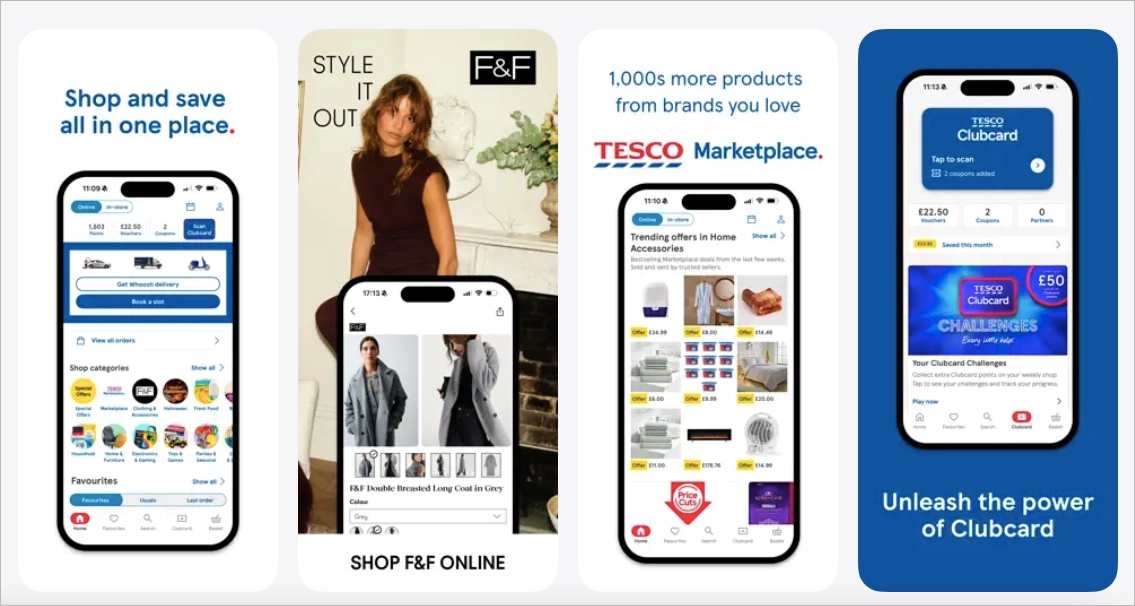
The campaign didn’t just focus on new users; it also re-engaged existing ones ahead of the busy holiday season. With app users being among Tesco’s most loyal customers, the Google App campaign helped fuel long-term value while making setup and optimization refreshingly simple. A true win for both performance and efficiency.
2. Practically
Indian edtech brand Practically used a bold multi-channel strategy to promote its new “Scan Anything” feature – blending Google App campaigns, influencer outreach, TV, print, and social media. The goal was to spark curiosity and drive app installs around a smarter way to learn: scanning objects instead of searching for them.
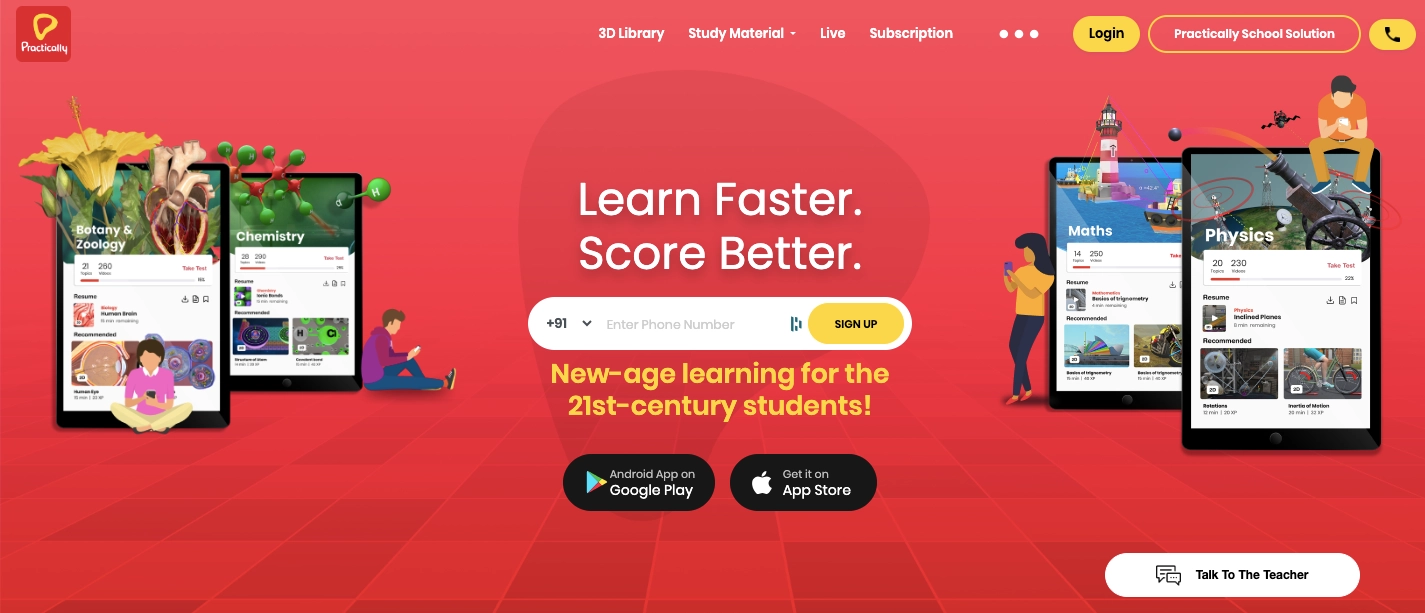
Running under the tagline #StopSearchingStartScanning, the campaign helped the app jump from 400,000 to 1.5 million installs, while generating over 6 million impressions through influencers alone. Their Google UAC strategy helped reach new users efficiently, while the rest of the media mix amplified the message.
The result was not only a top 10 ranking in the Google Play education category, but also a stronger brand presence in a crowded edtech market. A great example of how Universal App Campaigns can scale alongside a big creative idea.
3. Santander
In the UK, Santander turned to Universal App Campaigns to scale app installs more efficiently and the results spoke for themselves. By running UAC across Google Search, Google Play, YouTube, and the Google Display Network, the bank achieved a 93% reduction in cost per acquisition compared to previous benchmarks.
With a simplified setup and broad reach, the campaign delivered over 53,000 installs at well below target CPI, all with minimal effort from Santander’s internal team. Encouraged by this success, the bank extended UAC to promote its peer-to-peer payment app, KiTTi, as well.
This case shows how Google App campaigns can unlock strong performance for even the most traditional industries, especially when ease of use and measurable ROI are top priorities.
6 Proven UAC Strategies & Best Practices
Running successful App campaigns isn’t just about setting them live, it’s about feeding the system the right signals and giving it room to optimize. Here’s how to get the most out of your budget and reach more valuable users:
1. Set Clear Goals
Whether you’re after installs, in-app events, or pre-registration signups, your campaign type and bidding strategy should reflect that goal from the start.
2. Provide a Variety of Assets
Upload a diverse mix of creatives: videos, images, and strong text lines. The more variety you provide, the better the system can build and test ad combinations that actually perform.
3. Use Deep Links
Deep links take users straight to the right spot in your app, whether it’s a checkout screen or the next game level. That one extra click saved often means the difference between a bounce and a conversion.
4. Track with Privacy in Mind
Use conversion tracking and privacy-friendly tools like Google Analytics 4 or SKAdNetwork to understand how your ads perform, especially on iOS.
5. Set the Right Budget
As a general rule, your daily budget should be at least 50x your target CPI or 10x your target CPA. This gives the algorithm enough room to learn and optimize.
6. Don’t Rush the Learning Phase
Avoid major changes too early. Let the campaign gather at least 100 conversions before tweaking bids or creatives. It’s a marathon, not a sprint — but one that gets smarter with every step.
What’s the Use of Landing Pages in Universal App Campaigns?
App campaigns in Google Ads are designed to drive installs and in-app actions by sending users directly to your app’s store listing – on Google Play or the Apple App Store. But that doesn’t mean landing pages are irrelevant. In fact, in certain scenarios, they can add real value to your campaign setup and improve your results.
Landing pages are especially helpful when you want to provide additional context before the install. For example, during a pre-launch campaign, you might not have a live app listing yet, but you can still capture interest, collect emails for a waitlist, or generate buzz with a dedicated landing page. The same goes for beta testing or early access programs, where you need a space to inform users or share TestFlight links.
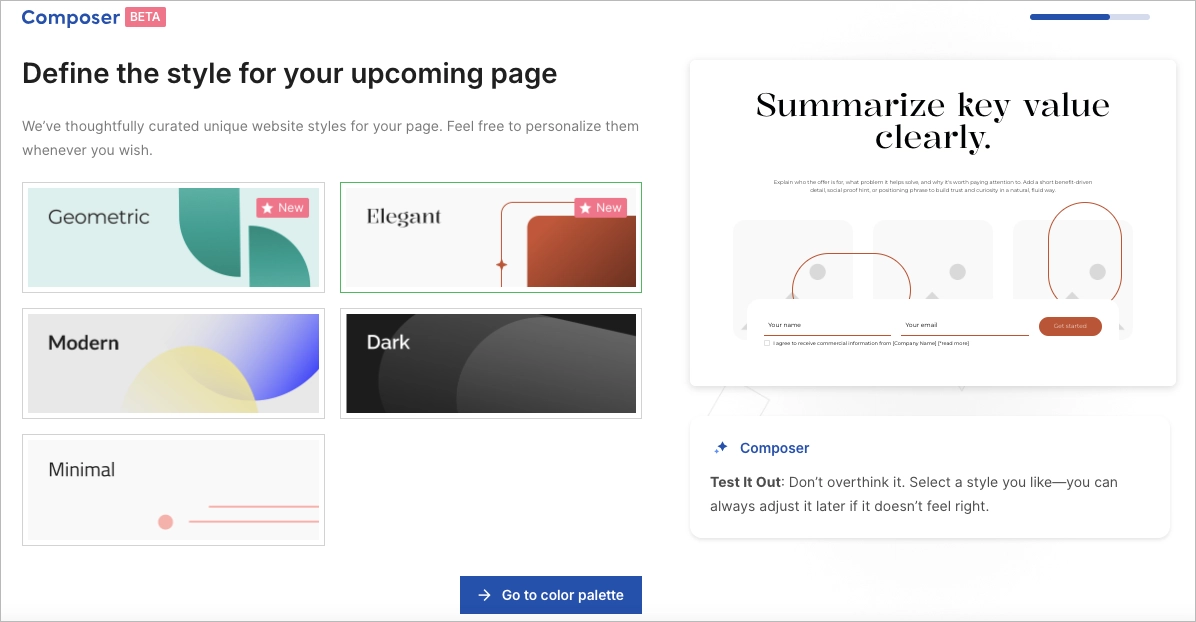
For some apps, especially in B2B or high-consideration spaces, it makes sense to capture leads before the install – whether it’s scheduling a demo, collecting sign-ups, or qualifying users. In these cases, a landing page becomes the first step in your funnel.
Landing pages also help support web-to-app strategies. With tools like Web to App Connect, you can create smooth, device-aware transitions that open the app directly when installed, or guide users to the store if not all, starting from a single page. You can even use deep links to route users to specific in-app content from a landing page.
Finally, landing pages give you space to educate your audience. If your app needs a bit more explanation, like a walkthrough video, feature comparison, or trust signals, a landing page is where you can tell that story before someone clicks “Install.”
So while App campaigns automate much of the process, landing pages still play a strategic role when timing, messaging, or pre-install engagement matters.
Go from idea to optimized landing page in seconds with Landingi!
FAQ for Universal App Campaigns
Below are the most common FAQs to help you better understand and make the most of your app promotion strategy.
What are Popular Platforms and Tools around UAC?
App campaigns (formerly Universal App Campaigns) promote your app across Google’s key platforms: Google Search, Google Play, YouTube, Discover, and the Google Display Network (including apps, websites, and Gmail). Ads are automatically served in placements like Play Store listings, YouTube videos, search results, and content feeds—helping you reach users at every stage of their journey.
To support these campaigns, Google offers tools like Web to App Connect for deep link setup, Google Analytics 4 for performance tracking, and Ad Strength reports to evaluate creatives. Attribution partners (e.g., AppsFlyer, Adjust, Branch) and developer tools like Play Console and Android Studio help fine-tune measurement and user experience.
Should I Use Universal App Campaigns as a Marketing Expert?
Yes, if you’re a marketing expert looking to promote a mobile app, universal app campaigns are one of the most efficient tools available. They’re designed specifically to help you reach potential users across Google’s entire ecosystem – from Search and Google Play to YouTube, Discover, and the Display Network – with minimal manual setup.
Instead of managing separate ads for each platform, you define your goal (installs, in-app actions, or pre-registration), add creative assets, and set your budget. Google’s AI then optimizes your campaign by testing ad combinations and delivering them to the users most likely to convert.
For marketers focused on performance, scale, and automation, especially those running campaigns across Android and iOS, app campaigns are not just useful, but essential.
What is the Difference between UAC and Search Ads?
Universal app campaigns are perfect for scaling app installs, while Search ads are better for capturing high-intent traffic from users actively searching for specific solutions.
App campaigns are built to promote mobile apps — whether your goal is installs, in-app actions, or pre-registration. They run automatically across Google Search, Google Play, YouTube, Discover, and the Google Display Network.
Search ads, appear only on the Google Search Network. They’re keyword-driven and give you more control over targeting and messaging, making them ideal for driving traffic to websites, generating leads, or encouraging calls.
What is the Difference between UAC and Programmatic Advertising?
The difference between universal app campaigns and programmatic advertising lies in both scope and execution. App campaigns are ideal for marketers looking for a streamlined, app-focused solution, while programmatic gives you the scale and flexibility to manage broader advertising goals across many platforms.
App campaigns are a simplified, goal-driven campaign type in Google Ads, built specifically to promote mobile apps. They use machine learning to automate everything – from ad creation to placement – across Google’s largest properties like Google Search, Google Play, YouTube, Discover, and the Display Network. All you need to provide are basic assets, and Google handles the rest to drive installs or in-app actions.
Programmatic advertising, on the other hand, refers to the broader method of buying and selling ad inventory through real-time bidding using platforms like Display & Video 360. It offers granular control, supports a wide variety of ad formats and channels (not limited to apps), and is often used in complex, multi-channel strategies that extend beyond the Google ecosystem.
Bridge the gap between your PPC ads and real results with optimized landing pages.
Create Effective Landing Pages for your Universal App Campaigns
Universal App Campaigns (UAC) – now called Google App campaigns – are a streamlined way to promote mobile apps across Google Search, Google Play, YouTube, Discover, and the Display Network. Instead of building separate ads for each platform, you provide creative assets and goals, and Google’s machine learning handles the rest, from generating ad combinations to optimizing performance for installs, in-app actions, or pre-registration.
UAC is ideal when you want to scale user acquisition with minimal setup. It works especially well for app marketers who value reach, automation, and data-driven optimization. But it’s not without limits: you get less control over placements, rely heavily on tracking accuracy, and may run into attribution challenges or creative fatigue. Still, universal app campaigns statistics consistently show strong results when paired with a thoughtful strategy.
While most UAC traffic goes directly to app stores, landing pages still play a vital role, especially in early-stage campaigns, waitlist signups, or education before install. With Landingi, you can build conversion-focused pages that boost your results and make your universal app campaigns even more effective. Try now!