


In this guide, you will learn how to integrate your form with AWeber – an email marketing platform.
AWeber integration does not support custom form fields.
- You can also connect your landing page with AWeber via Zapier to manage your subscribers automatically.
Integrate your landing page with AWeber
1. Log in to the Landingi platform and go to the editor. Click on the form and go to its Settings.

2. In the Integrations tab, choose AWeber. You can use the search bar to look for the integration. Type the name and press enter.

3. Click on Connect AWeber with Landingi.

4. New browser tab will open. Log in to your AWeber account, click on Allow Access to integrate with the Landingi platform. If you do not have the AWeber account, click on Sign up to create a new account.

5. Once you’ve logged in, you will see your AWeber account number and the names of your mailing lists. Select your Account and Mailing list (1) from the drop-down menu. Then connect the form fields with the values in AWeber (2).

6. Save and close. Publish your landing page.
Fill out the form to test if your leads are sent to AWeber.
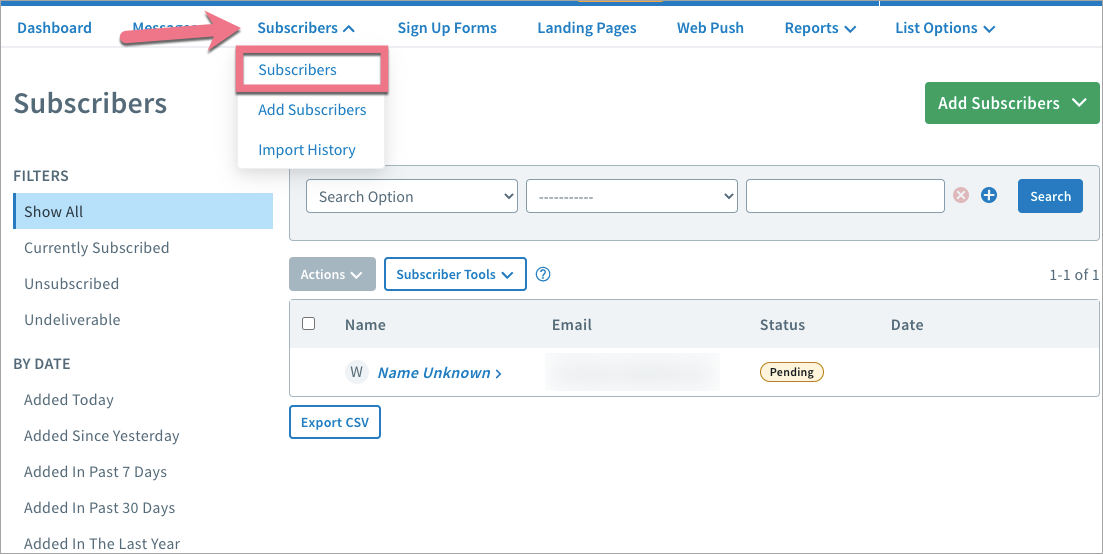
You will find your lead data in the Subscribers > Subscribers tab.
Browse all integrations in our Integrations Catalog to see tools you can connect Landingi with.

