


CallRail helps you to track phone and web leads, so you can learn which of your landing pages are the most effective. Installing CallRail takes just a few easy steps.
Get your snippet from CallRail
1. Click Analytics in the navigation bar on the left.
2. Click Settings at the top of the page.
3. Choose the company whose JavaScript code you’d like to install.
4. Select All Integrations from the Integrations section in the left menu.
5. Choose JavaScript Snippet from the list of available integrations.
6. Copy the JavaScript provided. It should look similar to this sample JavaScript code:

Install the snippet in Landingi
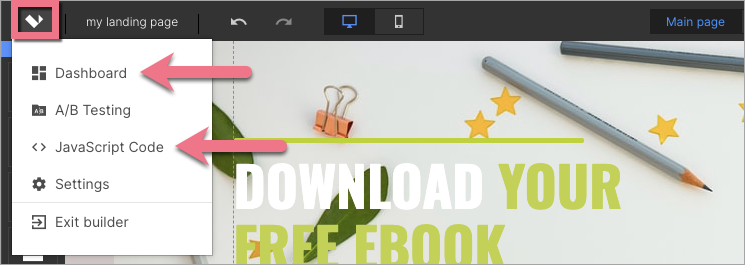
1. Log in to your account on the Landingi platform and navigate to the Dashboard of your landing page.

You can also access the JavaScript codes section directly from the editor:
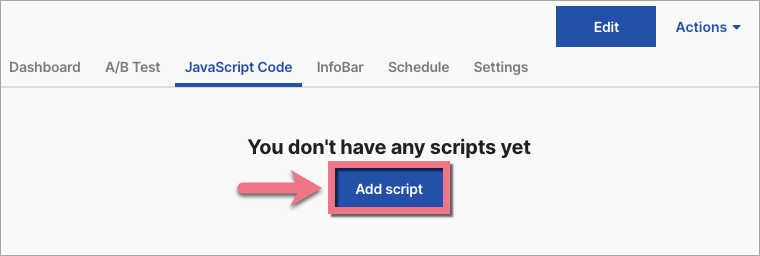
2. Go to the JavaScript Code tab. Click Add script.
3. Type in a name (1) and paste the snippet in the Content (2) field. Choose Body bottom (3) position on Both (4) pages. Click on Add.

4. Once you add the code, go to the editor and click on Publish.
Browse all integrations in our Integrations Catalog to see tools you can connect Landingi with.

