


Elfsight is an online solution that delivers customizable website widgets. You can easily embed one of many Elfsight applications (social feeds, reviews, chats, timers, WhatsApp chat) on your landing page. This guide will walk you through integrating it with Landingi.
Get your code from Elfsight Apps
1. Log in to your Elfsight Apps account.
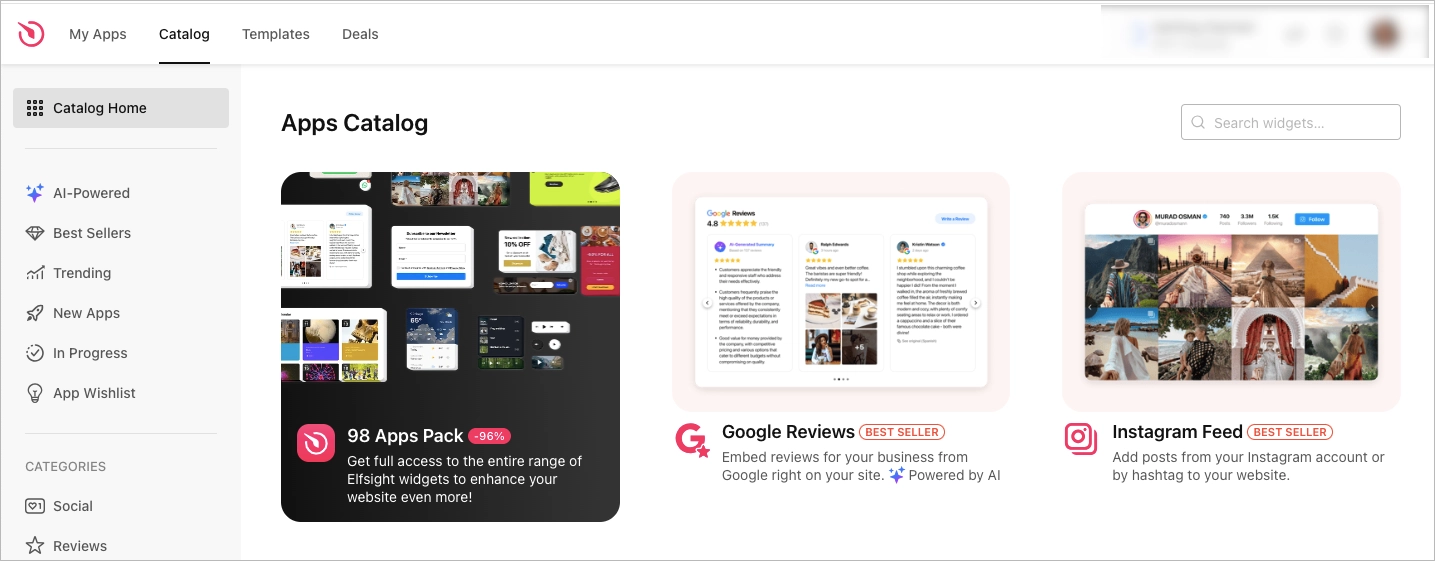
2. Navigate to the Apps Catalog tab and select one of the widgets. For example, we have chosen Google Reviews.
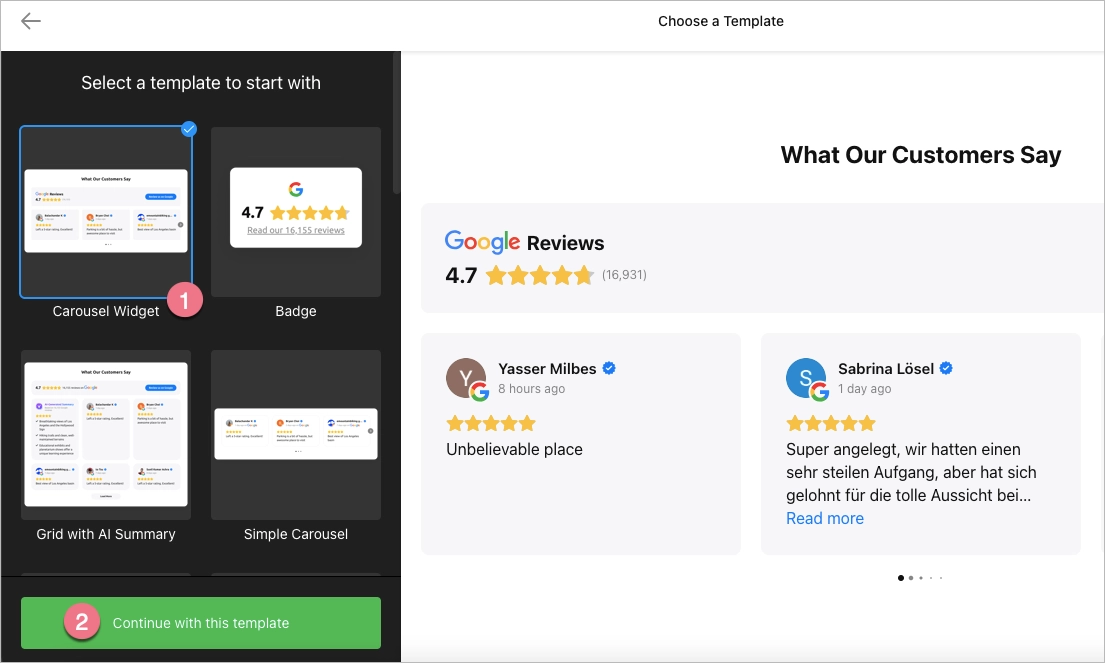
3. Select your template (1), then click Continue with this template (2).
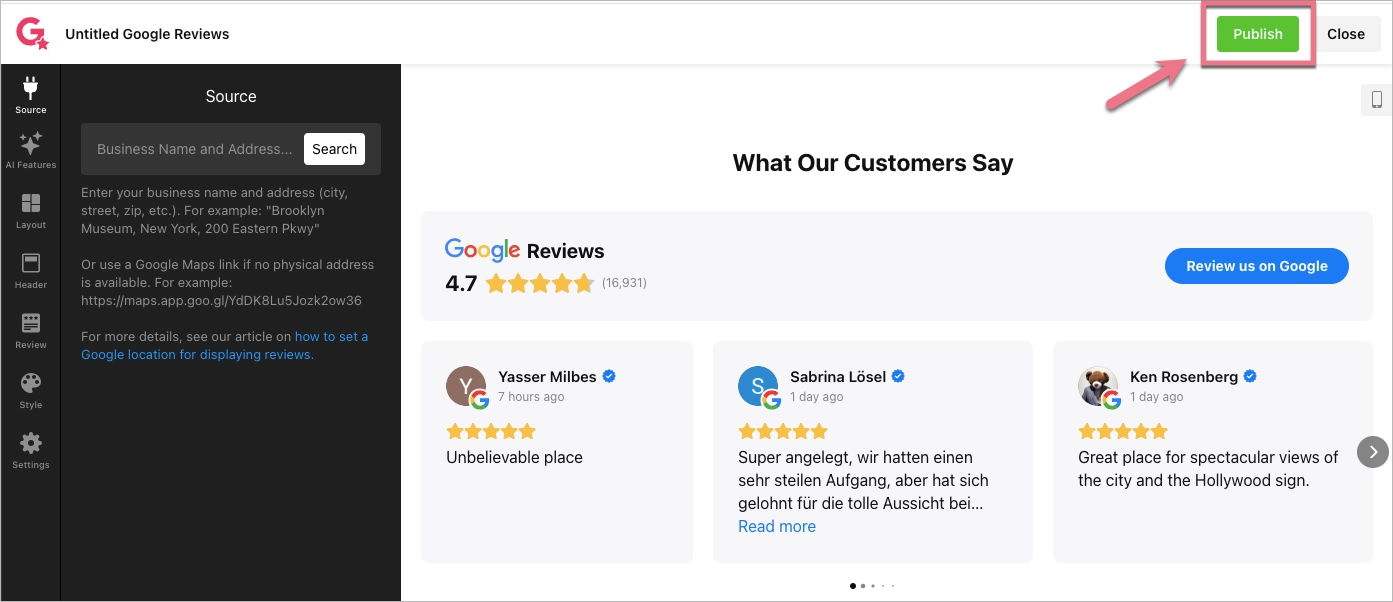
4. Configure the selected widget, then click Publish.
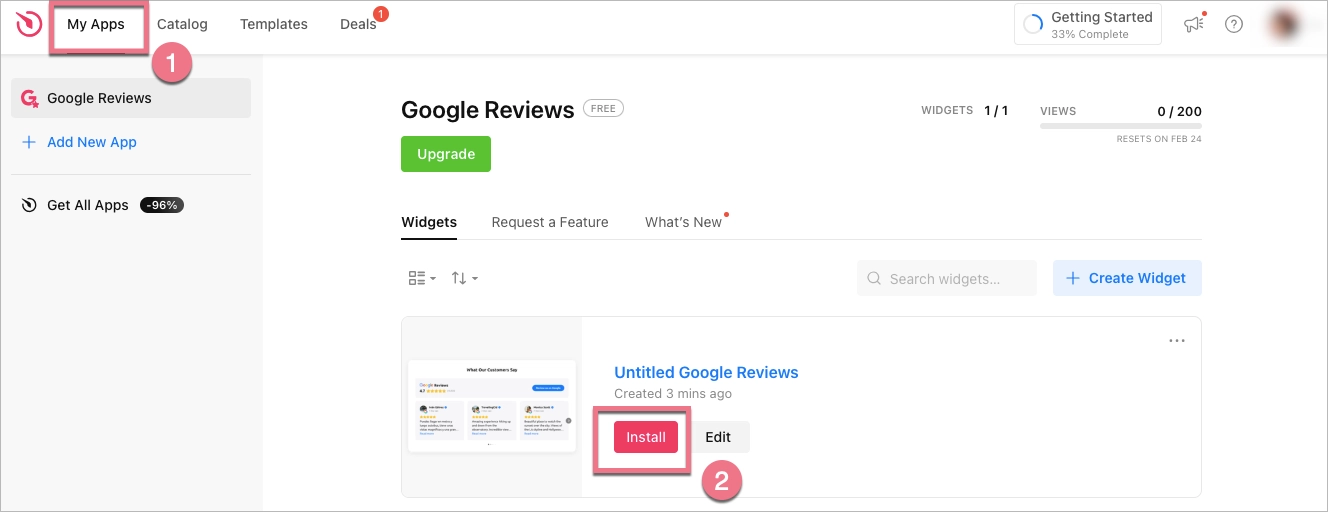
5. Go to the My Apps tab (1), then click Install for the widget you selected earlier (2).
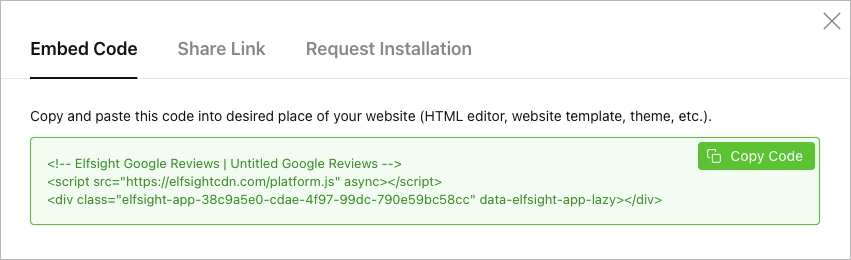
6. Copy the code from the pop-up window.
Install the code in Landingi
1. Log in to your Landingi account and navigate to the editor of your landing page.
2. Find the HTML widget, then drag and drop it into the active area of the editor.

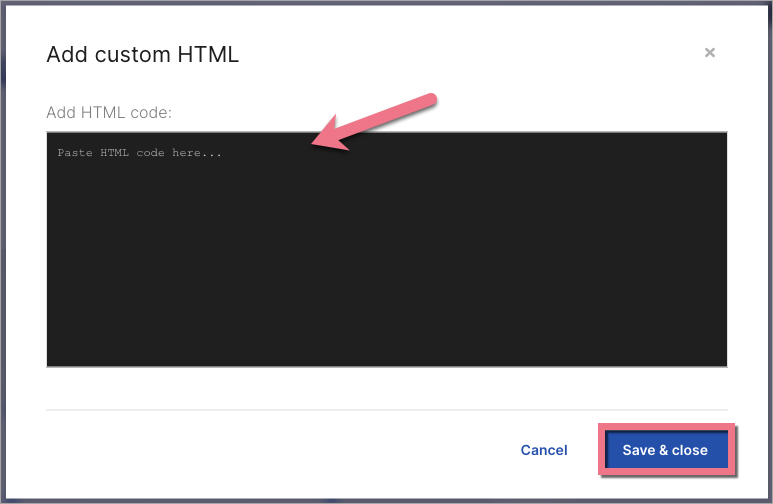
3. Double-click the HTML widget to edit it.
4. Paste the code from Elfsight in the Add HTML code field. Then Save & close.
5. Publish your landing page.
See if the Elfsight widget displays correctly. If needed, go back to the editor and adjust the HTML widget’s width and position.

Browse all integrations in our Integrations Catalog to see tools you can connect Landingi with.

