


FullStory has an unmatched analytics engine that helps to build better digital products. It automatically indexes every digital interaction with your landing page, so you can measure and validate the marketing performance of your campaign. This guide will walk you through integrating your landing page with the FullStory platform.
Get your snippet from FullStory
1. Log in to your FullStory account.
2. Go to Settings (1) and choose FullStory Setup (2).
Copy the whole code in the Your Recording Snippet section.

Install the snippet in Landingi
1. Log in to your Landingi account and navigate to the Dashboard of your landing page.

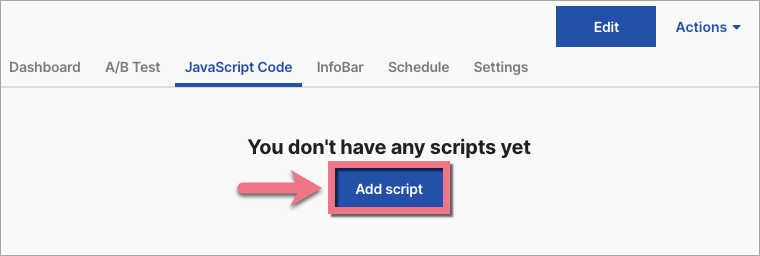
2. Go to the JavaScript Code tab. Click Add script.
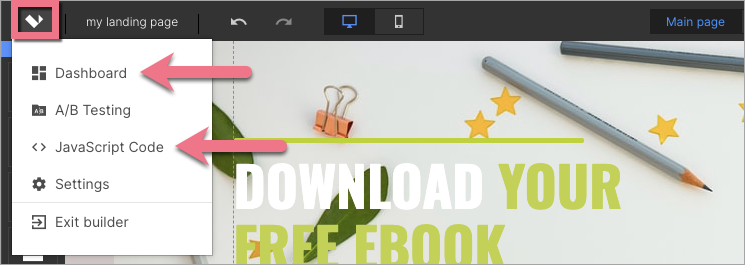
You can also access the JavaScript codes section directly from the editor:
3. Name (1) your script and paste the snippet in the Content (2) field. Choose Head (3) position on Both (4) pages. Click on Add.

4. Once you add the code, go to the editor and click on Publish.
From now, FullStory can track and index digital interactions with your landing page.
Browse all integrations in our Integrations Catalog to see tools you can connect Landingi with.

