


Jotform is an online builder that allows you to create custom forms quickly. It also gives you multiple payment options you can add to your form. This guide will walk you through embedding a Jotform form on a landing page or pop-up created in Landingi.
- You can also connect your landing page with Jotform via Zapier to generate new submissions.
Get your link from Jotform
1. Log in to your Jotform account and start building a form.
2. To add a payment gateway to your form, select Payments (1) and choose one of the integrations (2).

To configure the payment, follow the instructions in Jotform:

3. When ready, go to the Publish tab and copy your code from the Quick Share tab.

Embed the form in Landingi
1. Log in to your Landingi account and go to the editor of your landing page or pop-up.
2. Find the HTML widget, then drag and drop it into the active area of the editor.

3. Double-click the HTML widget to edit it.
4. Copy the following code:
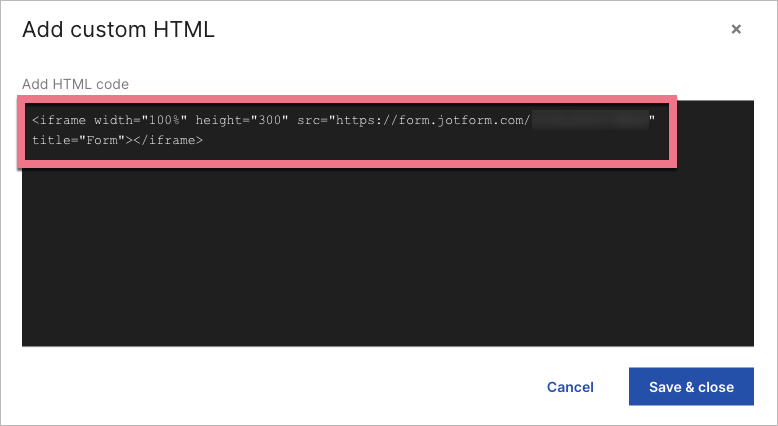
<iframe width="100%" height="300" src="YOUR_JOTFORM_LINK" title="Form"></iframe>5. Paste the code in the Add HTML code field. Change YOUR_JOTFORM_LINK to the link copied from Jotform. Adjust the width, height, and title values to your needs. Then Save & close.
6. Publish your landing page/pop-up.
Check if the form displays correctly. Do not forget to check the mobile view.

Browse all integrations in our Integrations Catalog to see tools you can connect Landingi with.

