


Outgrow allows you to create all kinds of widgets, including calculators, polls, quizzes, and chatbots that you can generate and embed on any website. This guide will teach you how to integrate this tool with your landing page (or pop-up) in Landingi.
Get your code from Outgrow
1. Log in to your Outgrow account.
2. Select the widget you are interested in (for example, we chose a chatbot). Configure it, as needed.

3. Once you have configured the widget, click the Go live button, which will allow you to publish it.

4. Copy the code from the Embed Code tab.

Install the code in Landingi
1. Log in to your Landingi account.
2. Go to the editor of a landing page (or pop-up) where you want to place the Outgrow widget.
3. Find the HTML widget, then drag and drop it into the active area of the editor.

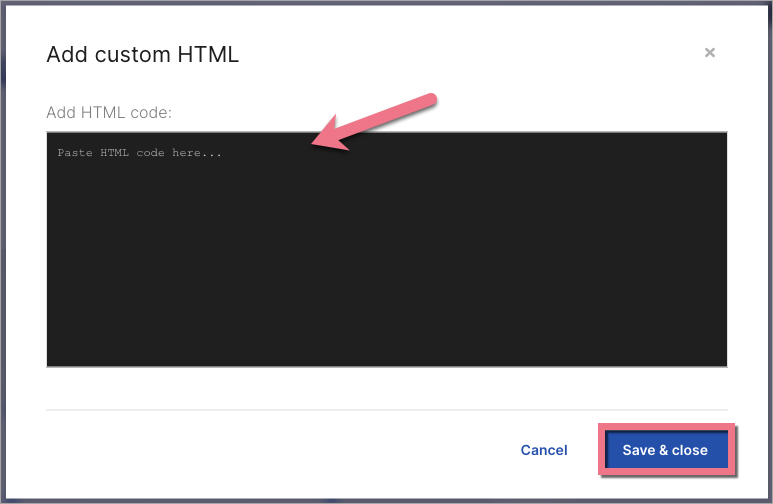
4. Double-click the HTML widget to edit it.
5. Paste the code from Outgrow in the Add HTML code field. Then Save & close.
6. Publish your landing page.
See if your widget displays correctly. If needed, go back to the editor and adjust the widget’s width and position.

Browse all integrations in our Integrations Catalog to see tools you can connect Landingi with.

