


Free QR Code Generator for Landing Pages
Generate a QR code that instantly sends users to your landing page – free and fast. QR codes are everywhere – from packaging to posters – and for good reason. According to QRCodeChimp, in 2025, over 100 million Americans scanned QR codes, and global usage increased by 22% year over year. Nearly 40% of all scans were tied to marketing campaigns, proving how effective these small codes can be at turning real-world touchpoints into clicks and conversions.
With Landingi’s free QR Code Generator, you can create a downloadable QR code in seconds – no sign-up or setup needed.
Key Takeaways:
- How to generate a QR code for your landing page in seconds
- Where to place your code to drive more scans and visits
- Best practices to make your code look clean and perform well
- Real 2025 stats proving QR codes are a high-ROI marketing tool
Let’s make sure your next QR code gets scanned and drives real traffic.
What is a QR Code Generator?
A QR Code Generator is a tool that creates a scannable image from any URL so users can open your landing page instantly with their phone camera. It eliminates the need to type long links, making access quick and error-free. Landingi’s generator lets you create a clean, downloadable QR code in seconds, with support for PNG, JPEG, and SVG formats. It’s a fast way to connect offline materials with your digital campaigns.
How to Use the QR Code Generator for Landing Pages?
Follow these steps to create your custom QR code for your landing page. The process is simple, fast, and takes less than a minute from start to finish.
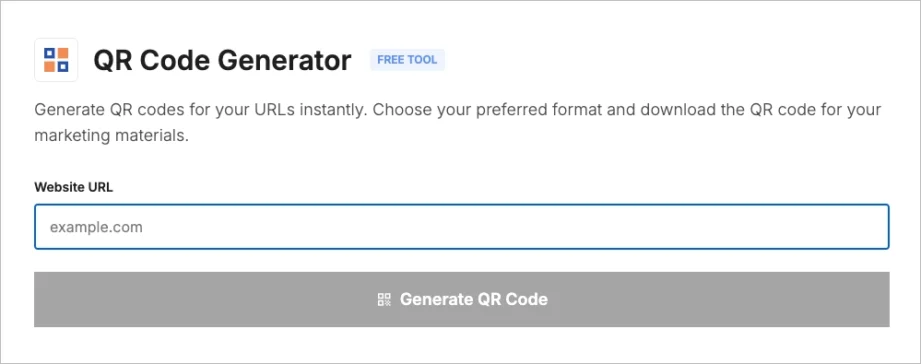
Step 1: Enter your landing page URL
Paste the full link to your landing page into the Website URL field.
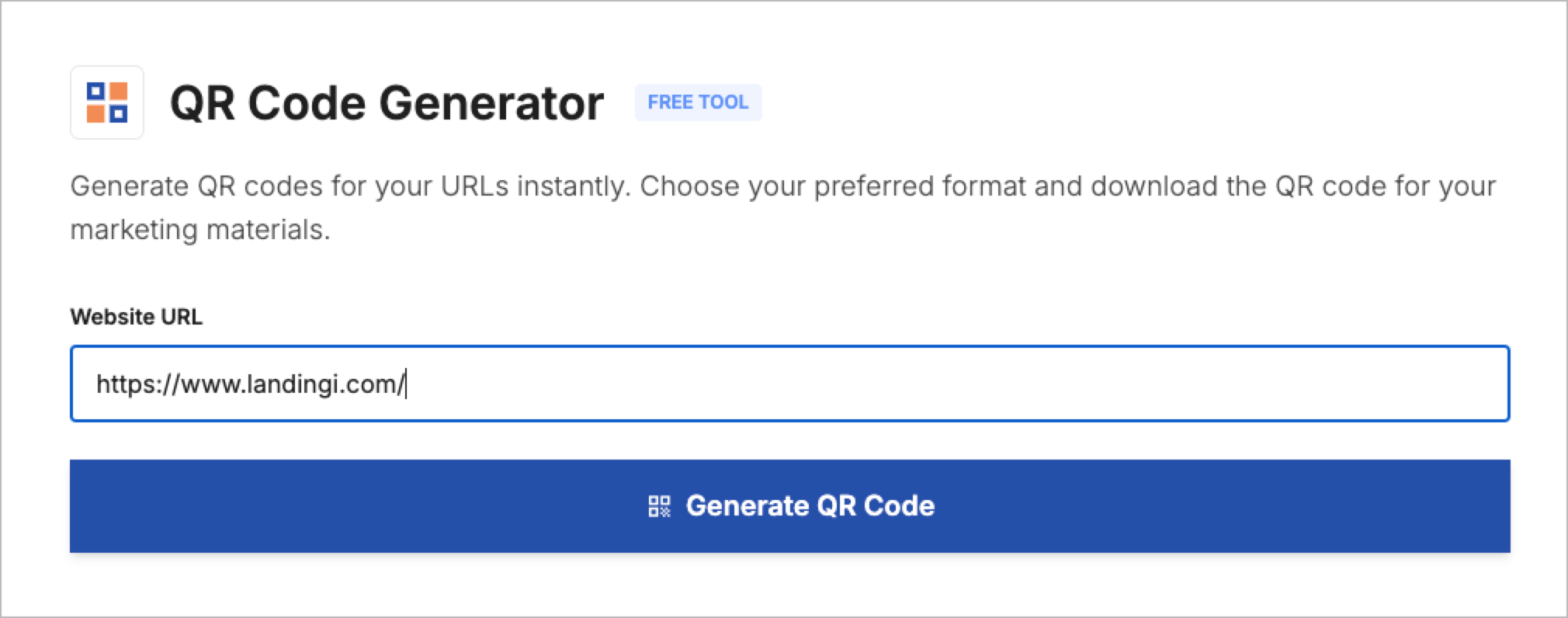
Step 2: Click “Generate QR Code”
Once the URL is in place, click the Generate QR Code button.
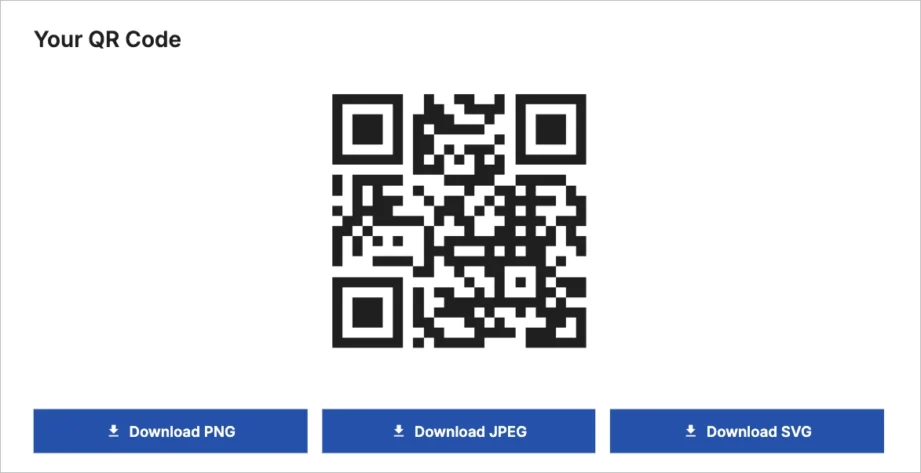
Step 3: Download your QR code
Choose the format you need – PNG, JPEG, or SVG – and download the file to your device. Your QR code is now ready to use on flyers, posters, packaging, or anywhere else you want to drive traffic from.
Why Should You Use a QR Code Generator?
You should use a QR Code Generator to make it easy for people to access your page with a single scan – and to turn offline materials into trackable, conversion-focused entry points.
In 2025, QR code scans jumped by 57%, and 4 out of 10 were part of marketing campaigns, according to QRCodeChimp. Every month, nearly half of internet users scan at least one QR code. Brands are creating up to 8 of them every minute to connect print, packaging, and real-world touchpoints with their landing pages. It’s a simple way to get more eyes and clicks on your page.
Best Practices for Creating QR Codes
To make sure your QR code works and looks professional, follow these tips:
• Test before printing or sharing
Always scan your QR code on different devices to make sure it works. Broken or mislinked codes waste print space and kill conversions.
• Use high resolution
Export your QR code in high quality (PNG, JPEG, or SVG) to avoid blurry or pixelated prints. This is especially important for posters, signage, or large materials.
• Keep a strong contrast
Make sure there’s enough contrast between the code and the background – black on white works best. Avoid light-on-light or overly designed layouts.
• Add a clear call to action
People are more likely to scan if they know why. Add short prompts like “Scan to get your free sample” or “Scan to sign up.”
• Tell users what to expect
Set the right expectations by telling people where the code leads – whether it’s a sign-up page, product info, or a discount offer.
• Link to a mobile-friendly page
Most scans happen on phones, so the linked page must be optimized for mobile. It should load fast, look good, and be easy to navigate.
• Don’t make it too small
Keep your code big enough to scan comfortably – especially on flyers or packaging. Small codes are easy to miss or fail to scan.
Use the QR Code Generator to Drive Offline Traffic to Your Landing Page
Landingi’s QR Code Generator lets you create a fully scannable, high-quality code for your landing page in seconds. You can paste a link, generate your QR code instantly, and download it in PNG, JPEG, or SVG – ready for print, packaging, or any offline campaign.
It’s a small step with a big impact: your content becomes instantly accessible, your campaigns feel seamless, and your chances of getting the click go way up.
Try it now and turn your next flyer, sign, or brochure into real traffic. Generate your QR code for free!
Discover more free tools
Free UTM Builder
Build UTM links and track campaign performance accurately
Free QR Code Generator
Generate QR code that sends users to your landing page
Free AI Hook Generator
Grab attention instantly with the first sentence
Free AI CTA Generator
Create high-converting CTA for landing pages
Free AI Sales Email Generator
Write better cold emails to scale outreach
Free AI LinkedIn Headline Generator
Create professional LinkedIn headline in seconds
Free SEO Title Length Checker
Check if your page title is the right length for Google


