


UTM Builder – Track Your Campaigns Accurately
Create UTM links and track campaign performance in seconds.
Want to know if your Facebook ad outperformed your email campaign? UTM tags give you the full picture by showing exactly where each click is coming from. Without proper UTM tagging, you risk misattributed traffic, incomplete data, and reporting gaps that make it harder to measure what’s working. With Landingi’s free UTM Builder, you can build custom links in seconds – ready to drop into any campaign.
Key Takeaways:
- How to build a UTM-tagged link step by step
- What each UTM parameter means and when to use it
- Best practices for clean, readable, and effective links
Let’s make sure your next link knows exactly where it’s been – and where it’s going.
What is a UTM Builder?
A UTM Builder is a tool that helps you create trackable links by adding UTM parameters to any URL. These parameters tell analytics tools where your traffic is coming from (like the campaign name, channel, or source) so you can measure performance with precision.
With a UTM Builder, you don’t have to build links manually. Just enter your info, and the tool generates a clean, ready-to-use link in seconds.
How to Use the UTM Builder?
To build a trackable UTM link, follow these steps.
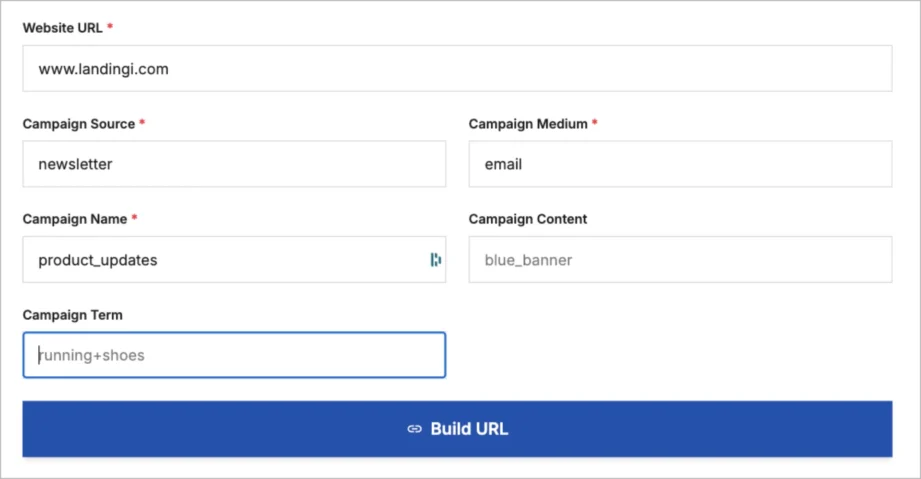
Step 1: Add your landing page URL
In the Website URL field, enter the full link to the page you want to track.
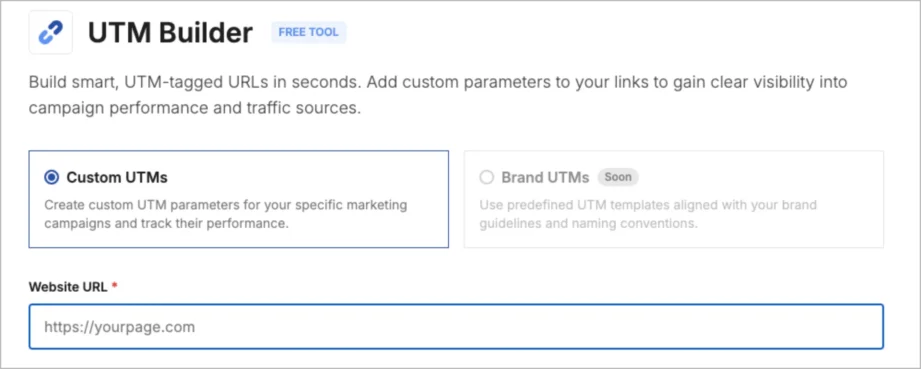
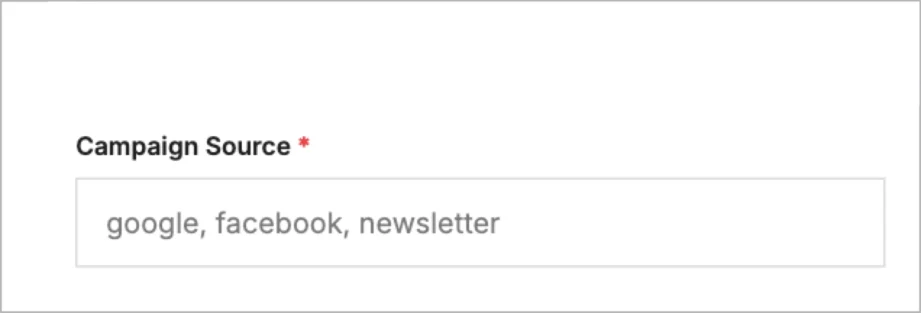
Step 2: Define your traffic source
In the Campaign Source field, type where the traffic is coming from – like Google, Facebook, newsletter, etc. This helps identify the platform that brought in the visit.
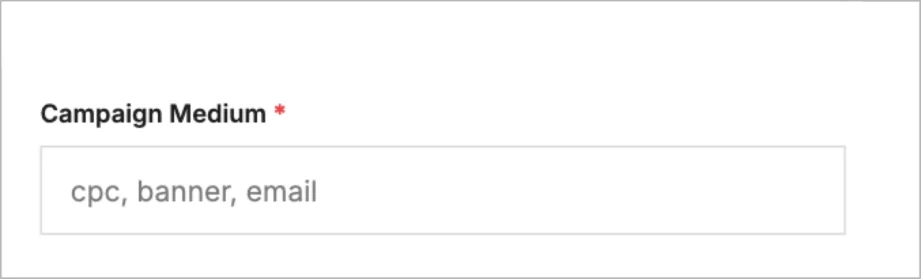
Step 3: Set the medium
In the Campaign Medium field, enter the type of channel, such as CPC, email, or banner.
This shows how the message was delivered.
Step 4: Name your campaign
In the Campaign Name field, enter a clear label for your campaign – like summer_sale, launch2025, or black_friday.
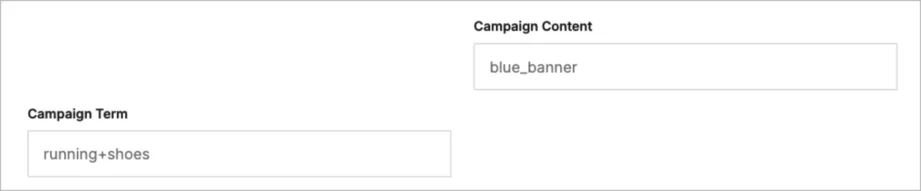
Step 5: (Optional) Add term and content
- Campaign Term – for paid search keywords (e.g. running+shoes)
- Campaign Content – to distinguish ad variations (e.g. blue_banner or cta_top)
These optional fields are useful for A/B testing or keyword-level tracking.
Step 6: Click “Build URL”
Once everything’s filled out, hit the Build URL button. Your full, UTM-tagged link will appear – ready to copy and paste into your ad, email, or social post.
Your UTM link is now live and trackable in Google Analytics or any other analytics tool you use.
Why Should You Use a UTM Builder?
You should use a UTM Builder because it gives you clear, reliable data about what’s really working in your marketing. By adding UTM parameters to your URLs, you can see exactly which source, medium, or campaign is driving traffic, clicks, and conversions without second-guessing your reports.
According to data from The Good Fellas Agency, more than 76% of marketers rely on data to make campaign decisions, and UTM tracking plays a big role in that. Research shows that businesses using UTM parameters effectively see up to 20% higher conversion rates, simply because they’re able to adjust campaigns in real time based on what the data tells them.
With a simple builder, you avoid messy links, stay consistent, and track every touchpoint – from paid search ads and email campaigns to social content and beyond. It’s an easy way to improve attribution, optimize spend, and understand the true impact of every campaign you run.
Best Practices for Creating UTM Links
To get clean and useful data, follow these best practices:
• Use lowercase letters
UTM tags are case-sensitive. “Newsletter” and “newsletter” will show up as two different sources in your reports. Stick to lowercase to avoid duplicate entries.
• Be consistent with naming
Use the same naming structure across your team or tools (e.g., always use email instead of sometimes using Email, e-mail, or mailing). This makes data easier to compare and segment later.
• Keep it short and readable
Avoid long or complex values like utm_campaign=spring_discount_april_2025_earlybird_batch1. Shorter tags are easier to manage and less error-prone (e.g., spring25_earlybird).
• Fill in at least the required fields
Always include source, medium, and campaign. These three are essential for Google Analytics and most platforms to categorize and analyze your traffic properly.
• Don’t include personal data
Never put sensitive or personal info in UTM links. These URLs can be shared publicly, and anything in them is visible to users and third-party tools.
• Use hyphens or underscores (not spaces)
Spaces break URLs or are replaced with %20, which looks messy. Use – or instead (e.g., utmterm=running-shoes or utm_campaign=spring_sale).
• Document your naming conventions
If you’re working with a team, keep a shared reference guide so everyone uses the same terms and formats. This avoids fragmented data and confusion.
Optimize Your Analytics with the Landingi UTM Builder
Landingi’s free UTM builder makes it easy to create clean, trackable links that work seamlessly with tools like Google Analytics. With just a few clicks, you can easily add campaign parameters like source, medium, and campaign name to any website URL and generate a fully tagged UTM link ready for your next marketing campaign.
Whether you’re promoting a summer sale campaign, testing internal links, or tracking referral references from a Google Ads campaign, this tool lets you stay organized and on top of your data. Just enter the website URL, fill in your campaign information, and let the UTM tracking code do the rest.
Try Landingi’s campaign URL builder today – it’s fast, free, and built to help you get more from every click.
Discover more free tools
Free UTM Builder
Build UTM links and track campaign performance accurately
Free QR Code Generator
Generate QR code that sends users to your landing page
Free AI Hook Generator
Grab attention instantly with the first sentence
Free AI CTA Generator
Create high-converting CTA for landing pages
Free AI Sales Email Generator
Write better cold emails to scale outreach
Free AI LinkedIn Headline Generator
Create professional LinkedIn headline in seconds
Free SEO Title Length Checker
Check if your page title is the right length for Google


