Product

Build pages with total design freedom

Launch faster with flexible templates

Elevate copy, SEO, and visuals

Compare variants and lift results

Track clicks and uncover intent

Scale pages from one smart layout

Connect pages to your campaign flow

Use a reliable and secure platform

Solutions

Capture more leads with less friction

Expand pages into new markets

Turn more visits into conversions

Get more return from paid traffic

Strengthen your presence across channels

Launch pages tailored to your brand

Scale page operations with control

Match content to visitor intent

Resources

Practical advice for marketers

Guides, setup, and how-tos

Free tools and learning for marketers

See how teams improve results

Explore the platform with our team

Get expert help with page design

Analytics

ensuring that your analytics are properly configured for accurate results

Maximize

with the capability to maximize both micro- and macro-conversions effectively

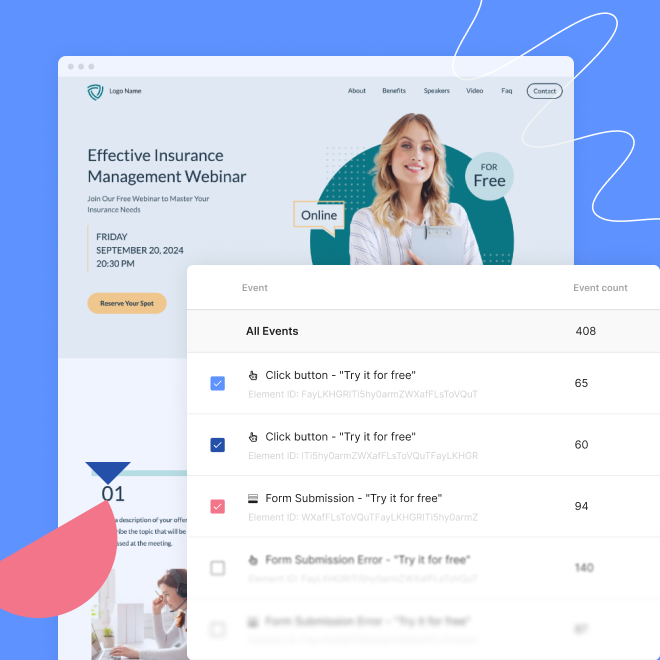
EventTracker view all events on pages

giving you access to lots of valuable insights that can enhance your advertising efforts

A/B tests with EventTracker

enhancing A/B testing, Google Ads, remarketing, and ROAS outcomes

event tracker for forms
INCREASE CONVERSION RATE BY UP TO 48%

How can EventTracker help you increase the conversion rate?

Discover what resonates with your audience

Get insights into users’ behavior and interaction on your landing page. This will enable you to tailor pages to users’ specific needs and preferences.

See which elements distract the users

Analyze scrolling patterns, click behaviors, and user trends to identify elements on the desktop and mobile view that may distract users from their intended output.

Conduct data-driven A/B/x tests

Formulate a hypothesis based on the data. This will help you create better variants as you base them on data provided by the actual users. You won’t have to start with zero knowledge.

Track all elements on your landing page

View all events that can be generated on your landing page to understand the whole user interaction. All events are automatically displayed in your Dashboard.

How do you set it up?

You don’t.

EventTracker is a built-in, hands-free, and no-code feature.

You only need to publish and wait for the users to interact with your landing page. The data will show up in the Events tab in your Dashboard. There’s no need to set up each event separately.

If you have some time to spare, you can look at our quite lengthy post about tracking events in Google Analytics 4 for comparison.

How to set up EventTracker
events and statistics in EventTracker

Events and statistics without coding

With EventTracker, you track all clicks, visits, and interactions without integration or configuration. Everything works automatically once the landing page is published.
A ready-made chart and a detailed list of events will show you what’s happening on the page – no guesswork.

EventTracker is constantly evolving – the current version supports integration with Google Analytics 4, with new statistics, sorting, changing conversion goals, and custom events.


Events & scroll map

EventTracker allows you to see how users interact with your page – which buttons they click and how deeply they scroll.
A heatmap allows you to quickly assess the effectiveness of your page layout and the visibility of key elements.
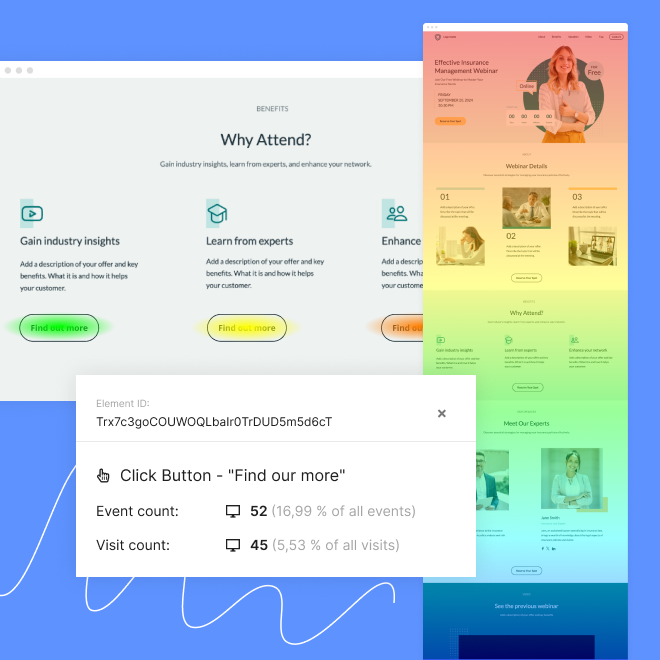
A website analytics overlay showing click data for a Find out more button on a webinar page
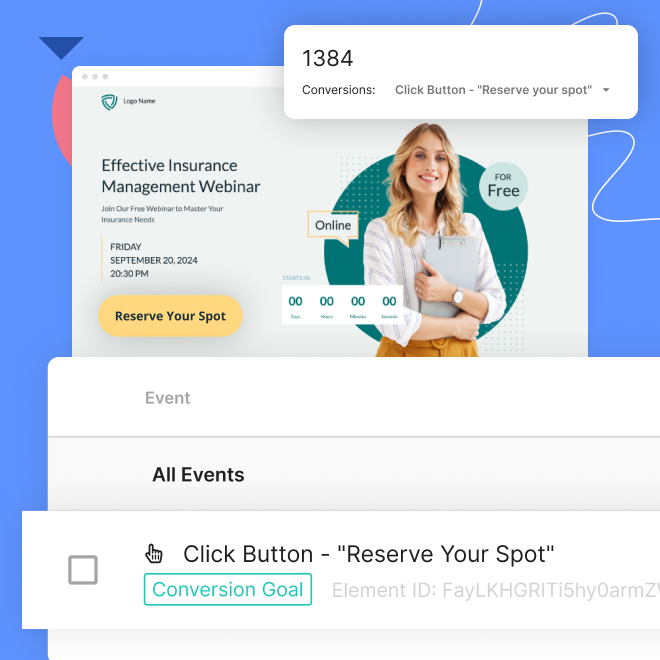
A webinar sign-up page with a pop-up showing 1384 conversions for the “Reserve Your Spot” button

Conversion goals that you define

With EventTracker, you don’t have to limit yourself to just leads – track micro-conversions as well, such as button clicks or pricing transitions.
Set your own goal as a single event or a combination of events and monitor them on the overview chart.

BEYOND TRACKING

AI insights for higher-converting landing pages

Solis is Landingi’s AI optimization tool. It analyzes your EventTracker data, understands landing page context, and shows exactly what impacts your conversions and how to fix it – no manual digging required. Get actionable insights and optimization suggestions that help you improve results faster.
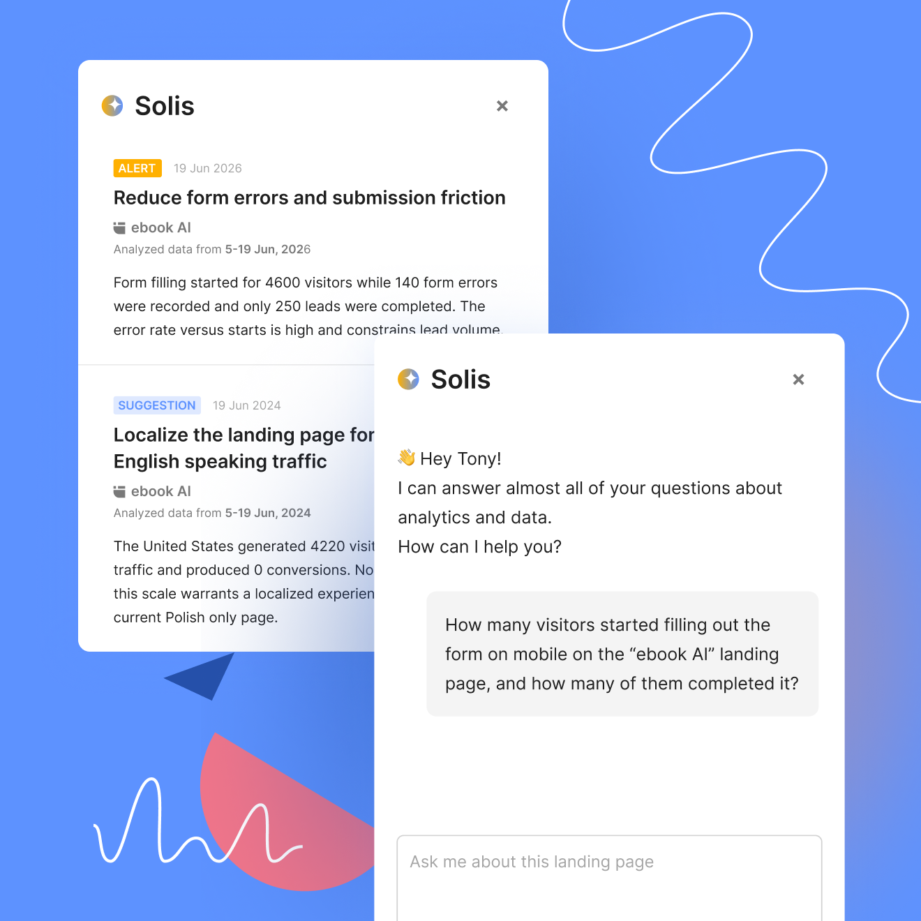
How EventTracker works with Solis

Capture the signals behind every conversion

Tracking micro-conversions can reduce the cost of acquiring a lead by 45%

EventTracker monitors micro-conversions, such as:

EventTracker button

Clicks

Interaction with buttons, images, accordions, and icons

EventTracker forms

Forms

Form initiation, successful submission, and errors

EventTracker video

Videos

Starting a video and watching a video in its entirety (soon)

EventTracker leads

Leads

Lead data for each form separately

EventTracker scroll

Scrolls

Six scroll depths: 10%, 25%, 50%, 75%, 90%, and 100%

EventTracker pay buttons

Checkouts

Purchase completed via a PayPal, Stripe, or PayU button

EventTracker lightboxes

Lightboxes

Triggering and displaying a lightbox on a page

Compare Event Tracker and Google Analytics 4

EventTracker vs Google Analytics
NEW FEATURE EVERY FEW WEEKS

What’s next for EventTracker?

EventTracker 0.9 is now available! We are currently working on the next version.
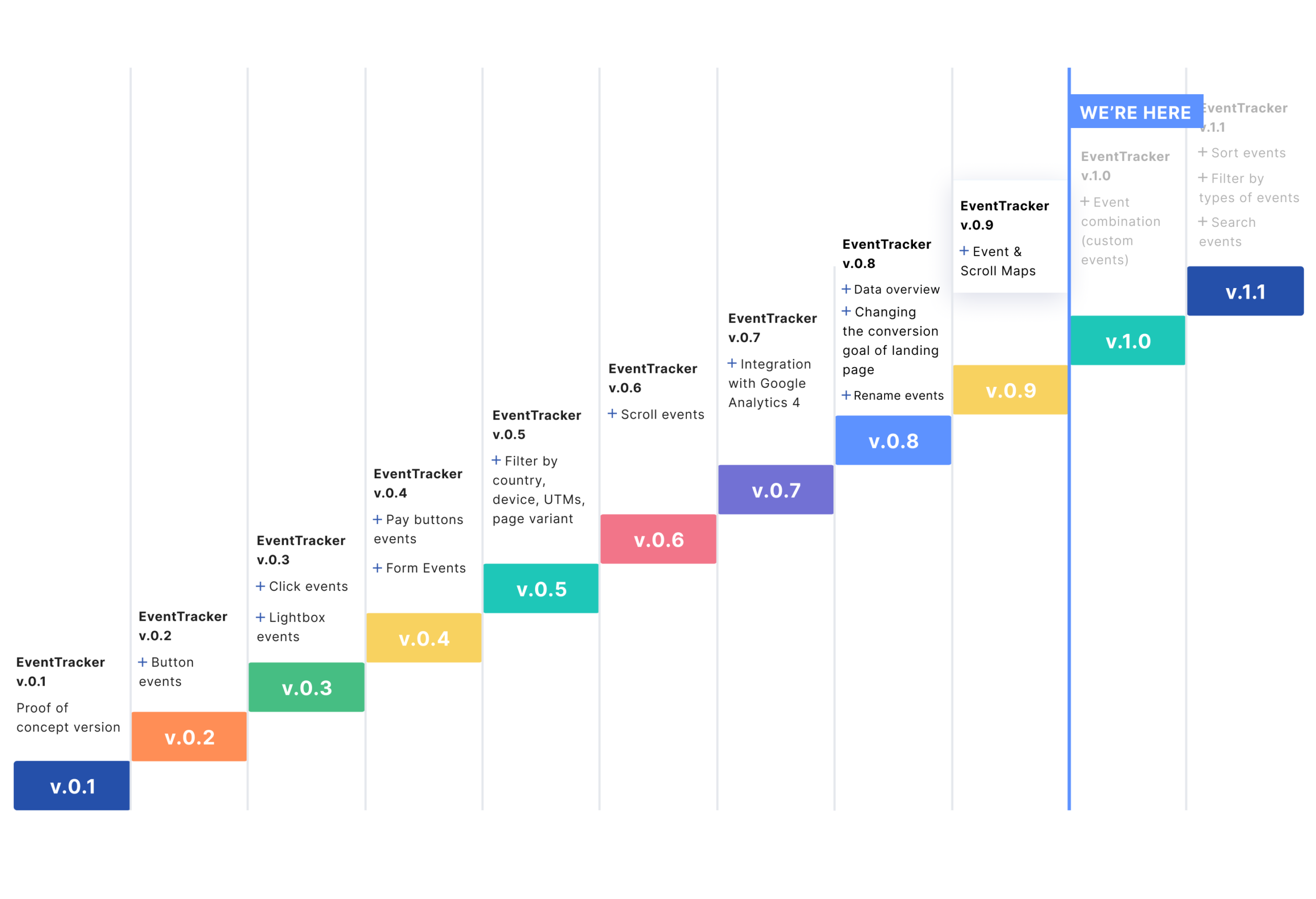
EventTracker Roadmap

Track what really matters on your landing page

To improve conversions, you first need to understand them. This practical guide shows you how to track both conversions and micro-conversions (like scroll depth, form starts, and clicks on key elements) so you can spot what truly works on your landing page. Learn how to set up Meta Pixel, GA4, and Landingi’s EventTracker step by step.

Landing Page Analytics Guide
Considering landing pages?

Let us show you how to automate your workflow with Landingi

Book a personal demo