


If you’re looking for Wix alternatives, you likely feel its limitations as your marketing needs grow. Teams often outgrow the editor, require more freedom for experimentation, or seek better automation for scaling campaigns. Costs can also rise quickly as traffic expands or new features are added.
This guide gives you a clear, practical comparison of the best Wix alternatives. You’ll see where each tool excels, where it falls short, and who it fits best. The goal is simple: to help you choose a platform that aligns with your workflow, budget, and long-term growth needs.
Why Should I Consider Wix Alternatives?
The best reasons to consider Wix alternatives are flexibility, stronger performance, and better control over scaling your landing pages. Wix is a popular website builder, including a landing page creator, that helps individuals and small businesses launch sites without technical skills. It offers a free domain, templates, built-in web hosting, and an intuitive editor, making it easy to publish professional websites and landing pages fast.
As teams grow, however, that same simplicity can become a limiting factor. Marketing departments, agencies, and performance teams often need higher editing precision, scalable automation, or more control over testing and optimization. Wix integrates with some marketing and analytics tools, but teams often require dedicated solutions.
The most common reasons people move from Wix to dedicated landing page tools are:
Limited Flexibility for Advanced Page Building
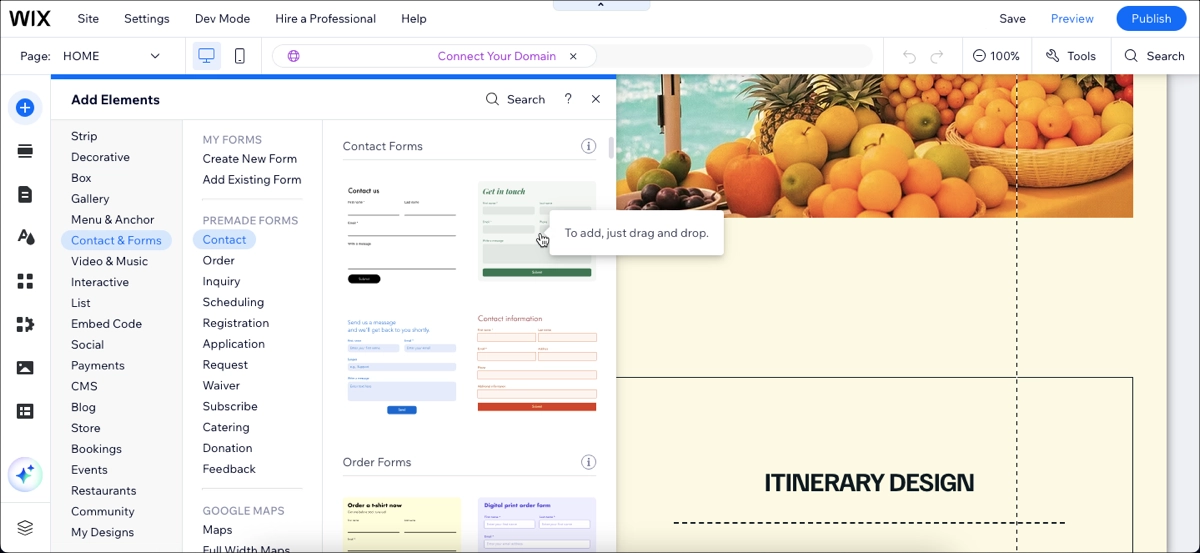
Flexibility in Wix decreases as pages grow more complex. The visual editor becomes more challenging to manage when numerous elements stack or overlap. Additionally, mobile layouts often need separate adjustments, especially when the desktop version uses advanced compositions. This adds work for teams that launch high volumes of landing pages.
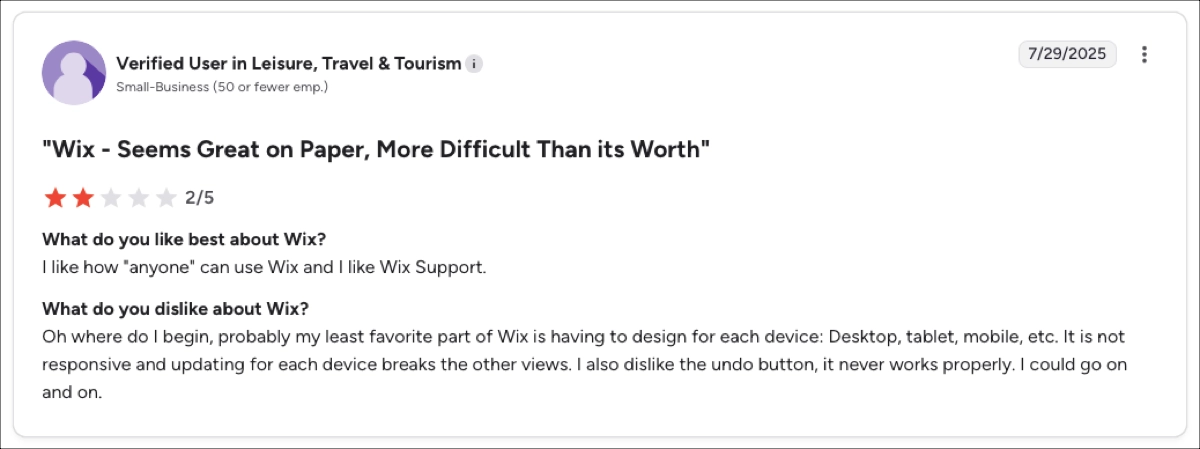
Frustrating Layout Management Across Devices
Building on Wix often means fixing the same section multiple times for different screens. The platform lacks true responsivity – changing a mobile layout can disrupt the desktop version, and vice versa.
Scaling and Testing Become Hard
Wix supports basic marketing tools, but it lacks advanced capabilities like programmatic page generation, server-side testing, and scalable personalization. Growing teams often outpace these features and need more specialized workflows.
As these challenges grow, teams often reach a point where Wix no longer keeps pace with their marketing needs. Switching to a platform built for high-volume landing pages gives them more control, clearer processes, and better results from paid traffic. This is where alternatives become worth considering.
Take your landing pages with you! Our team will import your landing pages to help you start the journey!
What Are the Best Wix Alternatives?
The best Wix alternatives in 2026 are Instapage, Landingi, Leadpages, and Swipe Pages. They offer more control over testing, personalization, and layout – key areas where growing marketing teams often feel constrained on Wix. Each tool also takes a different approach: some focus on scale (Instapage, Landingi), others on simplicity or speed (Leadpages, SwipePages).
Below is a quick comparison to help you see their strongest differentiators.
| Alternative | Stand-Out Feature | Cost | Free Plan |
|---|---|---|---|
| Instapage | Collaboration +experimentation engine | From $79/mo | No (Trial only) |
| Landingi | Landing page automation, personalization + analytics | From $24/mo | Yes |
| Leadpages | Simple builder + unlimited traffic/leads | From $37/mo | No (Trial only) |
| Swipe Pages | Ultra-fast AMP landing pages | From $29/mo | No (Trial only) |
4 Top Wix Alternatives in 2026
The top Wix alternatives in 2026 are Instapage, Landingi, Leadpages, and Swipe Pages. Each solves key limitations that Wix users mention. Alternatives provide teams with more control over testing, personalization, and automation – especially important for agencies and performance-driven marketers.
Below is a quick list summarizing the strengths of each platform and who they suit best.
- Instapage – ideal for teams that require visual collaboration features and advanced experimentation.
- Landingi – best for teams that need automation, personalization, and high-volume landing page production.
- Leadpages – best for beginners who want quick, simple pages with unlimited traffic.
- Swipe Pages – best for mobile-first performance and launching fast PPC pages.
1. Instapage – landing page builder for performance marketing teams
Instapage is a landing page platform built for performance marketers managing large campaigns. It focuses on A/B testing, collaboration, and scalable production. Its strengths lie in design precision, fast publishing, and post-click optimization.
Pricing
Instapage’s paid plans begin at $79/month and scale based on traffic (e.g., $159/month for 30k visits, $239/month for 50k visits). There is no free plan, but a 14-day trial is available. Higher tiers include features like heatmaps, advanced experimentation, and enterprise SSO.
Key Features
Instapage features focus on optimization and speed of production. The platform helps teams publish high-converting pages faster and supports page production at scale – but most advanced features are only available in the highest plan. It also centralizes collaboration, reducing the need for back-and-forth work between designers, marketers, and clients.
Key Instapage capabilities include:
- Pixel-perfect drag-and-drop builder with full freedom of element placement.
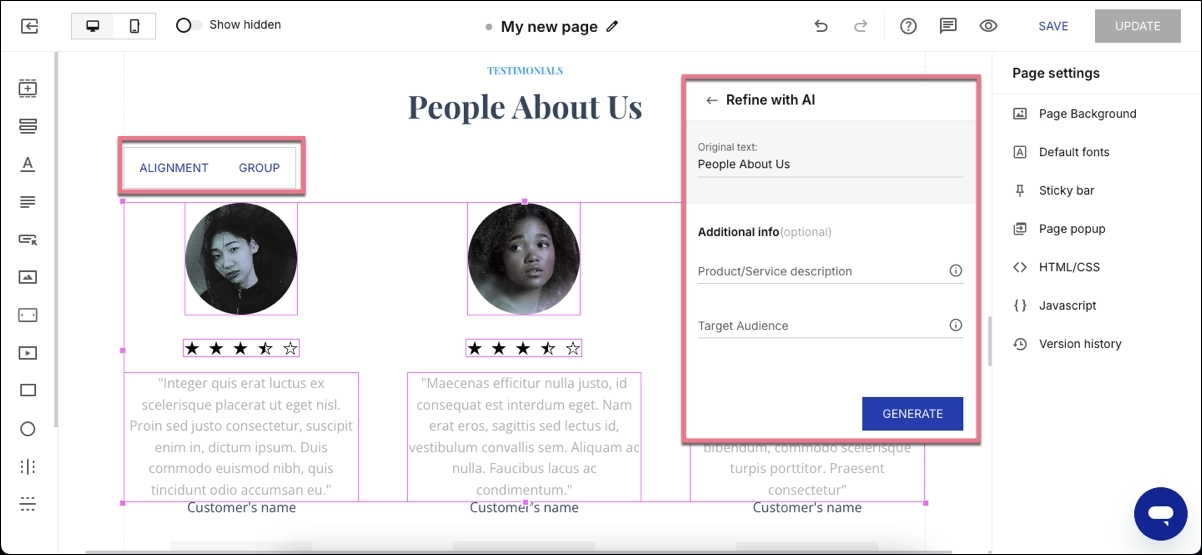
- Group & Align option, AI content generation.
- A/B testing with hypotheses, result history, and AI-assisted variants.
- Collaboration tools with real-time comments and visual reviews.
- Multi-step forms.
- Collections for mass-producing landing pages.
- AdMap for connecting Google Ads structure with landing pages.
Instapage is best for performance marketing teams and agencies running high-budget ad campaigns that require fast experimentation, structured workflows, and personalization at scale.
Ratings, Pros & Cons
- G2: 4.3/5
- Trustpilot: 4.5/5
- Capterra: 4.5/5
Users praise Instapage’s high-quality editor, which allows for detailed design control, a large template library, and Global Blocks for reusing sections across pages. They also mention strong collaboration tools and intuitive A/B testing as substantial advantages of the platform.
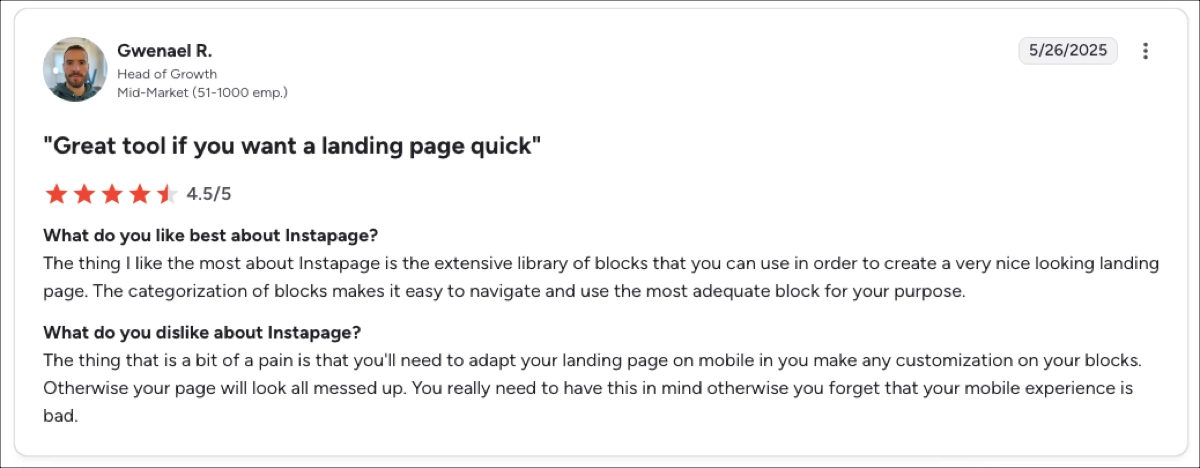
However, the platform isn’t perfect. Users complain about limited analytics – deeper reporting requires external tools. A significant issue is also the editing of mobile versions, as layouts do not reorganize logically and require manual adjustments. And one of the most obvious disadvantages is the higher cost compared to competitors.
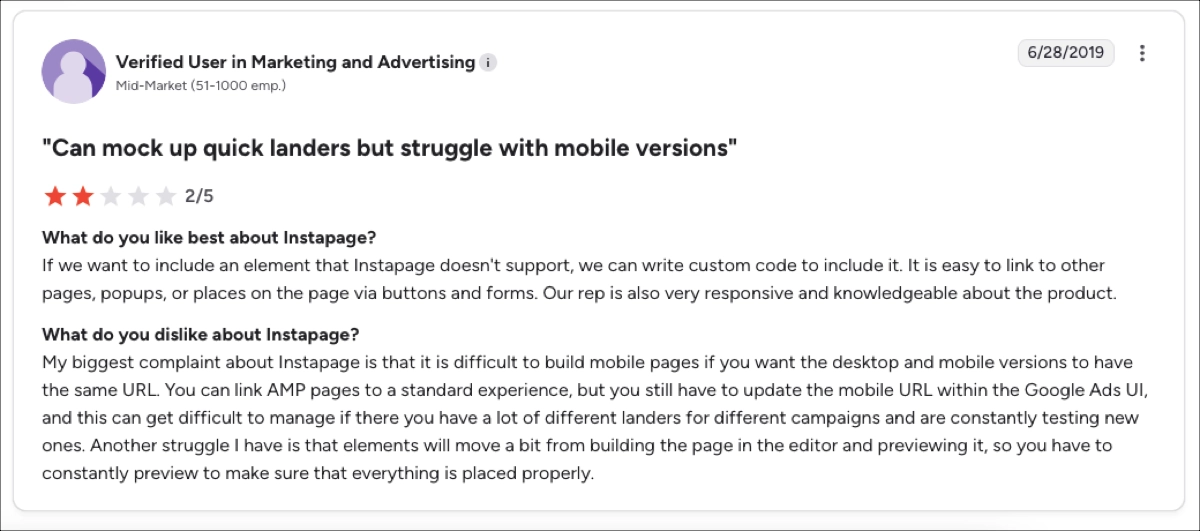
In my opinion, Instapage’s experimentation system works great. Structured hypotheses, variant generation, and collaboration tools help teams move faster than Wix. However, mobile editing is one of the most significant issues here – it slows down production, especially when teams create many variants. It adds friction that performance marketers want to avoid.
Wix vs. Instapage: Which One’s for You?
Check out the short comparison that simplifies the choice:
| Feature | Wix | Instapage |
|---|---|---|
| Starting Price | From $17/mo | From $79/mo |
| Free Plan | Yes | No |
| Editor Type | Pixel-perfect but complex on mobile | Pixel-perfect with advanced controls |
| A/B Testing | Yes, basic | Advanced A/B + AI + history |
| Automation | Limited | Strong (Collections, AdMap) |
| Best For | SMBs | PPC teams, agencies |
Wix helps build full websites, but for landing pages, it introduces friction: limited automation and fewer scalable workflows. Instapage focuses exclusively on publishing and optimizing landing pages at scale.
2. Landingi – landing page automation platform for high-volume campaigns
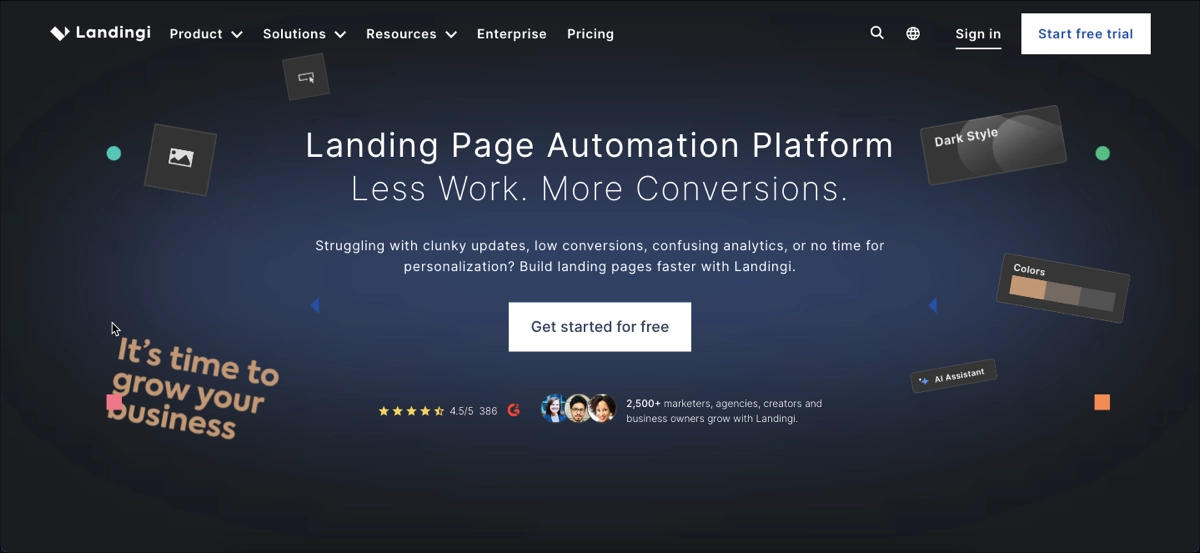
Landingi is a landing page automation platform that helps marketing teams and agencies publish, test, and optimize pages at scale. It streamlines high-volume production through programmatic pages, smart sections, and advanced analytics tools. The platform also supports multi-user workflows, making it easier for teams to manage campaigns, content updates, and approvals across many pages.
Pricing
Landingi offers a generous Free plan (up to 5 pages) packed with all the features you need to start creating effective landing pages, as well as a 14-day trial for those who want to test the platform’s capabilities. Users can choose between 3 paid plans:
- Lite – $24/mo with essential features,
- Professional – $57/mo with unlimited pages and advanced automation options.
- Enterprise – $1,150/mo for large teams.
Key Features
Landingi gives complete creative control over layout and supports testing and data-driven optimization. Users can build landing pages, microsites, and one-pagers in the same editor, which covers a wide range of campaign needs.
The platform also accelerates production through reusable components, programmatic page generation, and advanced personalization. These capabilities make Landingi simple enough for individual creators who need quick webpages, yet powerful for large teams that manage high volumes, structured workflows, and ongoing optimization.
Key Landingi’s features include:
- Pixel-perfect editor and over 400 templates
- Programmatic Landing Pages for mass landing page creation
- Smart Sections for global updates across many pages
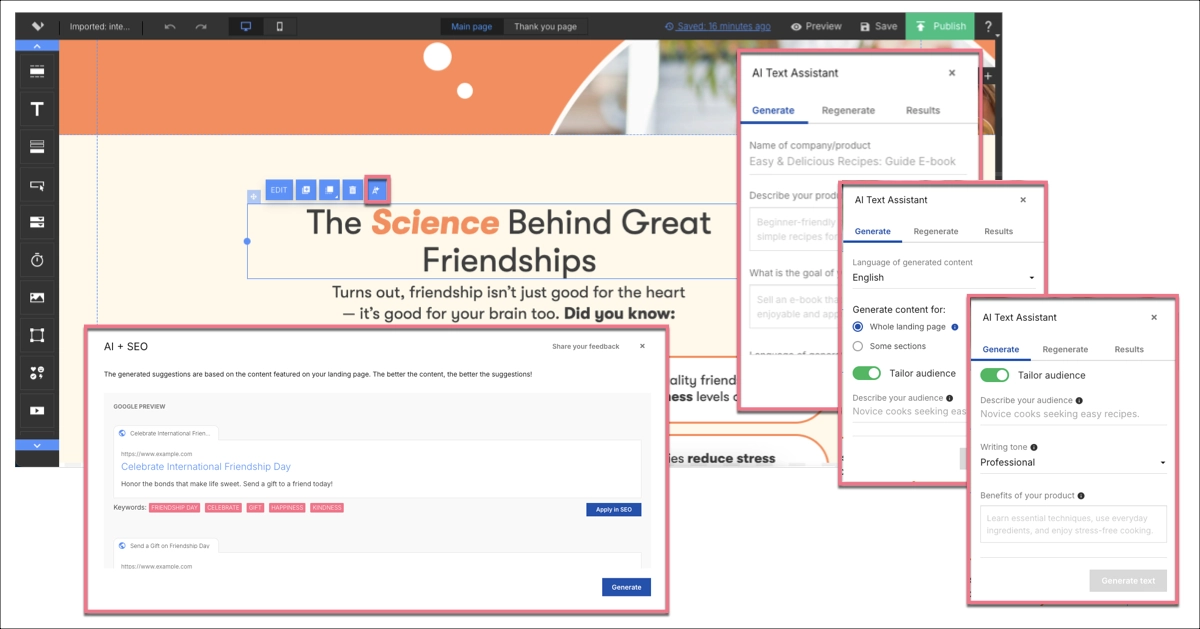
- AI landing page features: AI Assistant for copy, SEO, and images + Composer for page layout generation
- Dynamic text replacement and multi-language personalization
- EventTracker for behavioral analytics
- A/B/x tests (server-side)
- Funnels, Form Builder, scheduling, autoresponders, and ecommerce tools.
Landingi also supports enterprise teams with features that strengthen security, compliance, and collaboration. The platform offers Enterprise SSO, audit logs, domain whitelisting, advanced permission controls, and dedicated workspaces for large teams.
EventTracker, Programmatic Landing Pages, and custom development options help organizations run data-driven, high-volume campaigns with consistent workflows. Enterprise customers also receive a dedicated account manager. The platform also provides full compliance with GDPR and WCAG standards.
Explore all enterprise-level features Landingi offers. Make your platform decision with full clarity.
Landingi is best for agencies and in-house marketing teams that need volume, automation, and personalization across many pages.
Ratings, Pros & Cons
- G2: 4.5/5
- Trustpilot: 4.5/5
- Capterra: 4.8/5
Users appreciate Landingi’s advanced, pixel-perfect editor, which offers better flexibility than most tools. They also mention that the platform’s automation tools save time, while the built-in A/B Tests and EventTracker enable better optimization. Most reviewers highlight fast and helpful customer support.

However, some teams report that funnels offer fewer options compared with specialized funnel tools. Others highlight a steeper learning curve – especially with advanced features. Users also mention that advanced customization sometimes requires the use of custom code.

I believe Landingi’s automation stack offers some of the strongest scale capabilities of our comparison group. Agencies especially appreciate the ability to mass-produce pages and maintain consistent branding. The editor can feel advanced for beginners, and learning features like programmatic landing pages requires practice.
However, teams that invest time in learning these features often experience a noticeable improvement in production speed, consistency, and their ability to run large campaigns without bottlenecks.
Wix vs. Landingi: Which One’s for You?
Here’s a simplified comparison to guide your choice:
| Feature | Wix | Landingi |
|---|---|---|
| Starting Price | From $17/mo | From $24/mo |
| Editor Type | Pixel-perfect; mobile requires fixes | Pixel-perfect; more flexible |
| A/B Testing | Basic | Advanced server-side A/B testing |
| Automation | Limited | Programmatic Landing Pages, Smart Sections, automatic translations |
| Behavioral Analytics | Basic | Advanced analytics with EventTracker |
| Best For | Small businesses, solo creators | Agencies, teams, automation-heavy work |
Wix is the best website builder for beginners, while Landingi focuses on building, optimizing, and automating pages – all at a much faster pace for frequent publishing.
Take your landing pages with you! Our team will import your landing pages to help you start the journey!
3. Leadpages – simple builder for small businesses
Leadpages positions itself as a simple, conversion-focused landing page builder for small business owners, freelance marketers, and beginners. The platform also enables building full websites – but, unlike Wix, it avoids complex design controls, giving beginners a simpler, more predictable way to launch consistent webpages.

Pricing
Leadpages offers two main plans: Standard at $37/month and Pro at $74/month, with a custom plan available for larger needs. The platform also charges for extra users and select add-ons, and accessing the trial requires a credit card.
Key Features
Leadpages centers its feature set on simplicity and quick page creation. The platform gives users an easy way to publish conversion-ready pages without deep technical skills. While less flexible than advanced landing page and website builders, it provides enough tools for small teams to run basic campaigns efficiently.
Key Leadpages’ features include:
- Grid-based editor (not pixel-perfect)
- 260+ templates
- A/B tests in the Pro plan
- Pop-ups and alert bars
- Basic SEO and AI writing assistant
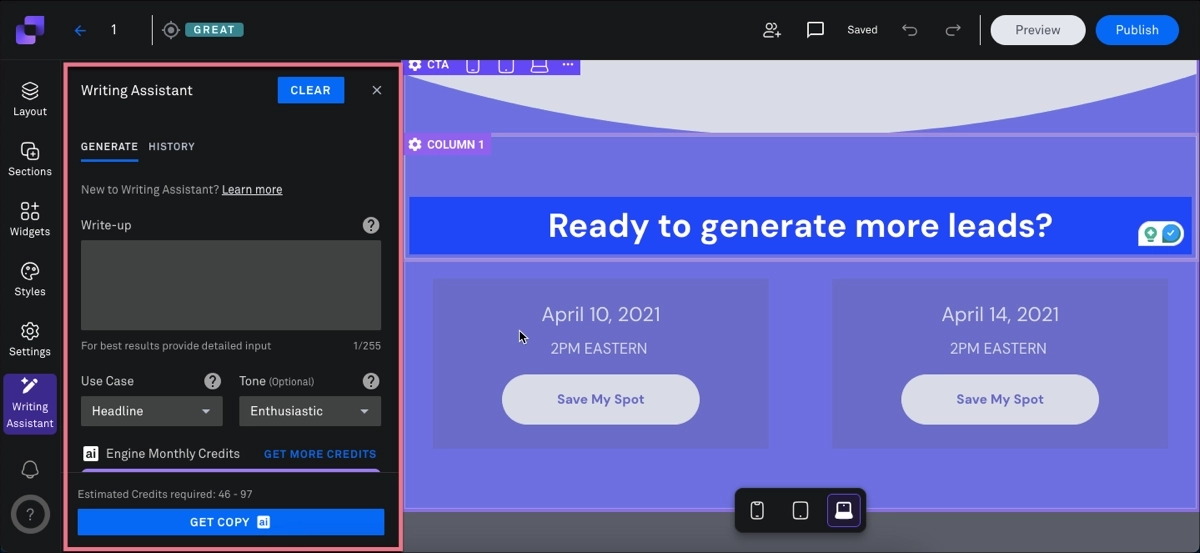
Leadpages is ideal for those who want a straightforward tool and don’t require complete design freedom.
Ratings, Pros & Cons
- G2: 4.3/5
- Capterra: 4.6/5
- Trustpilot: 2.9/5
Users appreciate Leadpages for its ease of use and extensive template library. They also often highlight unlimited traffic and leads as a strong value driver, especially compared with platforms that scale pricing based on volume.
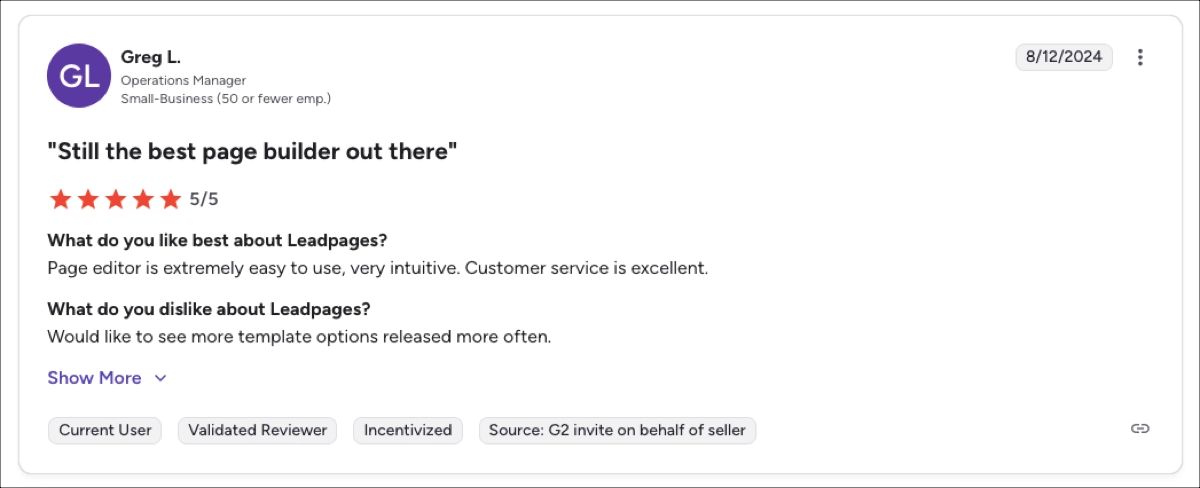
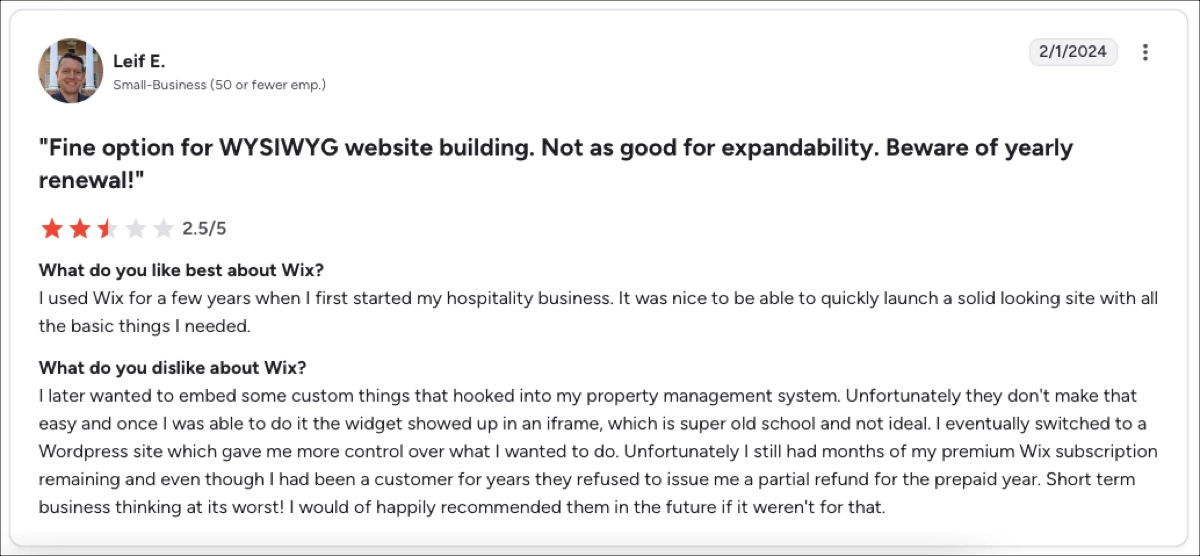
However, users also point out several drawbacks that can affect long-term use. They often highlight the rigid editor, which limits precise layout control and makes it harder to execute advanced designs. Additionally, billing issues, including unannounced renewals and difficulties with canceling subscriptions, are mentioned as recurring concerns.
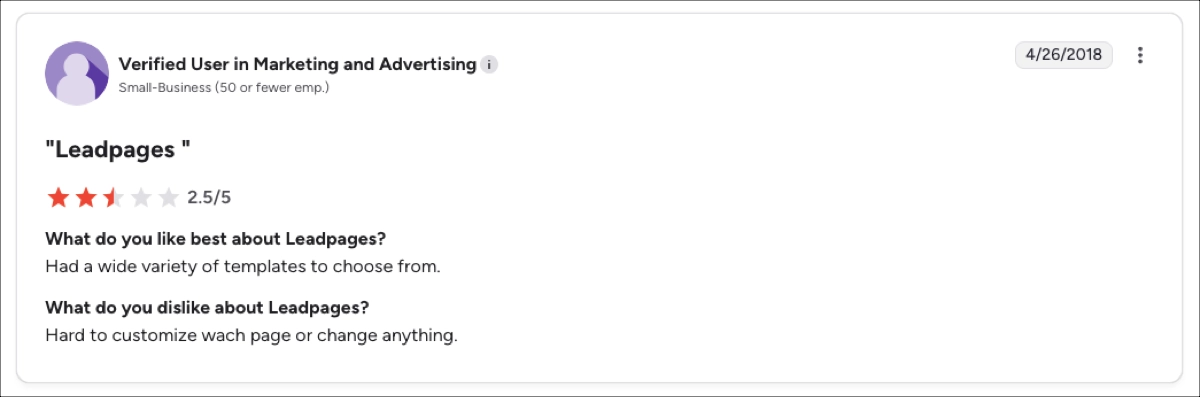
To me, the strength of Leadpages lies in how quickly it allows users to publish simple pages without technical steps. Its weakness is that the editor lacks the flexibility required by teams focused on testing, accuracy in layout, or producing pages at scale.
Wix vs. Leadpages: Which One’s for You?
Here’s a brief comparison that should help you decide faster:
| Feature | Wix | Leadpages |
|---|---|---|
| Starting Price | From $17/mo | Paid from $37/mo |
| Editor Type | Pixel-perfect | Grid-based, rigid |
| Automation | Limited | Very limited |
| A/B Testing | Basic | Only in Pro |
| Best For | Small businesses, solo creators | Beginners, SMBs |
Wix offers more website-building depth, but Leadpages offers simpler workflows. As a result, users can move from idea to published page much faster.
4. Swipe Pages – mobile-first landing page builder
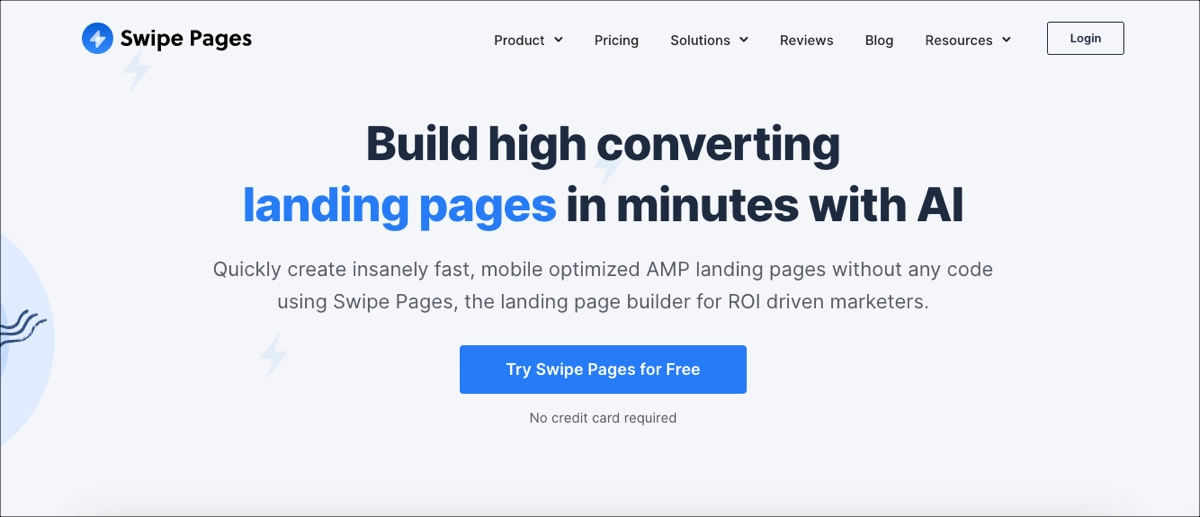
Swipe Pages is a landing page builder focused on mobile-first design and speed. Its editor stays simple and efficient, providing users with a quick way to publish modern, responsive pages without heavy design work.
Pricing
Swipe Pages offers a free trial and three paid plans:
- Startup – $29/month
- Marketer – $69/month
- Agency – $149/month
Key Features
Swipe Pages centers its feature set on speed and mobile performance. The platform gives users a quick way to publish clean, responsive pages without advanced design skills.
Key Swipe Pages’ features involve:
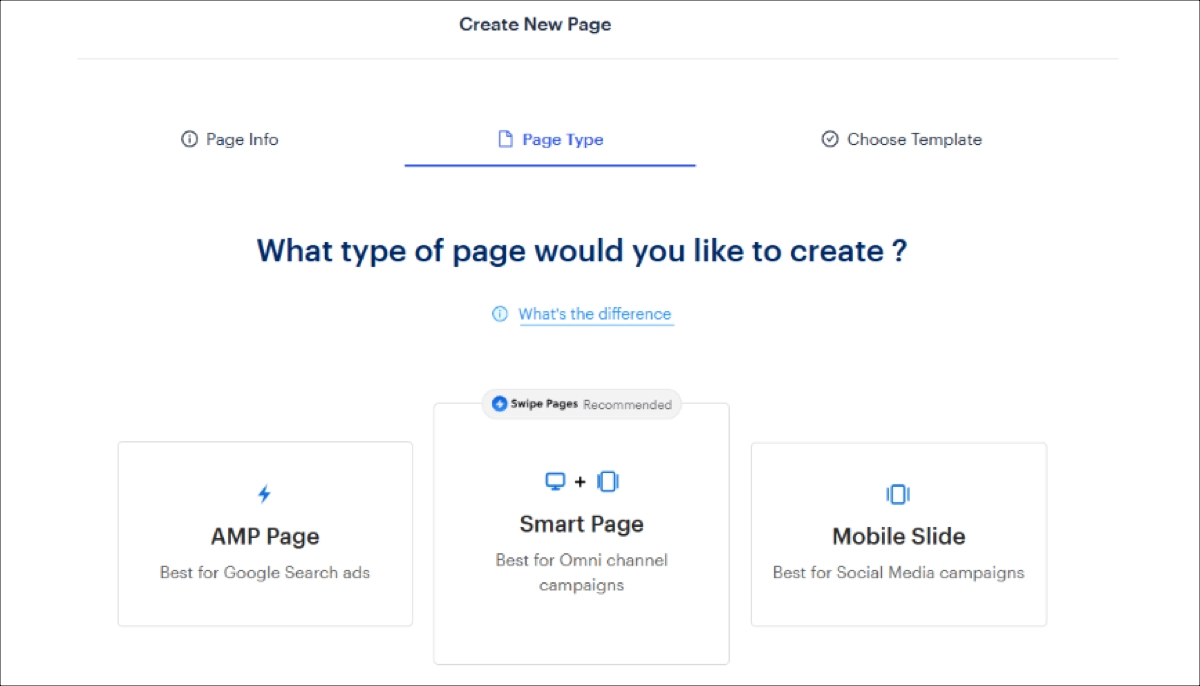
- AMP pages for fast Google Ads performance
- Smart Pages and Mobile Slide templates
- Drag-and-drop editor (grid-like, not pixel-perfect)
- A/B testing with server-side evaluation
- Dynamic Text Replacement
- Simple analytics (visits, conversions, conversion rate)
- AI CRO assistant for optimization suggestions
Swipe Pages is ideal for PPC marketers seeking extremely fast mobile landing pages and streamlined campaign setup.
Ratings, Pros & Cons
- G2: 4.8/5
- Capterra: 4.9/5
- Trustpilot: Mixed, with concerns about support.
Users praise Swipe Pages for its fast load times and its simple, easy-to-learn editor. Agencies also report quick A/B testing, straightforward funnels, and a better price-to-value ratio compared with platforms like Instapage.
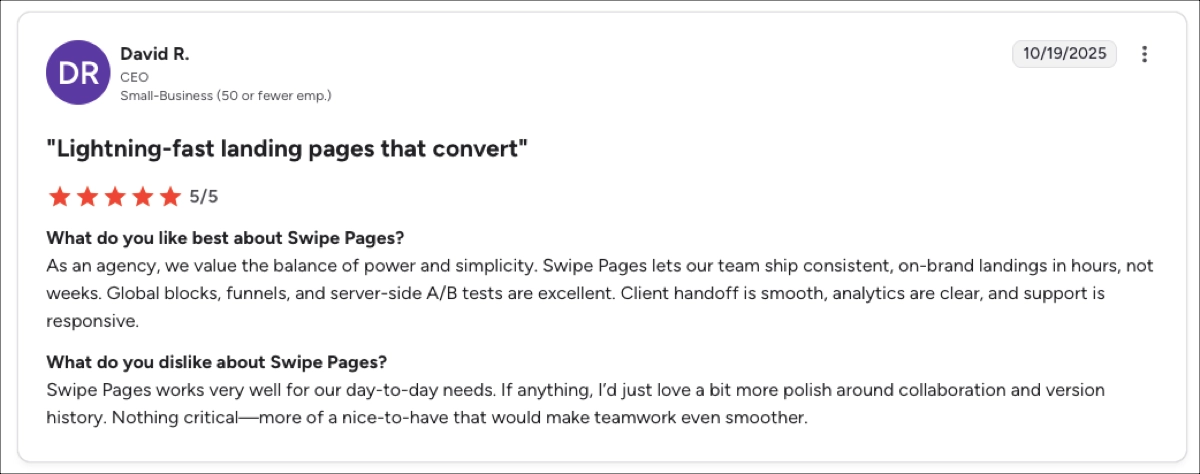
Some reviewers also note a few areas where the platform falls short: slow support, occasional editor glitches, and integration issues. They also mention limited analytics compared to other platforms, such as Instapage or Landingi, as well as a smaller template library.
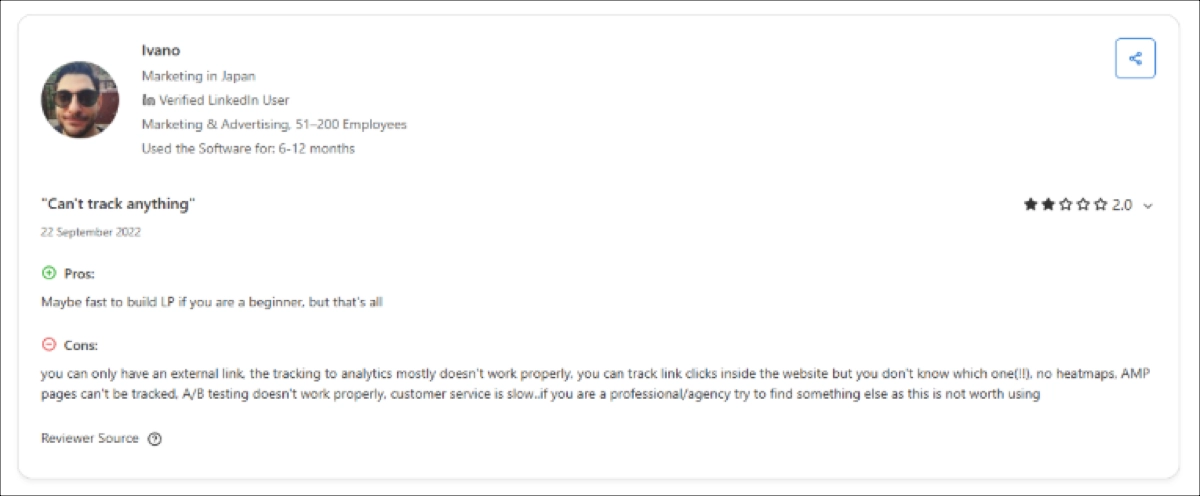
Performance is the platform’s biggest strength, especially for mobile users and paid traffic, where fast load times make a direct impact on results. At the same time, limited customization options and only basic analytics make it difficult to scale beyond simple campaign setups.
Wix vs. Swipe Pages: Which One’s for You?
Take a look at this quick breakdown to clarify your options:
| Feature | Wix | Swipe Pages |
|---|---|---|
| Starting Price | From $17/mo | From $29/mo |
| Free Plan | Yes | No |
| Editor Type | Pixel-perfect | Simple drag-and-drop |
| AMP Pages | No | Yes |
| Best For | Small businesses, solo creators | PPC teams, fast campaigns |
Although Wix seems a better option for beginners, Swipe Pages offers significantly faster mobile performance, which is particularly important for paid campaigns.
Choose The Best Wix Alternative
The best Wix alternative is the one that fits your team’s workflow, growth stage, and the number of pages you plan to produce. Instapage works well for performance teams that run high-budget ads, Leadpages supports beginners who want simple pages, and SwipePages is strong for PPC teams focused on mobile performance. But if you need a platform that scales, supports advanced personalization, and automates what Wix cannot, Landingi is the most versatile option in this comparison.
Landingi pairs speed with unique website personalization tools, offers AI tools for fast page creation, and provides over 170 integrations that simplify campaign management. The platform also makes getting started easy with a completely free plan. Unlike many other website builders, Landingi delivers the mix of automation, flexibility, and performance needed for long-term growth.
For teams seeking an alternative to Wix that supports large-volume workflows, Landingi remains the most scalable and cost-efficient choice. Try Landingi for free and test its capabilities to see how quickly your team can build, optimize, and manage landing pages at scale – without the limitations of traditional website builders.






