If you’re comparing Instapage, ClickFunnels, and Landingi, you’re likely deciding which platform will support your team’s next stage of growth. You need a builder that is fast, flexible, and reliable – without growing costs or workflow blockers. Users in your position often struggle with limited customization, slow editors, rigid funnels, or pricing that scales too fast.
This article helps you evaluate these three tools based on real user reviews, technical capabilities, pricing, and long-term scalability. The goal is simple: give you the clarity and context you need to make an informed decision.

Key Differences Between Instapage, ClickFunnels, and Landingi
Differences between Instapage, ClickFunnels, and Landingi center on pricing, customization freedom, automation, and scalability. Instapage focuses on premium PPC landing pages, ClickFunnels builds sales funnels with many upsell features, and Landingi offers a flexible, pixel-perfect builder with advanced automation at a lower total cost.
These tools also differ in how they support agencies and teams. Instapage limits key features to enterprise plans. ClickFunnels includes multiple marketing functions but struggles with stability and customization. Landingi delivers enterprise-grade automation, subaccounts, and multi-domain support at mid-market pricing.
Below is a quick table that summarizes their core strengths and limitations.
| Platform | Pros | Cons | Pricing | Ease of Use | Notable Clients |
|---|---|---|---|---|---|
| Instapage | Pixel-perfect editor, great templates, fast hosting, Instablocks, strong A/B testing | Expensive, mobile bugs, limited analytics, vendor lock-in, no code export, plan limitations | From $79/mo, no free plan | Easy to learn, slower for mobile edits | Vimeo, SoundCloud Autopilot |
| Strong funnel builder, templates, upsells, community, all-in-one features | Very expensive, buggy editor, slow pages, limited customization, poor support, outdated UX | From $81/mo, no free plan | Moderate; cluttered system | Upwork Global Inc, Nu Skin Enterprises | |
| Landingi | Pixel-perfect control, automation, dynamic text, smart sections, 400+ templates, good value | Manual mobile editing; premium add-ons | From $24/mo, free plan available | Moderate (powerful), fast to publish | Booksy, PayU, Nationale-Nederlanden |
Instapage
Instapage is known for high-quality, conversion-oriented landing pages with an editor that offers near-perfect precision. It appeals mainly to PPC teams and agencies, though the cost is a common barrier for smaller companies.
Pricing:
Instapage is one of the most expensive builders in the category. Pricing starts at $79/month, with higher plans reaching $159–239/month depending on traffic. There is no free plan, and many features like heatmaps or global blocks sit behind enterprise quotes.
Key Features
- Pixel-perfect drag-and-drop editor
- Professional, high-quality templates
- Real-time team collaboration and commenting
- Dynamic Text Replacement
- Built-in A/B testing
- AdMap for ad-to-page personalization
- Integrations with CRM, ad platforms, and analytics tools
- Fast hosting and stable infrastructure
Cons:
Many users describe Instapage as a strong product held back by recurring operational issues. A sizable share of negative reviews points to technical friction: bugs that interrupt work, occasional crashes, and support that feels slow or insufficient on lower-tier plans. This theme appears often: teams like the platform, but feel it becomes unreliable during heavier workflows.
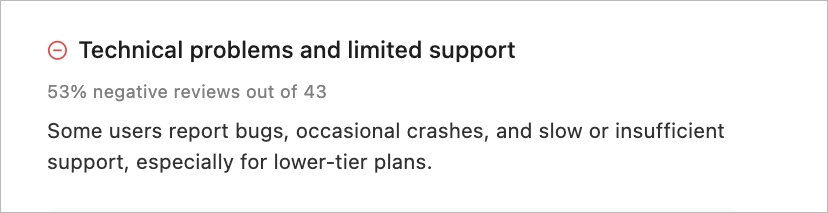
Pricing is another major source of frustration. Reviewers mention steep increases over time, sometimes doubling or tripling the cost, while core features remain locked behind Enterprise contracts. For many smaller or mid-sized teams, this creates a sense of being pushed into higher tiers simply to keep existing workflows running.
Some users also describe losing progress because autosave is missing, especially when the editor logs them out unexpectedly. Others point to issues with form spam, integration inconsistencies, and a difficult cancellation or refund experience – all of which add friction to long-term use.
Pros:
Despite the frustrations, many users still speak highly of what Instapage does well. They describe the editor as powerful yet friendly, with an intuitive drag-and-drop experience that makes it easy to create polished landing pages quickly. Several reviews highlight how simple it is to optimize layouts for mobile and connect forms to tools like Google Sheets or Mailchimp, which shortens campaign setup time.
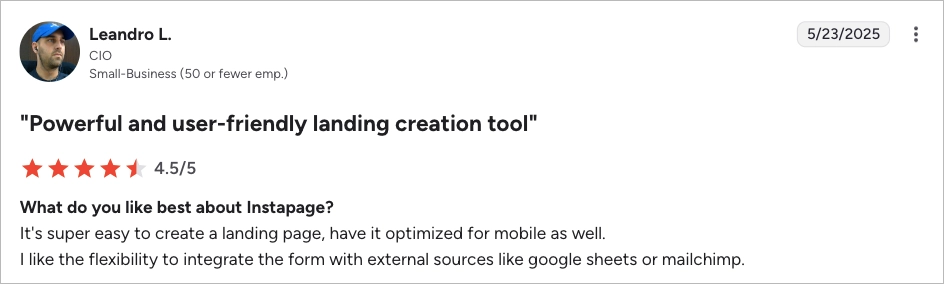
Teams also praise the platform’s design quality, clean templates, and speed of publishing. Instapage performs strongly in PPC workflows, and features like A/B testing, AdMap, Instablocks, and dynamic text personalization help large teams keep message alignment across campaigns. Users often highlight the stability of hosting, the clarity of the interface, and the overall feeling of working with a modern, well-designed product. Even when concerns appear elsewhere, many emphasize that Instapage still makes building high-converting pages feel fast and frictionless.
My opinion:
My impression of Instapage is that it’s a tool built with a very clear vision: premium-quality, conversion-focused landing pages for teams that live in Google Ads. When it works the way it should, it feels polished, modern, and fast – the kind of platform you can trust for serious PPC budgets. But it also feels like a product that has grown heavier over time, and some of that weight shows up in performance and pricing. You can see why agencies love the editor, but also why they get frustrated when features sit behind enterprise contracts or when small issues break the flow. Instapage delivers great results, but it requires a team that can absorb both the financial and operational cost of using a premium, somewhat rigid ecosystem.
Ratings:
- G2: 4.3/5
- Trustpilot: 4.5/5
- Capterra: 4.5/5
Best for:
PPC-focused marketing teams and agencies that need high-volume publishing and collaborative workflows and can absorb enterprise-level pricing.
ClickFunnels
ClickFunnels is known for funnel building rather than pure landing page creation. It includes email sequences, upsells, course hosting, and payments but the landing page editor is less flexible than dedicated builders.
Pricing:
ClickFunnels starts at $81/month, with top plans reaching $5,997/month. There is no free plan. Many users feel that basic features live behind higher tiers.
Key Features:
- Funnel templates for different industries and goals
- Built-in email automations and follow-up sequences
- One-click upsells and order bumps
- Stripe and PayPal payment integrations
- Drag-and-drop funnel and page editor
- Basic marketing analytics and funnel performance tracking
- AI-generated funnels to speed up initial setup
Cons:
Many users describe ClickFunnels as a tool with strong potential but held back by chronic stability issues. A recurring theme in reviews is that the platform often “could be great, if it worked consistently.” Teams report workflows that fail to trigger, delayed webhooks, gateway problems, and analytics that don’t match actual funnel performance. Agencies, in particular, mention losing time chasing down bugs instead of executing campaigns – a pattern that becomes exhausting when managing multiple client accounts.
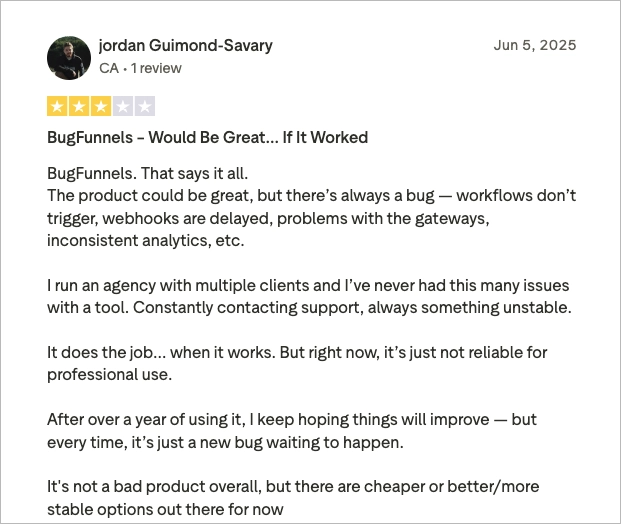
Performance issues appear frequently. Users mention slow page loading, the editor freezing or breaking mid-project, and sudden regressions after updates, especially in the 2.0 version. These technical setbacks make the tool feel unpredictable, which is difficult for teams that rely on funnels for daily sales.
Pricing also generates frustration. Many reviewers feel the subscription cost is too high for the level of instability they encounter. The lack of transparency around billing, complicated cancellation flows, and upselling-heavy communication add to the sense of friction. Combined with limited customization, no access to code, and weaker SEO fundamentals, ClickFunnels sometimes feels like a closed ecosystem that succeeds only when nothing breaks. And for many users, things break often.
Pros:
Even with these issues, ClickFunnels earns genuine praise from users who value its simplicity and all-in-one structure. People often highlight how easy it is to build complete funnels without knowing how to code. One reviewer describes the interface as intuitive and appreciates that everything – landing pages, email automation, payment gateways, and conversion tracking – can be created in one place. For beginners or small teams, this level of convenience can be a major advantage.
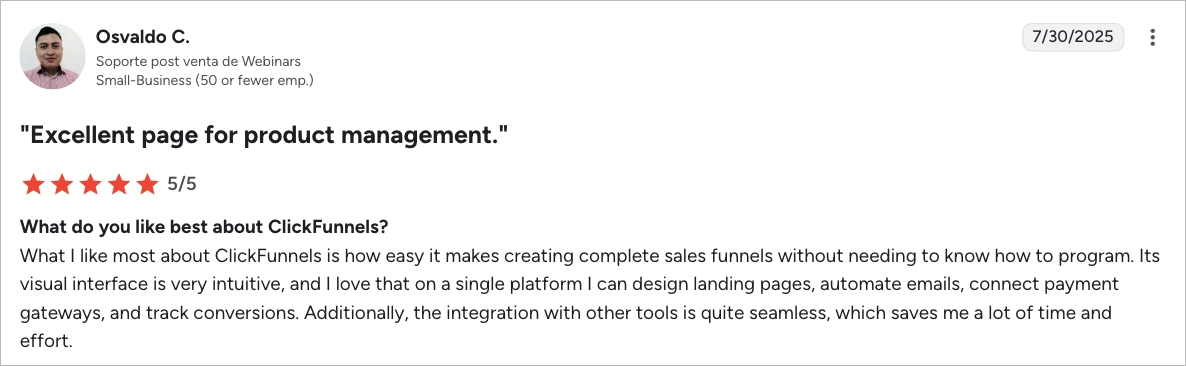
ClickFunnels shines when the goal is to spin up straightforward B2C funnels, webinars, course sales, or simple lead-gen flows. Many users love the ready-made templates, the strong community, and the abundance of educational resources. Tutorials, challenges, and training programs help newcomers understand online sales mechanics quickly. Some users call out that integrations feel easy, onboarding is painless, and the platform saves them time by removing technical hurdles.
In lighter-use scenarios, or when the funnels are not too complex, ClickFunnels can feel smooth and effective – a tool that helps people launch campaigns quickly without getting stuck in technical details. For creators, coaches, and small businesses, this blend of guidance and simplicity is often exactly what they need.
My opinion:
ClickFunnels gives me the impression of a tool built with heart – a product that genuinely tries to help beginners launch funnels without overthinking the tech side. And to be fair, it succeeds at that. When the funnels are simple and the stakes are low, the experience can feel smooth, even motivating. But once you expect reliability, speed, or advanced control, the cracks start to show. The platform feels like a mix of great ideas and inconsistent execution. It shines when your priority is speed and simplicity, not precision, and when you’re okay with the “all-in-one” mindset. I see why creators and coaches swear by it, but I also understand why agencies often end up outgrowing it – they need stability before inspiration.
Ratings:
- G2: 4.6/5
- Trustpilot: 4.2/5
- Capterra: 4.5/5
Best for:
Coaches, course creators, and small B2C teams who need a simple sales funnel system rather than granular landing page control.
Landingi
Landingi is a landing page automation platform offering more design freedom and enterprise-ready features at a significantly lower cost. It combines pixel-perfect editing, automation, analytics, advanced publishing options, and multi-user control.

Pricing:
Landingi offers a free plan, paid plans starting at $24/month, and advanced capabilities in the Professional and Enterprise tiers. All plans include a 14-day free trial, unlimited conversions even on lower tiers, and generous page and visit limits.
Key Features:
- Pixel-perfect drag-and-drop builder with 400+ industry-ready templates
- Programmatic Landing Pages for mass page generation
- Smart Sections for reusable, auto-updating components
- Pop-up and lightbox builder
- Dynamic Text Replacement
- Server-side A/B testing
- EventTracker for click, scroll, and engagement insights
- Multi-language page support
- Native integrations, Zapier, webhooks, and GTM
Cons:
Some users mention that Landingi can feel a bit rigid at first, especially when working with very detailed layouts or more advanced animations. The learning curve appears in several reviews — not because the tool is complicated, but because it offers full freedom of placement, which can take a moment to master if someone is used to strict grid builders. A few users note that forms are functional but less advanced when it comes to complex multi-step surveys, and that heavier pages can slow down occasionally during editing. There are also comments about minor mobile quirks or automatic logouts after inactivity, which can interrupt work in the middle of a task.

In a few reviews, users mention that the editor slows down during more demanding operations, although they often add that this happens in most browser-based builders and Landingi still feels faster overall. Support is frequently described as helpful and hands-on, but some reviewers working across different time zones wish response times were even faster. These are not deal-breakers, but they show areas where the platform could feel smoother for teams that work under tight production timelines.
Pros:
At the same time, many users highlight that Landingi significantly improves the speed and quality of their campaigns. One reviewer notes a real boost in efficiency after adopting the platform, especially thanks to fully customizable templates that let them produce landing pages quickly for different campaigns. This theme appears often: Landingi helps people focus on strategy rather than technical obstacles, because the editor, templates, and publishing process remove much of the friction.

Other reviews praise how wide the tool’s integration ecosystem is and how easily it connects with email tools, CRMs, analytics platforms, or Zapier when needed. Several users also mention that Landingi already feels established and mature, with reliable hosting and strong uptime. Agencies especially appreciate the balance between flexibility and control – multi-domain support, fast publishing, and WYSIWYG editing make it easy to deliver pages for many clients at once.
Reviewers also point out that while performance can dip during heavy editing, the overall speed and ease of use place Landingi above many competitors. They value the helpful support, the straightforward onboarding, and the fact that even non-technical teams can build polished pages without relying on developers. Across comments, the general sentiment is that Landingi is a powerful, efficient platform that keeps improving and helps teams ship campaigns faster with fewer roadblocks.
My opinion:
Landingi comes across as a grounded, practical tool – something built by people who genuinely understand day-to-day marketing work. It’s not trying to be flashy or overly complex; instead, it gives teams real control, predictable performance, and fast production cycles. You can feel that pragmatism in the editor, the templates, and the way campaigns scale across clients or product lines. Yes, there’s a short adjustment period if someone is used to rigid builders, and yes, heavy pages can push the editor a bit — but the overall experience feels stable, flexible, and supportive of long-term operations. Landingi ultimately stands out as one of the strongest builders for teams that need a dependable, scalable platform – something they can adopt quickly, grow into, and trust when campaign volume rises and deadlines tighten.
Ratings:
- G2: 4.5/5
- Capterra: 4.8/5
- Trustpilot: 4.4/5
Best for:
Landingi is best for agencies, e-commerce teams, SaaS marketers, and enterprises that need scalable landing page operations across many campaigns, domains, and collaborators.
Pricing Comparison: Instapage vs. ClickFunnels vs. Landingi
Pricing for Instapage, ClickFunnels, and Landingi differs sharply, and these differences affect long-term scalability more than features do. Instapage sits at the premium end, ClickFunnels bundles many tools into high monthly fees, and Landingi offers the widest functionality at the lowest starting cost. Before the table, it’s important to note how traffic limits, add-ons, and feature gating can change the real cost of ownership.
The table below compares monthly costs, annual rates, included features, and key limitations. It helps you see what each platform offers at comparable tiers and where extra charges may appear. Plans differ not only in price but also in how much freedom and automation they provide.
| Platform | Monthly Price | Annual Price (per month) | Included Features | Limitations |
| Instapage | Starts around $159/mo for ~30k visits; higher tiers up to $239/mo; Enterprise on request | No free plan; 14-day free trial (paid plans) | Pixel-perfect builder, collaboration tools, A/B testing, AdMap | Heatmaps and global blocks locked to Enterprise; no HTML export; strict visit limits |
| ClickFunnels | Starts at $81/mo; top tier $297/mo; Enterprise options available | No free plan; 14-day free trial (paid plans) | Funnels, email sequences, upsells, drag-and-drop editor, basic analytics, AI funnels | Slow editor, limited customization, heavy feature gating, plan limits on contacts and emails |
| Landingi | Starts at $24/mo; Professional $57/mo; Enterprise $1150/mo | The only platform with a Free Plan; 14-day free trial for all paid plans | Pixel-perfect builder, unlimited conversions, smart sections, programmatic pages, A/B tests, multi-language, pop-ups | Mobile layout requires manual tuning |
Comparison by Use Case
A platform should match your preferred campaign types, not the other way around. These tools differ in email capture, checkout flows, event workflow support, and optimization capabilities.
Lead Generation Capabilities
Lead generation relies on forms, pop-ups, segmentation, and reliable data capture. Instapage offers strong multi-step forms but keeps some form logic behind higher tiers. ClickFunnels supports basic lead capture but is limited in design flexibility. Landingi provides full control over form design, dynamic text, pop-ups, smart sections, and integrations, helping teams scale lead workflows efficiently.
Product Sales
Product sales depend on checkout options, upsell flows, and page speed. ClickFunnels excels in upsells and cart logic but struggles with slow page rendering and bugs. Instapage supports Stripe/PayPal embeds but is not a full e-commerce solution. Landingi includes an e-commerce hub, dynamic content, and fast hosting, making it suitable for simple carts and product landing campaigns.
Event Promotion
Event promotion requires fast publishing, registrations, RSVPs, and integrations. ClickFunnels can host event funnels but may overwhelm teams with unnecessary features. Instapage supports clean layouts but lacks deeper event-specific workflows. Landingi enables quick event page duplication, scheduling, pop-ups, and autoresponders, which helps teams run repeating events at scale.
We’ll transfer up to 3 landing pages at no cost to help you get started.
Testing and Optimization
Testing and optimization depend on reliable A/B experiments, heatmaps, and behavioral analytics. Landingi supports server-side A/B tests, EventTracker, dynamic text replacement, and advanced analytics, giving teams more insight per page. Instapage includes server-side A/B tests and heatmaps in higher tiers. ClickFunnels provides basic A/B tests but limited click or scroll data.
Core Features Compared
Core features such as the builder, templates, forms, and analytics shape daily workflows. Each platform approaches these elements differently.
Drag-and-Drop Builder
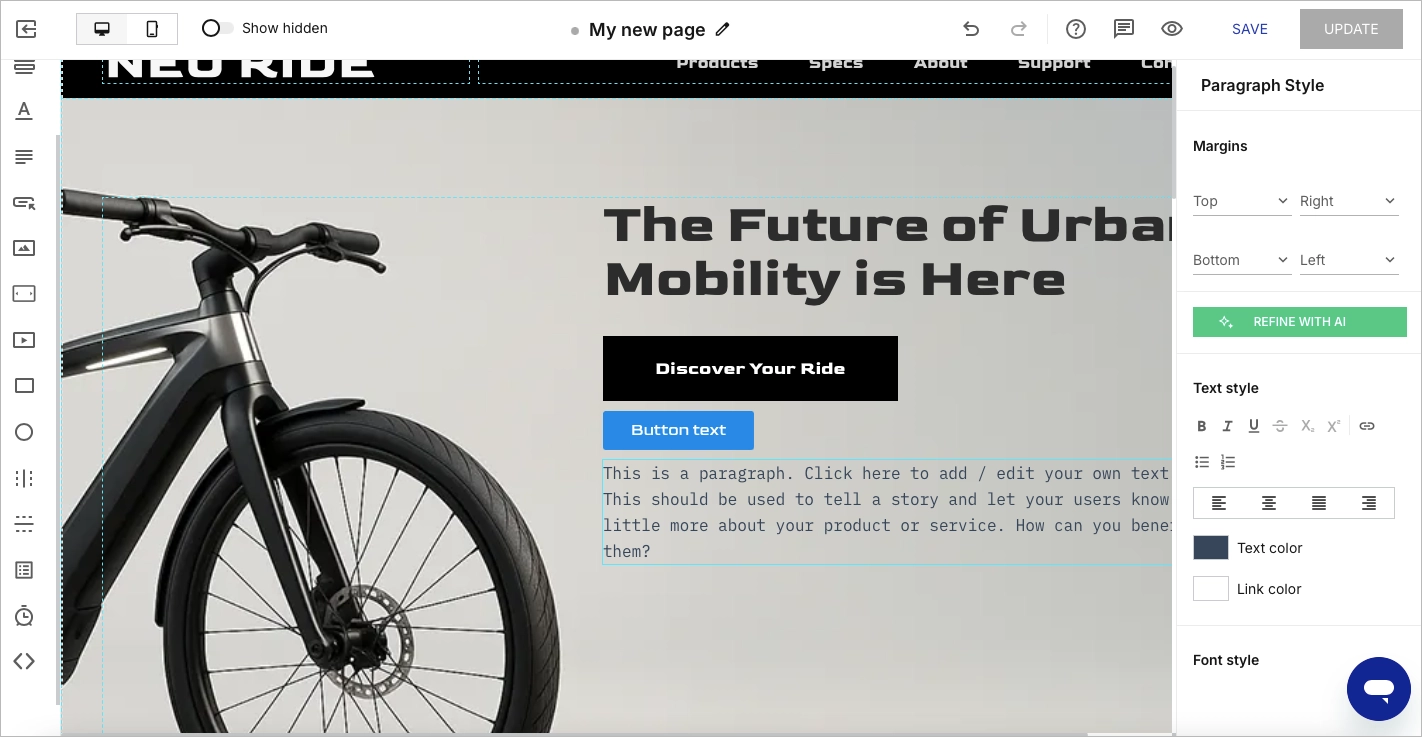
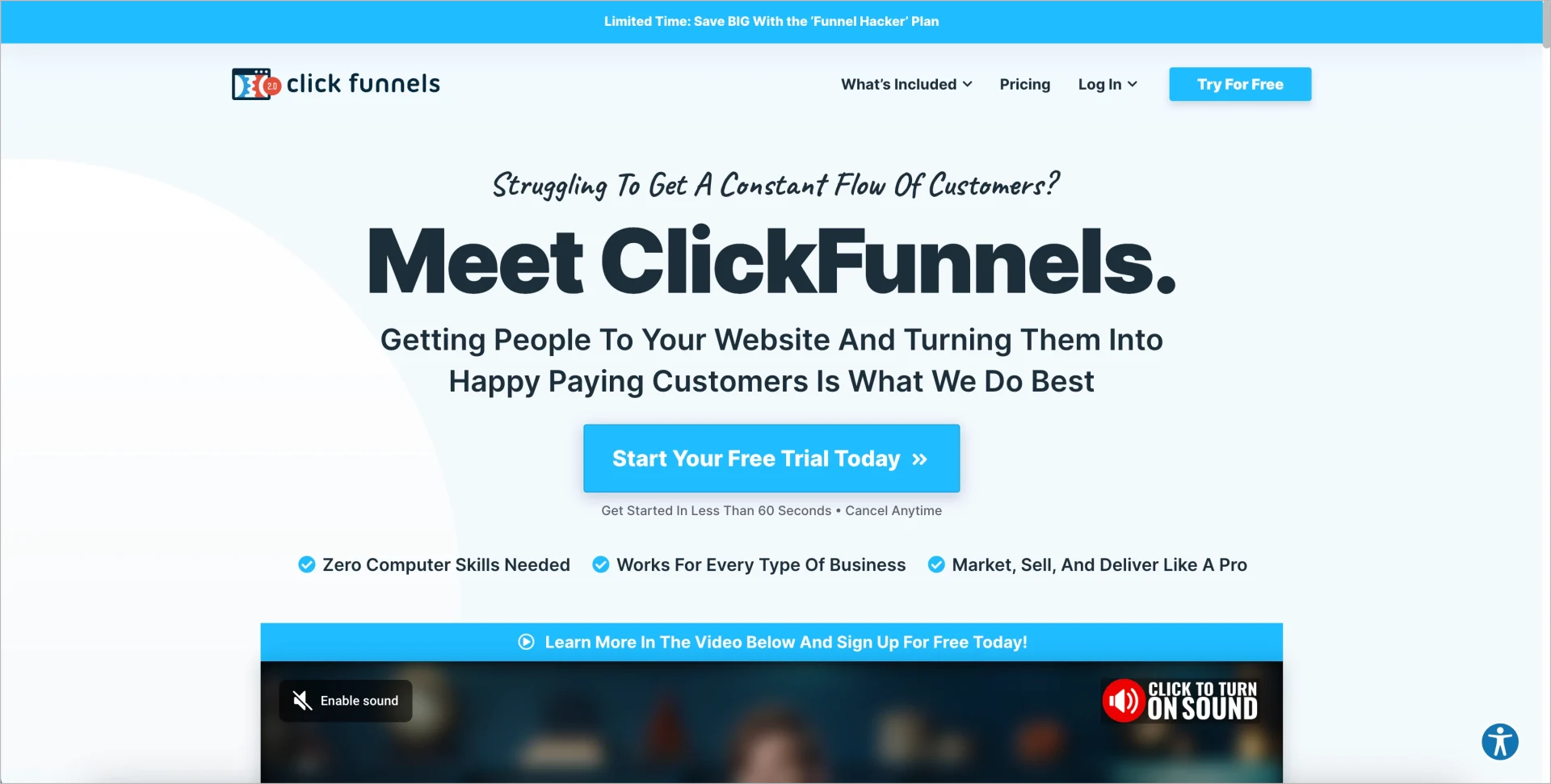
Instapage offers a precise, pixel-perfect editor that gives teams a lot of creative freedom, though its automatically generated mobile view often needs manual adjustments to keep the structure consistent. ClickFunnels uses a more structured, grid-style builder that can feel a bit restrictive. Landingi provides full free-flow, WYSIWYG control with complete design freedom, with mobile layouts refined manually when needed.

Responsive Design
Responsive design affects page quality on mobile. Instapage requires manual fixes due to inconsistent mobile layouts. ClickFunnels generates mobile versions automatically but lacks precision. Landingi produces mobile variants that you can fine-tune per device, giving more control over conversion-critical layouts.
Pre-built Templates
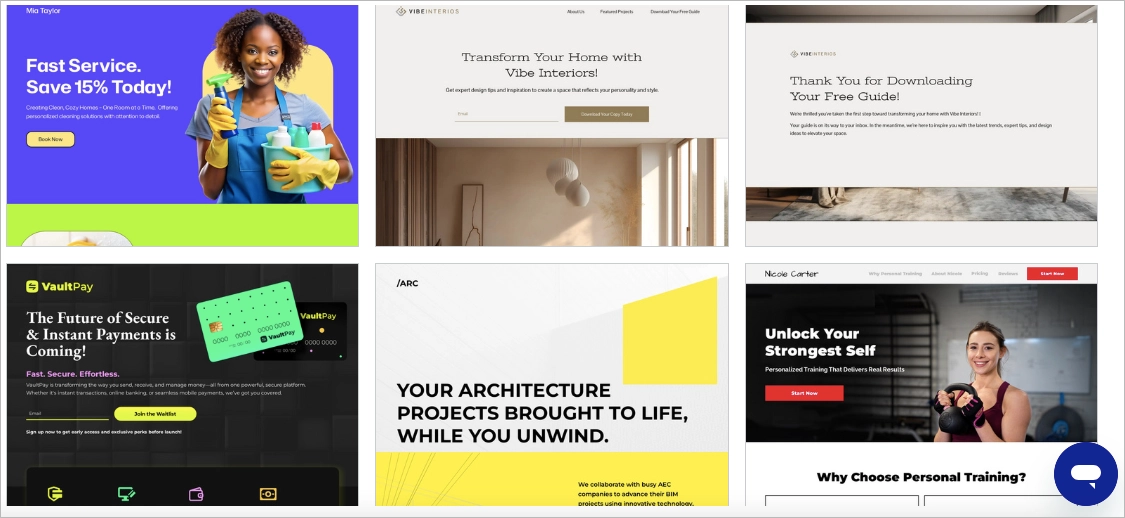
Pre-built templates influence how quickly teams can launch campaigns. Instapage offers a library of 200+ clean, modern templates suited for PPC-focused pages. ClickFunnels provides funnel-oriented templates built around B2C journeys like courses, webinars, and lead magnets. Landingi includes a larger set of 400+ templates plus ready-made sections, giving teams more variety across different campaign types without having to start from scratch.


Forms and Pop-Ups
Forms and pop-ups shape how smoothly visitors convert. Instapage’s form builder is straightforward and handles most standard use cases, though some styling options are limited. ClickFunnels places forms directly within funnel steps, which works well for simple flows but leaves less room for detailed customization. Landingi allows more flexible form editing and includes pop-ups, lightboxes, and reusable sections, which helps teams keep layouts consistent across multiple pages.
Integrations
Integrations connect the landing page to your stack. Instapage supports major CRMs and ad platforms. ClickFunnels integrates well with payment gateways but has fewer modern marketing integrations. Landingi offers native integrations, Zapier, GTM, global scripts, and custom webhooks in higher plans.
A/B Testing
A/B testing guides optimization and ROI. Instapage includes advanced testing with hypothesizing and experiment history. ClickFunnels provides basic split testing with limited insights. Landingi supports server-side A/B tests and dynamic text replacement to improve personalisation.
Analytics
Analytics should help teams detect friction and conversion issues. Instapage provides built-in analytics but restricts heatmaps to enterprise. ClickFunnels analytics are basic and require external tools for deeper insights. Landingi includes enhanced analytics and EventTracker for scroll, click, and engagement behavior.

Customization and Scalability
Customization and scalability determine how far your team can grow with the platform. These differences matter most for agencies and enterprise teams.
Can You Fully Customize Templates, Colors, and Layout?
Full customization is easiest in Landingi thanks to pixel-perfect control and editable CSS via custom code fields. Instapage also allows design freedom but restricts some styling options. ClickFunnels offers basic customization that often feels constrained, especially in version 2.0.
Does the Tool Support Custom Code (HTML/CSS/JS) if Needed?
Custom code is supported in all three platforms, though with limitations. Landingi offers global scripts and custom HTML blocks even in mid-tier plans. Instapage allows code injection but locks some features behind top plans. ClickFunnels includes custom code only in higher tiers, limiting flexibility for smaller teams.

Is It Scalable for Multiple Campaigns, Teams, or Clients?
Scalability is strongest in Landingi due to multi-user accounts, subaccounts, permissions, enterprise infrastructure, and programmatic pages. Instapage scales well but pushes many collaboration features to expensive enterprise contracts. ClickFunnels scales poorly for agencies due to high pricing per workspace and performance issues.
FAQ About Instapage vs. ClickFunnels vs. Landingi
People mainly ask what each tool offers and which teams get the most value from it. The answers below provide clear, straightforward comparisons to help you decide.
What is Instapage?
Instapage is a landing page platform focused on PPC performance, personalization, and collaborative workflows. It stands out for its precise visual editor, testing capabilities, and heatmaps that let marketers track conversion behavior with depth. Its drawback is the pricing – starting at roughly $79/month – which can be difficult for small teams or individual creators to justify.
What is ClickFunnels?
ClickFunnels is a funnel-building platform created for selling digital products, courses, and straightforward B2C offers. It includes upsell features, email automation, a drag-and-drop editor, and an all-in-one marketing setup. Its structure favors simplicity, but it comes with slower page performance, limited customization, and relatively high pricing for basic tools. It’s well-suited for simple sales funnels rather than advanced landing page workflows.
What is Landingi?
Landingi is a landing page automation platform built for marketing teams, agencies, and enterprises that need scalable, pixel-perfect landing page creation. It includes full design freedom, 400+ templates, programmatic landing pages, smart sections, dynamic text, A/B testing, EventTracker, and multi-user management.
See why marketers choose Landingi as their favourite landing page builder – try it for free today.
Choose the Right Landing Page Tool and Boost Your Campaign Conversion Rates
The landing page builder you choose decides how quickly your team can launch campaigns, test ideas, and scale what works. Instapage is great for PPC pros, but costs rise fast as you grow. ClickFunnels helps beginners build simple funnels, yet it limits customization, speed, and cost control. Landingi hits the sweet spot: fast page creation, smart automation, room to scale, and pricing that doesn’t block your growth.
With subaccounts, permissions, unlimited domains, and flexible publishing, Landingi keeps large teams organized. Automation cuts production time, while EventTracker and server-side A/B tests make optimization clear and quick. If you run lots of campaigns, this combo removes bottlenecks and lets your team improve results week after week.
Try Landingi for free and see how fast your team can design, publish, and optimize landing pages across all campaigns!