If you’re comparing Instapage, Swipe Pages, and Landingi, you’re likely choosing a landing page platform for scaling campaigns. The challenge is not building one page, but managing performance, testing, and growth across many campaigns and teams.
This comparison breaks down where each tool performs well, where it creates friction, and which option supports long-term scalability in 2026.
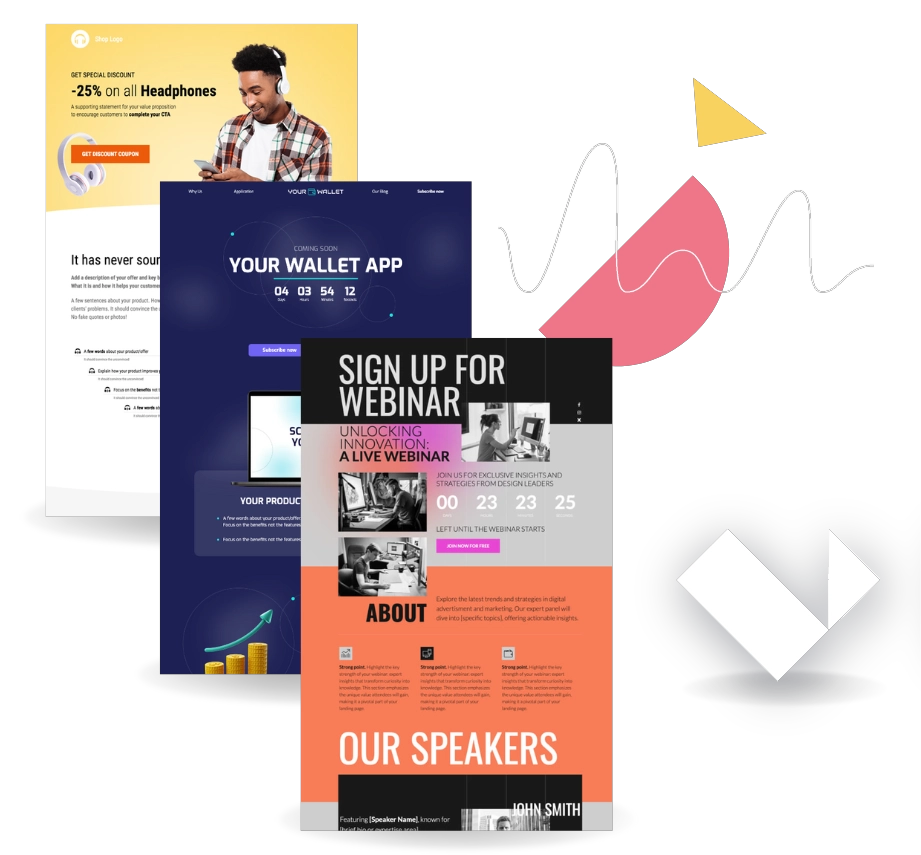
Key Differences Between Instapage, Swipe Pages, and Landingi
The differences between Instapage, Swipe Pages, and Landingi are most evident in pricing models, design freedom, and scalability. Instapage focuses on enterprise collaboration and ad personalization, but comes at a high cost. Swipe Pages prioritizes speed and mobile-first pages, with limited flexibility. Landingi balances advanced design control, automation, and predictable pricing.
The table below illustrates how these differences are reflected in daily work. It compares strengths, weaknesses, and practical limits that affect campaign execution.
| Tool | Pros | Cons | Pricing (from) | Ease of Use | Notable Clients |
|---|---|---|---|---|---|
| Instapage | Strong collaboration, ad mapping, personalization | Very expensive, advanced features locked | $79/month | Medium | Digital agencies, performance marketing departments |
| Swipe Pages | Fast AMP pages, simple setup | Limited customization, weaker analytics | $29/month | Easy | PPC agencies, solopreneurs, creators |
| Landingi | Pixel-perfect editor, automation, scalability | Mobile view requires manual work | $24/month | Medium | Marketing teams, agencies, mid sized to large businesses |
1. Instapage
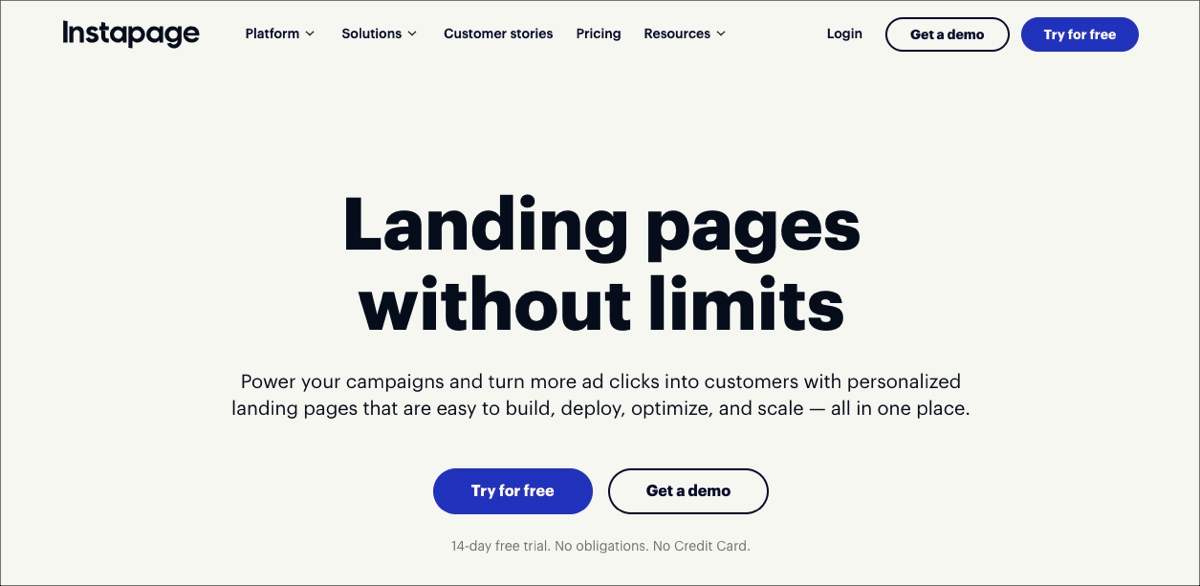
Instapage is a landing page platform built for ad-driven teams that need collaboration and personalization at scale. It emphasizes workflow management and campaign alignment rather than pure design flexibility.
Pricing
Instapage doesn’t offer a free plan. However, users can take advantage of a 14-day free trial to test the platform’s capabilities. Paid plans start at $79 per month, with higher tiers quickly exceeding $150–$200 as traffic increases.
Key features
Instapage offers an intuitive builder with a drag-and-drop interface, providing complete design control with pixel-perfect, responsive layouts, reusable content blocks, and AI-powered content generation tools. Teams benefit from real-time collaboration tools.
The platform supports advanced marketing functions, including server-side A/B testing and multi-step forms, to optimize lead capture and user flows. Enterprise features include AdMap for matching ads to pages, heatmaps, and Global Blocks for consistent content updates. Templates are clean and professional, though mobile versions may need manual adjustments.
Overall, Instapage excels in ad-to-page personalization and structured campaign management.
Ratings
- G2: 4.3/5
- Capterra: 4.5/5
- Trustpilot: 4.5/5
Cons
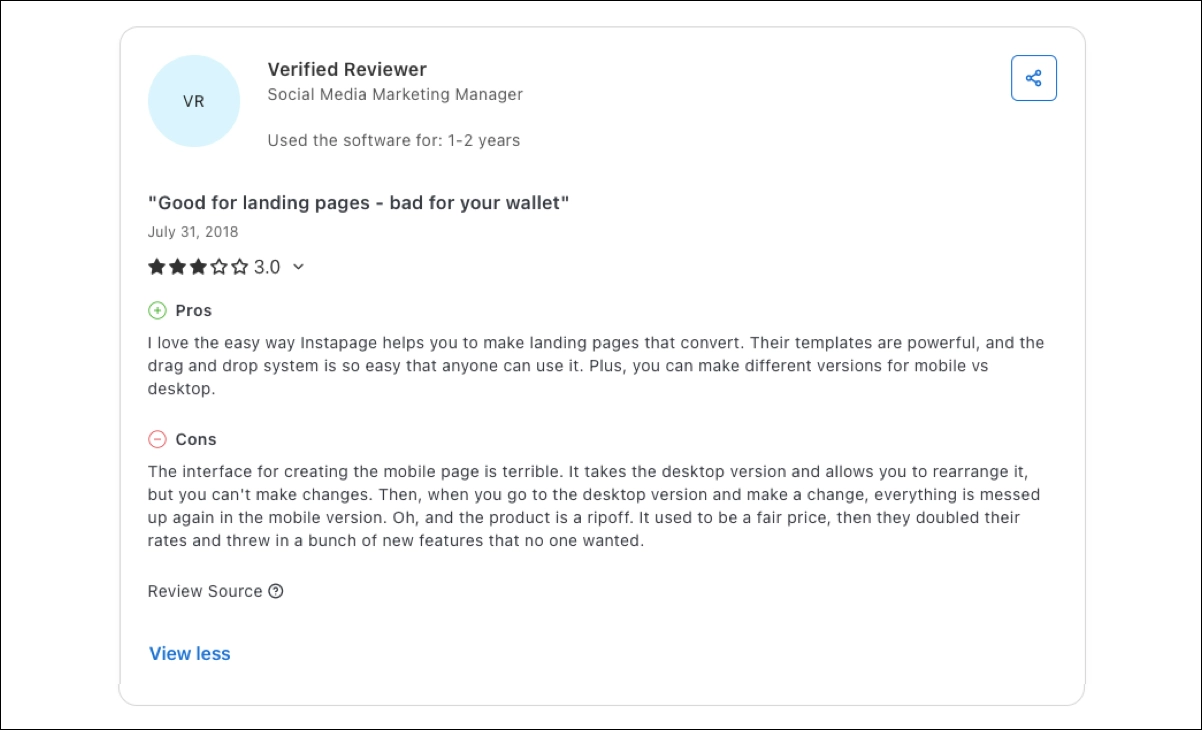
Users often cite pricing as the main drawback, especially as traffic scales. Reviews also mention limited flexibility in mobile editing and restricted access to global blocks outside enterprise plans. These limits slow iteration for teams running many variants.
Pros
Users praise Instapage for its stable, intuitive drag-and-drop editor, customizable templates, and structured testing workflows. The AdMap feature is valued by teams managing large Google Ads accounts.

It must be admitted – builder is fast, precise, and allows full creative control, while tools like Collections, A/B tests, and AI content support make high-volume, conversion-focused marketing more efficient. For structured teams with a clear testing and personalization strategy, it gives power without slowing down workflows.
Instapage offers high control over design and post-click experiences, but its most valuable features are gated behind premium pricing. I believe it’s a powerful platform best suited for organizations with advanced marketing strategies. For smaller teams, the cost and complexity may outweigh the benefits. In short: it’s a premium tool built for performance marketers – not a universal fit for everyone.
Best for
Instapage is definitely best for large marketing teams running high-budget PPC campaigns with strict approval workflows.
2. Swipe Pages
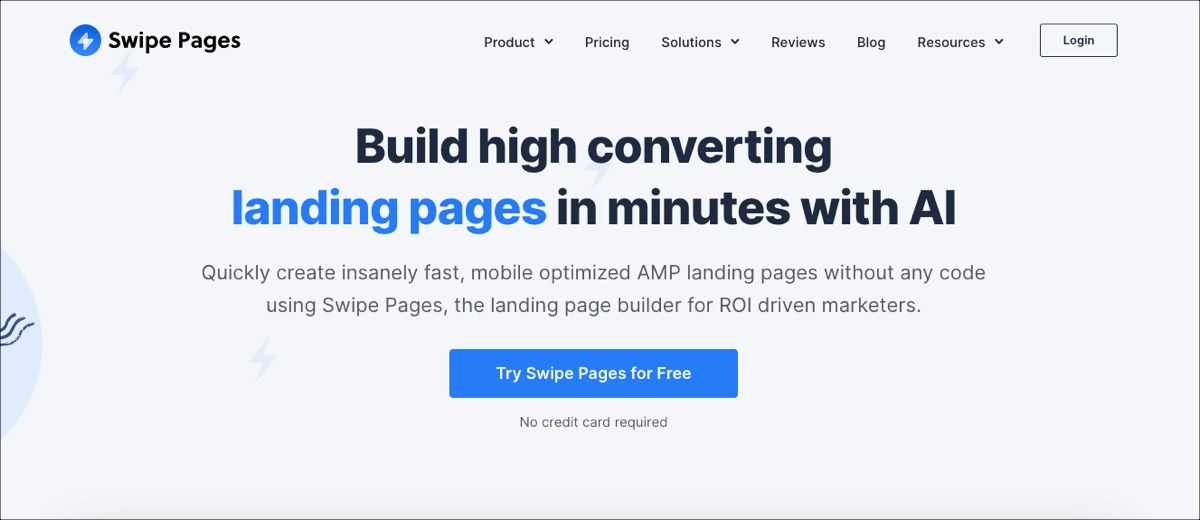
Swipe Pages is a landing page builder focused on speed, mobile-first delivery, and quick PPC deployment. The platform positions itself as an easy way to launch high-converting pages fast: it uses AMP technology for lightning-fast load times and offers a drag-and-drop editor that requires no coding knowledge.
Pricing
Swipe Pages offers no free plan, only a 14-day trial. Paid plans start at $29 per month (annual billing), scaling to $149 for agency plans.
Key features
Swipe Pages focuses on delivering fast landing pages and mobile-first experiences. It offers a streamlined drag-and-drop builder, AMP-based pages, and over 200 high-converting templates to help marketers build PPC-ready pages in under 15 minutes. While the analytics dashboard is minimal – tracking only visits, conversions, and conversion rate – it remains easy to interpret for quick campaign assessments.
However, Swipe Pages lacks pixel-perfect control, advanced layout customization, and AI copywriting tools. It also doesn’t offer in-depth automation. Still, for speed, simplicity, and mobile performance, it delivers a focused and conversion-optimized toolset.
Swipe Pages works best for fast mobile campaign launches with minimal setup.
Ratings
- G2: 4.8/5
- Capterra: 4.9/5
- Trustpilot: Mixed, with concerns about support.
Cons
User reviews frequently mention technical bugs, delayed support responses, and limited analytics that require manual configuration. Problems with lead data formatting and integrations also appear in users’ feedback.
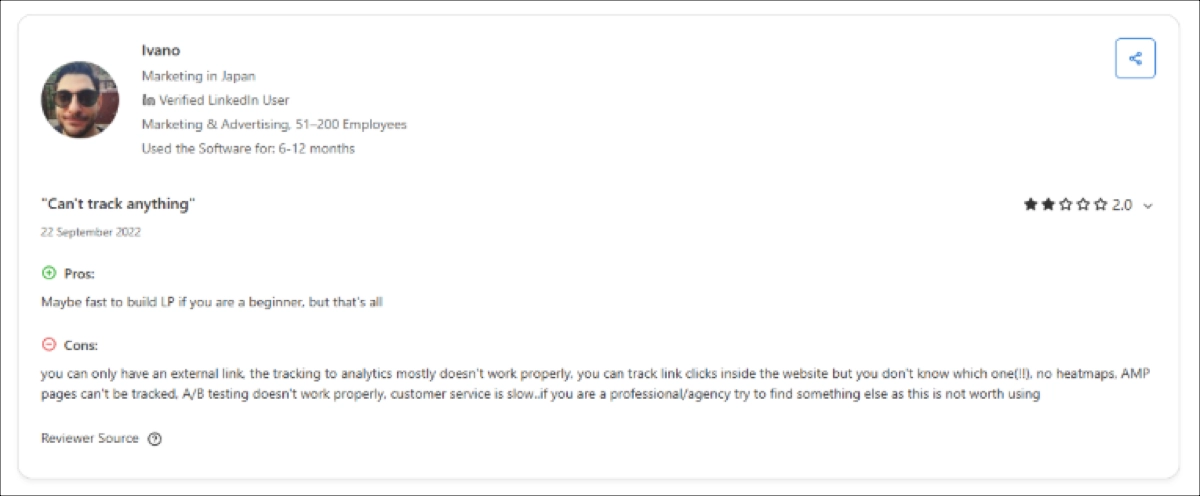
Pros
Reviewers appreciate how quickly pages can be built and published. AMP performance and ease of A/B test setup are strong positives.
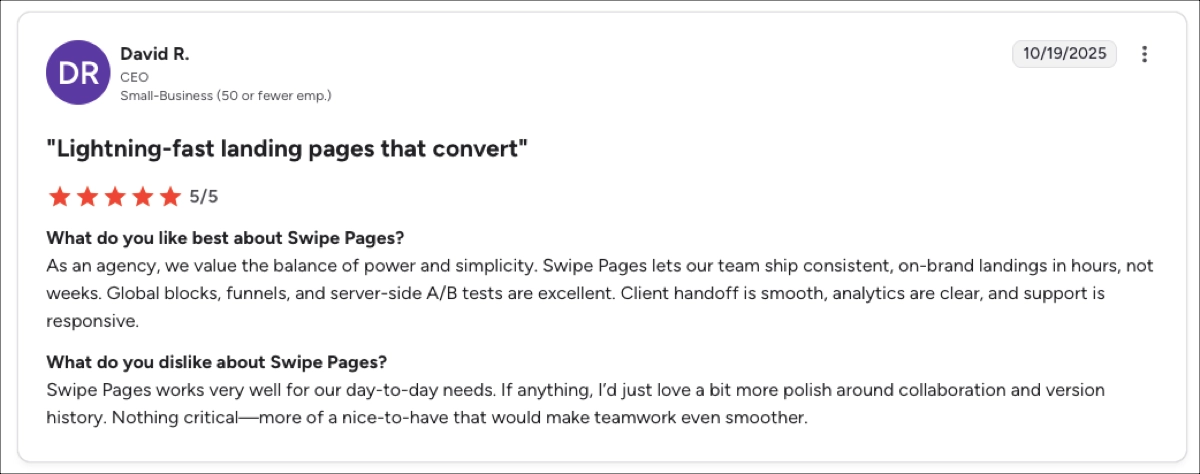
Swipe Pages is one of the fastest tools I’ve used for launching mobile-optimized landing pages. The AMP framework, intuitive drag-and-drop editor, and simple setup make it perfect for marketers who want to ship PPC pages quickly without touching code.
But the simplicity also comes with clear trade-offs. The editor lacks pixel-level precision, the analytics are basic, and features like dynamic sections or AI copywriting are missing entirely. If your priority is speed, responsiveness, and ease of use, Swipe Pages is a smart choice. If you require in-depth customization, advanced automation, or comprehensive reporting, the platform may become limiting as your operation expands.
Best for
Swipe Pages is best for solo marketers and small PPC teams focused on speed over customization.
3. Landingi
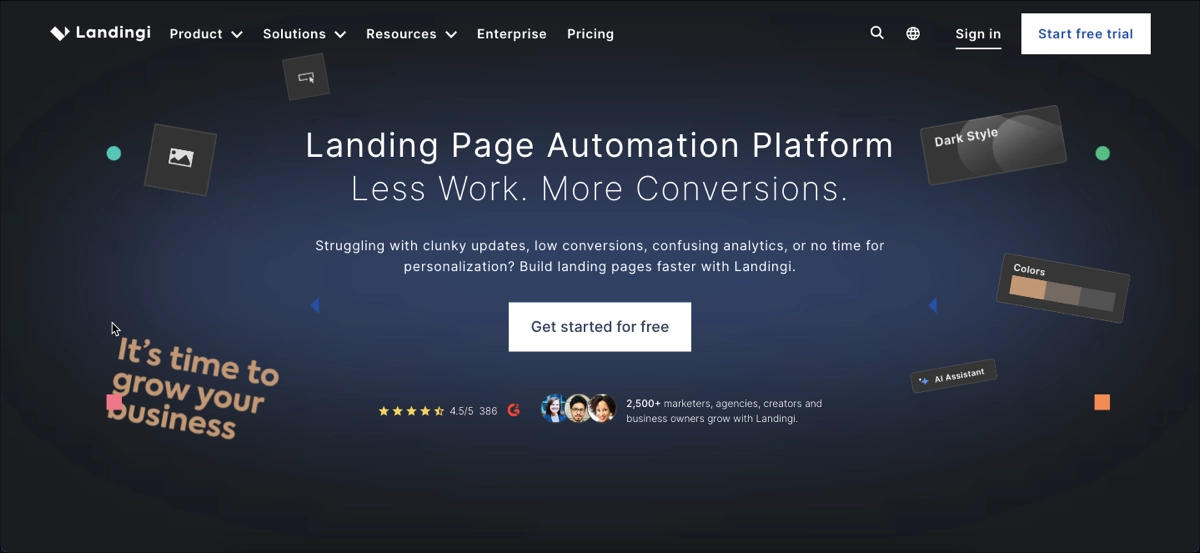
Landingi is a landing page builder and automation platform for teams that scale campaigns across channels and markets. It combines full design control with programmatic automation, enabling fast page creation, personalized content delivery, and streamlined campaign management at scale.
Pricing
Landingi offers a free plan, with paid plans starting at $24/month (Lite) and $57/month (Professional). The Enterprise plan for large-scale operations is priced at $1,150/month. Users can also sign up for a 14-day free trial to explore the platform’s capabilities.
Key features
Landingi offers a drag-and-drop builder that lets users create responsive, no-code landing pages with ease. The platform enables AI landing page generation with Composer, and its AI Assistant helps refine copy, SEO, and images. With access to over 400 customizable templates, support for custom fonts, and layout controls for mobile and desktop, users can achieve pixel-perfect designs across all devices.
The platform includes A/B and multivariate testing to guide iterative improvements. Its EventTracker tool captures detailed user behavior – clicks, scrolls, form inputs – without requiring extra scripts, delivering precise data for conversion optimization.
Landingi supports high-volume page creation across different products, audiences, and campaigns. With Programmatic Landing Pages, users can generate personalized pages at scale from structured datasets. Additional enterprise capabilities include CRM and SSO integrations, audit logs, domain whitelisting, and more – ensuring secure, scalable performance for growing teams.
In short, Landingi excels in scalable landing page production and conversion optimization.
Explore all enterprise-level features Landingi offers. Make your platform decision with full clarity.
Ratings
- G2: 4.5/5
- Capterra: 4.8/5
- Trustpilot: 4.0/5
Cons
Some users mention that mobile views require manual adjustments and that advanced features require onboarding. Others note minor performance lags on large projects and no 24/7 support.

Pros
Users consistently highlight design freedom, reusable Smart Sections, and EventTracker capabilities. Landingi stands out for combining automation, customization, and predictable pricing in one platform.

I believe Landingi achieves a rare balance between enterprise-level capabilities and everyday usability – it’s adaptable, growth-ready, and sensibly priced. What sets Landingi apart is how it layers advanced features, such as Programmatic Landing Pages, EventTracker, and multivariate testing, over a UI that still feels accessible.
It’s powerful enough for enterprise teams but not overengineered for smaller businesses. If you’re looking for a landing page platform that can grow with your campaigns without steep learning curves or bloated pricing, Landingi delivers. It’s an innovative, scalable tool for teams that need performance without complexity.
Best for
Landingi is best for marketing teams and agencies managing many campaigns, markets, or clients.
Pricing Comparison: Instapage vs. Swipe Pages vs. Landingi
Pricing differs significantly between these tools, especially as traffic and usage increase. Instapage becomes expensive quickly, Swipe Pages stays affordable but limited, and Landingi offers the widest feature range at predictable tiers. The table below summarizes monthly pricing (annual billing), included features, and main limits.
| Tool | Monthly Plan (annual billing) | Key Inclusions | Main Limitations |
|---|---|---|---|
| Instapage | No free plan; Create Plan $79/mo; Optimize Plan from $159/mo; Convert Plan – price on request. | Unlimited pages, collaboration features, Collections, AdMap | Traffic caps, advanced features only in Convert plan |
| Swipe Pages | No free plan; Startup – $29/mo; Marketer – $69/mo; Agency – $149/mo. | AMP pages, A/B tests | Basic analytics, limited design flexibility |
| Landingi | Free plan; Lite $24/mo; Professional $57/mo; Enterprise $1,150/mo. | Programmatic Landing Pages, automatic translations, EventTracker, A/B tests | Manual tweaks in mobile layout |
Comparison by Use Case
Different use cases reveal how well each platform supports real campaign goals. Below, we compare Instapage, Swipe Pages, and Landingi across the most common landing page scenarios teams face in 2026.
Lead generation capabilities
Lead generation is strongest when a builder combines flexible forms, reliable integrations, and meaningful analytics, so the key question is which tool gives the most control over lead quality and follow-up.
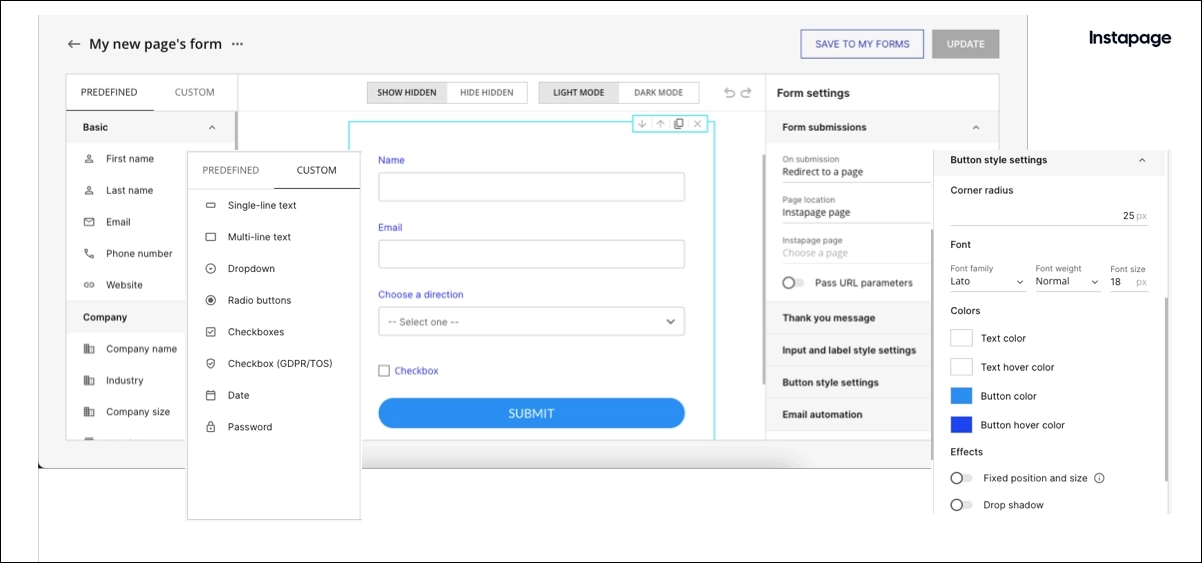
- Instapage supports solid lead capture with customizable forms and native CRM integrations such as HubSpot and Salesforce, but advanced workflows and deeper automation are available mainly on Enterprise plans.
- Swipe Pages focuses on fast email capture for PPC campaigns, offering simple forms that work well for basic lead collection, though customization and lead qualification options remain limited.
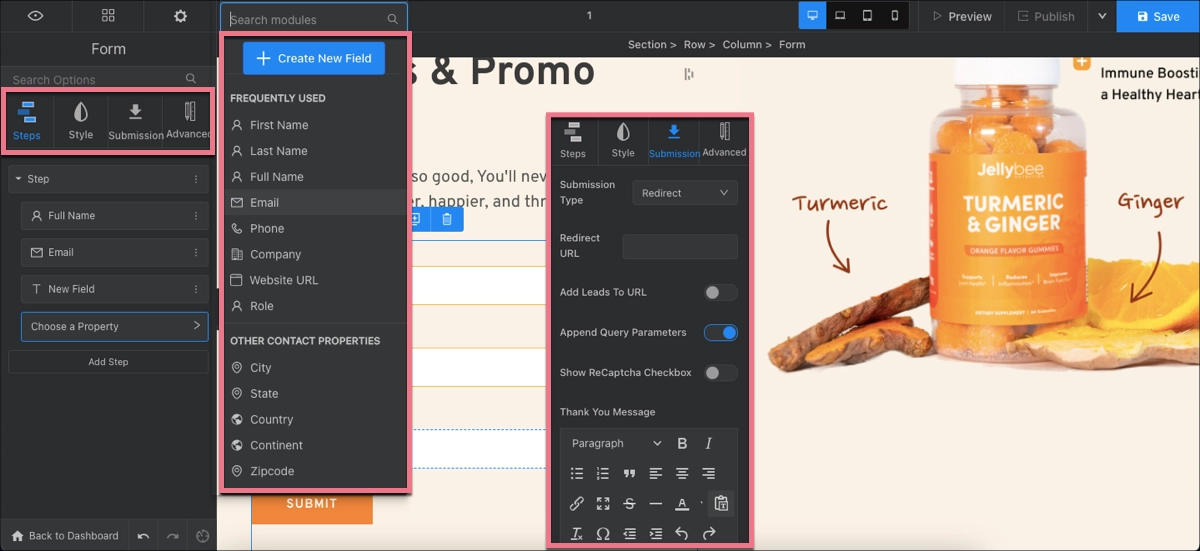
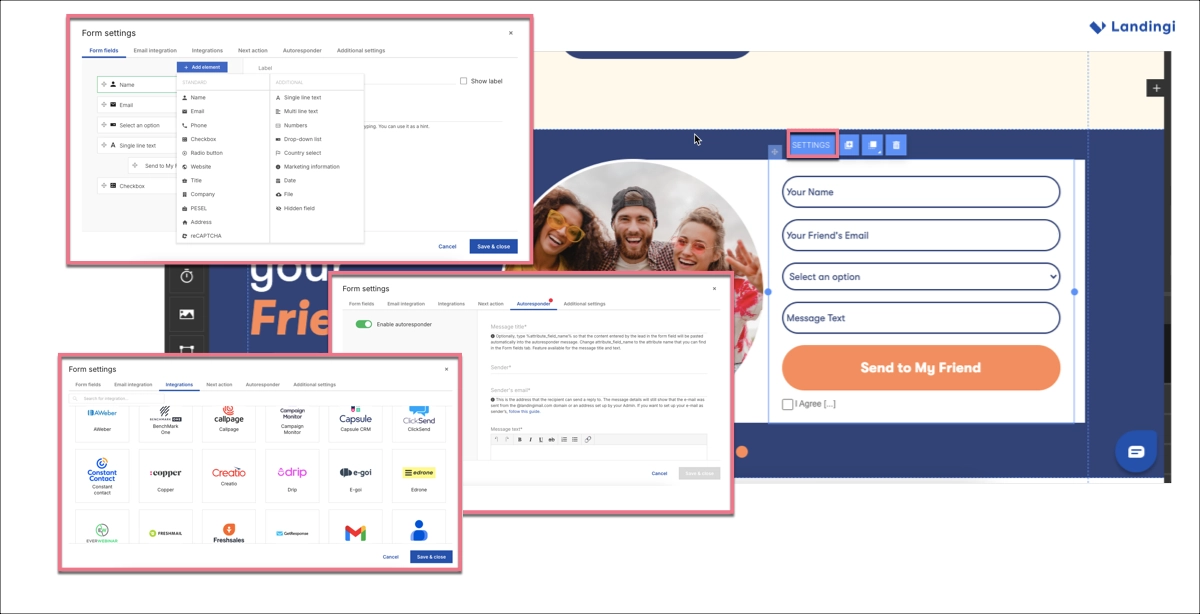
- Landingi excels with detailed form tracking through EventTracker, built-in autoresponders, and reCAPTCHA protection, giving teams stronger control over lead quality. Combined with CRM and email platform integrations, leads can be automatically segmented and routed into the right campaigns.
Product sales
Product sales require more than a form, including checkout options, payment integrations, and support for upsells or follow-up actions.
- Instapage enables product sales through custom HTML integrations with Stripe or PayPal, but this setup often requires technical effort and higher-tier plans for smooth scaling.
- Swipe Pages offers basic payment integrations and simple sales funnels, which work for single-offer campaigns but lack advanced sales logic or post-purchase automation.
- Landingi supports product-focused, conversion-optimized pages with dynamic content, sales funnels, and an e-commerce hub, allowing teams to connect purchases with follow-up emails, cross-sells, or personalized offers.
Event promotion
Event promotion depends on registrations and confirmations. All three tools support forms, but Landingi provides better automation and multi-language pages.
- Instapage allows event sign-ups through forms and integrations, but managing confirmations or reminders depends heavily on external tools.
- Swipe Pages handles quick registration pages well, especially for mobile traffic, though automation around attendee communication remains limited.
- Landingi supports event promotion with flexible registration forms, autoresponders, and integrations that trigger confirmations and reminders automatically, making it easier to manage both small and large events.
Testing and optimization
Testing and optimization capabilities depend on how easily teams can experiment and understand user behavior.
- Instapage offers strong A/B testing tools and experiment management, though heatmaps and advanced insights are reserved for higher plans.
- Swipe Pages offers straightforward A/B testing with clear conversion metrics. However, analytics remain basic, focusing mainly on visits and conversion rates.
- Landingi combines server-side A/B testing with EventTracker, allowing teams to analyze clicks, scroll depth, and interactions, which helps identify why a variant performs better, not just which one wins.

Core Features Compared
Core features, such as landing page editor, templates, or analytics, determine daily usability and campaign efficiency. The following areas show how tools differ in execution.
Drag-and-drop builder
Drag-and-drop editing is available in all tools. Landingi and Instapage offer pixel-level control, while Swipe Pages uses a more structured layout.
Instapage – Builder Overview
Instapage’s builder delivers pixel-perfect design control, letting users fine-tune layouts with ease. Key features include AI content tools, Group & Align, custom code, custom fonts, and Global Blocks (Convert plan only), making it ideal for teams focused on visual precision.
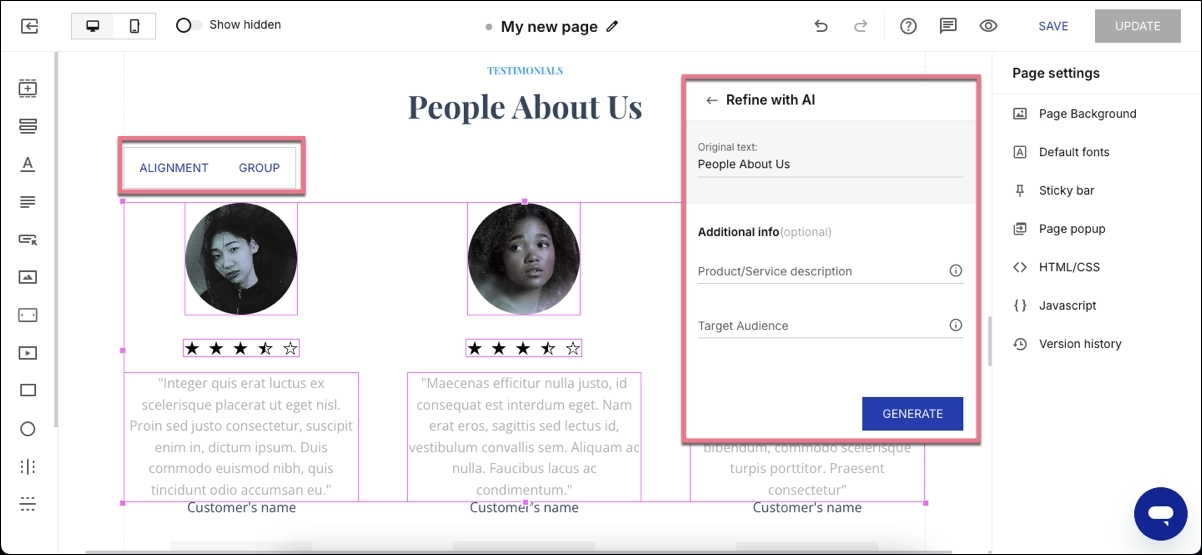
Its standout feature is real-time on-page collaboration, streamlining team workflows. The builder supports pre-designed sections, form and pop-up creation, and widgets like countdown timers and carousels, covering most marketing needs.
However, it lacks essentials like an icon library, button style presets, and pop-up templates. There’s also no automated translation and limited e-commerce support, which can be a dealbreaker for teams needing richer interactivity or global scalability.
Swipe Pages – Builder Overview
Swipe Pages offers a mobile-first, drag-and-drop builder designed for speed and simplicity. Unlike pixel-perfect editors, it uses a section-based layout that prioritizes responsiveness, making it ideal for launching fast-loading, conversion-focused pages – especially for mobile users.
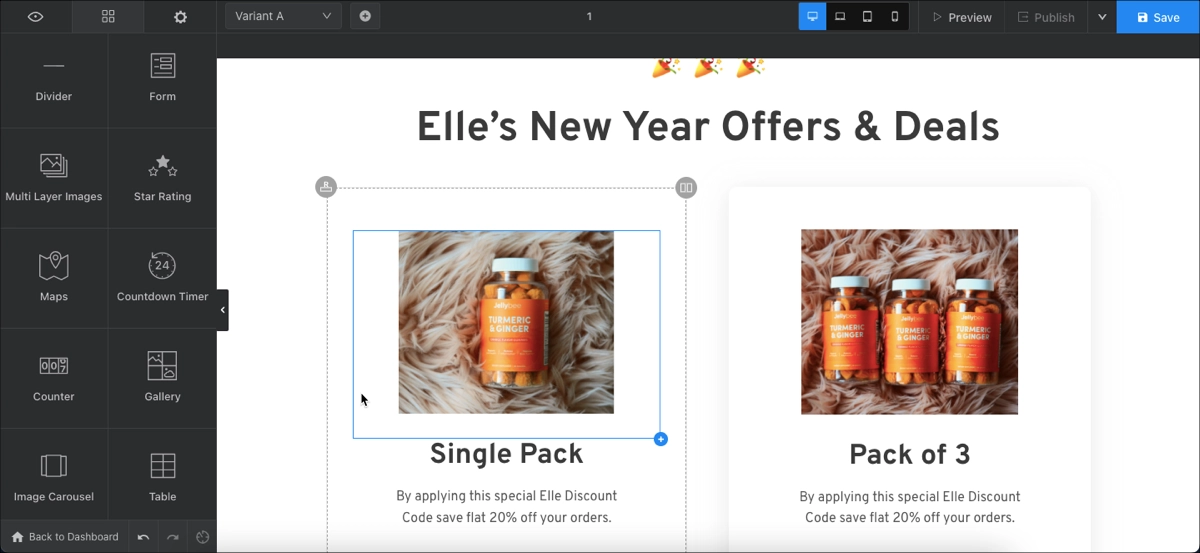
Swipe Pages’ builder includes AMP support for ultra-fast page loads, a drag-and-drop editor with a familiar UI (similar to Elementor), and pre-designed templates. Its simplicity allows page creation in under 15 minutes, with easy deployment and minimal setup. However, it lacks pixel-level design control, AI content generation, and advanced layout customization.
Overall, it’s a builder built for speed, simplicity, and mobile performance, best suited for fast-paced PPC campaigns rather than complex, deeply customized projects.
Landingi – Builder Overview
Landingi delivers a pixel-perfect, no-code builder that gives users total control over element placement, styling, and layers – without the restrictions of grid-based editors. It’s a great option for marketers who need creative freedom and precision.
Its core features include:
- AI Assistant for content, SEO, and images
- Automatic translations, supporting 29 languages
- Smart Sections (reusable blocks that enable bulk updates across multiple landing pages)
- Built-in pop-up creator with templates
- Advanced form builder with multi-step logic
- Countdown timers, video embedding, and image editing
- Custom fonts and code injection
- Programmatic Landing Pages for scaling
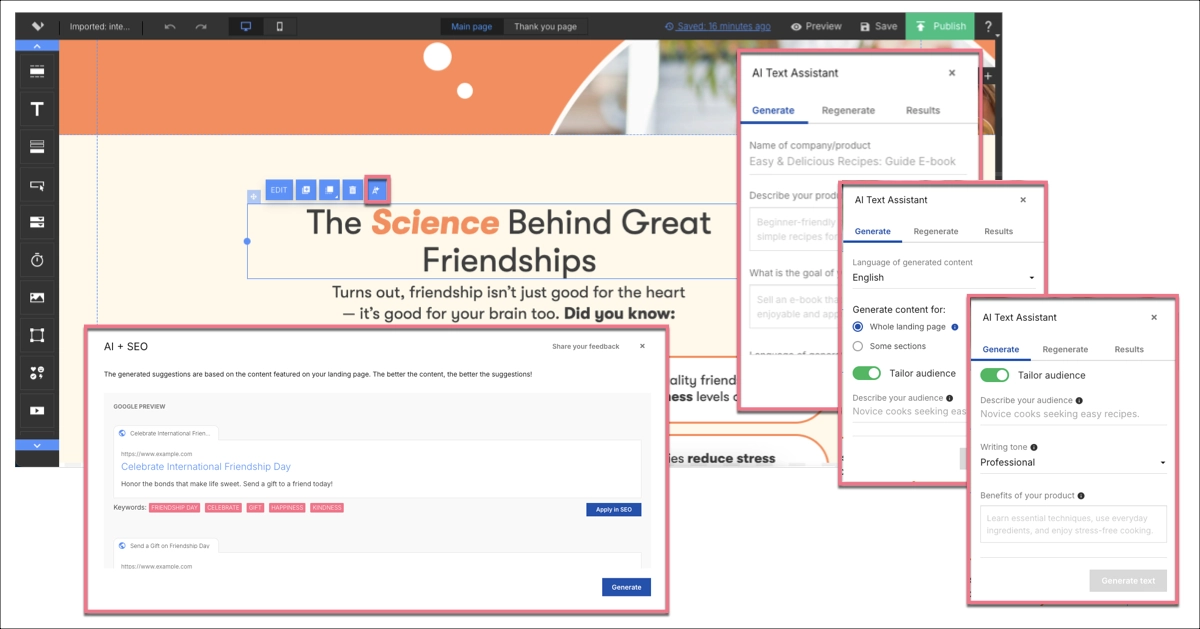
Users can customize both desktop and mobile views, using auto-adjustment with manual refinement when needed. With over 400 templates, dynamic text replacement, and deep personalization tools, Landingi supports high-volume, multi-campaign execution with ease. It’s a builder designed to scale, blending design freedom with automation for serious performance marketing.
Take your landing pages with you! We’ll transfer up to 3 landing pages at no cost to help you get started.
Responsive design
To convert on mobile, landing pages must load fast and adapt cleanly to smaller screens. Builders should support auto-scaling layouts, mobile-specific styling, and performance enhancements such as lazy loading.
- Instapage includes a dedicated mobile editor, letting users manually adjust layouts, fonts, and element placement for mobile views. While more hands-on, it offers full design control and supports lazy loading for media assets.
- Swipe Pages, built around a mobile-first philosophy, uses AMP technology to deliver ultra-fast load speeds on smartphones. The editor ensures clean layouts, though design flexibility is limited compared to pixel-perfect tools. Lazy loading is built in by design, with a strong emphasis on mobile performance.
- Landingi auto-generates mobile-responsive layouts and provides separate editing views for desktop and mobile. Users can fine-tune fonts, buttons, and spacing. Features such as built-in image compression and optimized code ensure fast load times and lower bounce rates.
Pre-built templates
Templates speed up landing page creation by giving users ready-made layouts tailored to their campaign goals. Instapage offers around 200 professionally designed templates, organized by industry and use case, ensuring high-quality starting points for most marketing needs. Swipe Pages provides about 200 templates, optimized for speed and mobile performance. While the selection is smaller and geared more toward PPC and lead generation, they’re built for quick deployment and conversion efficiency. However, customization depth is limited compared to more advanced builders.
Landingi stands out with over 400 templates, covering a wide range of categories like events, product launches, lead generation, webinars, and services. Each template is fully customizable, offering granular control over design and layout. Landingi also includes pop-up templates, making it a strong choice for agencies and teams handling multiple campaigns or client accounts.
Forms and pop-ups
A strong landing page platform should offer customizable form builders, easy pop-up creation, and seamless integration with CRM, email, and analytics tools. Features like multi-step logic, hidden fields, and trigger-based display rules elevate lead quality and user experience. Here’s how the top platforms compare in this area:
- Instapage allows users to build forms and pop-ups, but editing forms happens in a separate interface. It supports multi-step forms, custom fields, and confirmation messages, though pop-up templates are not provided by default.
- Swipe Pages includes a basic form builder, suitable for fast deployments. Forms are easy to configure, but they lack deeper customization options. There’s no native support for advanced logic or rich design elements, limiting its utility for complex campaigns.
- Landingi offers a robust form builder with multi-step logic, hidden fields, custom confirmation flows, and direct integrations. Pop-ups are fully editable with built-in templates and can be triggered by time, scroll, or user interaction. This makes Landingi especially strong for targeted conversion strategies and tailored lead capture.
Integrations
Integrations determine how easily landing pages connect with the rest of your marketing stack and how much manual work your team needs to avoid. Instapage offers native integrations with key tools such as HubSpot, Salesforce, Google Ads, and Zapier, which work well for ad-driven teams. However, deeper integrations and advanced data routing are often tied to higher-tier plans. Swipe Pages supports essential integrations through Zapier and connects with popular tools like Stripe, PayPal, and Google Analytics. While this covers basic needs, reliance on third-party connectors can limit reliability and increase setup complexity.
Landingi offers over 170 direct integrations with platforms such as HubSpot, Pipedrive, GA4, GTM, Meta, and Google Ads, as well as support for webhooks and custom APIs. This allows teams to pass lead data, events, and user behavior directly into CRM, analytics, and automation tools, making Landingi well-suited for both standard workflows and enterprise-scale environments.
A/B testing
A/B testing is effective only when teams can launch experiments quickly, control traffic distribution, and understand why one variant outperforms another.
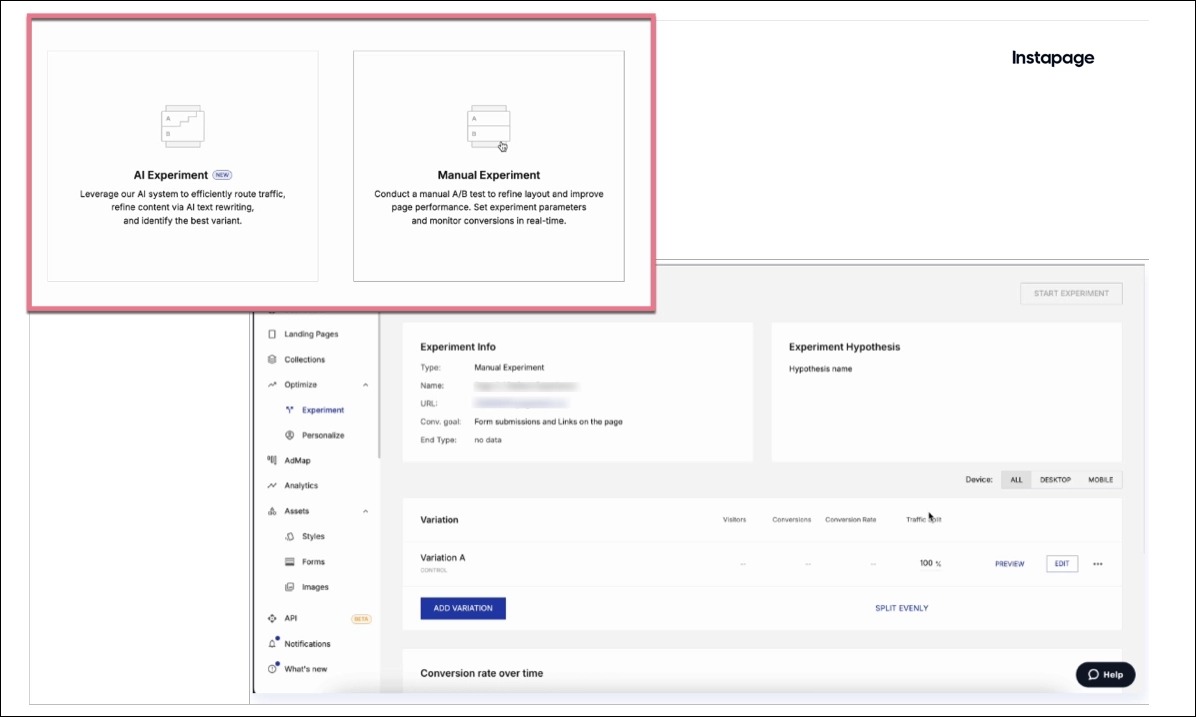
- Instapage offers advanced A/B testing with hypothesis tracking, experiment history, and visual reporting, making it suitable for structured testing strategies. However, these capabilities are tied to higher pricing tiers, which can limit experimentation frequency for cost-sensitive teams.
- Swipe Pages supports basic A/B testing with fast setup and clear conversion metrics, which works well for quick PPC experiments. The downside is limited insight into user behavior, as the results primarily focus on visits and conversion rates.
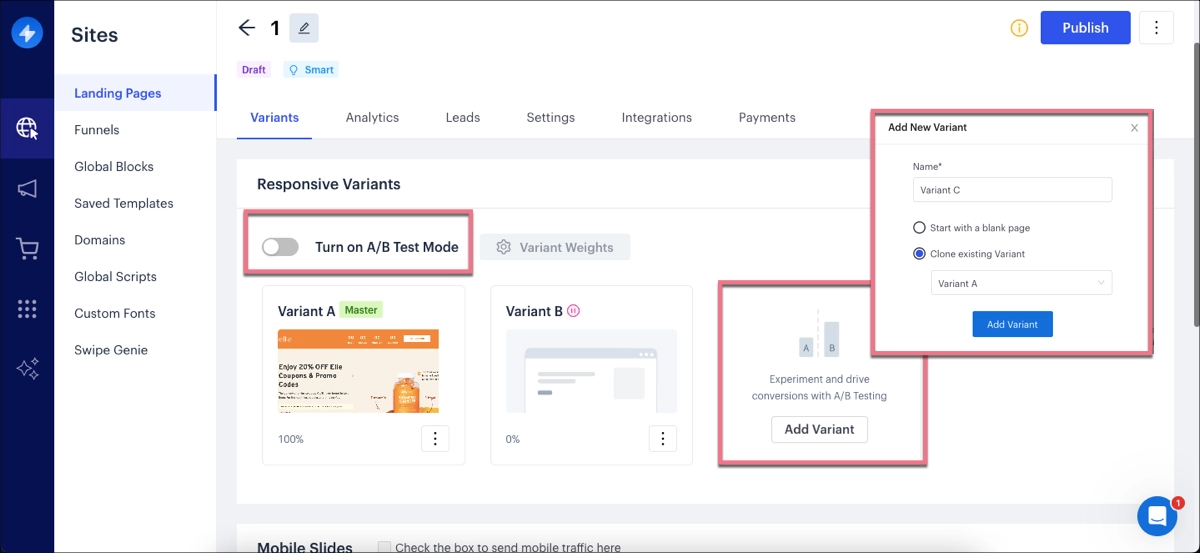
- Landingi combines server-side A/B testing with EventTracker, allowing teams to measure clicks, scroll depth, form interactions, and micro-conversions. This makes it easier to understand not just which version wins, but what elements drive landing page performance, supporting continuous optimization across multiple campaigns.

Analytics
Analytics are useful only when teams can move beyond surface metrics and understand how users actually interact with a page.
- Instapage provides built-in dashboards with visits, conversions, and conversion rates, plus heatmaps on higher-tier plans. These insights are helpful for high-level analysis, but deeper behavioral tracking often requires enterprise access or external tools.
- Swipe Pages offers very lightweight analytics focused on traffic, conversions, and conversion rate. This works for quick campaign checks, but it gives limited visibility into user intent, friction points, or drop-off behavior.
- Landingi combines built-in reporting with EventTracker, which tracks clicks, scroll depth, form interactions, and more. This allows teams to identify where users hesitate or abandon, making analytics actionable for ongoing optimization rather than simple reporting.

Customization and Scalability
Customization and scalability decide whether a tool can grow with your team. A good platform should adapt to different campaign types and performance needs – without forcing workarounds. It should also support structured workflows, bulk content updates, and integrations that allow scaling without sacrificing efficiency.
Can you fully customize templates, colors, and layout?
When it comes to creating landing pages, full customization is where platforms truly differentiate. Landingi leads with complete control over templates, colors, fonts, and layout – offering pixel-perfect editing and custom code support. Instapage also allows deep design control, for both desktop and mobile views, though some advanced features are locked behind higher-tier plans. Swipe Pages, while fast and mobile-optimized, restricts layout flexibility due to its section-based editor.
Does the tool support custom code (HTML/CSS/JS)?
For teams looking to build landing pages with advanced customization, support for custom code is essential. Instapage and Landingi both allow the use of HTML, CSS, and JavaScript, giving developers and marketers the flexibility to add custom elements, tracking scripts, or animations. Swipe Pages, however, offers limited custom code capabilities, which can restrict more complex design or integration needs.
Is it scalable for multiple campaigns, teams, or clients?
Scalability is where Landingi stands out – it supports managing high volumes of personalized landing pages. Programmatic Landing Pages enable generating dozens of page variations for multiple campaigns, while Smart Sections and multi-language support streamline updates across campaigns and regions, enabling fast, consistent scaling. The platform supports subaccounts, user roles, and workspace-level permissions, giving teams full control over access, collaboration, and campaign segmentation as they grow.

Instapage offers technical scalability through Global Blocks, Collections, and collaboration workspaces, but access to these tools is gated by expensive plans. It’s powerful, but cost-prohibitive for many growing teams.

Swipe Pages is better suited for smaller setups. While it handles multiple funnels and campaigns well, it lacks the automation needed for scaling complex operations.
FAQ about Instapage vs. Swipe Pages vs. Landingi
Selecting the best landing page platform comes down to your team’s goals, budget, and scalability requirements. Below is a quick comparison of Instapage, Swipe Pages, and Landingi to help you choose the right fit.
What is Instapage?
Instapage is a landing page platform designed for ad-to-page personalization, testing, and team collaboration. It’s tailored for marketers running high-budget PPC campaigns who need precision and scale. The platform supports features like Global Blocks, server-side A/B testing, and Collections (mass landing page generation) – making it ideal for managing landing pages with consistent branding and performance tracking.
What is Swipe Pages?
Swipe Pages is a mobile-first landing page builder – built for speed, simplicity, and rapid deployment. Designed with performance in mind, it’s ideal for marketers who need to launch mobile pages quickly, especially for PPC campaigns. While it lacks advanced customization, its AMP support and intuitive editor make it a strong choice for fast-paced, mobile-driven digital marketing.
What is Landingi?
Landingi is a landing page builder and automation platform that helps teams create, test, and manage high-converting landing pages at scale. The platform empowers marketers to optimize performance across campaigns, audiences, and markets through tools like Programmatic Landing Pages, Smart Sections, and EventTracker. Features like subaccounts, role-based access, SSO, audit logs, and domain whitelisting make it ideal for enterprise teams requiring secure campaign management.
Not every tool fits every team. Landingi adapts. Try it free!
Choose the Right Landing Page Tool and Boost Your Campaign Conversion Rates
Choosing the right landing page builder depends on how far you plan to scale your business.
- Instapage fits PPC-focused teams with large budgets.
- Swipe Pages works for fast, simple launches.
- Landingi is the right landing page builder for teams that need control, automation, and predictable growth.
If you need a platform that combines pixel-perfect editing, automation, and testing, Landingi is built to help your team scale landing page creation with precision and ease. Try it for free and experience how effortlessly you can grow with full control.