


Drupal CMS is a free, open-source content management system used to create and manage websites. This guide will walk you through integrating Drupal CMS with Landingi, allowing you to publish your landing pages directly within a Drupal CMS website structure. This allows you to manage landing page content in Landingi while making it available under custom URLs in Drupal CMS. Leads collected via forms are still sent directly to Landingi.
Before you start integrating a landing page with Drupal CMS, install the Landingi plugin for Drupal and make sure your landing page is created and published in Landingi.
Get API token from Landingi
1. Log in to your Landingi account and go to Settings.

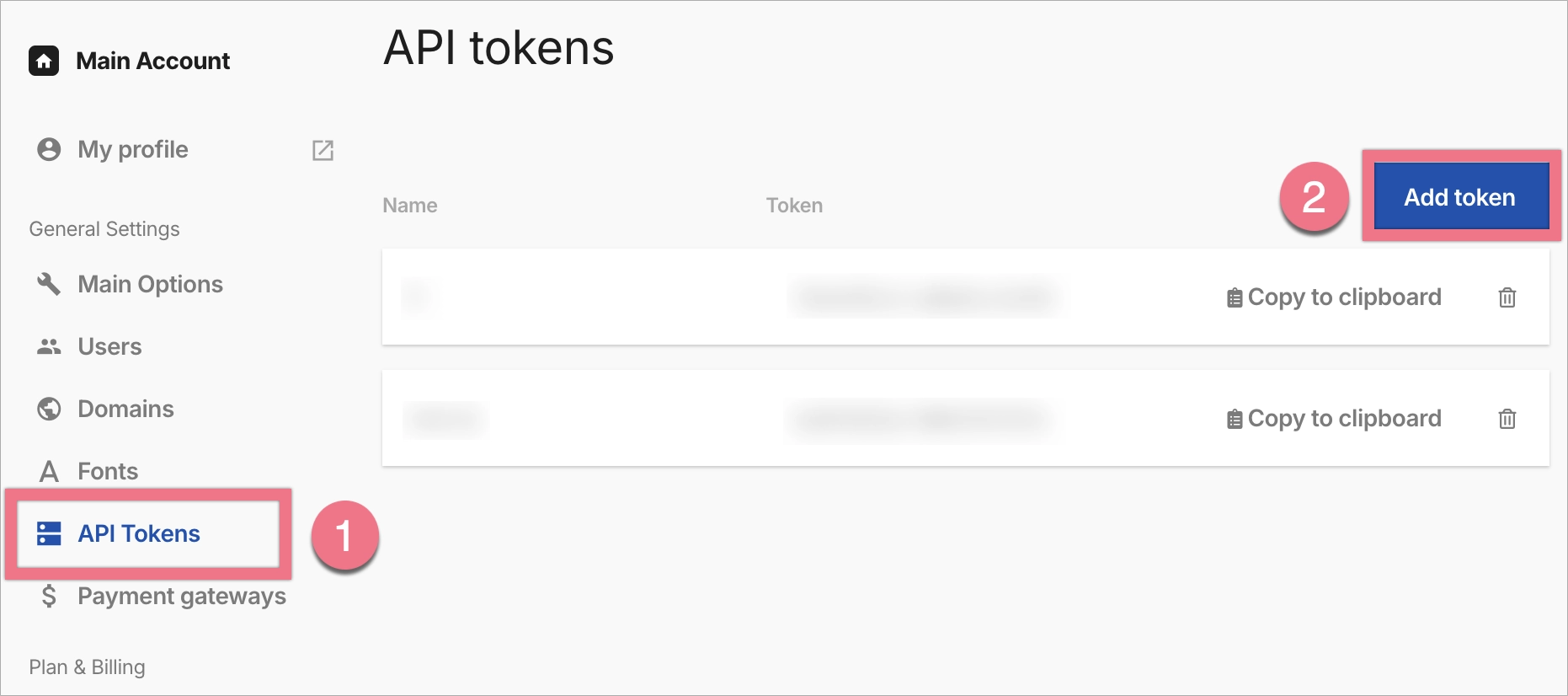
2. Open the API Tokens (1) tab and create a new token by clicking Add token (2).
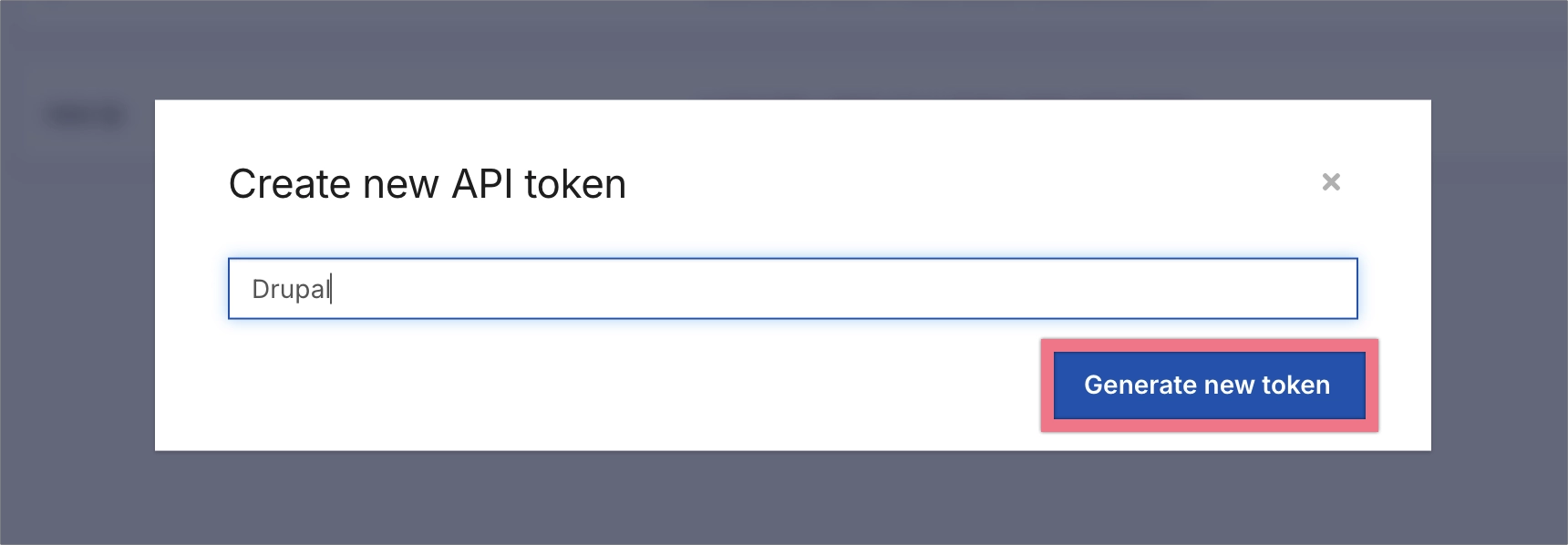
3. Name the token and click Generate new token.
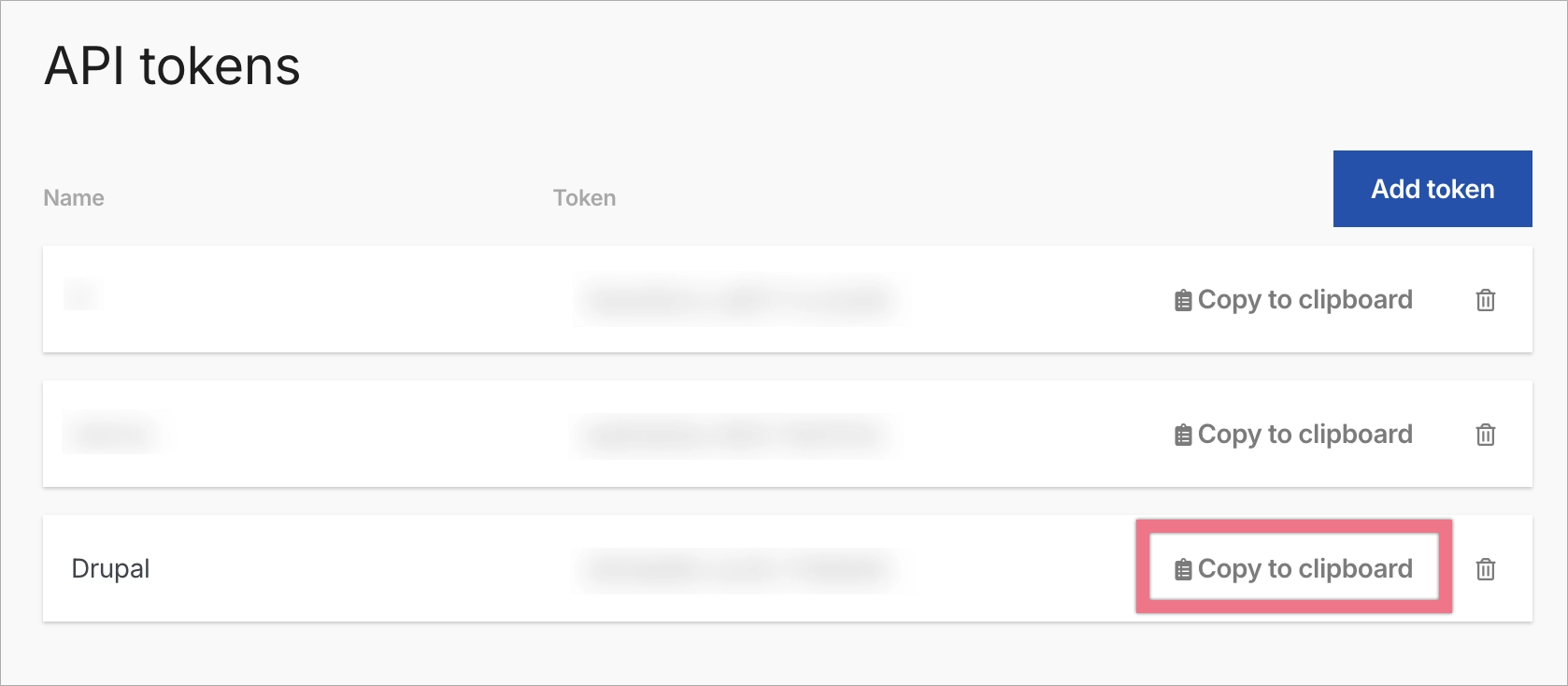
4. Copy the generated token.
Install the API token and import landing pages
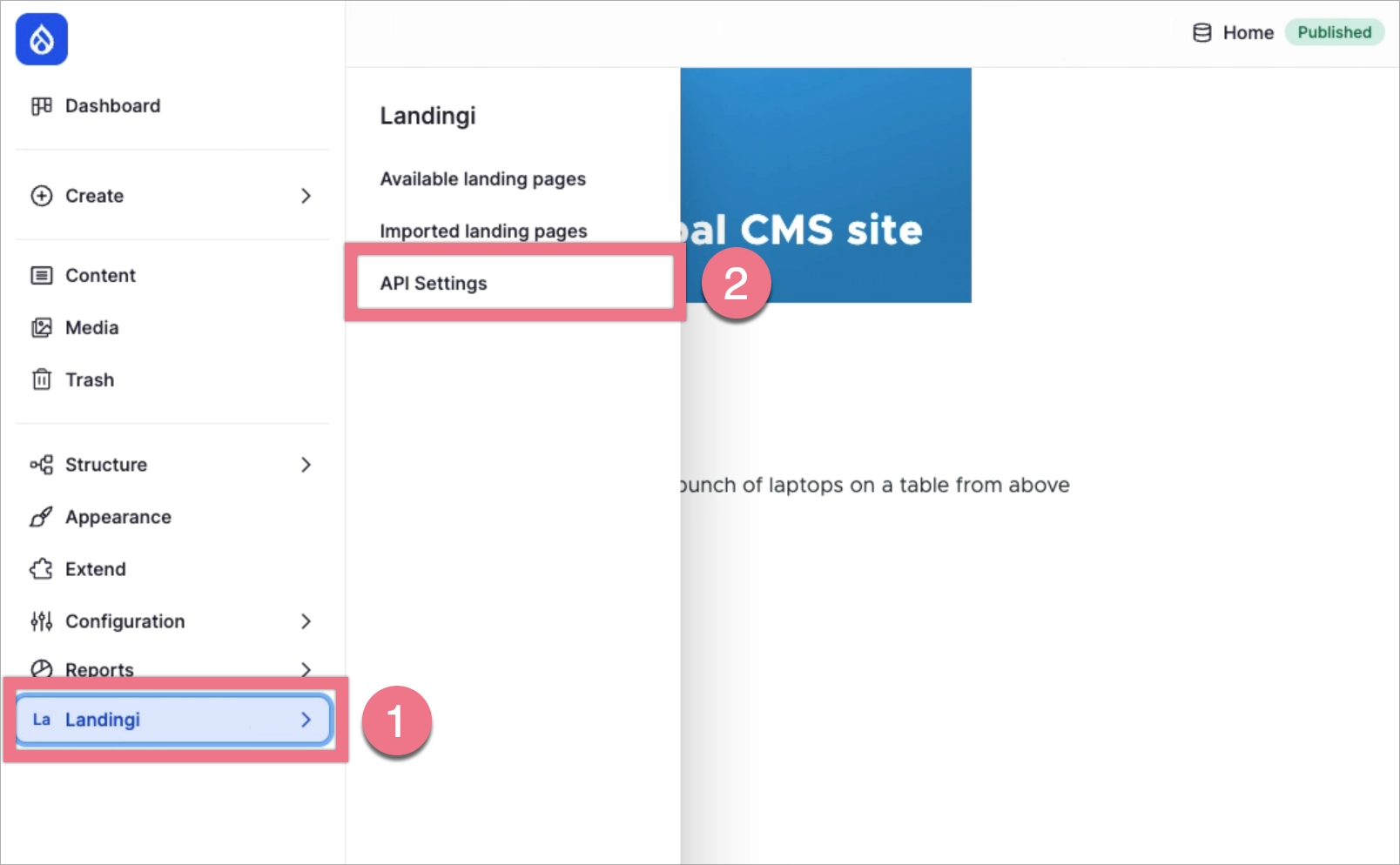
1. After installing the Landingi plugin in Drupal CMS, you’ll see the Landingi (1) tab in the left-hand menu. Click it and go to API Settings (2).
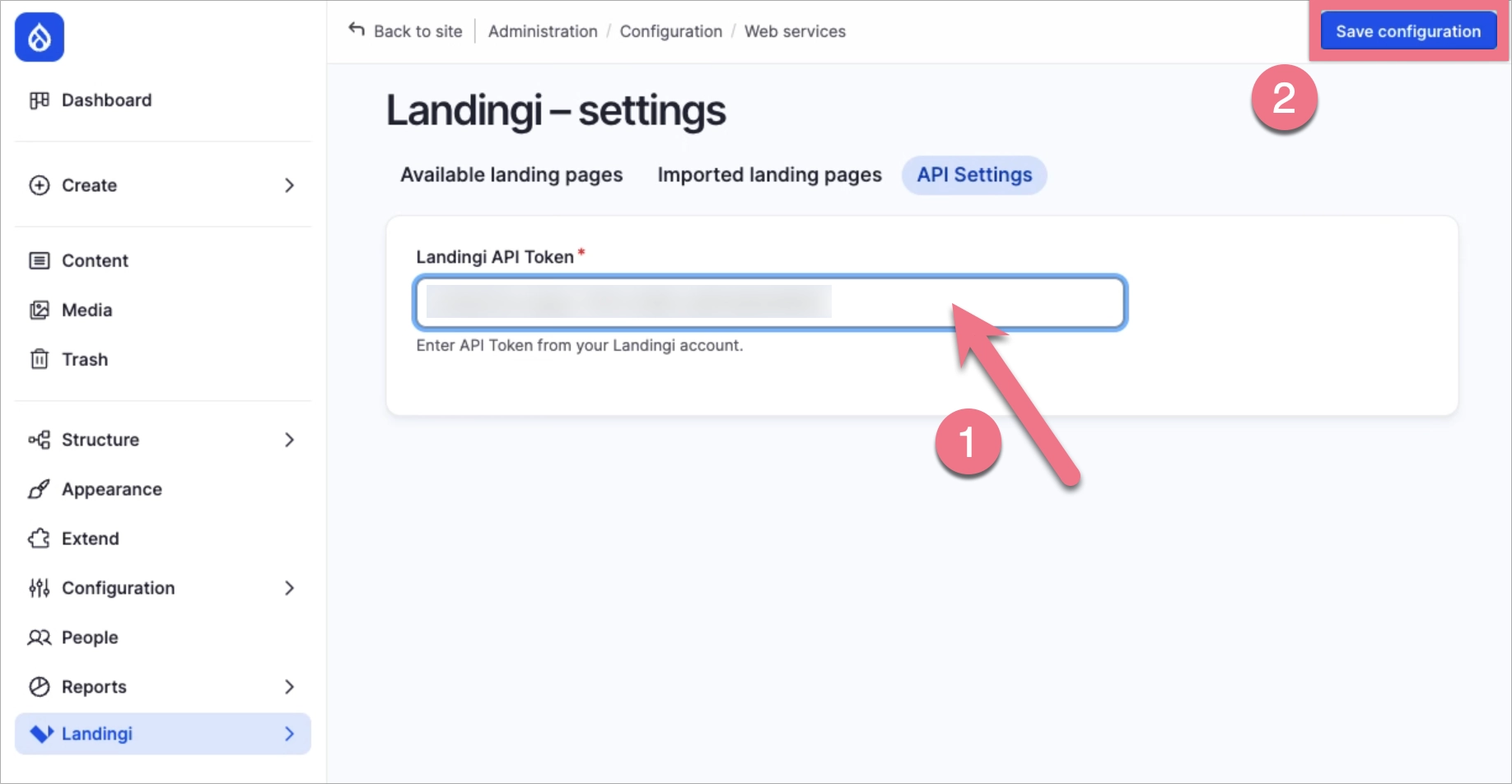
2. Paste the API token (1) copied from Landingi and save the settings (2).
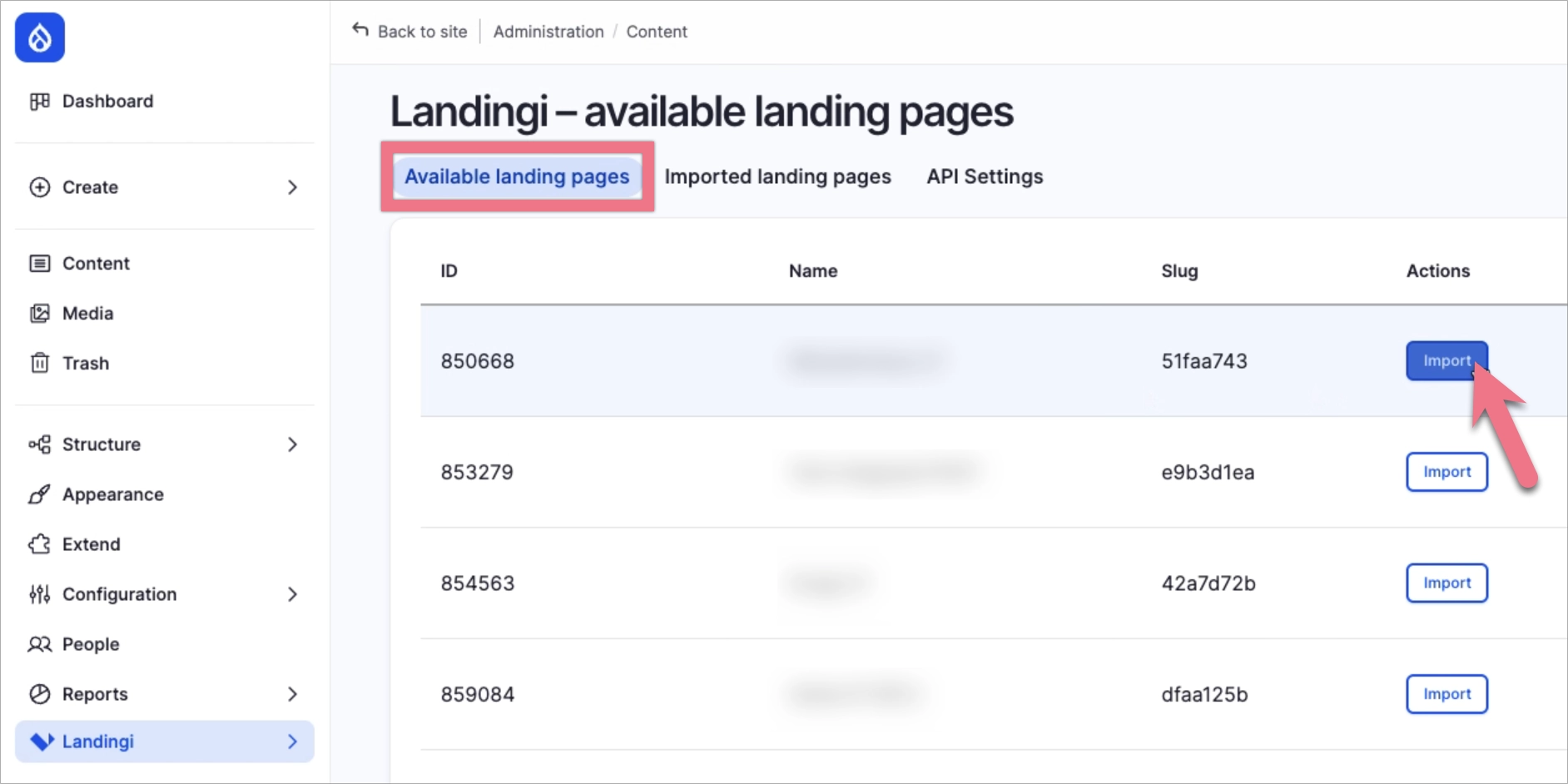
3. Once the accounts are successfully connected, go to Available landing pages. You’ll see all landing pages available on the Landingi account connected via API.
Next to the landing page you want to publish in Drupal CMS, click Import.
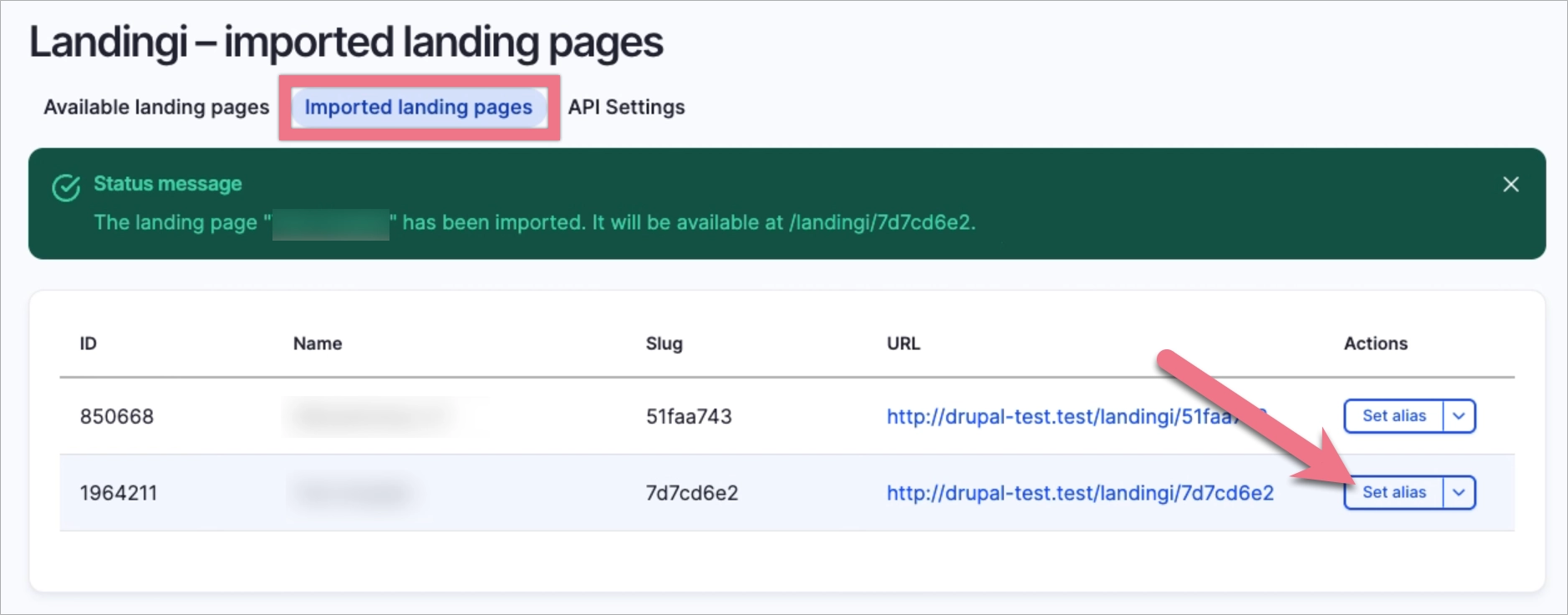
4. The imported landing page will appear in the Imported landing pages tab.
After importing, you can set a custom URL for the landing page. To do this, click Set alias.
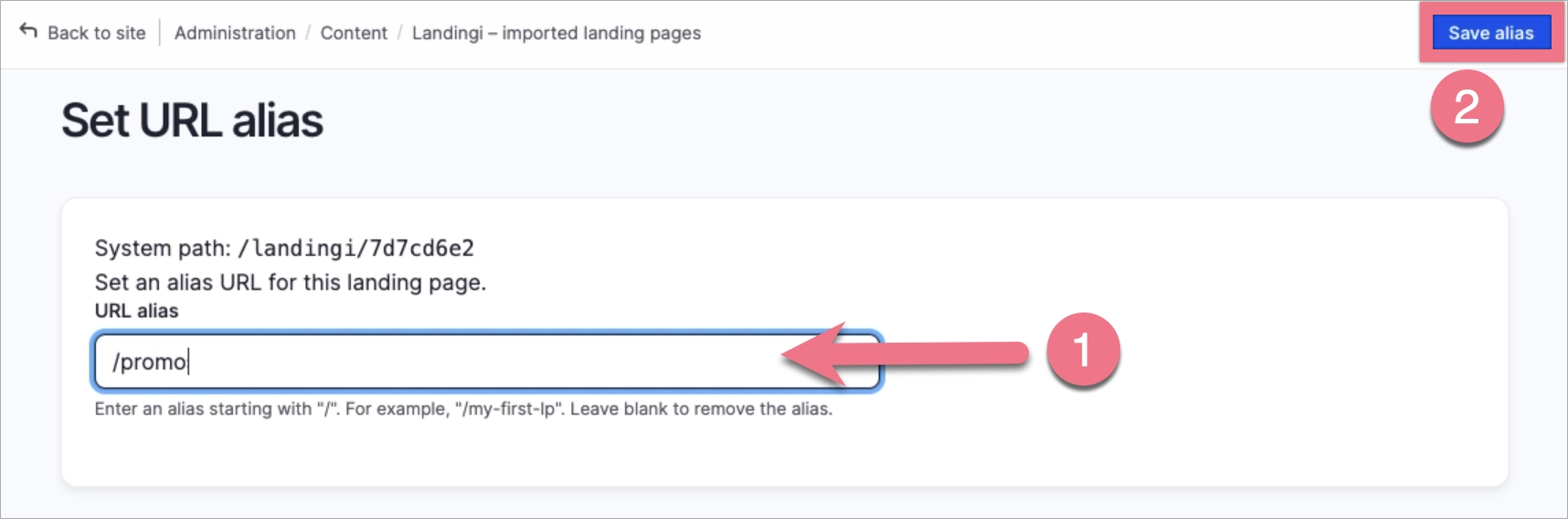
5. Enter your custom path (1) and save the changes (2).
The landing page will be immediately available under the new URL.
Leads
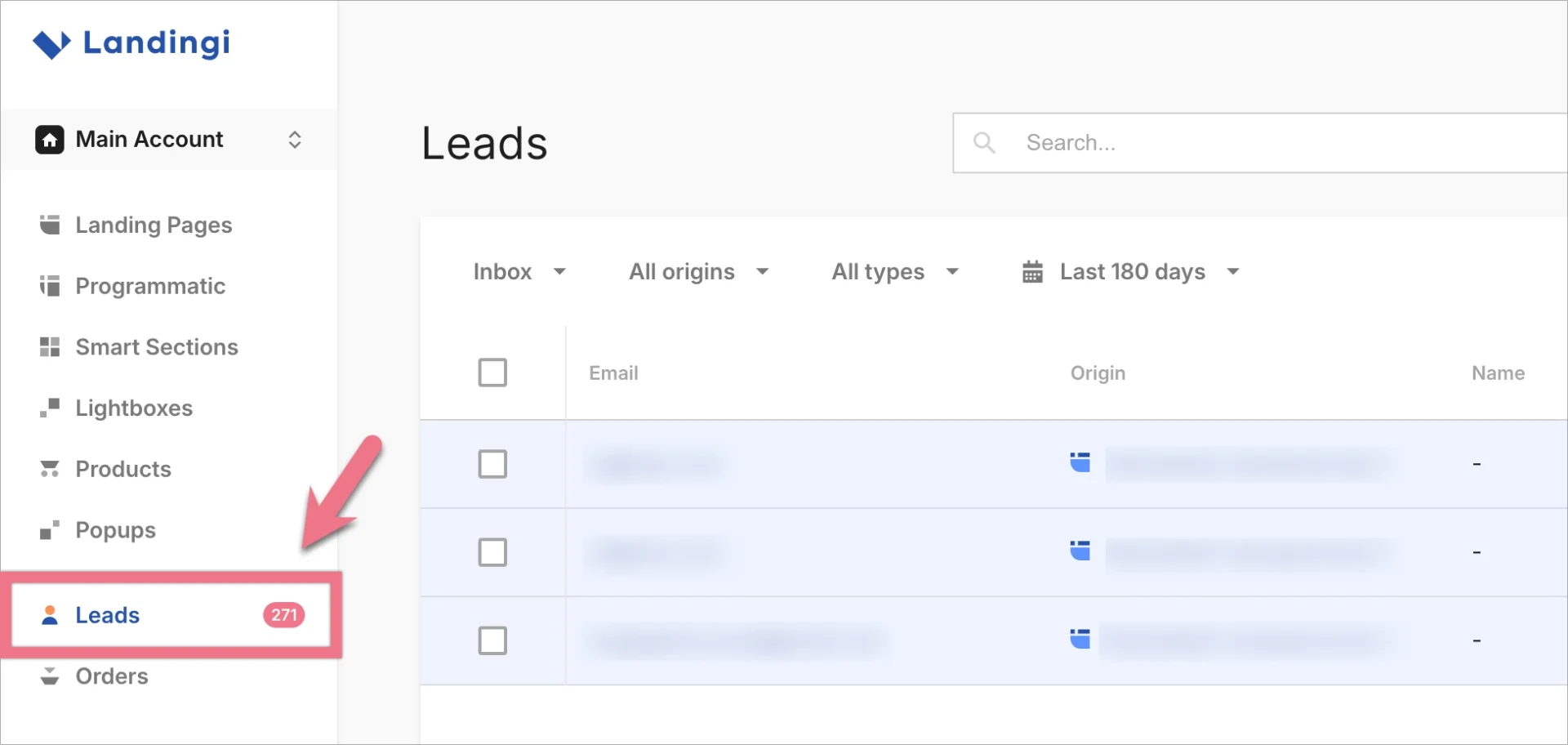
All leads collected via a landing page published in Drupal will be automatically saved in Landingi. You can find them in the Leads tab in your Landingi account.
NOTE: Keep in mind that Drupal is a third-party solution and is continually being developed. We do our best to keep this guide updated, but if you come across any changes in the set-up process, let us know.
Browse all integrations in our Integrations Catalog to see tools you can connect Landingi with.
