
If you’re creating content for ads, using the correct Instagram Reel size and settings is essential. Reels that follow Instagram’s official specs look sharper, perform better in the feed, and are less likely to be cropped or compressed. Below are the key parameters advertisers and content creators look for when preparing Reels for paid campaigns:
- Aspect ratio: 9:16 (vertical video format, fills the full screen)
- Pixel dimensions: 1080 pixels wide × 1920 pixels tall
- Real size in centimeters: approx. 2.7 cm × 4.8 cm (at 96–100 DPI)
- Size in inches: approx. 1.06 in × 1.89 in
- Frame rate: 24–30 fps (30 fps recommended for ads)
- File formats: MP4 (H.264 codec) or MOV
- Max video length: Up to 90 seconds for organic Reels, 60 seconds for most ad placements
- Max file size: 250 MB
Using these exact Instagram Reel dimensions ensures your video looks the way it should across all placements – in the feed, Reels tab, and during full-screen viewing. It also helps maintain quality and prevents important visual elements from being cut off. Whether you’re building brand awareness or driving conversions, starting with the right specs gives your campaign the best chance of success.

What is the Best Size for Instagram Reels?
The recommended size for Instagram Reels is 1080 x 1920 pixels, with a 9:16 aspect ratio. This vertical layout is designed to fill the entire phone screen, which makes your reel look polished and more engaging. Whether you’re posting organic content or running ads, this is the format that works best with the Instagram app’s layout in 2026.
Minimum and Maximum Requirements
The minimum accepted resolution is 720 pixels, with a frame rate of at least 30 frames per second (FPS). Instagram compresses videos wider than 1080 pixels, so staying within the 1080 x 1920 range gives the best results. Reels can technically use a 4:5 ratio, but doing so may leave parts of the screen unused, reducing visual impact.
Best Quality for Smartphone Screens
To get the sharpest display on modern smartphones, always export Reels at 1080 x 1920 px, using MP4 or MOV formats. Enable “Upload at highest quality” in the Instagram app under Media quality settings to prevent compression. This ensures your videos stay crisp, even after upload.
Key Specs for Ad Campaigns
In sponsored content, proper sizing prevents the Instagram interface from cutting off text or visuals. Keep critical elements, like headlines, branding, or calls to action, within the center 80% of the frame, often called the “safe zone.” This keeps your message visible across all placements, including feed, profile grid, and full-screen ads.
What are the Correct Instagram Reel Dimensions (Aspect Ratio)?
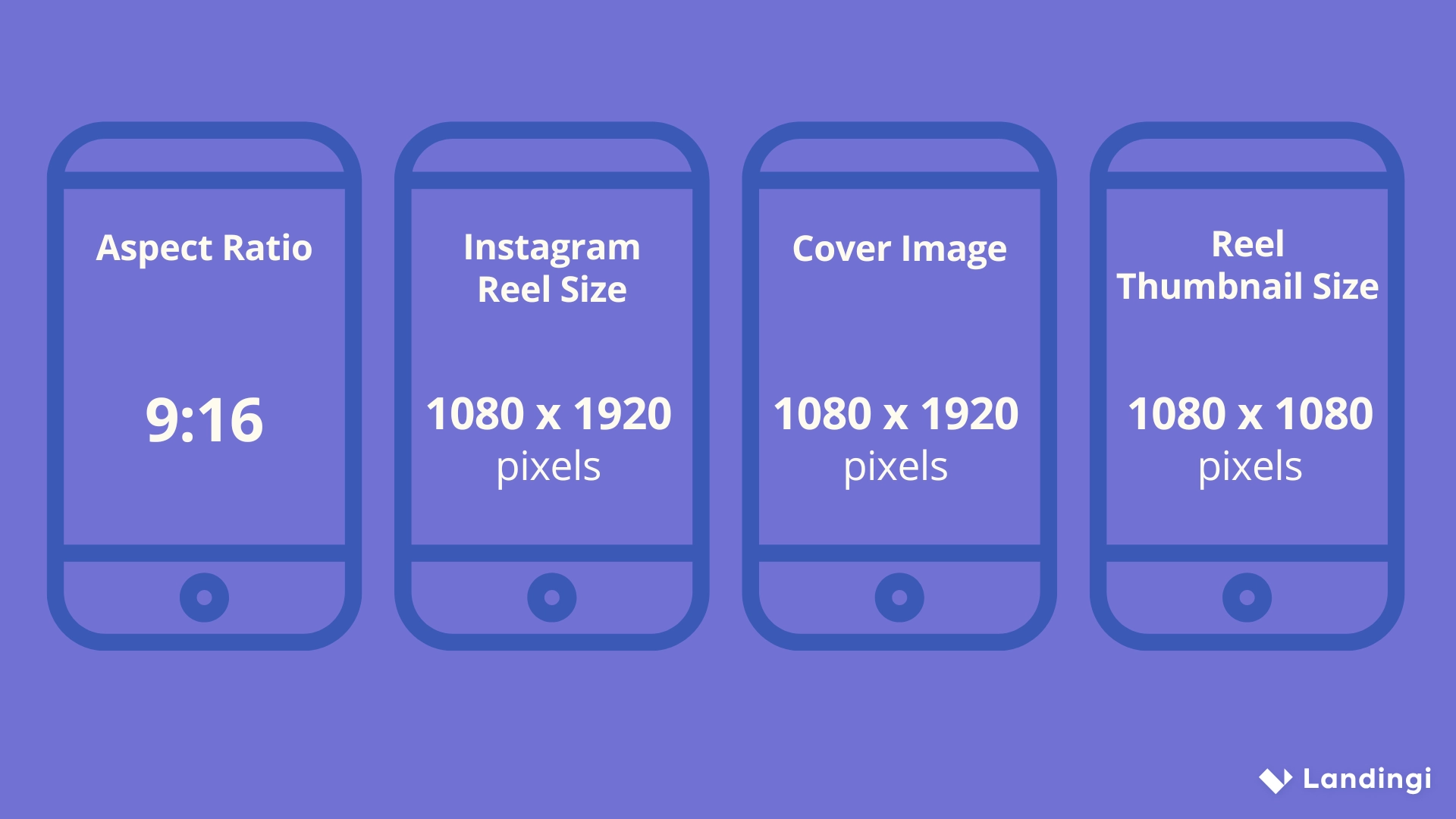
The correct Instagram Reel dimensions are 1080 x 1920 pixels, using a 9:16 aspect ratio. This vertical format is designed to fill the entire smartphone screen, which is exactly how most users view Reels. For reference, this ratio equals about 2.7 x 4.8 cm or 1.06 x 1.89 inches at 96–100 DPI – useful if you’re creating assets outside the Instagram app.
Instagram also allows other ratios like 4:5 or 1:1, but these aren’t ideal for Reels. When you upload in those formats, your video may get cropped or display with black bars, especially in full-screen view. Important parts of your content – like text or faces – can be cut off or covered by the interface.
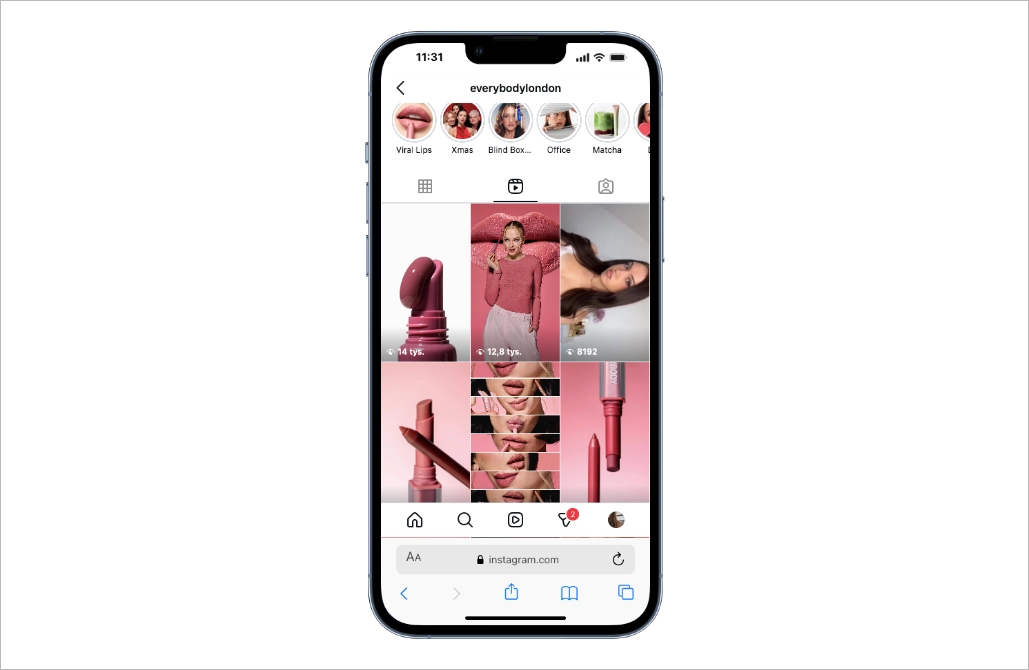
Sticking to 9:16 gives the best results because it matches how Reels are displayed across the app: in the feed, Reels tab, Explore page, and as ads. It maximizes screen space, maintains sharp resolution, and keeps your content aligned with Instagram’s design. If you’re aiming for the best visibility and engagement, 9:16 is the safest and most effective choice.
Choose from high‑impact templates designed to match your ad aesthetic and drive conversions instantly.
Recommended Specs for Instagram Reels (Technical Guidelines)
To get the best results on Instagram Reels, it’s important to follow the recommended technical specs. Instagram supports Reels with a frame rate between 24 and 30 frames per second (fps), but for advertising campaigns, 30 fps is the preferred standard to ensure smooth playback and professional appearance.
The recommended video format is MP4 or MOV, both of which are fully compatible with the Instagram app. For bitrate, aim for 5–8 Mbps for standard Reels. If you’re running ads, a higher bitrate is recommended to preserve quality, especially on larger screens or during autoplay.
In terms of video length, regular Reels can be up to 90 seconds long, while ads may be limited to 60 seconds, depending on the placement (e.g. Stories, Reels tab, or feed). Finally, keep your file size under 250 MB to avoid upload issues or compression artifacts. Following these specs helps maintain high visual quality and ensures your content is fully optimized for Instagram’s algorithm and interface.
How to Avoid Quality Loss on Instagram Reels?
To avoid quality loss on Instagram Reels, always upload videos that match the platform’s native settings. Instagram applies compression automatically, especially when videos are too large, use non-standard formats, or are uploaded over mobile data. This often results in lower resolution, color loss, or blurry visuals.
Set your frame rate to 30 fps and use a bitrate between 5–8 Mbps. For ad creatives, go for the higher end of that range to maintain sharpness. Export videos in MP4 (H.264) or MOV format, with a 1080 x 1920 px resolution and 9:16 aspect ratio, these are Instagram’s preferred specs.
In the Instagram app, go to Settings → Data usage → Media quality and enable “Upload at highest quality.” This prevents auto-compression when posting over slower or mobile networks.
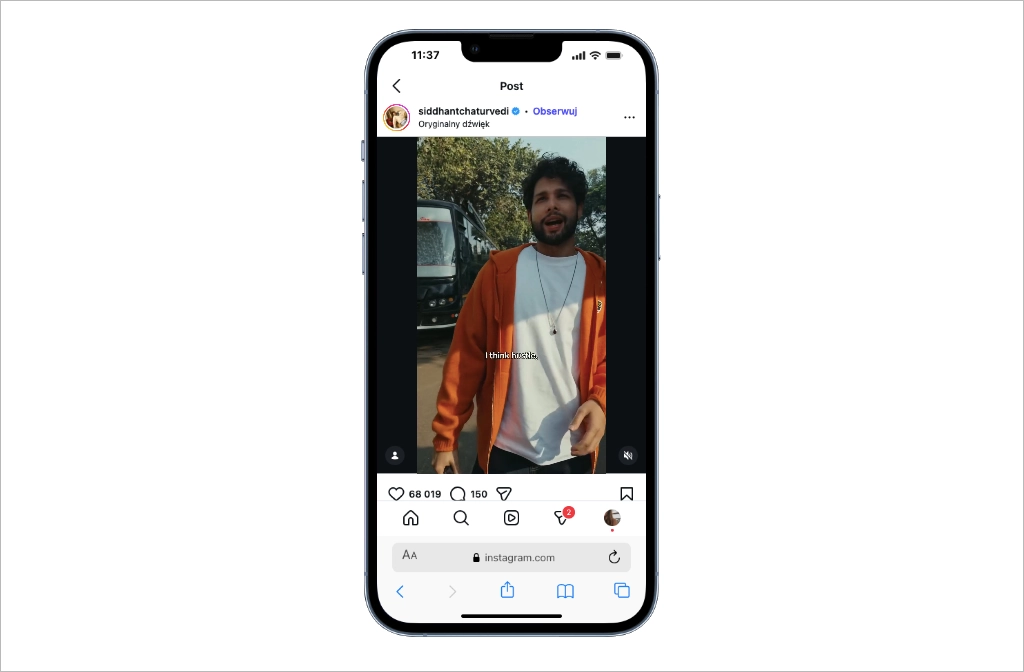
When exporting from tools like Adobe Premiere Pro, CapCut, or InShot, choose presets labeled “social media” or manually input the correct specs. Keep important visuals and text away from the outer edges to avoid them being cut off by Instagram’s UI elements during playback.
Start your journey with a free trial – build, publish, and optimize your first Instagram‑linked landing page now.
Boost Your Instagram Ads Performance with Landingi Landing Pages
Using the correct Instagram Reel size, aspect ratio, and video dimensions isn’t just about visual quality – it directly impacts how well your content performs in paid campaigns. Reels that follow Instagram’s technical guidelines (1080 x 1920 px, 9:16 aspect ratio) are more likely to be shown full-screen, without black bars or cropped visuals. This makes them more engaging, more professional, and better aligned with the platform’s algorithm.
But even the most optimized video won’t drive results without a clear next step. After capturing attention with an Instagram Reel ad, you need a fast, mobile-optimized page that turns clicks into sign-ups, leads, or sales. Landingi gives you all the tools to build high-converting landing pages without coding – perfectly suited for linking from Instagram and other social platforms.
The same rule applies to TikTok ads. High-performing short-form video content should always lead to a dedicated landing page built for conversion. With Landingi, you can easily connect both platforms to a single, consistent funnel, helping you maximize ROI across channels. Try it now!