


QikChat is a lead conversion and scheduling software that automates meeting bookings by linking form submissions directly to a team member’s calendar.
This guide will walk you through integrating your landing page form with QikChat, allowing you to pass all generated leads to it.
Get your webhook link from QikChat
1. Log in to your QikChat account.
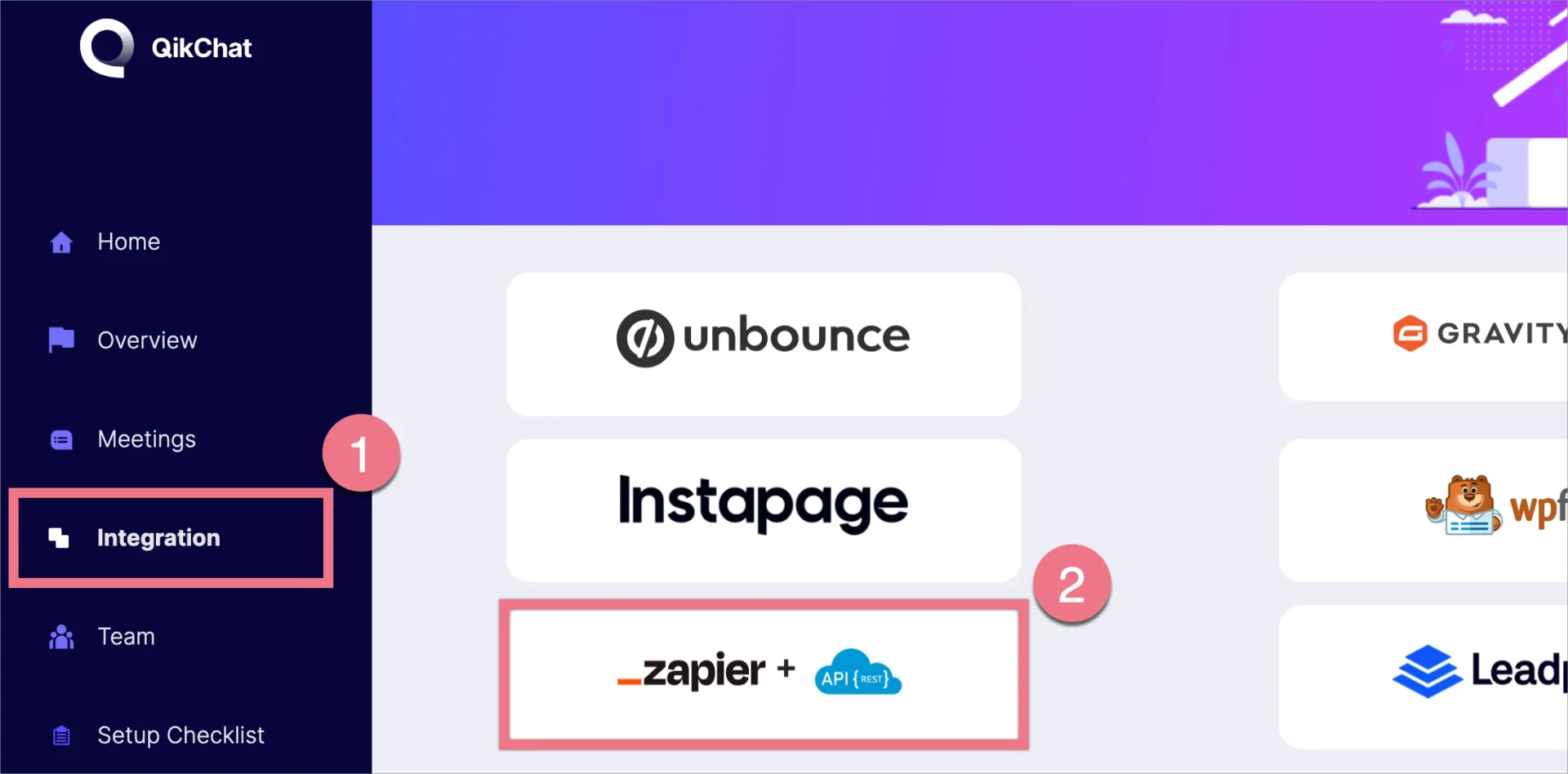
2. Click Integrations (1) and select Zapier & API (2).
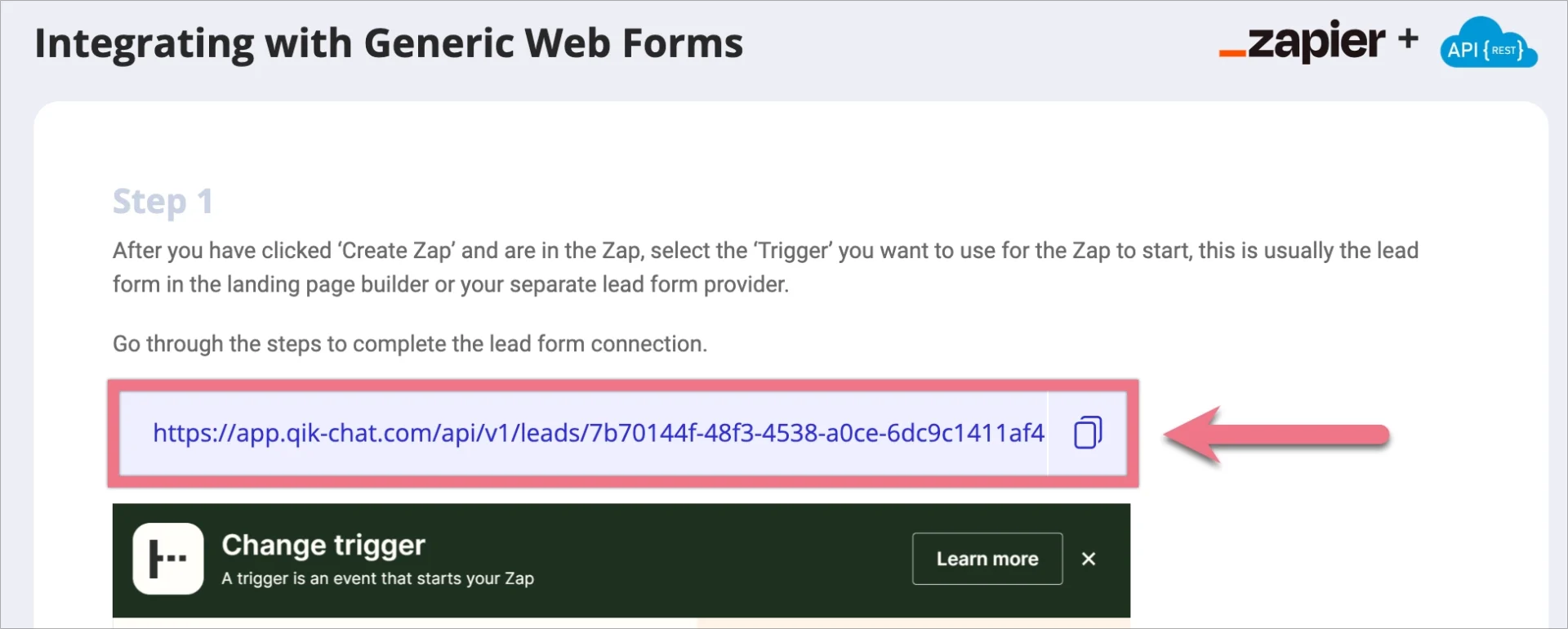
3. Copy the webhook link.
Install the webhook in Landingi
1. Log in to your Landingi account and go to the editor of your landing page or pop-up.
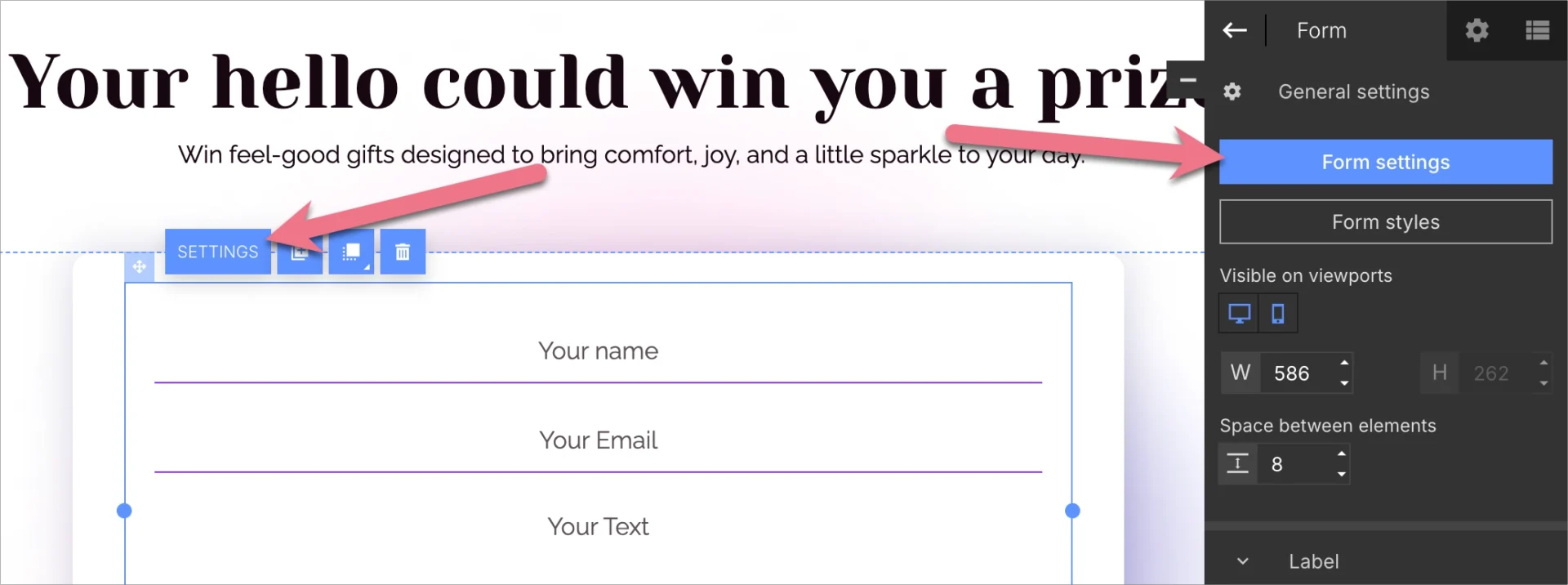
2. Click on your form and navigate to its Settings.
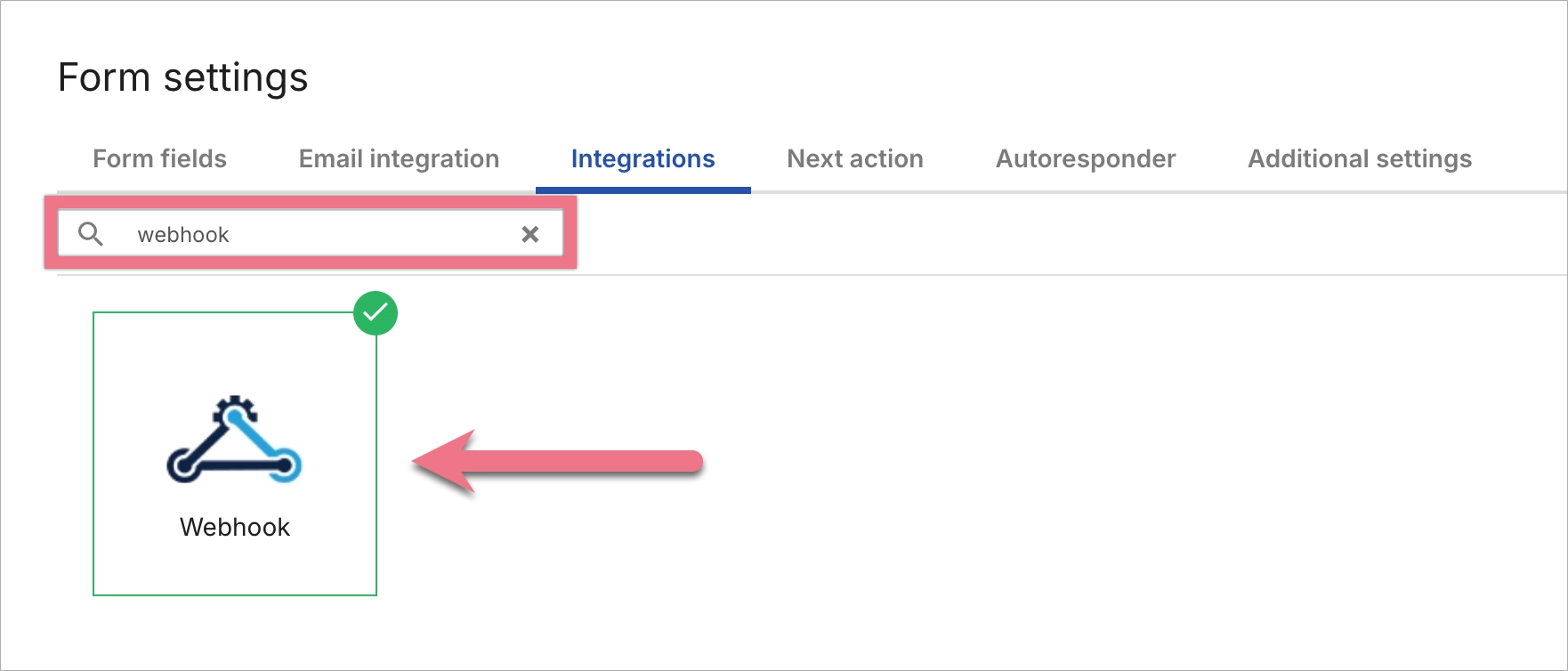
3. In the Integrations tab, choose Webhook.
4. In the Request URL field, paste the URL (1) copied from QikChat. Choose POST as the request method (2).
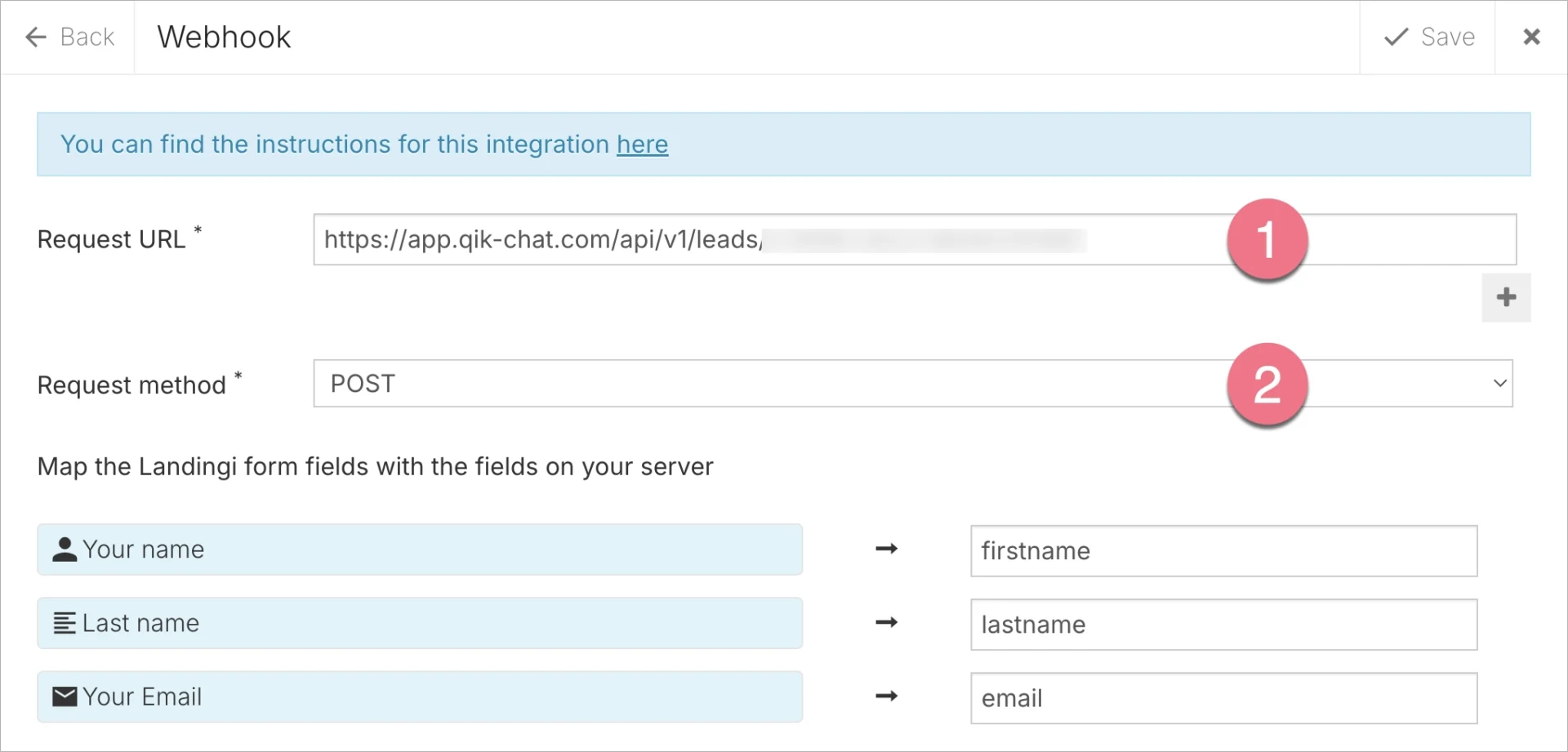
5. Save the changes. Publish your landing page.
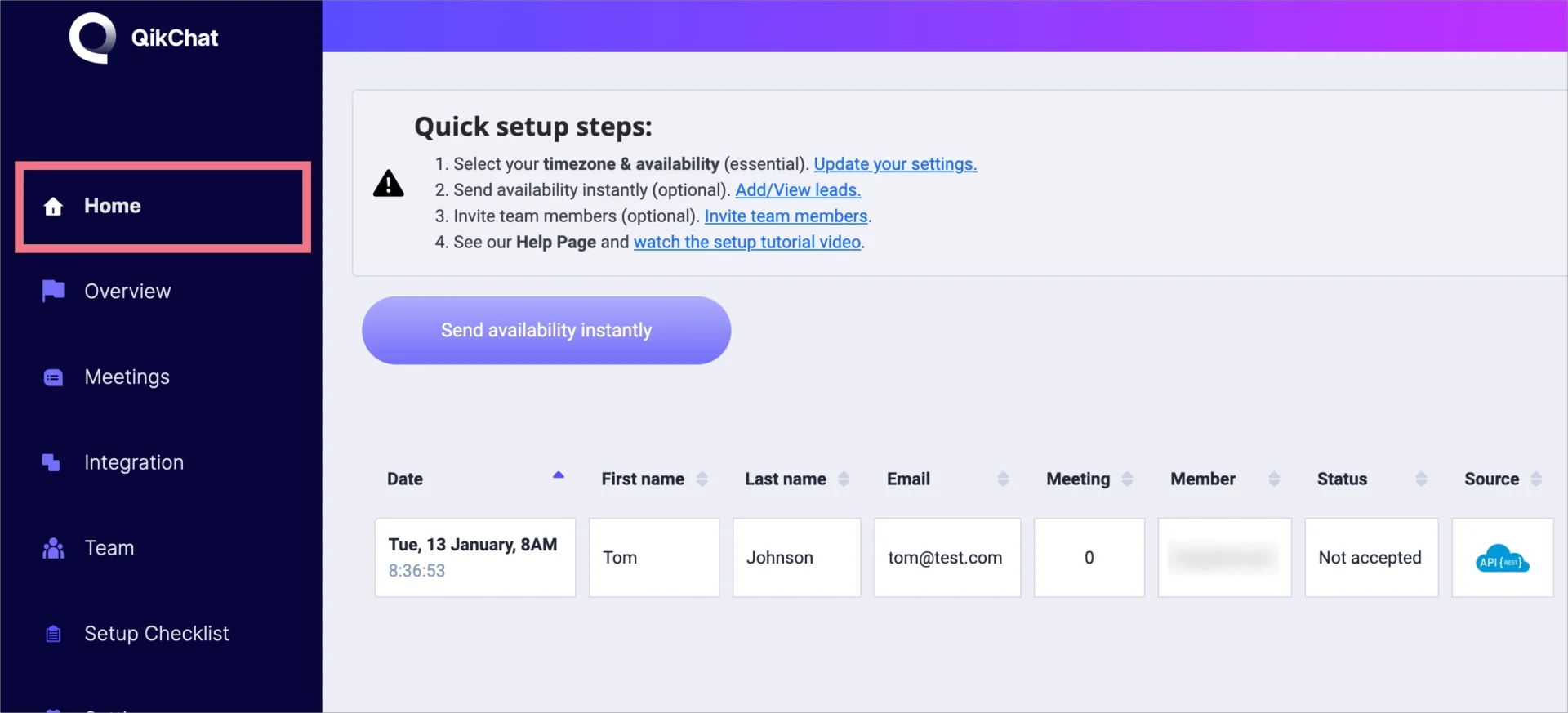
6. Fill out the form to verify that lead data is correctly sent to your QikChat account. You can find the leads in the Home tab.
NOTE: Keep in mind that QikChat is a third-party solution and is continually being developed. We do our best to keep this guide updated, but if you come across any changes in the set-up process, let us know.
Browse all integrations in our Integrations Catalog to see tools you can connect Landingi with.
