


This Shopify button integration allows you to sell products on a landing page published only within our platform. This integration allows you to sell products on a landing page.
Get the Shopify button code
1. Log in to your Shopify store.
2. Click on the plus icon next to the Sales Channels tab.

3. Choose Buy button.

4. If you do not have and Buy Buttons yet, click Create a Buy Button.

5. Select the type of your Buy Button.

6. Choose your product (or collection) and click Select. In the next window, customize your button and click Next.

7. Copy the code.

Install your Shopify button in Landingi
1. Go to the Landingi platform and navigate to the editor of your landing page.
2. On the left side of the editor, find the HTML widget, then drag and drop it into the active area of your landing page.

3. Double-click the HTML widget to edit it.
4. In the Add HTML code field, paste the code from Shopify.
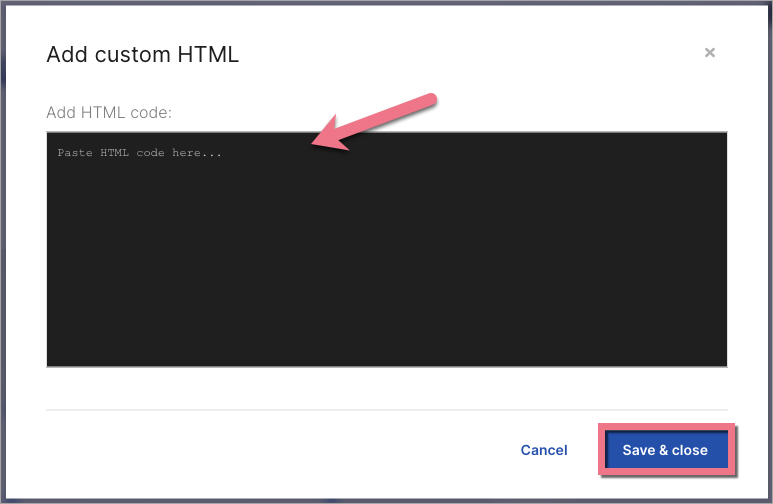
5. Save & close. Then, publish your landing page.

6. Check how your product is visible on the landing page. If you want to change its size, go back to the editor and adjust the HTML widget.
You can also share your downloadable files directly on your landing page. Read how to add them to a button or an autoresponder.
Browse all integrations in our Integrations Catalog to see tools you can connect Landingi with.

