


Facebook PPC advertising lets marketers pay for traffic from Facebook placements such as Feed, Stories, Reels, Marketplace, and the right column. Its main advantage is not only reach, but the ability to combine audience targeting, creative testing, budget control, and landing page matching in one campaign setup.
Did you know that of the 3.065 billion users who are active each month, 2.1 billion engage with the platform daily? This means that 68.6% of users log in and spend time on the platform every day, as presented in Sprout Social statistics. For Facebook PPC campaigns, this scale matters only when targeting is narrowed properly – for example by location, purchase intent, remarketing list, or lookalike audience. A large user base does not improve ROI by itself.
Still, Facebook PPC ROI depends on what happens after the click. The landing page should repeat the ad promise, load quickly on mobile, and make the next step clear enough for users to become leads or customers. If your Facebook ads send traffic to generic product pages, use Landingi to create separate landing pages for each offer, audience segment, or ad angle, for example, one page for retargeting users and another for cold traffic.
Read this article to understand what PPC means on Facebook, how campaign setup affects cost, and which landing page decisions influence post-click results. You’ll also see examples of Facebook ad formats and what each one does well.
In the beginning, grab a handful of PPC Facebook best practices:
- Set one campaign goal before choosing the objective: traffic, leads, purchases, bookings, demo requests, or remarketing.
- Build targeting around one audience logic: cold interest group, lookalike audience, website visitors, or existing leads.
- Use a creative that shows the offer within the first seconds or on the first screen, not just a generic brand visual.
- Check CTR, CPC, landing page conversion rate, and cost per result before increasing the budget.

What is PPC on Facebook?
PPC on Facebook is an advertising model where advertisers pay for each click on their ad. In Facebook Ads, PPC refers specifically to campaigns where cost is tied to clicks, while the broader Meta Ads system can also charge for impressions, views, or other delivery goals. Facebook PPC ads can use image, video, carousel, collection, or slideshow formats and appear in placements such as Feed, Stories, Reels, Marketplace, and the right column.
Facebook PPC campaigns let advertisers build audiences from demographics, interests, behaviors, custom lists, website visitors, and lookalike groups. Precise targeting can reduce wasted impressions, but it still needs testing against creative, offer, and landing page performance before you scale the budget.
Ad format should match the campaign task. Use image ads for a simple offer, video ads when the product needs demonstration, carousel ads when users should compare several products, and collection ads when the campaign supports ecommerce browsing. Each ad format serves different marketing objectives, from driving traffic to a website, generating leads, and increasing sales to building brand awareness and engagement.
Running Facebook ads? Build a landing page that repeats the same offer, creative angle, and CTA before you increase the budget.
How Does PPC Advertising on Facebook Work?
Facebook’s PPC model operates on an auction-based system where advertisers bid for ad placements. Advertisers control daily or lifetime budgets, but delivery still depends on the auction, audience size, bid strategy, ad quality, and campaign objective. Meta Ads Manager then shows whether clicks are turning into the intended result, such as a lead, purchase, signup, or landing page visit. Meta Ads Manager reports CTR, CPC, conversion rate, ROAS, and ROI, which helps advertisers see not only which campaign elements need adjustment (audience, creative, bid, or landing page), but also whether the revenue or lead value justifies the ad spend.
Facebook PPC advertising involves a few steps, as follows:
- Ad creation and targeting – you create ads and set specific targeting parameters. You choose your audience based on demographics, interests, behaviors, or even similar audiences that resemble your existing customers.
- Budget and schedule – you set a daily or lifetime budget and choose the duration you want your ads to run. Facebook ensures the ads are delivered within the set budget, spreading the cost over the specified period.
- Bidding system – you can set bids manually when you have a target cost in mind, or use automatic bidding when you want Meta to spend the budget toward the selected objective.
- Performance and analytics – once the ads are live, you can monitor their performance through Meta Ads Manager. Key metrics such as click-through rate (CTR), cost per click (CPC), and conversions help assess the campaign’s effectiveness and make necessary adjustments.
5 Facebook PPC Best Practices to Reduce Wasted Ad Spend
Use the following Facebook PPC best practices to reduce wasted spend before launch and to diagnose weak results after the campaign starts:
#1 Leverage precise audience targeting
The best practice for the first Facebook PPC ads is to leverage precise audience targeting. Facebook gives advertisers access to many audience signals, but targeting works only when the segment matches the offer. Before launch, define whether the ad is for cold users, remarketing, lookalikes, or existing leads. Define your audience based on the following factors:
- age,
- gender,
- demographics,
- hobbies and interests,
- location,
- behaviors,
or custom audiences from your existing customer data. Additionally, create lookalike audiences to find new potential customers who share characteristics similar to your current ones.
#2 Create ad creatives that show the offer immediately
The second Facebook PPC best practice is to make the offer visible before users read the full ad copy. The first visual frame should clearly show the product, outcome, or pain point so users can understand why the ad is relevant. The ad copy should then name one action, such as Shop now, Book a demo, Download the guide, or Get a quote.
Additionally, it’s a good practice to run A/B tests on different ad variations to see which ones resonate best with your audience and optimize accordingly.
#3 Build and optimize a landing page
The third Facebook PPC best practice is to build and optimize a landing page linked to your ad. Even a strong Facebook video ad can waste budget if the landing page repeats neither the offer nor the promise from the ad. The destination page should confirm the same product, discount, lead magnet, or next step immediately above the fold. Use the best landing page platform, Landingi – choose one of over 400 templates, build a page in the editor, or use Lunar, Landingi’s AI landing page generator, to create a complete, launch-ready page from a short campaign brief. Then adapt the headline, form, CTA, and visuals to the specific Facebook ad angle. The platform also offers automatic translation in 35 languages, allowing you to build a high-converting page in minutes.
Build a dedicated landing page for each Facebook ad angle, audience, or offer before you increase the campaign budget.
After a Facebook ad click, the landing page should repeat the same offer, visual cue, and CTA the user saw in the ad. Before launch, check the headline, hero image, form length, mobile load time, and whether the CTA matches the campaign objective. Optimize the landing page for mobile speed and responsiveness, since most Facebook clicks occur on mobile placements, where a slow page can waste paid traffic before users see the offer.
#4 Setting a budget
The fourth Facebook PPC best practice is to set a budget and manage it properly. On the Facebook social media platform, your ad account can be funded for each ad with a previously established budget. A campaign budget limits total spend, but it does not guarantee efficient results. Set a test budget first, then compare cost per result with the expected lead value, purchase value, or acceptable CPA.
Use Facebook’s automatic bidding strategy to let the platform optimize for the best results within your budget, or set manual bids if you have specific cost goals. Regularly review and adjust your bids based on the performance data to ensure you get the best return on investment.
#5 Use campaign data to decide what to change first
The fifth Facebook PPC ads’ best practice is to implement data-based optimization. Utilize Meta Ads Manager to track the performance of your campaigns. Monitor key metrics such as click-through rate (CTR), cost per click (CPC), conversion rate, and return on ad spend (ROAS). Use this data to identify what’s working and what’s not. Additionally, leverage tools like EventTracker from Landingi and Google Analytics to gather details on user behavior, which can help adjust your ads and related landing pages to users’ expectations.
Use campaign data to decide what to change first. If CTR is low, test the hook or creative. If CTR is strong but conversions are weak, audit the landing page, form, offer, and message match. If the cost per result rises after scaling, check audience fatigue and placement performance before increasing the budget again. Test new ad variations when frequency rises, CTR drops, or cost per result starts increasing. Use landing page data to decide whether to shorten the form, change the CTA, adjust the headline, or split the page by audience segment. Lastly, considering the gathered data, optimize your landing pages to increase conversions and boost ROI.
How to Start a PPC Campaign on Facebook?
To start a Facebook PPC campaign, choose one campaign objective, define the audience, set the budget, create the ad, and connect it to a landing page that matches the ad promise. Launch only after checking tracking, placements, and the conversion event. Don’t forget about regular monitoring and optimization.
Take a look at the detailed guidelines below to ensure you haven’t missed any step:
1. Define goals
Defining your goals is the first step to starting a PPC campaign on Facebook. Identify what you want to achieve with your PPC campaign. Choose the goal in a measurable format: landing page views for traffic, form submissions for leads, purchases for sales, or reach/frequency for awareness. The goal should determine the campaign objective, conversion event, landing page CTA, and reporting metric.
2. Set up a Facebook Business Account
A Facebook Business Account is required to manage campaigns, billing, assets, and permissions. Once it is set up, use Facebook Business Manager to connect ad accounts, pages, payment methods, and team access.
3. Create an ad campaign
The third step is to create an ad campaign. Navigate to Meta Ads Manager and click “Create” to start a new campaign. Choose your campaign objective based on your goals (e.g., traffic, conversions, lead generation). Each objective aligns with different ad formats and placements.
4. Define your audience
Defining your audience is the fourth step to launching the Facebook ad campaign. Once you know who your perfect customer is, utilize Facebook’s targeting options to define your audience. Specify demographics, interests, behaviors, and location. Utilize custom audiences to target individuals who have previously engaged with your business or create lookalike audiences to attract new potential customers who share similarities with your current clientele.
5. Set your budget and schedule
The fifth step is setting a budget and scheduling your campaign. You can choose a daily or lifetime budget for the entire campaign duration. Then, you have to set your campaign’s start and end dates. Unless you specify otherwise, Facebook will distribute your ad spend evenly over this period.
6. Design the ad creative
The sixth step in starting a Facebook campaign is to design ad creative. Depending on your objective, choose from various ad formats such as single image, video, carousel, slideshow, or collection ads. Write clear and concise ad copy with a strong call to action to guide users toward your desired action. Use a short video or product image that shows the offer before the user needs to expand the copy. Link your ad to the landing page with a single focus, related to the ad.
If you need to create several landing pages for different ad creatives or audience segments, Lunar, an AI page generator, can speed up the process by generating a ready-to-edit page from your campaign brief. You can then refine the copy, visuals, and CTA in Landingi so the page reflects the same promise as the Facebook ad.
Do not send every Facebook ad to the same page. Build separate landing pages for each offer, audience, and objective.
7. Set up ad placement
The seventh step in launching your campaign on Facebook is to set up the ad placement. Decide where you want your ads to appear. Use automatic placements when you need delivery volume and do not yet have placement-level data. Use manual placements when the creative is built for a specific format, such as vertical Stories/Reels or a compact right-column ad.
8. Optimize for delivery
The eighth step is to choose the delivery goal: clicks, impressions, conversions, or daily unique reach. Meta then prioritizes users who are more likely to complete the selected action.
9. Launch your campaign
Before launch, review the audience settings, budget, schedule, creative, and placements. Once everything is set, click the “Confirm” button to launch your campaign. Your ads will go through a review process before running, which usually takes minutes to 24 hours. During this time, Facebook checks your ad to ensure it complies with its advertising policies and community standards
Once your campaign is live, remember to monitor its performance through Meta Ads Manager regularly. Track key metrics such as click-through rate, cost per click, impressions, and conversion rates. Use this data to decide whether to narrow the audience, replace the creative hook, pause expensive placements, adjust bids, or improve the landing page before adding more budget.
What Is the Cost of a PPC Facebook Campaign?
The cost of a PPC Facebook campaign can start from $0.26 (cost per click) or $1.01 (cost per thousand impressions), but the advertising costs can vary widely based on several factors, including your industry, target audience, competition, and campaign objectives. The average costs of Facebook PPC campaigns in 2024, based on WebFX statistics, are the following:
- Avg. CPC (cost per click): from $0.26 to $0.50
- Avg. CPM (cost per 1000 impressions): from $1.01 to $3.0
You can set your budget in daily or ad lifetime aspects before launching Facebook advertising. Automatic bidding lets Meta spend the budget toward the selected objective, such as clicks, landing page views, leads, or purchases. The result depends on whether the objective and conversion event match the real business goal. For those who want to make it manually, there is another option where users set bids on their own.
Take into account the key aspects affecting the Facebook advertising costs, as follows:
- Bidding strategy – Facebook ads operate on an auction system where you compete with other advertisers for ad placements. You can choose manual bidding to control the maximum bid or automatic bidding to let Meta allocate spend toward the selected objective.
- Target audience – the cost per click (CPC) or cost per thousand impressions (CPM) can vary depending on how specific and competitive your target audience is. Narrow, highly competitive audiences tend to have higher costs.
- Ad quality and relevance – Facebook uses a relevance score to measure how well your ad is performing with your target audience. Ads that match the audience, creative, and landing page intent can be cheaper to deliver because Meta’s auction also considers ad quality and expected user response.
- Ad placement – different ad placements (e.g., news feed, stories, right-hand column) have different costs. Typically, placements in the news feed are more expensive than in the right-hand column or on Instagram.
- Campaign objectives – the objective of your campaign (e.g., traffic, conversions, lead generation) can also affect costs. Conversion-focused campaigns might have higher costs but also higher value per action.
- Budget and duration – your total spending will depend on your daily or lifetime budget and the duration of your campaign. If you don’t specify bids manually, Facebook will distribute your budget to maximize results over the specified time period.
If you are considering hiring professionals to run your Facebook PPC campaigns, expect to pay an average of $500 to $2000 per month for freelance PPC management. Engaging a PPC management agency, however, can cost anywhere from $1500 to $25,000 per month, depending on the extent and range of services provided.
4 Examples of PPC Facebook Advertising
The examples below show four Facebook ad formats and what to check in each one: creative format, offer clarity, CTA, placement, and landing page match. Each brand in these examples uses different types of advertisements that appear to its target audience, encouraging them to see more details about the offer and take the desired action.
1. MANSCAPED©️
The first example is one of the most popular forms of Facebook PPC – a video ad, launched by Manscaped. The short video is placed in the news feed of Facebook, making it hard to miss for potential customers who each day scroll through their favorite social media platform. The video format works here because it can show the product, use case, and offer before users leave the feed. The short description and Shop now CTA keep the next step clear.

The total length of this video is slightly over 30 seconds, making it attractive for social media users used to short video formats. The video itself showcases the product, its usage in real life, and its benefits. The CTA button “Shop now,” when clicked, directs users to a related landing page.

The landing page continues the same product promise from the video ad: it shows the product early, keeps the purchase path visible, and uses a CTA focused on shopping rather than a generic “learn more” action. The whole campaign is consistent with the brand’s style and message, engaging users to take the desired action and, more importantly, building the brand’s awareness among those who don’t convert.
Build a Facebook PPC page that keeps the same product, offer, and CTA users clicked in the ad.
2. ClickUp
The second example showcases another type of Facebook ad leveraged by ClickUp, displayed in the right column. This minimal ad includes a thumbnail picture – even though its size isn’t big, it’s a high-quality graphic with bold headlines and app screenshots presenting the product.

The right column ads on Facebook can’t be extensive, so the ClickUp minimized copy to the persuasive call to action. The ad also includes a link directing to the advertiser’s homepage, where interested visitors can find more details about the offer.
3. Byrokko
The third example is a classical image-based Facebook ad of Byrokko displayed in the news feed. Its bigger size allows for including more information – the copy includes a new product announcement and a special offer, engaging their target audience groups to discover more info and use the offer code to purchase the product.

The ad is based on an intensive, high-quality product picture showcasing its characteristics. The product image works because the offer is visible before the user reads the full caption: product, discount cue, and CTA are all close to the first screen. This ad includes a CTA button placed next to the special offer, directing interested users to the product page where they can buy it with a special discount. The Facebook ad and product page use the same offer, product, and discount cue, so users do not have to re-check whether they landed in the right place after clicking.
4. Raw Decor
The last example showcases another popular Facebook ad format, a carousel, which Raw Decor leverages to promote its products. Its efficiency lies in the possibility of presenting many products within only one ad – it’s especially great for e-commerce companies. Each tile can include images and brief descriptions of a different product and a clear call to action directing users to a related landing page.

Carousel ads work well when users may need to compare variants before clicking, such as colors, styles, product categories, or price ranges. They can also support brand awareness by showing a broader product range in one placement, even when users do not click immediately. Users can switch tiles with an arrow or by sliding them on mobile devices. By clicking the chosen tile, they are directed to a specific landing page focused on the particular product they have chosen in the ad.

Raw Decor uses the carousel format to shorten product discovery: each tile presents a different product route, so users can click the item that already matches their intent. The landing page related to one of the ad’s files showcases product details, price, and delivery options. It includes high-quality product images and a well-optimized CTA button with an icon indicating purchasing. The distinctive consistency between Facebook ads and landing pages increases conversion rates, making this campaign successful.
Running carousel ads? Build a separate landing page for each product category or offer, so users land on the item they clicked instead of a generic catalog page.
Can PPC be Used on Facebook?
Yes, PPC can be used on Facebook through its advertising platform, Meta Ads. You can leverage targeted PPC campaigns, where you pay each time a user clicks your ads. This allows for precise audience targeting based on demographics, hobbies, and behaviors. You can choose various ad formats like image, video, or carousel ads and place them in different Facebook locations.
With Facebook PPC campaigns, you can track clicks, CPC, CTR, landing page views, leads, purchases, and ROAS in Meta Ads Manager, depending on the campaign setup and tracking configuration.
What Distinguishes PPC on Facebook?
PPC on Facebook is an advertising model in which you launch a visual-based campaign, charged for clicks or impressions. Facebook PPC stands out because advertisers can combine visual ad formats with audience signals such as demographics, interests, behaviors, custom audiences, and lookalikes. These signals improve control over delivery, but they still need validation through CTR, CPC, and post-click conversion data.
FB ads involve various formats, including image, video, and carousel ads, and companies can decide about their placement: whether in the news feed, stories, or the right-hand column. This model allows each advertiser to drive traffic, generate leads, and increase sales while monitoring performance through Meta Ads Manager.
Use Landingi to check whether your Facebook ad promise, landing page headline, form, and CTA tell the same story.
What Is the Difference Between Facebook Ads and PPC?
Facebook Ads and PPC are related but distinct concepts. PPC, or Pay-Per-Click, is a digital advertising model in which advertisers pay a fee each time their ad is clicked. It’s a strategy used across various websites and platforms on the Internet, including search engines like Google, to reach qualified traffic.
While Facebook Ads can include PPC campaigns, they also offer other payment models, such as CPM (Cost Per Thousand Impressions), where advertisers pay for views rather than clicks. Facebook Ads provide advanced targeting options, allowing advertisers to reach specific audiences. Additionally, Facebook Ads offers various ad formats and placements unique to the Facebook social media ecosystem. In summary, while PPC is a broad advertising method, Facebook Ads is a specific advertising platform that can utilize PPC, among other strategies, to achieve advertising goals.
Which Is Better, PPC or Facebook Ads?
Choosing between PPC and Facebook Ads depends on your goals and audience – search PPC is usually stronger when users already express intent through a query. Facebook Ads are usually stronger when the advertiser wants to create demand, retarget visitors, or test visual offers against specific audience segments.
PPC is a broad term that includes advertising on platforms like Google, while Facebook Ads are a specific tool within the Facebook social media ecosystem. While traditional PPC is based mostly on users’ direct browsing or geotargeting methods, social media ads can appear to users who share specific interests by participating in social media platforms.
Facebook ads’ main advantages include the following:
- Advanced targeting – you can reach users based on demographics, interests, and behaviors.
- Varied ad formats – you can utilize images, videos, carousel ads, and more.
- Engagement opportunities – you can promote interactions such as likes, shares, and comments.
- Cost-effectiveness – FB ads offer options for both PPC and CPM models, catering to different budgets.
- Detailed analytics – you can easily track performance and optimize campaigns with Meta Ads Manager.
What Is the Best PPC Facebook Tool for Landing Pages?
The best PPC Facebook tool for landing pages is Landingi – a system designed to streamline the creation, testing, and optimization of landing pages for marketing initiatives, including PPC and Facebook advertising. In Landingi, you can adjust pages for different ads, offers, and audience segments.
Create a Facebook PPC landing page that matches the ad headline, offer, audience, and conversion goal.
As one of the best PPC tools for crafting high-converting landing pages, Landingi offers professional features that cater to the unique demands of Facebook advertising. Over 400 professionally designed templates created for various industries and objectives allow users to build pages swiftly and efficiently. For faster campaign setup, Lunar – Landingi’s AI landing page generator can create a complete, launch-ready page from a short brief, which is especially useful when you need separate pages for different ad angles, audiences, or offers.
Landingi’s AI features can also support page copy, SEO elements, and image editing, but the final page should still be checked for message match with the Facebook ad, mobile layout, form clarity, and CTA visibility. Landingi also offers a form builder to maximize conversions. Every page crafted within its builder is automatically optimized for mobile devices, with automated adjustments to dimensions and layout ensuring seamless viewing across mobile screens.
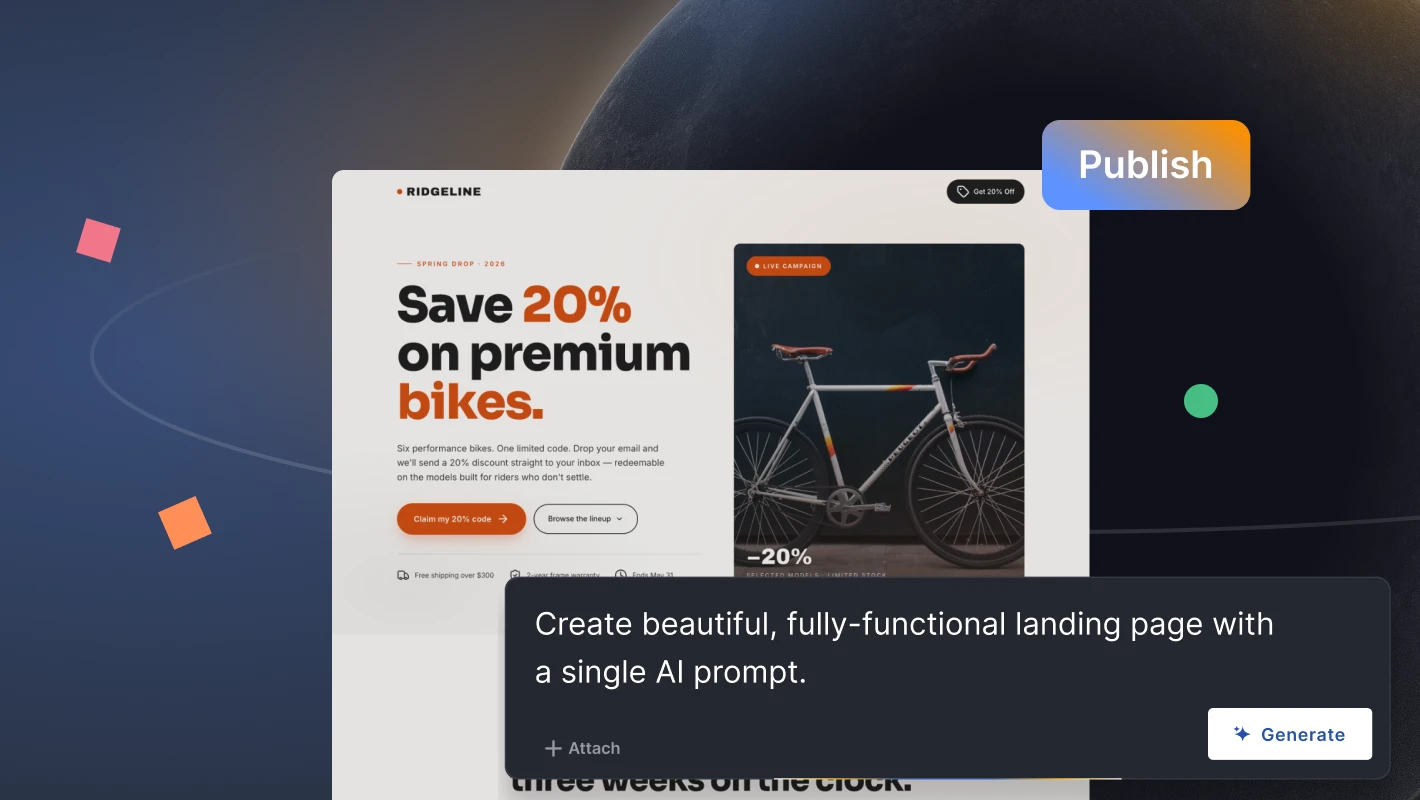
Once the landing page is created and linked to the Facebook ad campaign, users can further leverage Landingi to run A/B tests and experiment with various page versions to identify the most effective design. A/B testing landing page versions works especially well with Facebook ads when the campaign generates enough traffic to compare headlines, forms, CTAs, or page layouts. With the EventTracker solution, advertisers can monitor user behavior and gather valuable performance data essential for ongoing optimization efforts. Additionally, Landingi’s extensive library of over 170 integrations enables marketers to incorporate it seamlessly into their broader digital marketing toolkit, solidifying its position as the best choice for running Facebook PPC campaigns.
Landingi’s combination of ease of use and powerful customization options makes it exceptionally effective for Facebook PPC campaigns. The intuitive builder simplifies the creation process, making it accessible to users without technical expertise, while its advanced customization capabilities cater to experienced marketers looking to create sophisticated, highly tailored landing pages. Landingi’s builder and customization options help teams create responsive Facebook PPC landing pages without having to rebuild each page from scratch.
Start Your Facebook PPC Campaign with a Landing Page That Matches the Ad
Facebook PPC can support traffic, lead generation, sales, and remarketing, but ROI depends on how well the campaign connects audience targeting, creative, offer, budget, tracking, and landing page. Mastering the fundamentals of PPC and applying proven best practices enables companies to precisely target their audience, fine-tune their campaigns, and meet their marketing goals.
Before launching a Facebook PPC campaign, check whether the objective, audience, creative, offer, landing page, and conversion event all point to the same result. After launch, use performance data to decide whether the problem sits before the click or after the click. The examples discussed in this article demonstrate the power of strategic audience targeting, innovative content, and timely promotions in boosting user engagement and driving conversions. However, even the most captivating ads require optimized landing pages for maximum efficiency.b
Before you scale your next Facebook PPC campaign, build a landing page that repeats the ad promise, keeps the form visible, and tracks the conversion event. In Landingi, you can create separate pages for each ad angle and test which version turns paid clicks into leads or sales.






