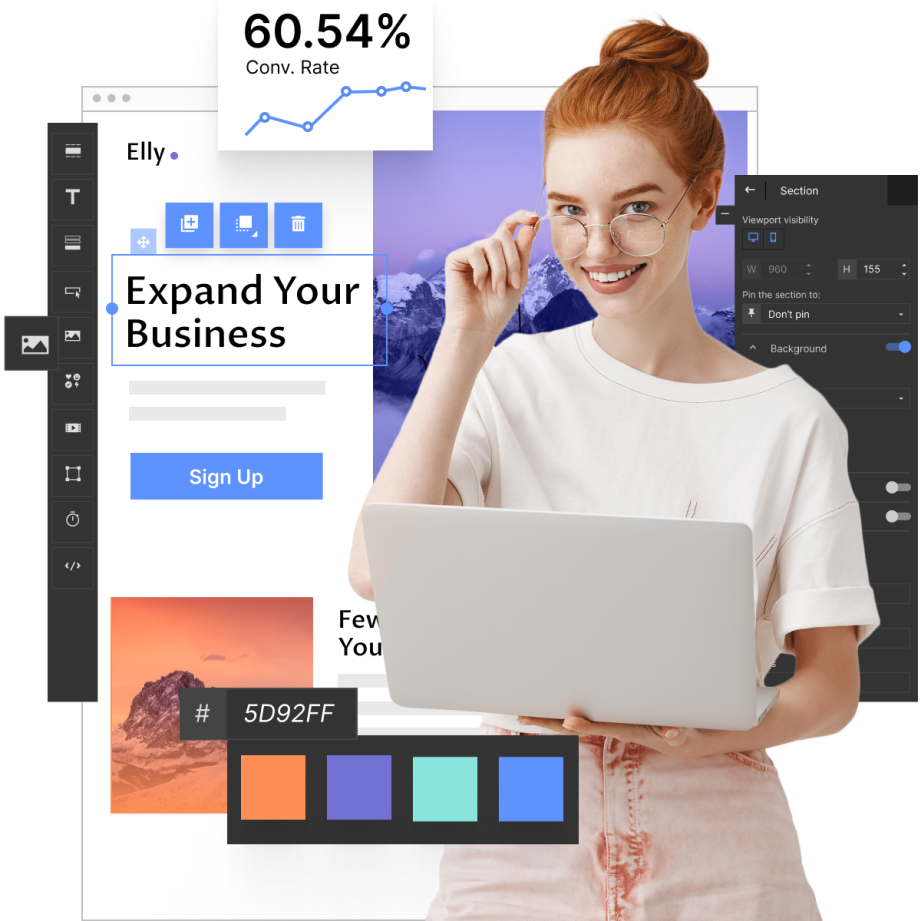
Instagram PPC lets advertisers pay for clicks from visual placements such as Stories, Reels, feed ads, and carousels, then send that traffic to a product page, app page, or dedicated landing page. With more than one billion active users each month, Instagram is useful for campaigns where the offer can be shown visually, especially products, apps, courses, local services, and lead magnets that need quick creative testing. Hootsuite report revealed that 75% of Instagram users take actions like visiting a website or making a purchase after seeing an ad on the platform. Still, ROI depends on more than the click: advertisers need a clear offer, accurate targeting, mobile-ready landing page, and conversion tracking.
While crafting your Instagram ads, remember to link them to relevant landing pages. For Instagram PPC, a dedicated landing page usually works better than a generic homepage because it can repeat the ad promise, show one offer, and remove navigation paths that distract from the conversion goal. Tools such as Landingi help build and test those pages without starting from code.
Reading this article, you’ll uncover Instagram’s PPC meaning, learn the best practices for maximizing ad campaigns, and meet real-world examples illustrating various successful strategies. At the beginning, check a few tips on creating Instagram ads that drive high ROI:
- Understand your audience to leverage the potential of Instagram targeting options fully.
- Use product-in-context photos, short demos, creator-style videos, or before-and-after visuals that communicate the offer within the first two seconds.
- Send ad clicks to a landing page that repeats the same offer, headline angle, and CTA.
- Test various ad formats to find the one that works best.

What Is PPC on Instagram?
PPC on Instagram is a type of digital marketing strategy in which advertisers pay a fee each time one of their ads is clicked. In this model, advertisers buy traffic instead of waiting for organic reach. They can direct clicks to a landing page, website, app store page, product page, or Instagram profile, depending on the campaign objective.
Instagram ad formats, such as photo ads, video ads, carousel ads, and Story ads, let advertisers test different ways of presenting the same offer: a single product image, a short demo, a sequence of benefits, or a Story-style promotion with a direct CTA.
Instagram PPC allows advertisers to use advanced targeting options to reach specific audiences based on demographics, interests, behaviors, and more. Instagram targeting can narrow delivery to users who are more likely to match the offer, but it still needs validation through CTR, CPC, conversion rate, cost per lead, and post-click behavior on the landing page.
The PPC model on Instagram is particularly effective due to the platform’s high engagement rates. Instagram is usually strongest when the buying path starts with visual attention: discovering a product, watching a short demo, comparing styles, saving an offer, or clicking through to a mobile landing page.
Build a landing page that repeats your Instagram ad promise, keeps one CTA, and is ready for mobile traffic before you scale the budget.
How Does PPC Advertising on Instagram Work?
Instagram’s PPC model operates on an auction-based system where advertisers bid for ad placements. The auction system gives advertisers control over budgets, bid strategy, audience settings, and placements, while final delivery depends on competition, estimated action rates, ad quality, and campaign objective.
Crafting and managing Instagram PPC campaigns can be done by utilizing Facebook’s Ads Manager, which is integrated with Instagram. The integration between Instagram Ads and Meta Ads Manager provides advanced analytics and performance tracking, enabling advertisers to monitor key metrics of their ad campaign, including click-through rate (CTR), cost per click (CPC), and conversion rates. Advertisers can use this data to pause weak creatives, move budget to lower-cost audiences, adjust bids, change the landing page CTA, or stop campaigns where the cost per conversion is too high to protect ROI.
Instagram PPC advertising involves 4 key steps, similar to the Facebook PPC model, as follows:
- Ad creation and advanced targeting – advertisers create ads, choosing from various formats, like photo-based ads, video ads, story ads, etc., and set specific targeting parameters. Instagram allows them to choose their audience based on demographics (age, gender, location), interests, behaviors, or even similar audiences that resemble their existing customers.
- Budget and ad schedule – businesses that launch campaigns on Instagram set a daily or lifetime budget for an ad and determine the duration for which they want their ads to run. Instagram ensures the ads are delivered within the budget, spreading the cost over the specified period.
- Bidding system – bids can be set manually, giving advertisers more control, or automatically, where Instagram optimizes for the best results within the previously set budget.
- Performance and analytics – after launch, Meta Ads Manager helps check whether the campaign is losing budget before or after the click. Low CTR usually points to the creative or audience, while low conversion rate points to the landing page, offer, or form.
7 Instagram PPC Best Practices
Use the following Instagram PPC practices to check whether your campaign has the right audience, creative format, landing page match, testing plan, and budget control before you increase spend.
#1 Understand your audience
The first Instagram PPC best practice is to understand your audience, their needs, and expectations. Define the audience by buying intent, problem awareness, location, budget range, and past interactions with your brand, not only by age, gender, and broad interests. Then translate those segments into custom audiences, lookalikes, exclusions, or retargeting groups in Meta Ads Manager. Utilize custom audiences based on existing customer data and create lookalike audiences to expand your reach to users similar to your best customers.
#2 Create Instagram ad visuals that explain the offer fast
The second Instagram PPC best practice is to create compelling visual content that immediately grabs your target audience’s attention. Use visuals that show the product, result, or offer before the user has to read the caption. For Instagram PPC, a clear product shot, short use-case demo, price anchor, or creator-style testimonial often communicates faster than a polished brand graphic. Don’t forget about written content – ad copy should name the problem, clarify the offer, and tell users what happens after the click, for example: “Get the 7-day meal plan,” “Book a free demo,” or “Compare the course levels.”
#3 Utilize various ad formats
The third Instagram PPC best practice is to utilize various ad formats. Match the ad format to the job: use Stories for quick offers, Reels for demonstrations, carousels for feature or product comparisons, and feed ads for evergreen acquisition campaigns. Use interactive elements like polls, quizzes, and Story links only when they support the campaign goal, for example qualifying interest, sending users to a product page, or collecting leads.
#4 Test one campaign variable at a time
The fourth Instagram PPC best practice is to test and optimize your ads. Test one major variable at a time: creative angle, hook, audience, placement, landing page headline, or CTA. Avoid changing the audience and landing page in the same test, because you will not know which change affected the result.
Regularly reviewing key performance metrics is essential in the testing process. Metrics such as Click-Through Rate (CTR), Cost Per Click (CPC), and conversion rates provide a clear picture of your ads’ performance. CTR, CPC, and conversion rate help advertisers see whether the creative attracts clicks, whether traffic is affordable, and whether the landing page turns visits into leads or purchases.
Use Landingi to test the post-click part of your Instagram PPC funnel: headline, CTA, form, layout, and mobile page variant.
#5 Use Instagram data to find the weak point in the funnel
Use Instagram and Meta Ads Manager data to find where the campaign loses efficiency: low CTR points to weak creative or targeting, high CPC may indicate expensive competition, and low post-click conversion often means the landing page does not match the ad.
By tapping into Instagram’s analytics tools, you can gather valuable data on ad performance and user behavior. Instagram performance data, including CTR, CPC, CPM, conversions, and cost per result, can show whether the issue is creative, targeting, bidding, or the landing page. Once you have access to data, make adjustments to your targeting, creative elements, and bidding strategies based on the insights gathered.
#6 Align ads with landing pages
The sixth Instagram PPC best practice is to align ads with landing pages. Even a strong Instagram ad can waste budget if the landing page changes the offer, uses a different headline, hides the CTA, loads slowly on mobile, or asks for too much information in the form. Ensure that the message and visuals of your ad are consistent with the landing page to which users are directed. Use tools like Landingi – a platform based on a landing page builder and Lunar, its AI landing page generator, supported by over 400 templates and advanced tools for testing, tracking, and optimizing pages.
With Landingi, you can build a separate landing page for each Instagram ad angle, use Lunar to generate a page structure based on your campaign brief, test headlines or CTAs, and track form interactions without sending paid traffic to a generic homepage.
Create ad-relevant landing pages for your Instagram PPC ads and turn traffic into conversions!
#7 Set realistic goals
The seventh Instagram PPC best practice is to set realistic campaign goals. Set one primary goal before launch: awareness, traffic, leads, app installs, purchases, or retargeting. Each goal needs a different success metric, so do not judge a lead campaign only by CTR or an awareness campaign only by sales. Use specific metrics to measure success against your goals, and be ready to adapt and excel in your strategies.
How to Start a PPC Campaign on Instagram?
To start a PPC campaign on Instagram, use Meta Ads Manager to choose the campaign objective, audience, placement, budget, bidding strategy, creative, and destination page.
Use the checklist below to prepare the campaign setup, reduce avoidable mistakes, and make the first round of results easier to diagnose.
1. Set up Meta Ads Manager
Firstly, set up Meta Ads Manager, a tool integrated with Instagram Ads that allows for creating and managing campaigns. Create a Facebook Business Manager account (if you don’t already have one) and link your Instagram account. This integration is essential for running ads on Instagram.
2. Define your campaign objectives
Secondly, define your campaign objectives. Determine what you want to achieve with your campaign. Common Instagram campaign objectives include brand awareness, traffic, engagement, app installs, video views, lead generation, and sales. Establish specific, measurable, achievable, relevant, and time-bound (SMART) goals to track your campaign’s success.
3. Identify your target audience
Thirdly, identify your target audience and use Instagram’s advanced targeting options to define your audience based on the following:
- demographics,
- interests,
- behaviors,
- and location.
Craft custom audiences from your existing customer data and create lookalike audiences to connect with new users who mirror your best customers.
4. Create engaging ad content
Fourthly, create ad content that matches the chosen placement. For Stories and Reels, prioritize vertical video and a fast hook. For feed or carousel ads, make the product, offer, or comparison clear without relying on a long caption. Consider your target people, their interests, needs, and expectations to make your ads effective.
5. Link a relevant landing page
Fifthly, link a relevant landing page that focuses on a single goal. The Instagram PPC landing page should be consistent with the ad creative, including the visual identity, product or service, headline promise, and special offer. Remember about mobile optimization – the page should load fast and display well across all devices. Use a landing page system such as Landingi when you need to create separate mobile pages for different Instagram ad sets, keep one conversion goal, and test page variants without developer support.
If you need to move quickly, Lunar can help generate a dedicated landing page for a specific Instagram campaign based on your offer, audience, and ad message. You can then refine the copy, adjust the visuals, add the right form, and make sure the mobile version matches the promise users saw in the ad.
Do not send Instagram traffic to a generic homepage. Build a mobile landing page with one offer, one CTA, and a message that matches the ad.
6. Set your budget and campaign schedule
Sixthly, set your budget and campaign schedule. Decide whether to set a daily budget (amount spent per day) or a lifetime budget (total amount spent over the campaign’s duration). Choose when you want your ads to run. You can schedule ads to run continuously or at specific times, e.g., when your audience is most active.
7. Choose your bidding strategy
Seventhly, choose your bidding strategy. Instagram ads can operate on both manual and automatic bidding. Select whether to set bids manually, which gives more control over costs, or use automatic bidding, where Instagram optimizes your bids for the best results within your budget.
8. Launch your campaign
Lastly, launch your campaign, but before you do it, double-check all settings, including:
- targeting,
- budget,
- ad creatives,
- landing page.
Before launching an Instagram PPC campaign, check the audience, placement, budget, bid strategy, tracking events, ad preview, destination URL, and mobile landing page. Launch the campaign only after the click path works from ad preview to conversion. Your ads will go live and start appearing to your defined audience.
Running an Instagram campaign doesn’t end with the launch. When your ads are live, track their performance. Use Meta Ads Manager to monitor key metrics such as impressions, CTR, CPC, and conversions. After the campaign has enough clicks or conversions to show a pattern, A/B test the weakest part of the funnel first: creative if CTR is low, audience if CPC is too high, or landing page if clicks do not turn into leads or purchases.
What Is the Cost of a PPC Instagram Campaign?
The cost of a PPC Instagram campaign ranges from $0.00-$0.25 (average CPC) to $4.00 (average CPM). The platform also uses different indicators, and costs may vary depending on your industry, goals, ad formats, targeting options, and other factors. The average costs of Instagram PPC campaigns, based on WebFX statistics, are the following:
- Avg. CPC (cost per click): from $0.0 to $0.25
- Avg. CPM (cost per 1000 impressions): from $0.0 to $4.0
- Avg. CPE (cost per engagement): from $0.03 to $0.08
While launching new campaigns, you set your budget in daily or lifetime (the campaign duration) spending. You can also choose automatic bidding to let Instagram manage costs. When you want more control, you should choose the manual bidding option and set your own bids.
If you consider hiring professionals to manage your Instagram campaigns, you should be prepared for an average cost of $25–$200+ per hour for a freelancer. Large agencies experienced in Instagram advertising usually charge $5.000–$20.000+ monthly.
Most companies (30.3%) spend an average of $101–$500 monthly on Instagram ads, and barely 4.6% of businesses spend over $10,000 monthly, according to a WebFX survey. A higher Instagram ad budget does not guarantee better efficiency. Cost depends on the campaign objective, audience size, competition, creative quality, landing page conversion rate, and bidding strategy.
What factors influence the price of Instagram Ads?
Instagram ad cost is shaped by the campaign objective, audience competitiveness, industry, placement, seasonality, ad relevance, bidding strategy, and the quality of the post-click experience. The factors below explain why two Instagram campaigns with the same budget can produce different CPC, CPM, and conversion costs.
- Target audience – targeting highly specific or niche audiences can increase costs due to lower audience availability and higher competition, while broader targeting can lower costs but might not be as effective in driving conversions.
- Ad quality and relevance – high–quality, engaging ads tend to cost less per click or impression because Instagram rewards ads that resonate well with users. Instagram assigns relevance scores to ads based on their performance and engagement. Higher relevance scores can lead to lower costs.
- Competition – highly competitive industries, such as finance, real estate, and e-commerce, often have higher PPC costs due to the number of advertisers competing for the same audience. Costs can also fluctuate based on seasonality and market trends, with prices typically increasing during peak advertising seasons like holidays.
- Budget and bidding strategy – setting a daily budget helps control daily spending, while a lifetime budget allows you to spread your spending over the campaign’s duration. Your chosen budget influences the reach and frequency of your ads. Similarly, manual bidding gives you more control over costs, while automatic bidding allows Instagram to optimize your bids for the best results within your budget.
- Campaign duration – running short-term, high-intensity campaigns can result in higher costs due to increased bidding activity within a compressed timeframe, while longer campaigns can spread costs over time and may benefit from ongoing optimization.
3 Examples of PPC Instagram Advertising
Check out the 3 examples of PPC Instagram advertising campaigns and learn what makes them successful. These businesses leverage different ad formats, each with specific characteristics best to reach their target audiences, encouraging users to click and check more details about their offers.
1. Instagram Story Ad
The OrganicFit Story ad uses a short vertical video that matches the Stories placement: quick scene changes, simple app explanation, and a CTA that sends users directly to the app page. The format works because the user can understand the offer without leaving the Stories flow.
The ad illustrates scenarios demonstrating how the OrganicFit app can significantly improve users’ fitness routines and overall well-being. It explains the app’s features and functionalities, showing potential users how easy it is to integrate it into their daily lives. This educational aspect helps demystify the app and lowers the barrier to entry.

By ensuring that the ad is visually appealing and informative without being intrusive, OrganicFit minimizes the risk of a negative user experience. Viewing the ad with a muted audio option further reduces any potential annoyance. The persuasive yet informative ad copy encourages users to click the CTA button, directing them to the app’s page, which is consistent with the ad, ensuring a smooth experience.
Build a landing page that repeats your ad promise, keeps one CTA, and is ready for mobile traffic before you scale the budget.
2. Instagram Video Ad
The second example showcases an Instagram video ad in users’ Instagram feeds, leveraged by English with Lucy to promote a language course. The Instagram video ad is designed to reach users while they scroll through the feed, so the first seconds need to explain the topic, offer, or problem quickly.

The video ad presents the language course through a familiar face, spoken explanation, captions, and a direct CTA, so it can work both with sound on and sound off.

The landing page linked to this ad includes a compelling headline, a short description, and an outstanding CTA button. What builds engagement and persuades visitors to join the course is a banner with a countdown widget, suggesting urgency. The video further engages users who landed on this page after watching a short video ad, giving them another portion of information in the most converting content format. Although the page involves great elements, it could be designed with a clear layout and strategic white space to highlight the most important information and create a clear path for action.
The campaign is stronger when the landing page repeats the course promise from the ad, uses the same visual identity, and gives the user one next step instead of several competing actions.
Build a landing page that matches your Instagram ad message, and test whether visitors click the CTA, complete the form, or leave before converting.
3. Instagram Carousel Ad
The third example is an Instagram carousel ad leveraged by Avene. This ad format appears in Instagram feeds, capturing users’ attention while usual IG scrolling. The carousel ad includes pictures, which mobile users can easily slide to learn more about the offer. High-quality interactive ads boost user engagement when they discover a product related to their interests.
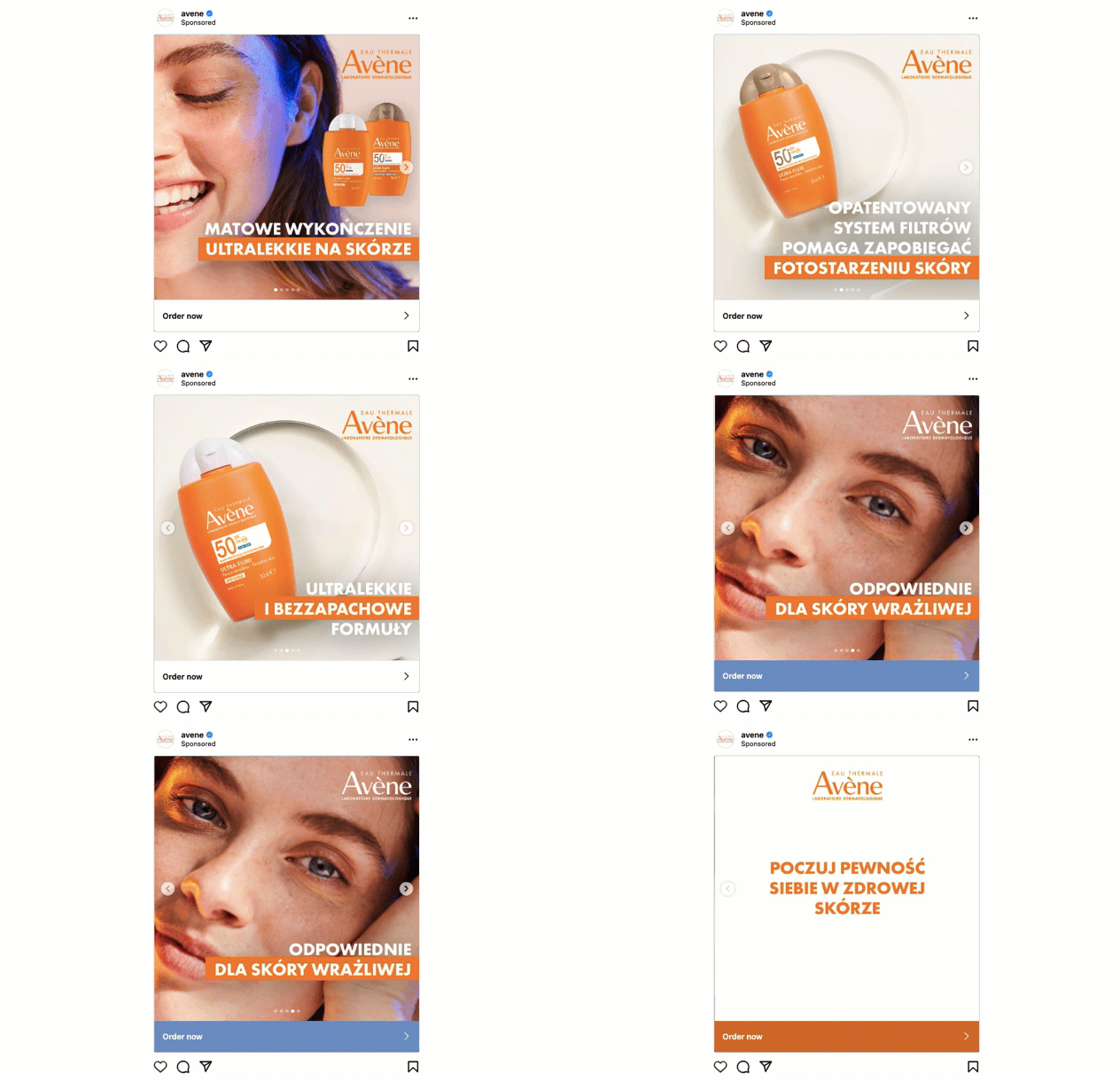
Avene’s ad uses product visuals, short copy, and a purchase-focused CTA, then sends users to a landing page with the same product, colors, and offer message.
Build a landing page that keeps the same product, offer, and CTA users saw in your Instagram carousel ad.
Can PPC Be Used on Instagram?
Yes. Instagram PPC campaigns are created in Meta Ads Manager, where advertisers can set a campaign objective, define audiences, choose placements, set budgets, and pay based on clicks, impressions, engagement, or other delivery models.
What Distinguishes PPC on Instagram?
PPC on Instagram is an advertising model managed through Meta Ads Manager, where businesses running campaigns pay for ads’ clicks. There are also other payment models where charges are taken for engagement or impressions. Instagram PPC stands out because advertisers can combine visual ad formats with Meta’s audience data, including interests, behaviors, custom audiences, and lookalikes. This makes the channel useful for visual discovery, retargeting, lead generation, and mobile-first sales paths. Advertisers can set daily or lifetime budgets and choose between bidding options like cost-per-click (CPC), cost-per-impression (CPM), or cost-per-engagement (CPE). Performance is tracked via detailed analytics, helping optimize campaigns for better results.
What Is the Difference Between Instagram Ads and PPC?
The main difference between Instagram Ads and PPC is that Instagram Ads are specific to Instagram, while PPC refers to the payment structure used across various advertising platforms. Instagram Ads are a type of advertising on Instagram managed through eta Ads Manager. They include various payment models, such as CPC, CPM, or CPE. Instagram Ads rely on various formats, including photo- or video-based ads placed in Instagram feeds, stories, or explore sections.
Instagram ads can be targeted with Meta audience data, including demographics, location, interests, behaviors, custom audiences, and lookalike audiences. While Instagram Ads often operate on a PPC model, PPC is not limited to Instagram and includes other platforms like Google Ads and Meta Ads.
Which Is Better, PPC or Instagram Ads?
Choosing between PPC and Instagram Ads depends on your specific goals and target audience. Instagram Ads are usually better when demand can be created visually or through retargeting. Search-based PPC, such as Google Ads, is often better when users already express intent through a query, for example, buy, pricing, near me, or best software for….
In practice, many advertisers use both: search PPC captures existing demand, while Instagram Ads create demand, retarget visitors, or support visual product discovery. Traditional PPC often targets users through direct browsing habits and geolocation, whereas each Instagram marketing campaign can reach users based on their interactions and interests within the social media platform.
The main benefits of Instagram Ads include:
- Precise targeting – by launching an Instagram ad, you can reach your audience based on detailed demographics, interests, and behaviors, not only the phrases they type in the search bar or their location.
- Diverse ad formats – Instagram supports feed ads, Stories, Reels, videos, and carousels, so advertisers can match the format to the offer: demo, comparison, product reveal, or retargeting reminder.
- Interactive engagement – IG ads foster interactions through likes, shares, comments, and direct messages.
- Flexible budgeting – you can choose between cost-per-click (CPC) and cost-per-impression (CPM) models to fit your budgets.
- Analytics – Meta Ads Manager shows impressions, reach, CTR, CPC, CPM, conversions, and cost per result, so you can decide whether to change the creative, audience, bid, or landing page.
Choose Instagram Ads when the campaign needs visual discovery, retargeting, or social proof. Choose search PPC when the user is already looking for a specific product, service, or solution.
What Tool Helps Build Landing Pages for Instagram PPC Campaigns?
The best PPC Instagram tool for landing pages is Landingi, an AI landing page operation system, designed to simplify creating, testing, and optimizing landing pages, particularly for PPC and Instagram advertising campaigns. Landingi excels in crafting high-converting landing pages with features tailored to Instagram advertising’s demands. With well landing pages linked to your IG campaigns, you can achieve more conversions and improve overall ROI.
Use Landingi to build mobile landing pages for Instagram PPC and test whether the ad promise, headline, form, and CTA work together.
Landingi offers over 400 templates for various industries and campaign goals. The builder supports drag-and-drop editing for non-technical users and custom code options for teams that need more control over layout or tracking. The advanced AI landing page generator provided by Landingi can create entire landing pages. Landngi’s AI tools also aid in SEO optimization and image editing, ensuring your pages are visually appealing and search engine friendly.
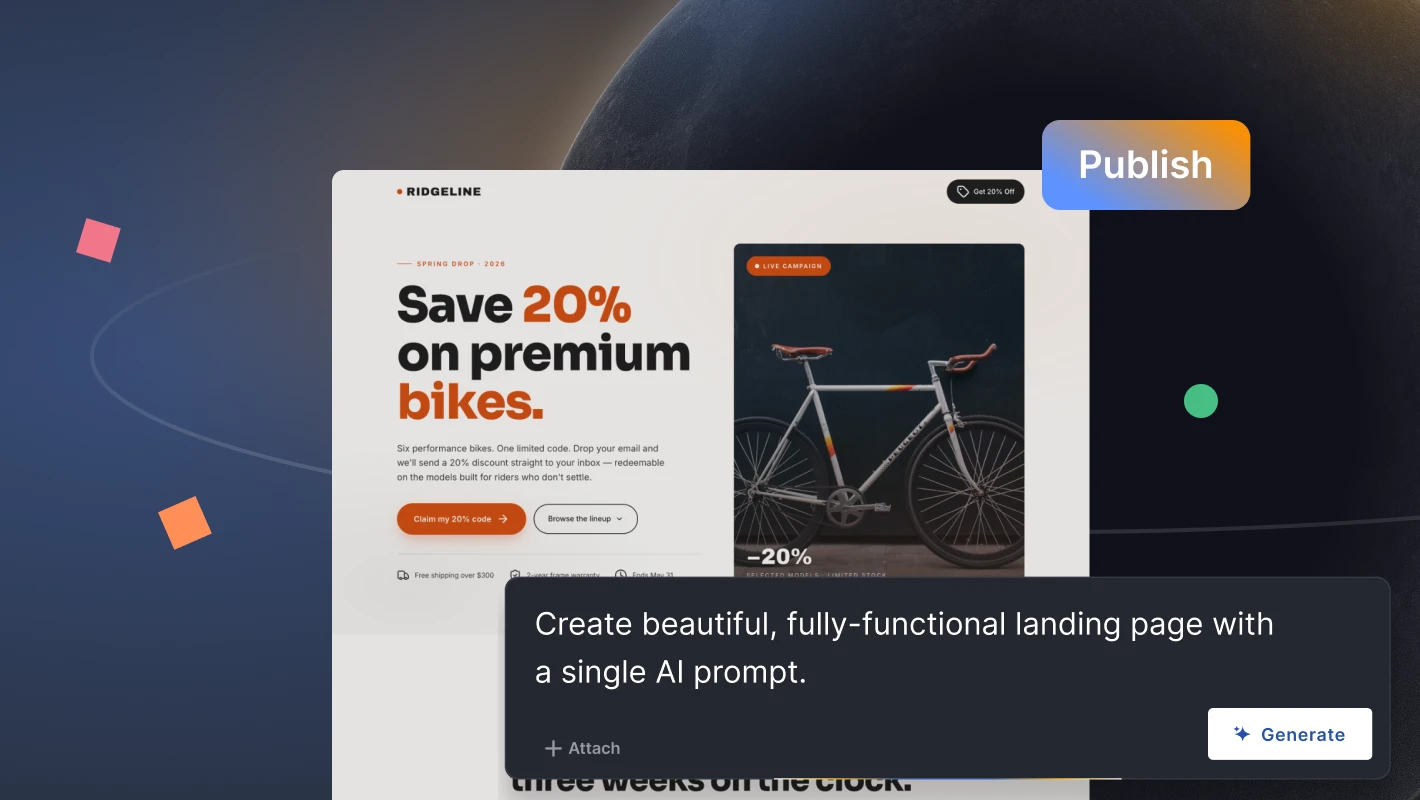
As landing pages should be optimized for better results, Landingi also provides built-in A/B testing features, simplifying experimentation with various page versions. EventTracker helps identify how visitors interact with forms, buttons, sections, and page elements, so you can see whether users stop before the CTA, ignore the form, or click elements that are not part of the conversion path.
Landingi also includes a form builder, mobile page controls, and over 170 integrations with marketing tools. For Instagram PPC teams, these features are useful when the campaign needs lead capture, CRM or email integration, variant testing, and separate pages for different audience segments.
Create a PPC Instagram Campaign with Landingi
Instagram PPC works best when advertisers treat the campaign as one funnel: audience, creative, offer, landing page, tracking, and ROI target. A campaign can have strong visuals and accurate targeting, but still lose budget if the post-click page changes the promise, loads slowly on mobile, or asks for too much information too early.
Before you scale Instagram ad spend, check whether the campaign has enough evidence to justify it: stable CTR, acceptable CPC, positive post-click conversion rate, and cost per conversion that keeps ROI positive. With Landingi, you can build a landing page that repeats the ad message, keeps a single CTA, loads quickly on mobile, and lets you test variants before increasing the budget.