


Understanding Unbounce pricing in 2026 is essential for marketers comparing landing page platforms, especially as the tool has undergone significant price increases and feature restructuring in recent years. Below you’ll find an updated breakdown of Unbounce plans, functionalities, limitations, and how they compare with alternatives.
Unbounce offers a range of plans tailored to meet various needs, from basic landing page creation to comprehensive conversion optimization tools. Let’s dive into the details.

How Much Does Unbounce Cost?
Unbounce’s cost varies from $64 to $249 per month (when billed annually). Its pricing tiers are built to match different stages of business growth, from early marketing experiments to high-volume personalization and testing. All plans include the landing page builder but vary in traffic limits, user access, personalization, and testing features.
How Much is Unbounce Per Month?
Unbounce monthly cost starts at $99 when billed month-to-month, offering a set of pricing tiers designed to meet the diverse needs of marketers.
Here’s a quick overview of the platform’s pricing tiers:
- Build Plan: $99/month (or $64/month billed annually)
- Experiment Plan: $149/month (or $96/month billed annually)
- Optimize Plan: $249/month (or $161/month billed annually)
- Concierge Plan: Custom pricing
Is Unbounce Worth the Money?
Unbounce can be worth the cost for teams focused on testing and personalization, but it’s not ideal for everyone. The starting price of $64 per month (billed annually) may be too high for startups or small businesses with limited budgets.
Each plan includes visitor limits, which can push fast-growing teams into higher-priced tiers sooner than expected. The platform is also feature-heavy, which can make it harder for beginners to get started quickly.
Many users may end up paying for tools they don’t actually use. If you only need basic landing pages or simple testing, lower-cost alternatives might offer better value. Before choosing Unbounce, weigh its features against your budget, team size, and actual marketing needs.
Unbounce Pricing Pros and Cons
Unbounce pricing has both strengths and drawbacks, depending on your goals, budget, and campaign volume. It includes a full set of features across all plans, offers a 14-day free trial, and provides AI tools to improve performance.
The pricing is flexible, but may still be too high for smaller teams. Visitor caps can limit growth unless you upgrade early. Some users might also pay for features they don’t use, and the platform’s complexity adds a learning curve for beginners.
Take time to assess how much of the platform you’ll actually use before committing long-term.
Pros
- Flexible pricing options: Multiple plans designed to scale with growing marketing needs.
- Comprehensive features across all plans: Unlimited landing pages and popups included from the start.
- Free 14-day trial: Helpful for testing the platform before committing.
- AI-powered features: Smart Traffic and AI copywriting support faster optimization.
Cons
- High cost for emerging businesses: Entry pricing is significantly higher than many alternatives.
- Visitor limitations: Strict monthly caps can force early upgrades.
- Potential for unused features: Not all businesses use Unbounce’s full suite of optimization tools.
- Limited built-in analytics: Lacks deeper reporting needed for advanced optimization.
- Learning curve: Advanced features require time to master.
- Alternatives may offer better value: More flexible, cost-effective competitors provide wider feature sets and broader pricing tiers.
- Billing complaints and automatic renewals: Many users report unwanted renewals, rigid cancellation policies, and lack of refunds.
Unbounce offers strong features, but it comes with trade-offs. Its high price, visitor caps, and complex interface can be a barrier, especially for smaller teams or beginners. Some users may pay for tools they won’t fully use. With simpler or more affordable alternatives available, it’s worth weighing how often you’ll use Unbounce’s advanced features before committing.
Unbounce Features
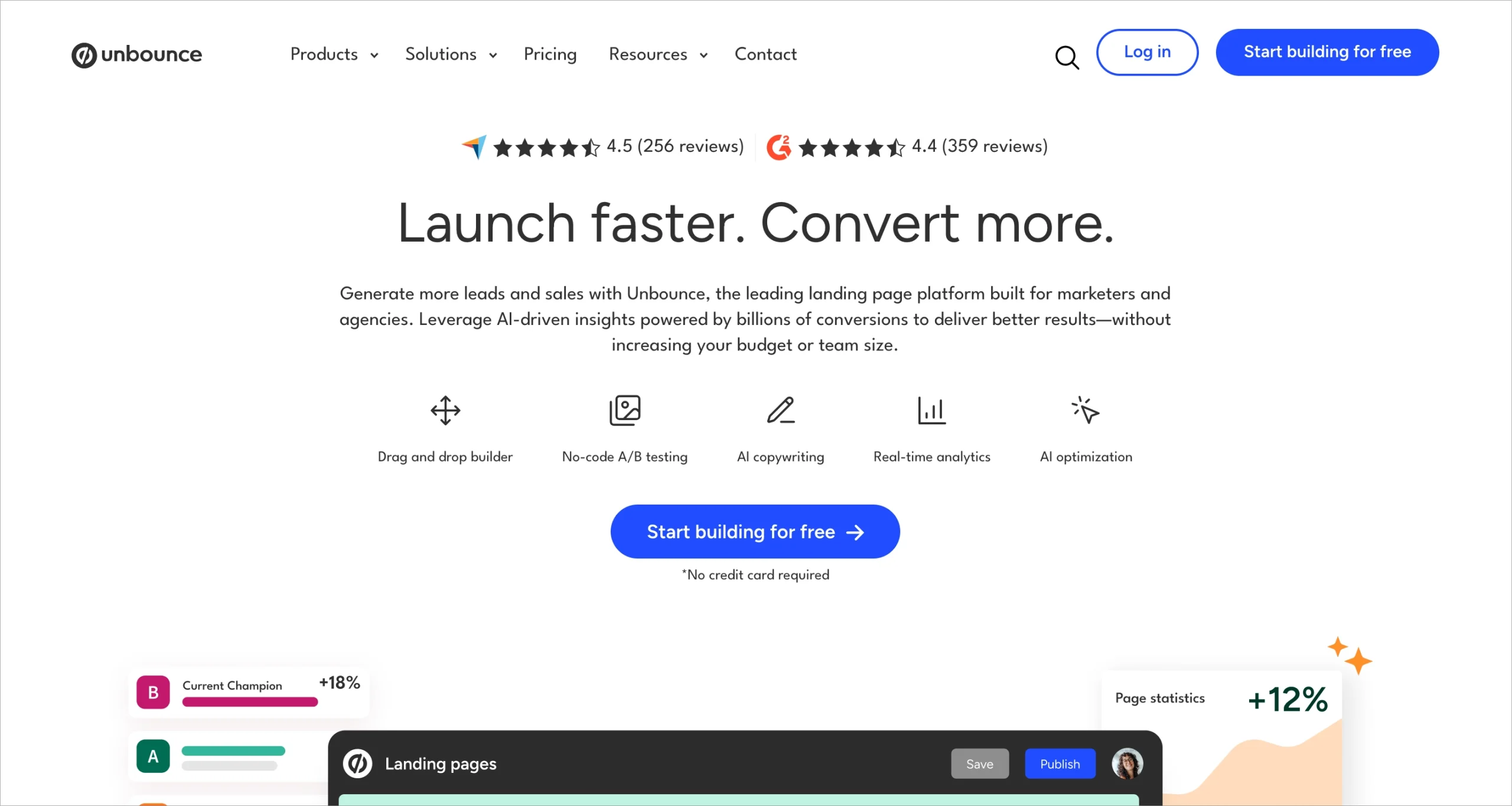
Unbounce is renowned for its robust feature set, designed to help users create, optimize, and test landing pages for maximum conversions. Here’s a breakdown of some key Unbounce features:
Unbounce Feature | Description |
Landing pages | Offers a user-friendly drag-and-drop interface for building custom landing pages with full creative control, including custom HTML, CSS, and JavaScript. |
Popups and sticky bars | Enable targeted engagement through behavioral triggers and scheduling options built into the platform. |
Apps and integrations | Allow users to connect Unbounce with essential marketing tools—from CRMs and email platforms to analytics services—through native integrations and Zapier-based workflows. |
A/B testing | Available from the Experiment plan upward, enabling users to compare page variants and identify high-performing designs. |
AI copywriting | Generates content suggestions to speed up the landing page creation process. |
AI optimization | Includes Smart Traffic, which automatically routes visitors to the version of a page most likely to convert. |
Unbounce Pricing Plan Comparison
Here’s a quick comparison of Unbounce’s pricing plans:
Plan | Monthly Billing Rates | Best For |
Build | $99/month (or $44/month billed annually) | Small businesses and new marketers |
Experiment | $149/month (or $96/month billed annually) | Growing businesses focusing on testing and optimization |
Optimize | $249/month (or $161/month billed annually) | Established businesses with high traffic volumes |
Concierge | Custom pricing | Large enterprises requiring enterprise-level limits and dedicated support |
You will find detailed descriptions of each plan below.
Build Plan
$99/month (or $64/month billed annually)
The Build plan is Unbounce’s entry-level option. It’s best for users who want to launch landing pages without using advanced testing or personalization tools. At $99 per month, or a reduced rate of $64 per month when billed annually, this plan provides access to Unbounce’s core features, including:
- Access to Unbounce’s drag-and-drop no-code builder.
- Unlimited landing pages, popups, and sticky bars across your account.
- Up to 20,000 visitors per month.
- 1 user seat and 1 root domain.
Experiment Plan
$149/month (or $96/month billed annually)
The Experiment plan is built for businesses focused on improving performance through testing. At $149 per month, or $96 when billed annually, this plan is designed for growing businesses focused on improving landing page performance through experimentation. Key features include:
- Unlimited A/B tests and landing page variants.
- Manual traffic allocation and performance reporting.
- Dynamic Text Replacement for basic personalization.
- Up to 30,000 visitors per month.
- 3 user seats and 2 root domains.
Optimize Plan
$249/month (or $161/month billed annually)
The Optimize plan is ideal for businesses with higher traffic and a strong focus on data-driven improvements. Priced at $249 per month, or $161 with annual billing, this plan includes all the features of the Experiment plan, plus:
- Smart Traffic (AI-driven optimization) that learns from user behavior and automatically directs visitors to the highest-performing variant.
- Advanced targeting and popup scheduling options.
- Audience insights and industry benchmarks.
- Up to 50,000 visitors per month.
- 5 user seats and 3 root domains.
Concierge Plan
Custom pricing
The Concierge plan is built for large businesses with high traffic or complex technical needs. This plan typically includes:
- Higher or unlimited visitor capacity.
- Dedicated customer success resources and personalized onboarding.
- Priority support and technical assistance.
- Enhanced service-level options and advanced implementation support.

Which Unbounce Plan Should I Choose?
Start with the Build plan if you’re new to Unbounce and don’t need advanced testing or personalization. It’s best for small campaigns and teams working with limited traffic.
Move to Experiment if A/B testing is essential to your strategy. This plan gives more control over variants, traffic allocation, and basic personalization.
Choose Optimize if you run larger campaigns and want AI to improve conversions automatically. It’s a better fit for teams focused on performance and targeting at scale.
Go with Concierge if your business handles high traffic, needs hands-on support, or requires custom onboarding and enterprise-level limits.
Since all plans include unlimited landing pages and popups, your choice depends on traffic size, testing needs, and budget.
Unbounce Additional Cost
Unbounce may charge extra if you go beyond your plan’s limits or need specialized services. These costs support businesses with higher traffic or more complex needs.
If you exceed your monthly visitor limit, Unbounce will notify you. You may be offered a temporary overage allowance or encouraged to upgrade, but overages aren’t always guaranteed and depend on support availability.
Optional services are also available. These include onboarding help, design support, and campaign consultations. Prices aren’t listed publicly, but services usually involve a specialist who can assist with landing page setup, testing strategies, or technical issues.
Enterprise users on the Concierge plan may also receive added services like success management, implementation support, and custom onboarding. Since pricing is based on your setup, these extras are scoped on a case-by-case basis.
Unbounce Pricing Tips
To get more value from Unbounce and manage your costs, keep these tips in mind:
- Annual vs. monthly billing: Annual billing gives you the lowest price on all plans. If you plan to use Unbounce long-term, switching to annual payments can cut your monthly cost significantly. This is one of the few reliable ways to save, especially as prices have gone up in recent years.
- Monitor your usage: Watch your monthly visitor limits, especially if you’re running paid campaigns. Unbounce enforces these caps strictly. If your traffic suddenly spikes, you may be pushed into a higher-tier plan earlier than expected. Plan ahead if your traffic changes seasonally.
- Take advantage of free trials: New users can test Unbounce free for 14 days. Use that time to try the builder, explore templates, set up A/B tests, and see how well it fits your workflow – before committing to a paid plan.
- Use A/B tests strategically: A/B testing is only included in Experiment and higher plans. Make sure it’s something you actually need before upgrading. For small campaigns or low-traffic pages, the benefits may not justify the extra cost.
- Evaluate alternatives before upgrading: If you’re close to exceeding your plan’s limits, compare other platforms before moving up a tier. Some offer more flexible traffic allowances at lower prices, which could save you money over time.
- Watch for promotions or discounts: Unbounce occasionally runs promotions. They’re not frequent, but checking the pricing page during peak seasons (like Q4) or subscribing to the newsletter can help you catch limited-time offers.
Unbounce vs Landingi Pricing
When comparing Unbounce and Landingi, it’s important to look at more than just pricing. Traffic limits, user access, scalability, and enterprise features all play a key role in choosing the right tool.
Unbounce starts at $99/month for the Build plan ($64/month with annual billing) and goes up to $249/month ($161/month annually) for the Optimize plan. All plans include unlimited landing pages, popups, AI copywriting, and access to the drag-and-drop builder. However, each tier has strict monthly visitor caps, which often push users into higher-priced plans faster than expected. For larger teams, the Concierge plan offers enterprise features, but pricing is custom and based on traffic, onboarding, and support needs.
Landingi offers more pricing flexibility, starting with a Free plan for users testing landing pages with minimal risk. Paid plans are more affordable than Unbounce:
- Lite: from $24/month (billed annually)
- Professional: from $57/month (billed annually)
- Enterprise: $1150/month (billed annually)
A key difference: Landingi allows you to increase traffic limits within your current plan. You don’t need to upgrade tiers just to handle short-term spikes, which is helpful for seasonal campaigns or variable workloads. In contrast, Unbounce’s rigid caps can make scaling more expensive.
Landingi also includes advanced tools that appeal to both SMBs and enterprises, such as server-side A/B testing, marketing funnels, autoresponders, integrations, AI tools, dynamic content, and multi-language personalization. At the enterprise level, it adds features like SSO, audit logs, domain whitelisting, dedicated account management, advanced permission settings, EventTracker, WCAG options, GDPR and DORA compliance, and Programmatic Landing Pages.
In short, Unbounce is strong for testing workflows and AI-powered optimization. But for businesses needing flexible traffic limits, more user access, or broader enterprise tools at a lower price, Landingi is often the more scalable and cost-effective option – especially for agencies or teams managing multiple campaigns or clients.

Unbounce Pricing FAQ
Still unsure about Unbounce pricing? Here are clear answers to the most common questions.
Why is Unbounce so expensive?
Unbounce costs more because it includes advanced tools like AI optimization, A/B testing, and a powerful builder. It also supports a wide range of integrations. In recent years, Unbounce has shifted focus toward larger businesses, raising prices and enforcing strict visitor caps.
What is the cheapest Unbounce plan?
The most affordable plan is Build, priced at $99/month – or $64/month with annual billing. It includes the core builder, unlimited landing pages and popups, and up to 20,000 monthly visitors.
What is the best Unbounce alternative?
Landingi is the top Unbounce alternative for most users. It offers lower pricing, flexible traffic limits, and advanced enterprise features. These include SSO, audit logs, domain controls, EventTracker, programmatic pages, and detailed permission settings. It also has a Free plan for new users.
Can I use Unbounce for free?
Unbounce doesn’t have a permanent free plan, but it does offer a 14-day free trial with full access to all features. After the trial, a paid plan is required to keep using the platform.
Switch from Unbounce to Landingi
Unbounce offers strong features – from landing page creation to AI tools and A/B testing. Each plan targets a different stage of business growth, with unlimited pages, AI copywriting, and optimization features built in.
But for many teams, Unbounce’s pricing is a challenge. Strict visitor caps limit scalability, especially for businesses running paid campaigns. The learning curve around testing, personalization, and the editor can also slow down new users. While Unbounce is praised for optimization, marketers often seek simpler workflows, better traffic flexibility, and more predictable pricing.
Landingi is a strong alternative. It offers flexible plans, starting with a Free option and scaling up to Professional and Enterprise levels. Landingi provides access to unlimited landing pages, extended traffic capacity, and advanced tools – including AI Assistant for streamlined content creation, Smart Sections for efficient page building, EventTracker for in-depth analytics and reporting, and Programmatic Landing Pages.
For enterprise users, Landingi adds SSO, audit logs, domain controls, advanced permissions, custom development, and dedicated support – giving teams the tools they need to run secure, high-volume campaigns.
If you’re aiming to cut costs, simplify your process, and improve performance, switching to Landingi offers a scalable and cost-effective solution. Get started today with a free account and explore how Landingi fits your goals better.






