


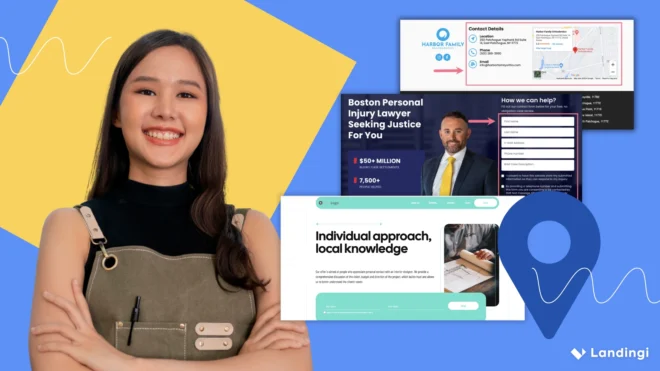


A local landing page helps businesses reach nearby users and convert traffic from paid and organic search by targeting a clearly defined local audience. Location landing pages focus on a single area, a specific offer, one clear action, and often support visits to a physical location.
Local business landing pages work for both PPC and SEO because ad platforms and search engines evaluate page quality in similar ways. Relevance, content clarity, location signals, and user intent affect performance in both channels. A single local SEO landing page can support Google Ads campaigns and organic visibility at the same time.
You can create local landing pages using a CMS, but landing page platforms simplify the process. Tools like Landingi allow teams to build, duplicate, and manage location-based pages without development work. Landingi supports fast edits, page variants for different locations, and structured elements optimized for conversion and quality scoring.
This guide explains how to create effective local landing pages for PPC and SEO. The article covers page structure, content elements, and a practical FAQ for local pages.
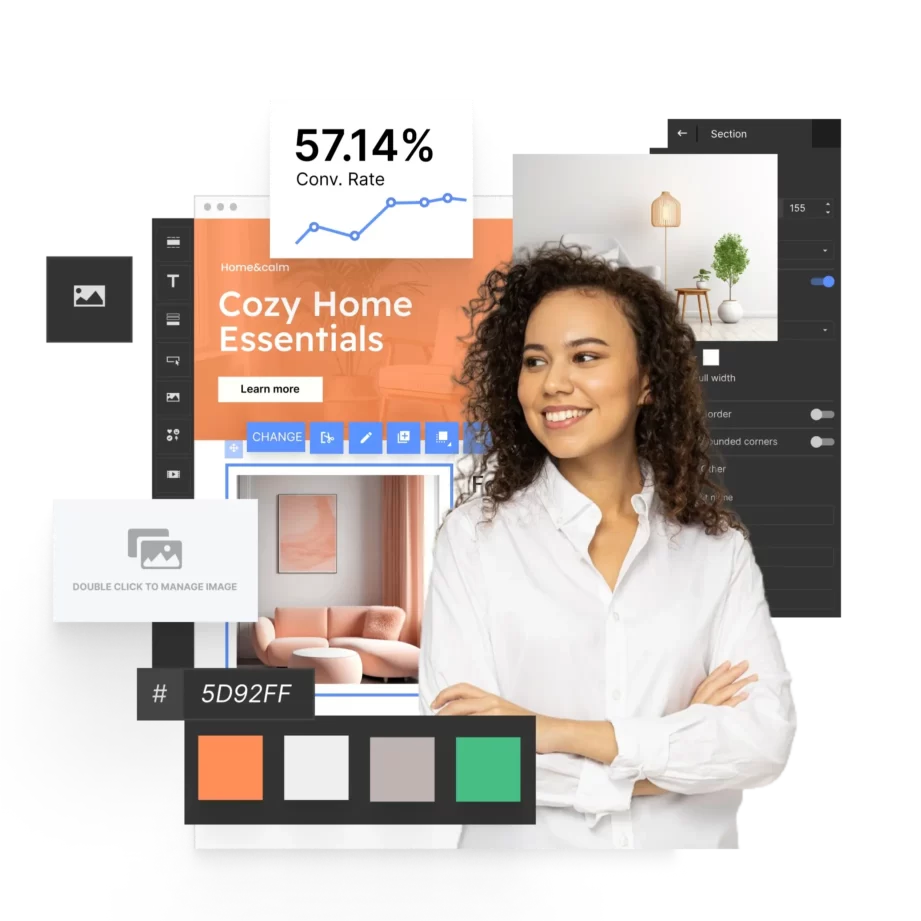
What Is a Local Landing Page?
A local landing page is a web page created to attract and convert local consumers from a specific geographic area. A local page targets one location and connects a local offer with clear user intent.
Local business landing pages support local search visibility by using location-specific content and geographic keywords. A local SEO landing page helps a business appear in search results for queries that include city names, neighborhoods, or service areas.
A location-based landing page increases the chance that nearby users find the business while searching for local products or services. Higher local relevance leads to stronger engagement and more qualified traffic.
Why Should I Use Local Landing Pages?
You should use local landing pages to increase visibility and engagement in specific geographic markets. Local landing pages connect a local offer with users searching in a defined area.
Local landing pages improve relevance by matching content with location-based intent and expectations of nearby website visitors. Clear geographic signals help users and search engines understand where a business operates. This alignment supports stronger results across digital channels.
You should use local landing pages for the following reasons:
- Enhanced local SEO – local landing pages target geographic keywords that help a business rank higher in local search results. Higher visibility makes it easier for nearby users to find relevant services or products.
- Increased relevance – local business landing pages present content that reflects location, needs, and local context. Location-specific messaging increases engagement and improves user experience.
- Higher conversion rates – local landing pages often convert better than generic pages. Location-based calls to action, such as office visits or local phone numbers, encourage faster decisions.
- Enhanced trust and credibility – local SEO landing pages can include testimonials, reviews, and references from the same area. Social proof from the local community increases confidence and purchase intent.
- Improved user experience – a location-based landing page provides practical local details, including addresses, maps, directions, and service areas. Clear local information reduces friction during the decision process.
- Targeted marketing campaigns – local landing pages support promotions tailored to specific cities or regions. Geographic targeting improves campaign relevance and return on investment.
- Competitive advantage – well-structured local pages help a business stand out in local search results. Strong local relevance can outperform competitors with generic pages.
- Better tracking and analytics – local landing pages allow performance analysis by location. Geographic data helps teams adjust budgets, messaging, and offers more effectively.
According to a study by Common Sense Advisory, 75% of consumers prefer to buy products in their native language, highlighting the importance of localization.
Attract more local customers – build your local landing page with Landingi!
What Is the Purpose of Local Landing Page in SEO?
A local landing page’s purpose in SEO is to attract local users and improve visibility in local search results. A local SEO landing page signals geographic relevance through location-specific content and keywords.
Local pages help search engines associate a business with a specific area. Clear location signals increase visibility for searches that include city names, service areas, or “near me” intent.
A local landing page also supports trust and credibility. Local phone numbers, addresses, and references to community activity confirm that a business operates in the area. This confirmation reduces uncertainty during the decision process.
Local landing pages improve user experience by aligning content with local intent. Relevant information keeps users engaged and increases the likelihood of conversion.
Businesses with multiple locations can use separate local landing pages for each branch. Individual pages allow location-specific content and support stronger local SEO performance across regions.
Boost your local presence – create a high-converting local landing page with Landingi!
What Is the Purpose of Local Landing Page in PPC?
The main purpose of local landing pages in PPC is to convert ad traffic from specific geographic areas. A location-based landing page matches ad intent with local content after the ad click.
Local landing pages maintain message consistency between ads and page content. Alignment between keywords, ad copy, and location details improves ad relevance and conversion rates.
Local business landing pages allow location-specific messaging in paid campaigns. Local offers, nearby testimonials, and clear service areas increase engagement and lead quality.
Local landing pages also support testing and performance analysis. PPC teams can test headlines, calls to action, and offers by location. Performance data helps improve campaign efficiency and return on ad spend.
Connect with your community – build a local landing page today using Landingi!
11 Key Elements of an Effective Location Landing Page
An effective location landing page includes specific elements that support local visibility and conversions. Core elements include localized content, local keywords, contact details, maps and directions, localized calls to action, business hours, local imagery, social proof, and clear contact forms.
Local business landing pages rely on these elements to attract nearby users and convert local traffic. Each element helps search engines and users understand where the business operates and what action to take.
Below are the key components of an effective local landing page and their role in page performance, visibility, and designing local landing pages at scale.
1. Localized Content
Localized content is the foundation of an effective local landing page. Localized content should clearly reference the city, neighborhood, or service area in a natural way.
A local SEO landing page can include nearby landmarks, local events, or area-specific details related to the business. Location context helps users confirm relevance during local searches.

Localized content builds trust by showing that the business operates in the area. Clear geographic references signal local presence to both users and search engines.
Turn local visitors into customers – design your local landing page with Landingi!
2. Local Keywords
Local keywords are a critical element of a well-performing location-based landing page. Local keywords help search engines match the page with location-specific search queries.
A local page should include phrases that reflect how people search in the area. Examples include city names combined with service or product terms, such as “Chicago pizza” or “Chicago deep dish pizza.”

Local keywords should appear naturally in headings, body content, meta descriptions, and image alt text. Consistent geographic signals increase local relevance and attract qualified local traffic.
3. NAP Information
NAP information includes a business name, address, and phone number. NAP information (Name, Address, Phone number) helps users confirm that a business operates in a specific location.
A local landing page should display NAP details in a visible area, such as the header or footer. Clear placement makes contact information easy to find and use.
Consistent NAP information across online platforms supports local SEO. Matching business details build trust with search engines and reduce confusion for users. Inaccurate or inconsistent NAP information can lower visibility in local search results. Conflicting business details can also discourage potential customers from making contact.
Ready to grow your local business? Build a tailored landing page with Landingi!
4. Maps and Directions
Maps and directions help users understand where a business is located and how to reach the location. A location-based landing page should include an embedded map with the exact business address. Including a map with a pin showcasing your location can help customers find your business and confirm proximity before visiting or making contact.
Written directions from major roads or landmarks improve usability for first-time visitors. Clear navigation details reduce friction before an in-person visit.

Accurate maps and directions support local relevance signals for search engines. Additionaly, location clarity strengthens local SEO and improves user confidence.
5. Localized CTAs
Localized calls to action guide users toward a clear next step in a specific area. A local business landing page should reference the city or service area in each primary CTA.
Examples include visiting a local office or calling a nearby branch. Location-specific wording makes the action feel relevant and immediate. Using specific calls-to-action like “Book Your Seattle Consultation Today” instead of generic phrases enhances effectiveness by reinforcing geographic relevance and urgency.
Localized CTAs improve conversion rates by aligning messaging with local intent. Clear geographic context increases engagement and decision confidence.
Capture local leads with a powerful landing page – get started with Landingi!
6. Customer Reviews and Testimonials
Customer reviews and testimonials are a key element of an effective location landing page. Reviews from local customers help build trust and credibility within the community.
Local testimonials influence purchase decisions because users relate to experiences from the same area. Local endorsements and regional awards can further support credibility signals.
Highlight any notable local endorsements or awards, as in the example below:

Customer reviews show that a business has an established local presence. Social proof reduces risk and reassures users during the decision process.
Local landing pages can include customer names, photos, or video testimonials. Identifiable reviewers increase authenticity and engagement for local visitors.

7. Local Imagery and Videos
Local imagery and videos help users connect a business with a specific location. A local web page should include photos and videos that reflect the surrounding area. Using local imagery and social proof, such as authentic photos of the local team and localized reviews, enhances trust and helps users quickly recognize the business as part of the community.
Examples include storefront photos, nearby landmarks, or customers from the local community. Visual location cues help users confirm relevance quickly.

Local videos increase engagement by showing real people and real places. Content such as local events, customer testimonials, or daily business activity adds context and trust.
Location-based visuals strengthen the connection between the business and the area. Visual consistency supports credibility and improves user experience on local business landing pages.
Need a local landing page? Build one in minutes with Landingi!
8. Business Hours
Business hours help users understand when a business is available at a specific location. A location landing page should display accurate and current opening hours.
Local business landing pages should include weekday, weekend, and holiday hours. Each page should show hours that match the exact business location.

Clear business hours reduce confusion and help users plan visits. Reliable availability information improves user experience and supports trust.
Updated business hours also support local search accuracy. Consistent time information helps align on-page details with local listings.
9. Special Offers and Promotions
Special offers and promotions encourage action on local web pages. A local landing page is an effective place to present location-specific deals. Examples include discounts for local residents, seasonal promotions, or in-store events. Geographic relevance increases interest and engagement.
Local promotions help users feel recognized as part of the community. Relevant offers increase the likelihood of visits, calls, and purchases. Regular updates keep local landing pages current and useful. Fresh content supports repeat visits and stronger conversion performance.
Boost your local marketing efforts – build a custom landing page with Landingi!
10. Local Connections
Local connections show that a business is active within the community. A local landing page can highlight partnerships with nearby businesses or participation in local events.
Community involvement supports trust and local relevance. Social proof from local sources strengthens credibility signals for local visitors.
Local business landing pages can include partner logos, mentions, or testimonials. References to sponsorships or local initiatives reinforce a strong local presence.
11. Contact Forms
Contact forms allow users to take direct action on a local landing page. A contact form should be simple and easy to complete. Make sure to ask for minimal information to avoid overwhelming potential customers. Short forms reduce friction and increase submission rates.
Clear contact forms support conversions from local traffic. Direct communication options help turn visits into leads.

9 Steps for Creating Local Landing Page
Creating a local page in Landingi is a structured process that combines design, local content, and conversion tracking. The steps below show how to build a local landing page that supports local SEO and PPC campaigns.
Step 1: Start with a Template, Composer, or a Blank Page
Begin by choosing how you want to build the local landing page. In Landingi, you can start from a ready-made template, generate a layout with Composer, or create a page from scratch.
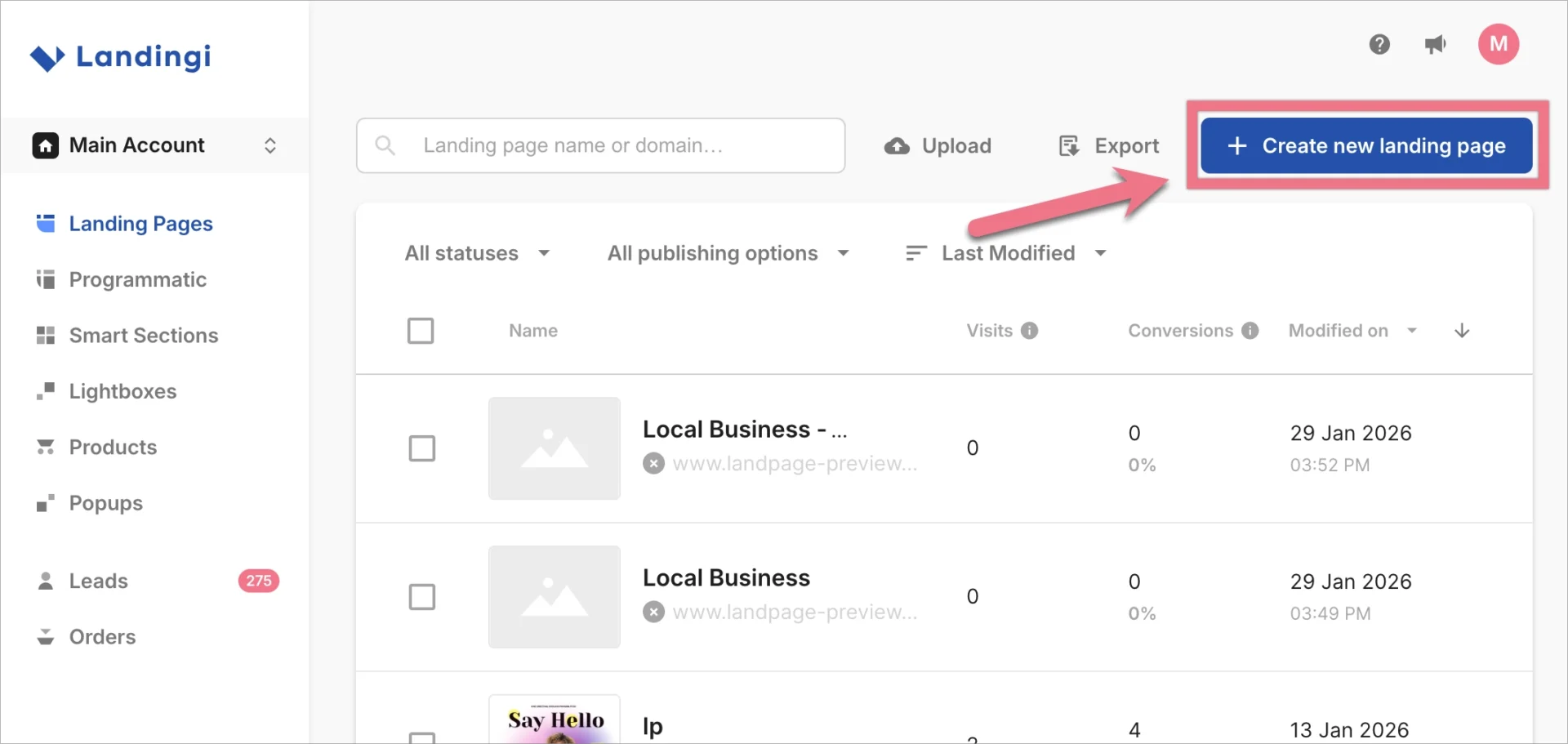
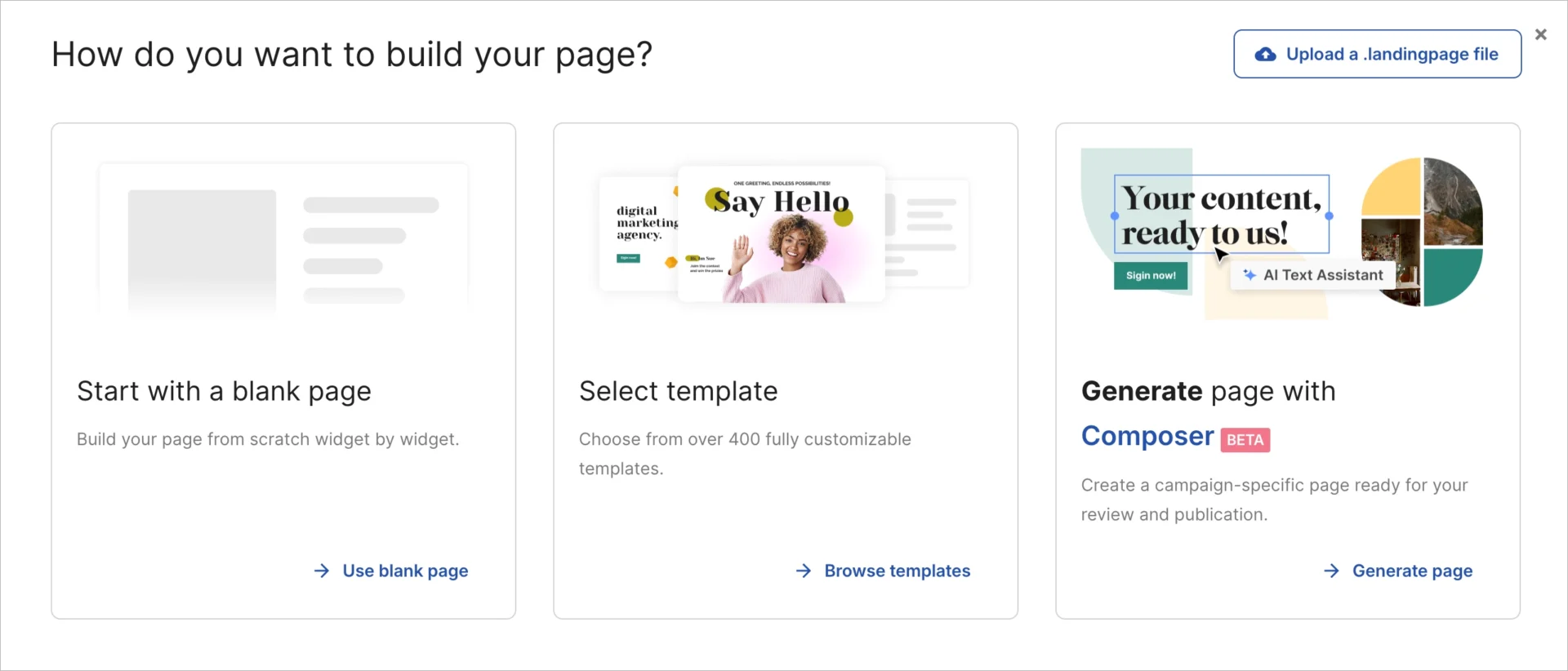
Templates speed up work and follow proven conversion structures. Composer helps generate a design faster using AI support. A blank page offers full control for custom layouts.
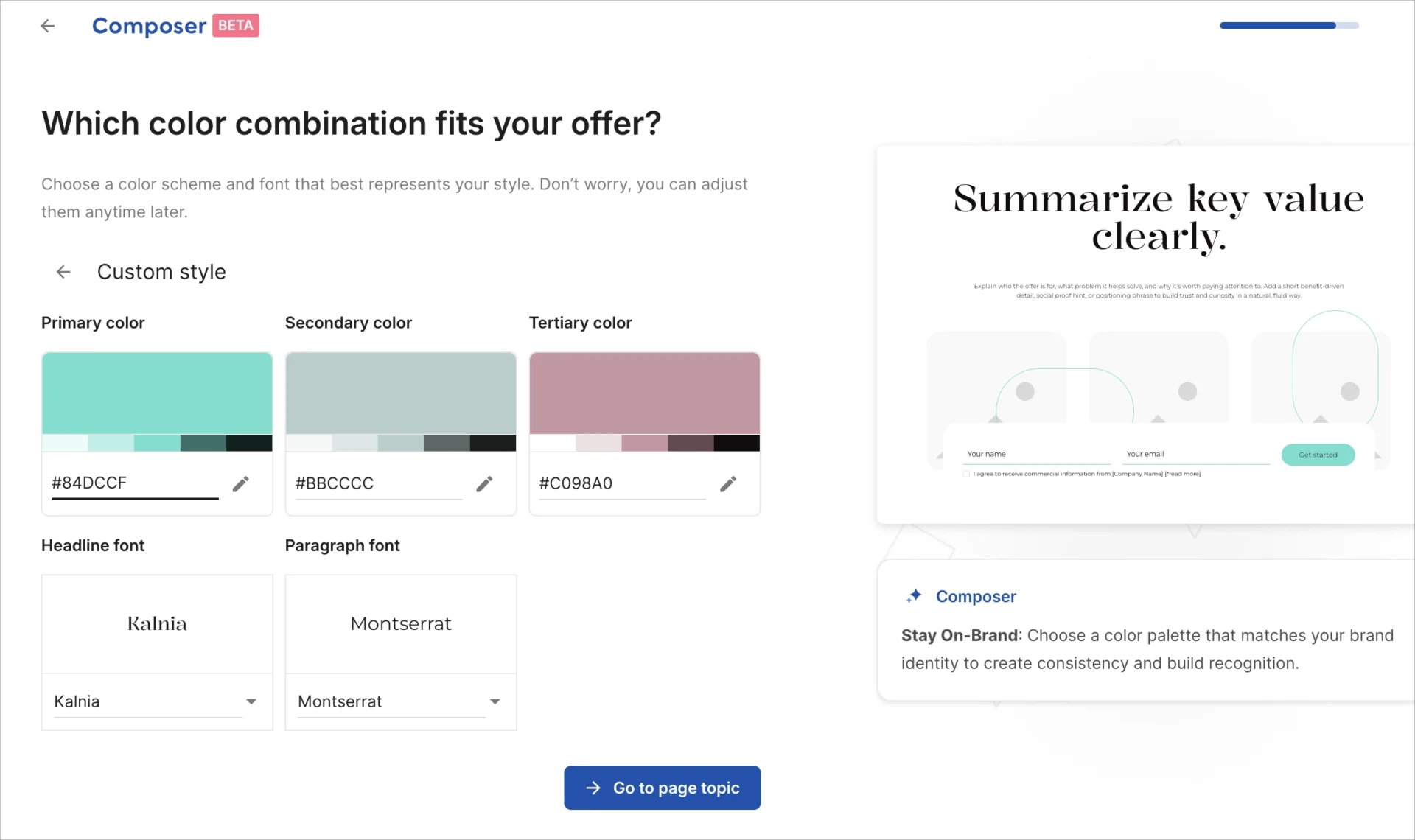
All options use a pixel-perfect drag-and-drop editor. Page Style helps manage fonts, colors, and global styles across the page.

Step 2: Add Localized Content to the Page
Localized content explains what the business offers in a specific city or service area. Content should reference the location naturally across headings and sections.
Landingi includes an AI Assistant that can generate content based on a prompt. The AI Assistant can create copy for the entire local landing page or selected sections.
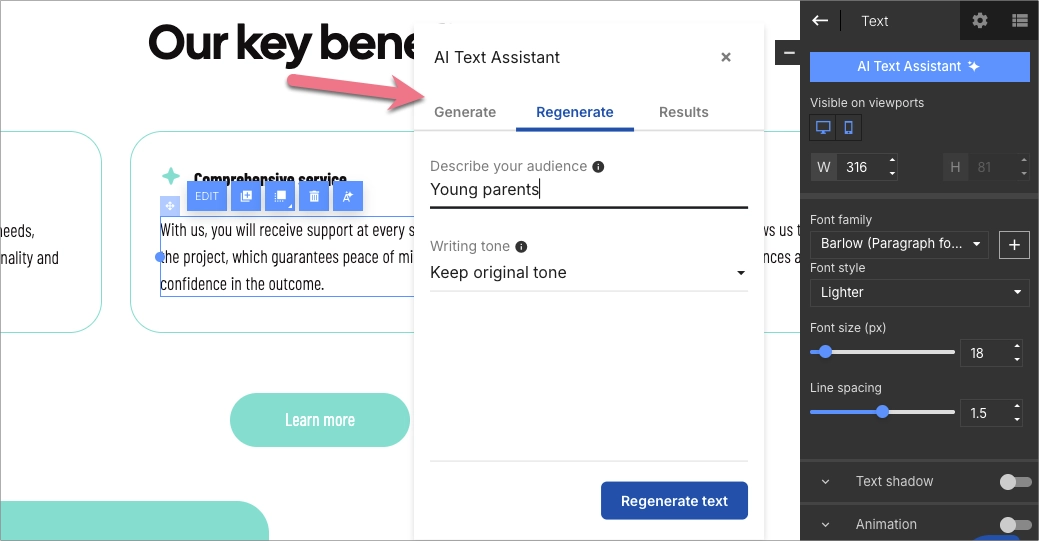
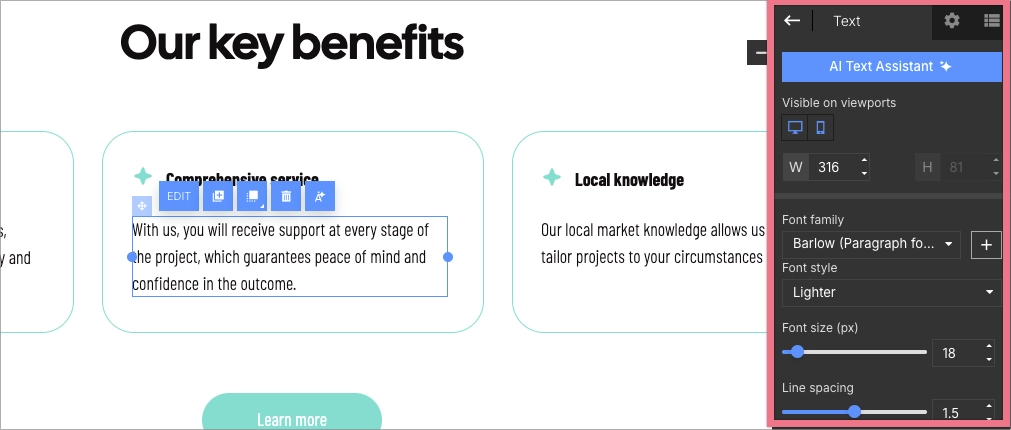
All content can be edited using the Text widget. Manual edits help align AI-generated content with brand voice and local intent.
Step 3: Insert Local Keywords in Strategic Page Elements
Local keywords help search engines associate the page with a geographic area. Keywords should reflect how users search for services in a specific location.
Local keywords belong in headings, body text, meta descriptions, and image alt text. City names and service areas should appear where they add context.
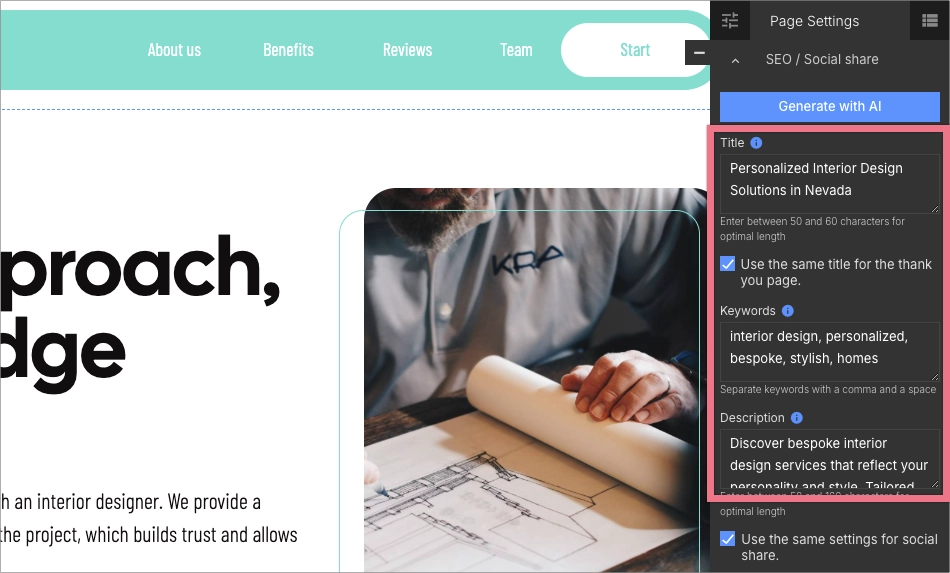
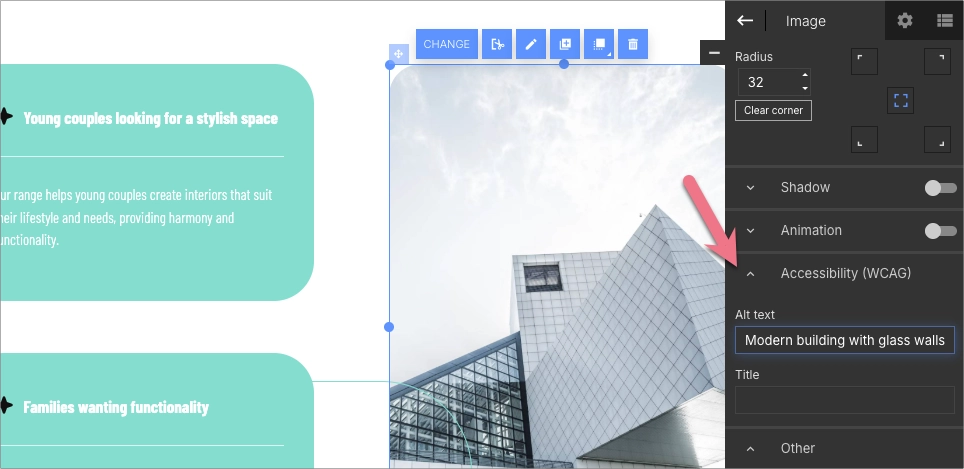
Balanced placement improves relevance without keyword stuffing. Clear geographic signals support both SEO and PPC quality evaluation.
Step 4: Add NAP Information for the Location
NAP information includes the business name, address, and phone number for a specific location. These details help confirm local presence and credibility. Consistent NAP details should match data used in Google Business Profile, reinforcing trust and local relevance.
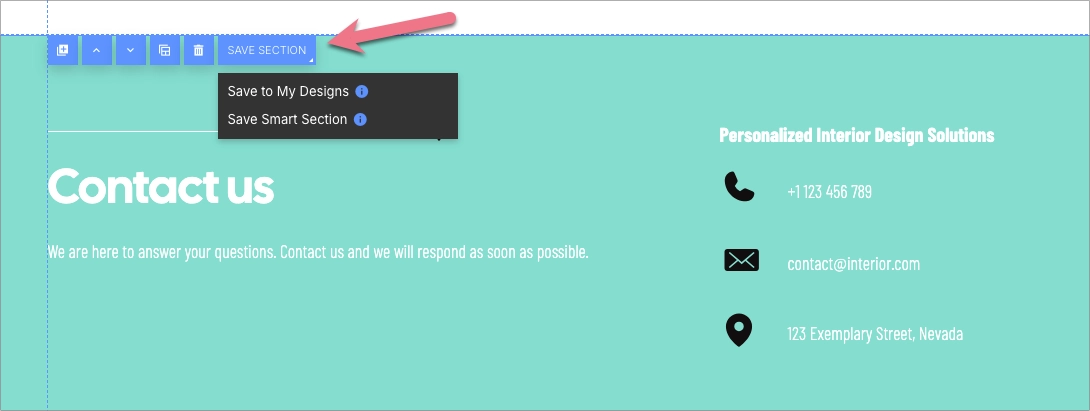
NAP details work well in the footer of a local landing page. In Landingi, the footer can be created as a Smart Section. Smart Sections allow consistent updates across multiple local landing pages. This approach helps maintain accurate and matching business details.
Step 5: Include Maps and Location Details
Maps and location details help users understand where the business operates. A local landing page should show the exact address or service area.
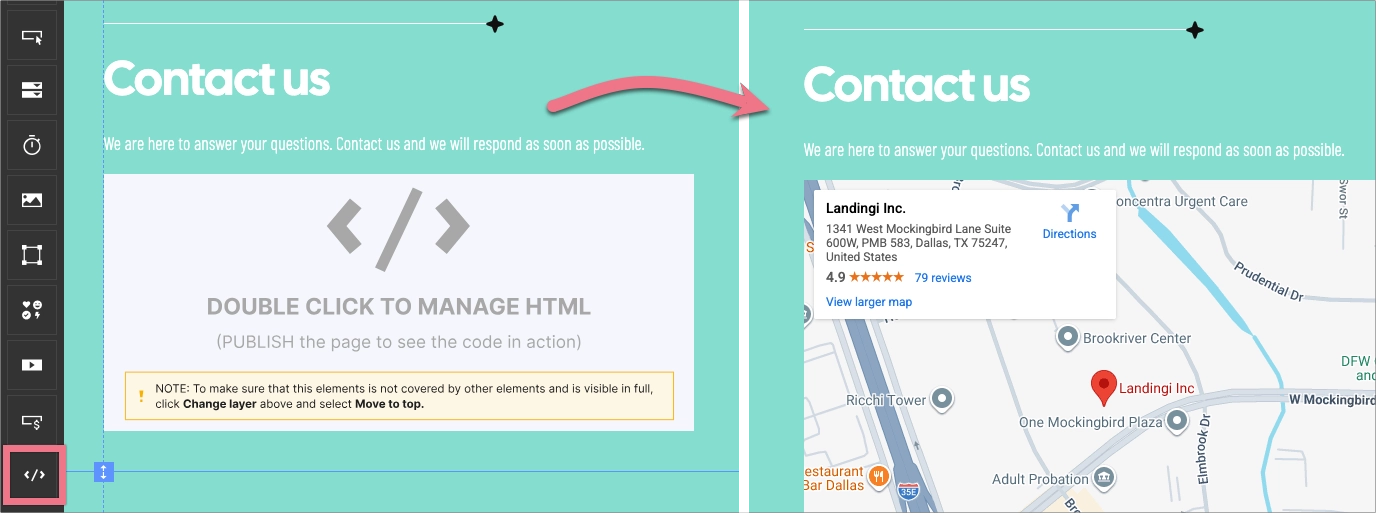
Landingi allows adding maps using dedicated widgets or embedded elements, e.g., Google Maps. Interactive maps embedded in local landing pages provide quick geographic context and navigation assistance, improving usability for first-time visitors. Clear location data supports local relevance and user confidence.
Maps also help users plan visits or confirm proximity before contact.
Step 6: Create Localized Calls to Action
Localized calls to action guide users toward a clear next step in a specific area. CTAs should reference the city, branch, or service location.
In Landingi, CTAs can be added inside the Form widget or as standalone buttons using the Button widget. Both options support flexible placement.
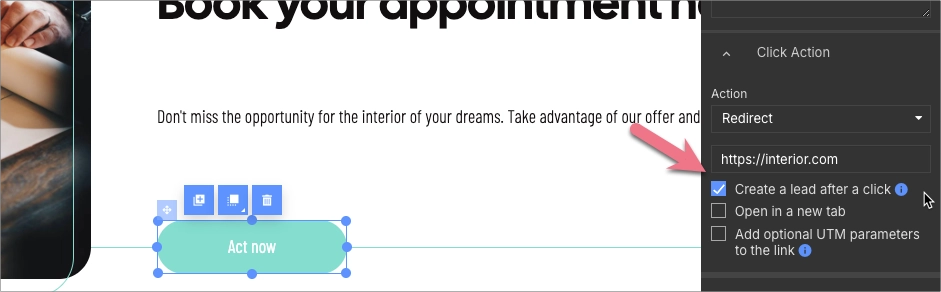
Button clicks can be tracked as conversions, even without form submission. This setup helps measure engagement beyond leads.
Step 7: Add Local Reviews and Trust Signals
Local reviews and trust signals reduce hesitation and build credibility. Testimonials from nearby customers support decision-making.
In Landingi, trust elements can be created using Text, Shape, or Video widgets. Shapes help highlight quotes or ratings visually.
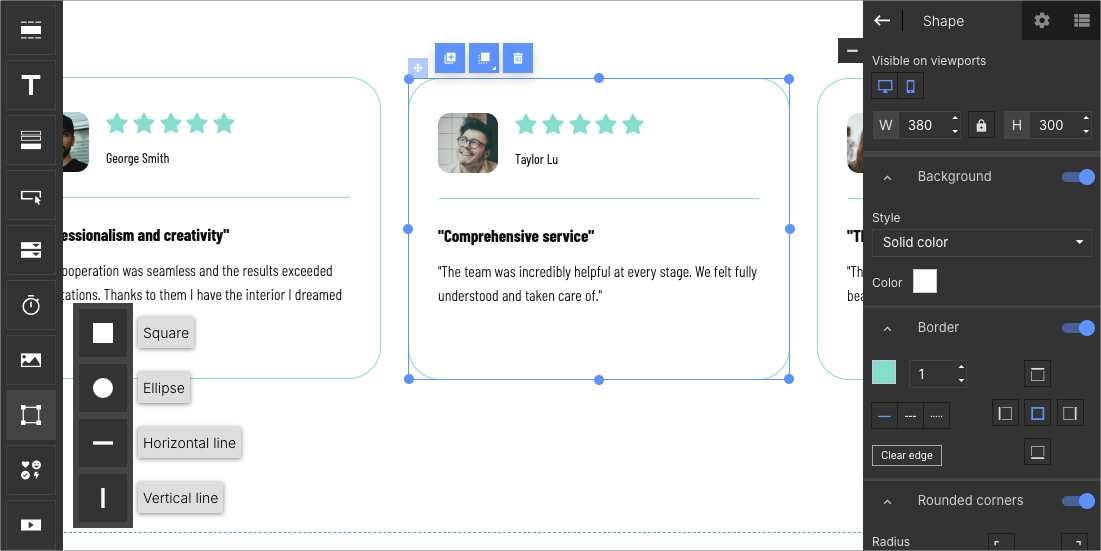
Video testimonials add authenticity and local context. Visual trust signals strengthen engagement on local business landing pages.
Step 8: Optimize the Mobile View
Mobile optimization ensures the page works well on smaller screens. Many local searches happen on mobile devices.
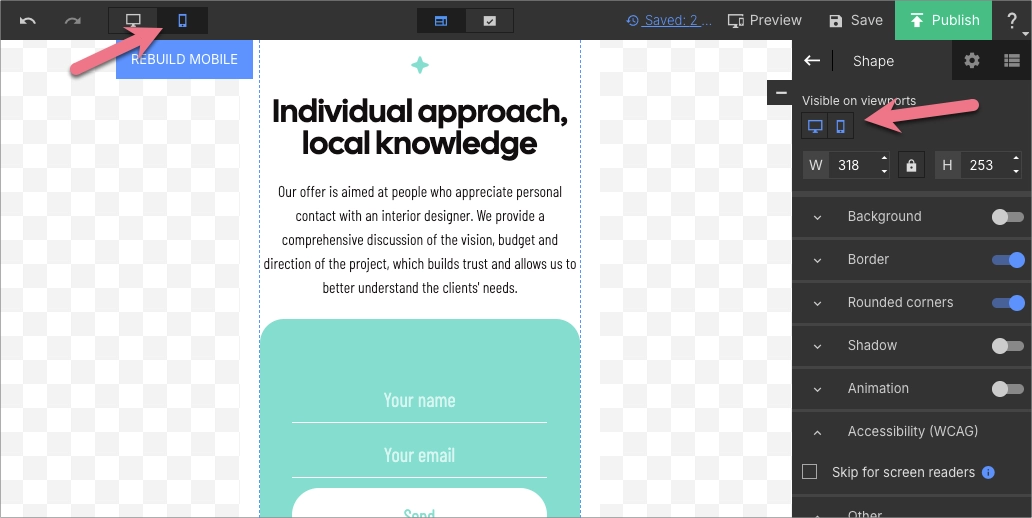
Landingi creates the mobile view automatically based on the desktop version. Manual adjustments allow hiding elements or resizing sections when needed.
Clear layout, readable text, and accessible CTAs improve mobile usability.
Step 9: Set Up Tracking and Publish the Page
Tracking helps measure how users interact with a local landing page and provides insight into how effectively the page supports conversion goals. EventTracker, which requires no setup, records clicks, form submissions, scroll depth, and other user actions that reveal real behavior on the page.
Tracking data enables performance analysis by location, helping teams identify which elements work well and which require optimization. These insights support informed improvements to page structure, messaging, and conversion flow.
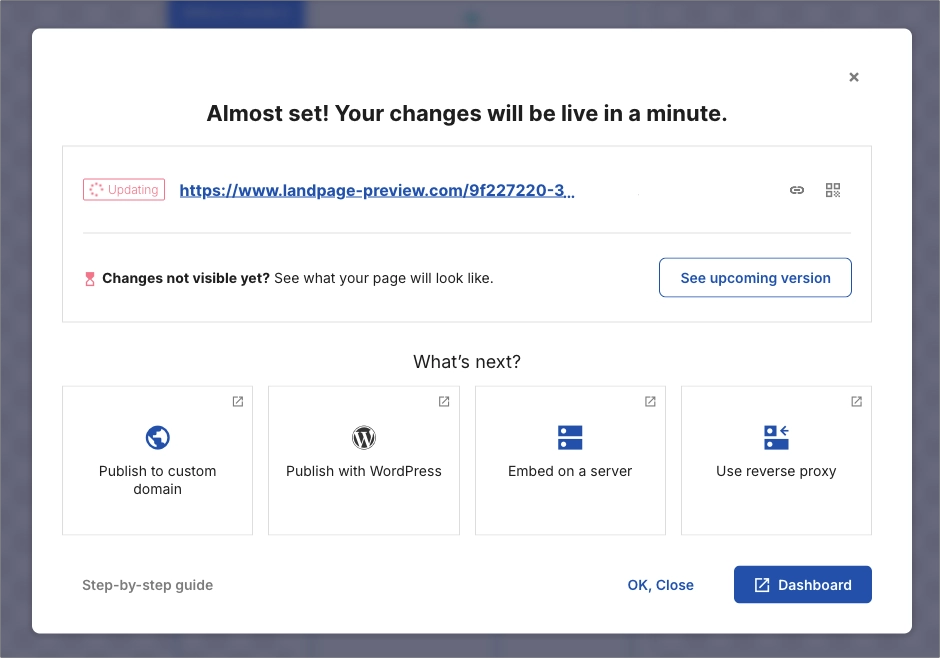
The page made in Landingi can be published on a custom domain or through a platform integration. At this stage, the local landing page is fully prepared to support both PPC traffic and organic visibility.
Bonus Step: Scale Multi-Location Pages with Programmatic Landing Pages
Programmatic Landing Pages help create and manage landing pages for many locations at scale. This approach works especially well for multi-location businesses operating across multiple branches or service areas.
In Landingi, Programmatic Landing Pages use one main template and a data source. Location-specific details, such as city names, addresses, and phone numbers, populate each page automatically.
With this setup, Programmatic Landing Pages support local SEO and PPC workflows. Each page targets a specific location while following the same quality and conversion standards.
Multiply pages, not your workload! Learn how Landingi powers multi-location marketing.
FAQ for Local Landing Pages
This FAQ section answers common questions about creating and managing local landing pages. The section focuses on templates, mobile optimization, local keywords, performance tracking, and frequent mistakes. Each answer provides practical guidance for building local landing pages that support PPC campaigns and local SEO goals.
Where Can I Find Local Landing Page Templates?
You can find local landing page templates on Landingi, a platform for creating, testing, and managing landing pages. Landingi offers a gallery of over 400 landing page templates designed for different industries, including local businesses.
Landingi templates support local business landing pages by providing ready-made layouts that include space for location details, calls to action, and contact information. Each template is easy to customize with localized content, imagery, and page elements.
Landingi also includes tools that support page performance and conversions. Built-in features (such as Smart Sections, Page Style, duplication, user permissions, and lead management) help teams manage multiple local pages and maintain consistent page quality.
How to Optimize Local Landing Pages for Mobile Users?
To optimize local landing pages for mobile users, use a responsive design that adapts to different screen sizes and orientations. Landing page builders like Landingi offer automated mobile view optimization to ensure correct display across devices. Manual customization remains possible, but automated scaling handles most layout adjustments.
Mobile optimization should focus on fast loading times. Image compression, code minification, and browser caching reduce page weight and improve performance. Clear navigation should highlight contact details, business hours, and location.
Calls to action should use large, tappable buttons for smaller screens. Streamlined content reduces clutter and keeps attention on localized keywords, customer reviews, and special offers.
On local landing pages, mobile-friendly features such as click-to-call buttons and integrated maps improve usability. Contact forms should remain short to reduce friction during submission.
A/B testing and mobile analytics help identify performance issues. Testing and behavioral data support ongoing improvements based on real user interactions.
How to Incorporate Local Keywords Effectively on a Landing Page?
To incorporate local keywords effectively on a landing page, identify search terms used by local customers. To find location-based queries, you can use tools like Google Keyword Planner or Semrush. Local keywords should appear in title tags, meta descriptions, headings, body content, and links pointing from other pages. City names, neighborhoods, and service areas provide a clear geographic context.
A location page should also display a business address, phone number, and operating hours. Visible business details reinforce local relevance and trust.
Local keywords should be included in image alt text and page URLs. Regular content updates aligned with local trends also help maintain relevance and support SEO performance.
Get your local business noticed – build a professional landing page with Landingi!
How to Track and Measure the Success of Local Landing Pages?
To track and measure the success of local landing pages, use analytics tools that collect behavioral data. EventTracker, developed by Landingi, supports performance analysis based on real user actions.
EventTracker tracks interactions across local pages, including button clicks, form activity, video engagement, scroll depth, checkouts, and lightbox triggers. EventTracker also displays a scroll map that shows how far users scroll on each local landing page.
All data appears in a single dashboard, which simplifies analysis and reporting. Performance insights support informed decisions during landing page optimization.
What Are Common Mistakes to Avoid When Creating Local Landing Pages?
Common mistakes when creating local landing pages include duplicate content, inconsistent NAP information, poor mobile optimization, unclear CTAs, missing local signals, and keyword stuffing.
Key mistakes to avoid include:
- Lack of unique content – duplicate content across local landing pages can lower search visibility.
- Ignoring mobile optimization – poor mobile experience limits rankings and user engagement.
- Inconsistent NAP information – mismatched business details reduce trust and local relevance.
- Missing local reviews and testimonials – lack of social proof weakens credibility.
- Poor CTA placement – unclear or hidden calls to action reduce conversions.
- Not using local schema markup – missing structured data limits search result visibility.
- Failing to update content – outdated pages lose relevance and trust signals.
- Ignoring analytics and performance tracking – lack of data prevents effective optimization.
- Not building local backlinks – missing local links reduces authority.
- Overloading pages with keywords – keyword stuffing harms readability and rankings.
Target your local audience effectively – create a custom landing page with Landingi!
Build High-Converting Local Landing Pages with Landingi
Now that you understand what local landing pages are, how they work, and which elements influence performance, you can start applying these principles in practice. Focus on clear local intent, relevant content, and a page structure that supports both user experience and conversions.
Local landing pages are not static assets. Regular testing, optimization, and performance analysis help improve results over time and adapt pages to changing search behavior and local demand.
With Landingi’s landing page builder, you can create a local landing page faster and more efficiently than in a traditional CMS, without relying on developers or managing complex templates, plugins, and deployments. The platform allows you to build a single page optimized simultaneously for SEO and PPC, as both channels rely on similar quality and relevance signals when evaluating page performance. Try Landingi now for free!






