


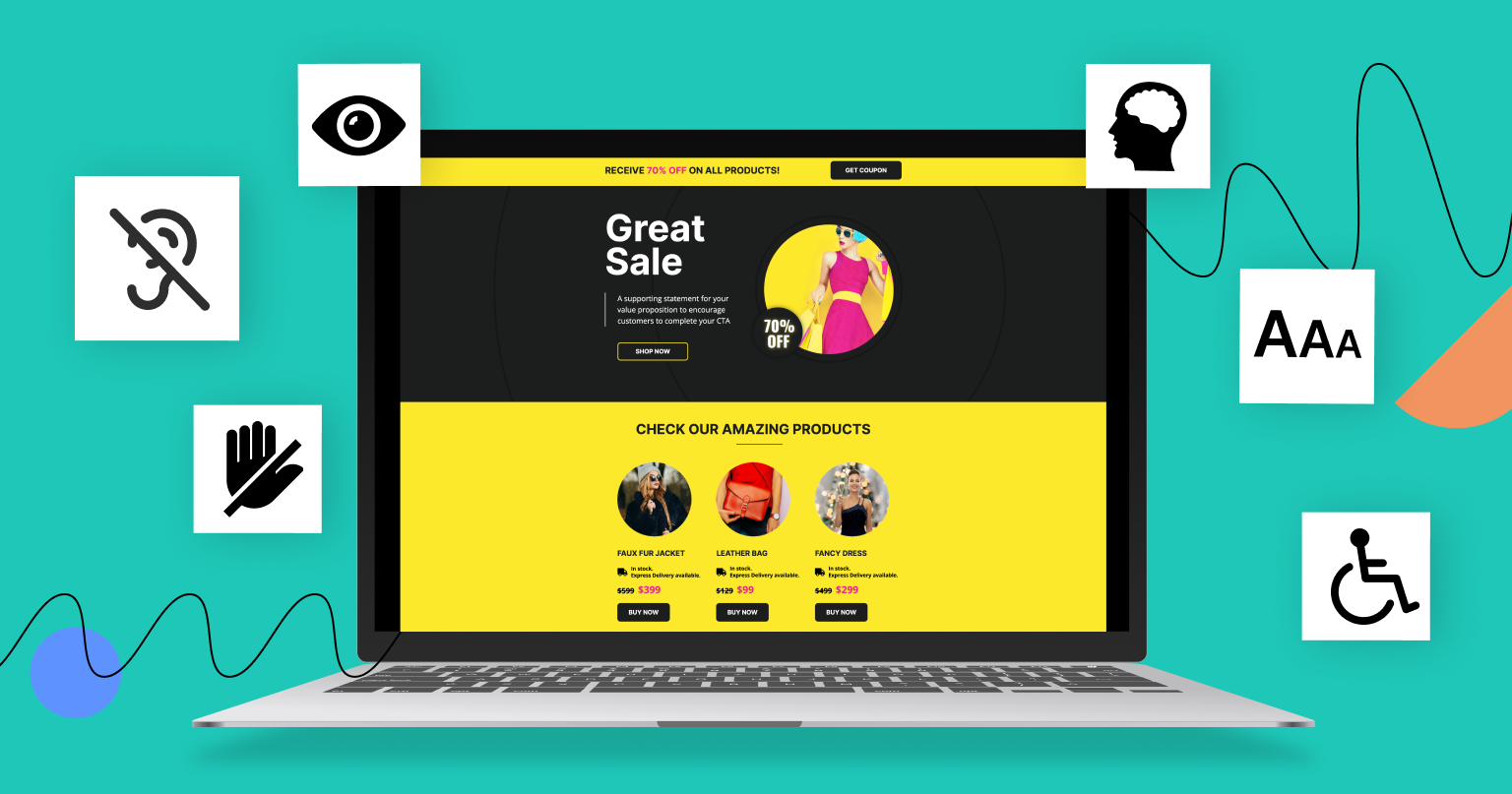
The Web Content Accessibility Guidelines (WCAG) are a global standard developed by the World Wide Web Consortium (W3C) to help teams build digital content that works for people with disabilities. WCAG outlines how to structure text, media, navigation, and interactive elements so they remain usable for people with visual, auditory, cognitive, and motor impairments. According to the WHO, over 1.3 billion people live with some form of disability, which means accessibility directly affects how a large share of visitors experience your content.
Accessibility shapes how people experience your landing page. It influences how they read, move, and act on your content across the user interface. WCAG gives you a practical set of rules that help you build pages that work for all users. It also helps you reduce friction, improve conversions, and support landing page performance in measurable ways.
This guide explains what WCAG is, why it matters for landing pages, and how to apply its four key principles. You will also see how to meet these standards in Landingi and build accessible landing pages more confidently.

What are WCAG (Web Content Accessibility Guidelines)?
WCAG is a global standard that explains how to build digital content that works for people with different abilities. The guidelines help creators understand how users with visual, auditory, cognitive, or motor challenges interact with online content. Each rule focuses on removing accessibility barriers that stop users from reading, navigating, or acting on a page.
WCAG also creates a shared language for accessibility across teams. Designers, developers, writers, and marketers can use the same framework to build consistent and inclusive experiences. This enables teams to create content that supports a diverse range of user needs. It also reduces errors and keeps your landing pages aligned with legal expectations in many regions, including how various user agents interpret them.
The guidelines include defined success criteria organized into levels A, AA, and AAA, which show how far your accessibility efforts should go. These levels help you measure progress and plan improvements step by step.
What’s the Importance of WCAG for a Landing Page?
WCAG matters because a landing page should remain easy to use for every visitor. Some users rely on screen readers, some use keyboard navigation, and some need stronger contrast or clearer text. WCAG ensures your page supports these needs without limiting your creative or marketing goals.
WCAG also protects users who experience temporary challenges, such as people browsing in poor lighting or on older devices. The same improvements that support accessibility often improve clarity for all users. This leads to better comprehension and faster decision-making.
Finally, WCAG helps lower legal and operational risks. Many regions expect digital content to follow these guidelines in principle, which makes WCAG a practical foundation for responsible marketing practices.
4 Key Principles of WCAG for a Landing Page
WCAG is built on four core principles known as POUR: Perceivable, Operable, Understandable, and Robust. These principles guide the practical steps you should take when building accessible landing pages that work for all users. They also connect directly to landing page best practices, because accessibility supports clarity and conversion.
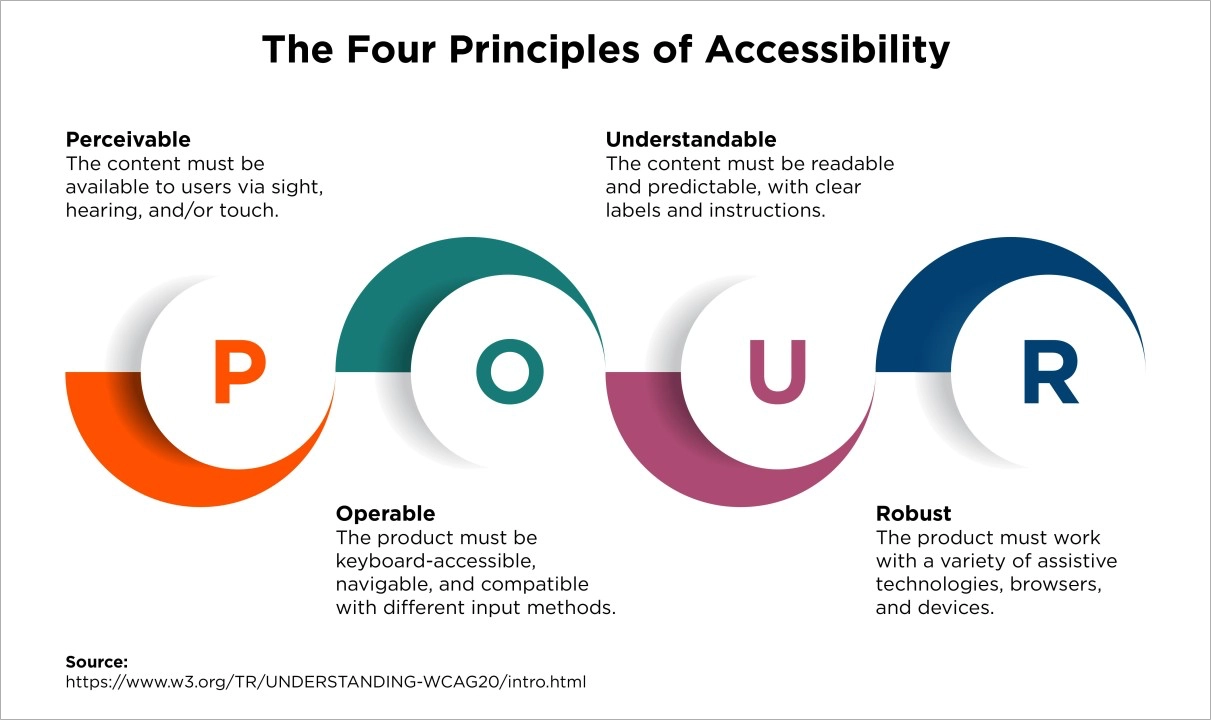
The sections below break down each principle into a clear action you can apply in Landingi or any landing page workflow based on accessible web design.
1. Perceivable: Make Your Content Perceivable Across Different Senses
To make your landing page perceivable, you need to present content in ways users can sense and interpret through multiple methods.
Users must be able to take in visual content, audio, and all page elements through sight, sound, or assistive technology. Your goal is to provide users with various ways to access information and avoid blocking users who cannot rely solely on one sense or one type of visual element.
Key actions include:
- Add descriptive alt text to images, icons, and non-text elements. Offer an alternative presentation when a single format may not be accessible to all users.
- Provide captions for videos and transcripts for audio content, and consider audio descriptions where needed. If your video contains speech or meaningful sound, ensure the audio track is clear and accessible so users understand the message.
- Use strong color contrast to support users with low vision or color blindness.
- Allow text scaling and zoom without hiding or breaking content.
- Structure your page with clear headings and meaningful content groups.
- Add short descriptive text for complex images when alt text alone is not enough and a user may need further explanation.
What to do in Landingi:
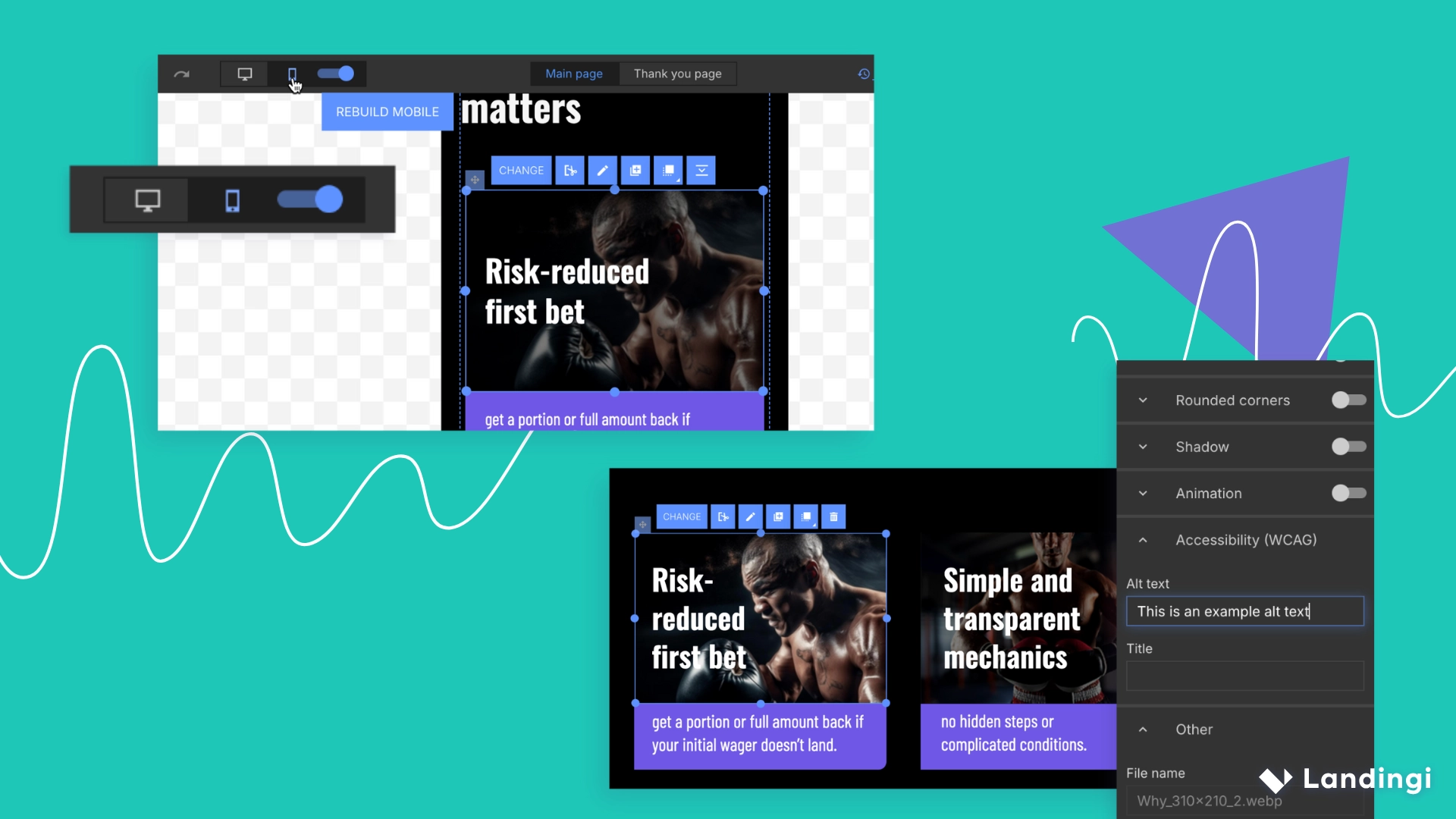
In the Landingi landing page builder, you can add alt text to every image or icon using the Accessibility (WCAG) tab. Use text alternatives to ensure your message remains accessible even when images cannot be viewed.
Landingi also lets you adjust text sizes in desktop and mobile views to ensure readability. If an image needs more context, place a short text block next to it. Switch to Mobile View to refine layout spacing for smaller screens.
2. Operable: Ensure Every Interaction Is Operable Without a Mouse
To make your landing page operable, you need to ensure users can interact with every element using different input methods, which supports a fully keyboard operable user interface.
Your landing page should respond to keyboard navigation, because many users cannot or prefer not to use a mouse. Every interactive element must be reachable, actionable, and easy to exit through the keyboard or other standard exit methods. This includes making sure form workflows allow assistive technology to submit users test responses without interruption and all user interface components that guide visitors through the page.
Key actions include:
- Test your page using Tab and Shift + Tab to reach buttons, links, and form elements.
- Avoid keyboard traps by ensuring users can always tab forward and backward.
- Provide visible focus indicators so users know which element is active.
- Limit flashing or fast-moving visuals to reduce discomfort.
- Give buttons and links descriptive labels that explain their purpose.
- Ensure elements appear in a logical tab order to support smooth navigation.
- Avoid sudden sounds or unexpected animations, because they can interrupt focus and make it harder for users to stay oriented on your page.
What to do in Landingi:
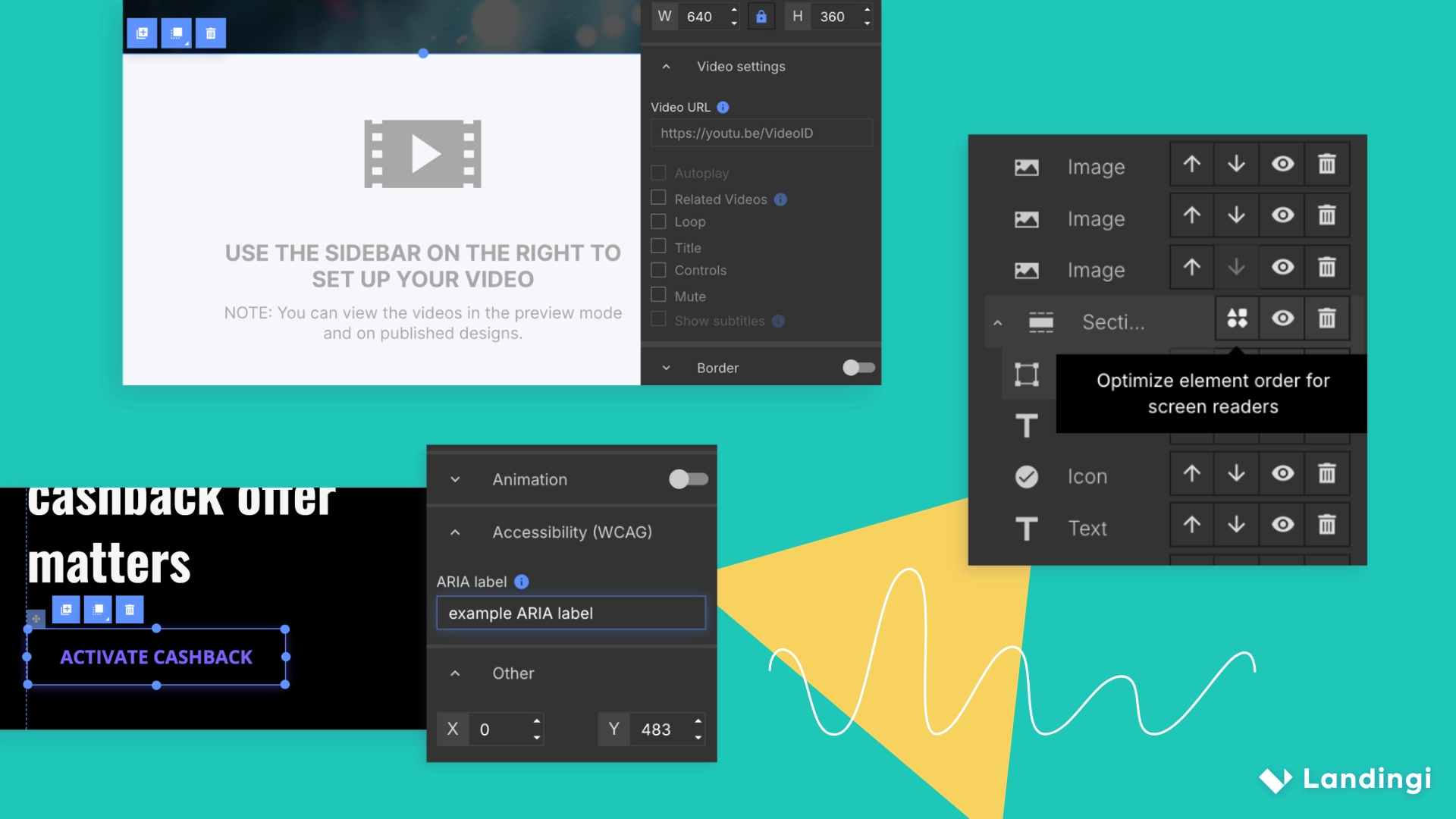
Landing page forms, buttons, links, and videos are keyboard-accessible by default. To refine tab order, open the Elements List and rearrange items using arrows or auto-sort.
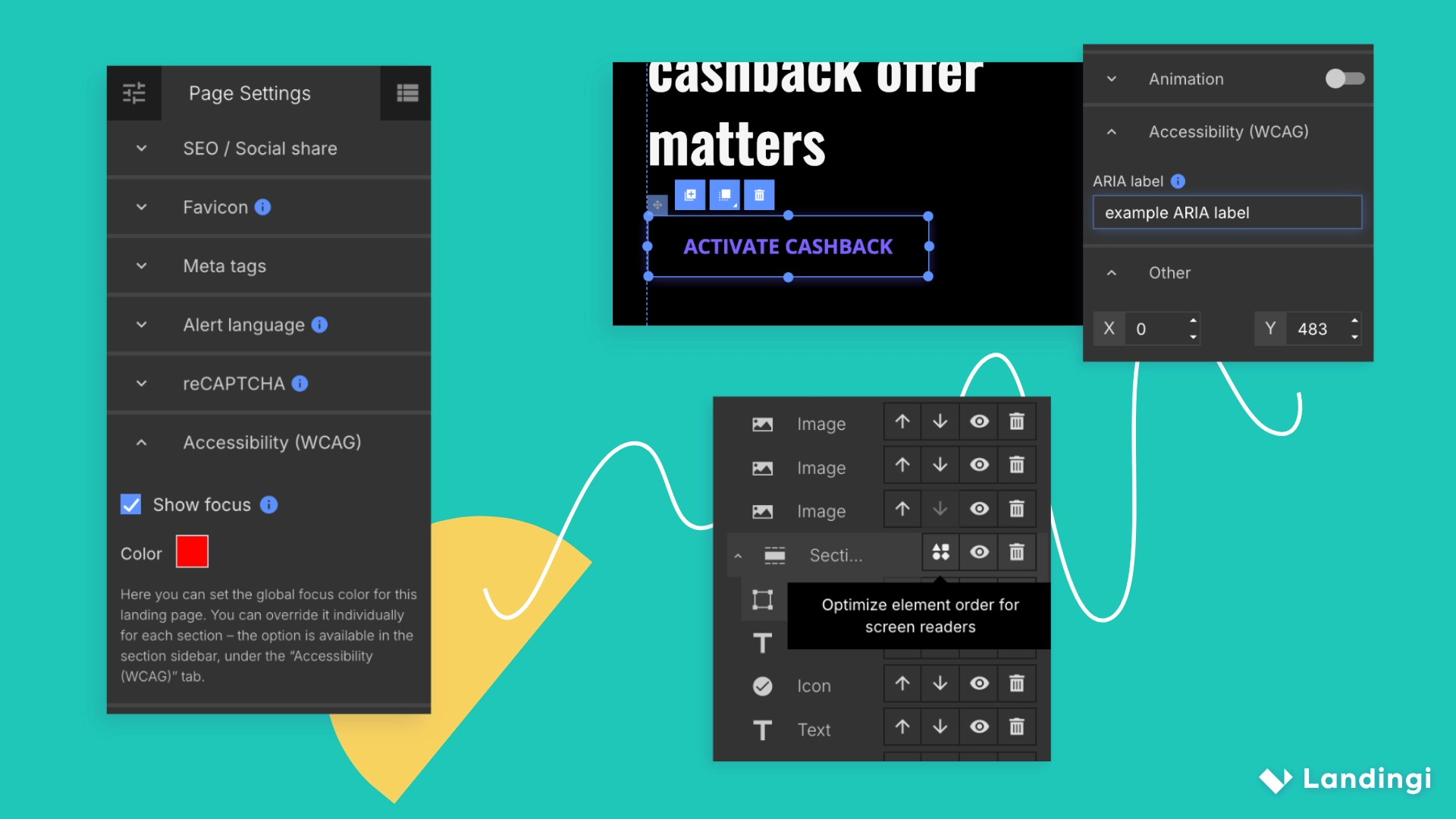
Set global or section-based Focus Styles under the Accessibility (WCAG) tab to control how active elements are outlined. Enable the focus and choose the border color for focused elements.
Add ARIA labels to buttons when the visible text does not fully explain the action.
3. Understandable: Make Content and Actions Easy to Understand
To make your landing page understandable, you should ensure users can follow the message and interact with your content without confusion.
Your content and interface should be predictable and simple to follow. Unclear labels or inconsistent patterns can confuse users, especially those who depend on assistive tools.
Meeting these expectations also helps you achieve the success criteria that support clarity, consistency, and smooth interaction across your page. Users should know where they are, what they should do next, and how to correct mistakes. They should also be able to complete processes without confusion or unnecessary repetition. This includes managing elements like audio volume when media is present.
Key actions include:
- Write in clear, direct language that supports fast comprehension.
- Use a consistent layout for menus, help links, and contact details.
- Label every form field clearly, and avoid vague or minimal wording.
- Provide helpful error messages that explain what needs to be fixed.
- Set the correct language for your page so screen readers announce content properly.
- Avoid asking users to re-enter data in multi-step forms.
What to do in Landingi:
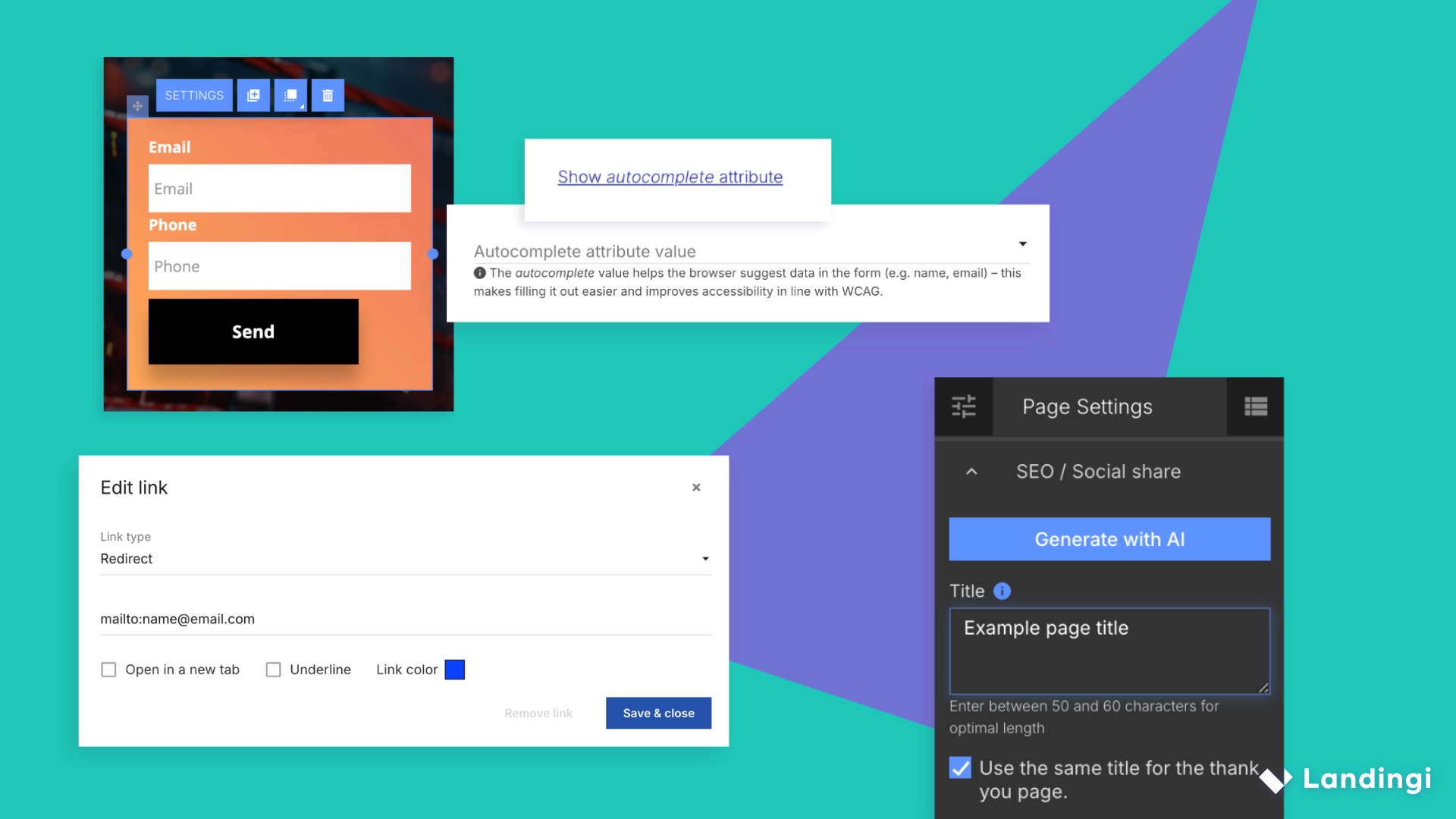
Place contact elements in a stable location, such as a fixed menu or footer. Convert phone numbers and emails into active contact links so keyboard users can open them with Enter.
Enable Autocomplete in landing page Form Settings to reduce typing for repeat fields.
Set Page Title and language through Page Settings to help users understand where they are.
4. Robust: Build a Page That Works Reliably Across Devices and Assistive Tools
To make your landing page robust, you need to structure it in a way that works smoothly across devices, browsers, and assistive technologies, including different user agents.
Your content must work across browsers, screen sizes, and assistive technologies. Clean structure helps tools like screen readers interpret your content correctly.
Key actions include:
- Use semantic HTML so assistive tools recognize elements like buttons or forms.
- Avoid duplicated attributes, broken nesting, or missing tags.
- Test your page with screen readers such as NVDA or VoiceOver.
- Check your page across browsers and mobile devices.
- Group meaningful content in clear sections.
- Provide stable structural cues such as region labels and consistent layout.
What to do in Landingi:
Assign Landmark Roles to landing page sections to inform assistive technologies about their purpose. To set a role, click the section you want to modify and select the appropriate role (navigation, region, form, complementary, search) from the Landmark role list in the Accessibility (WCAG) tab.
Add an ARIA label for any section with repeated patterns or a less obvious meaning.
Use the shapes icon in the Elements List to auto-sort elements within a section and maintain clean HTML order. Or use the arrows next to each element to move it up or down within the HTML structure.
Adjust mobile layouts carefully and test your published page on real devices. Limit autoplay elements and flashing visuals in the Video Widget settings.
What Is the Level of Success Criteria in WCAG for the Landing Page?
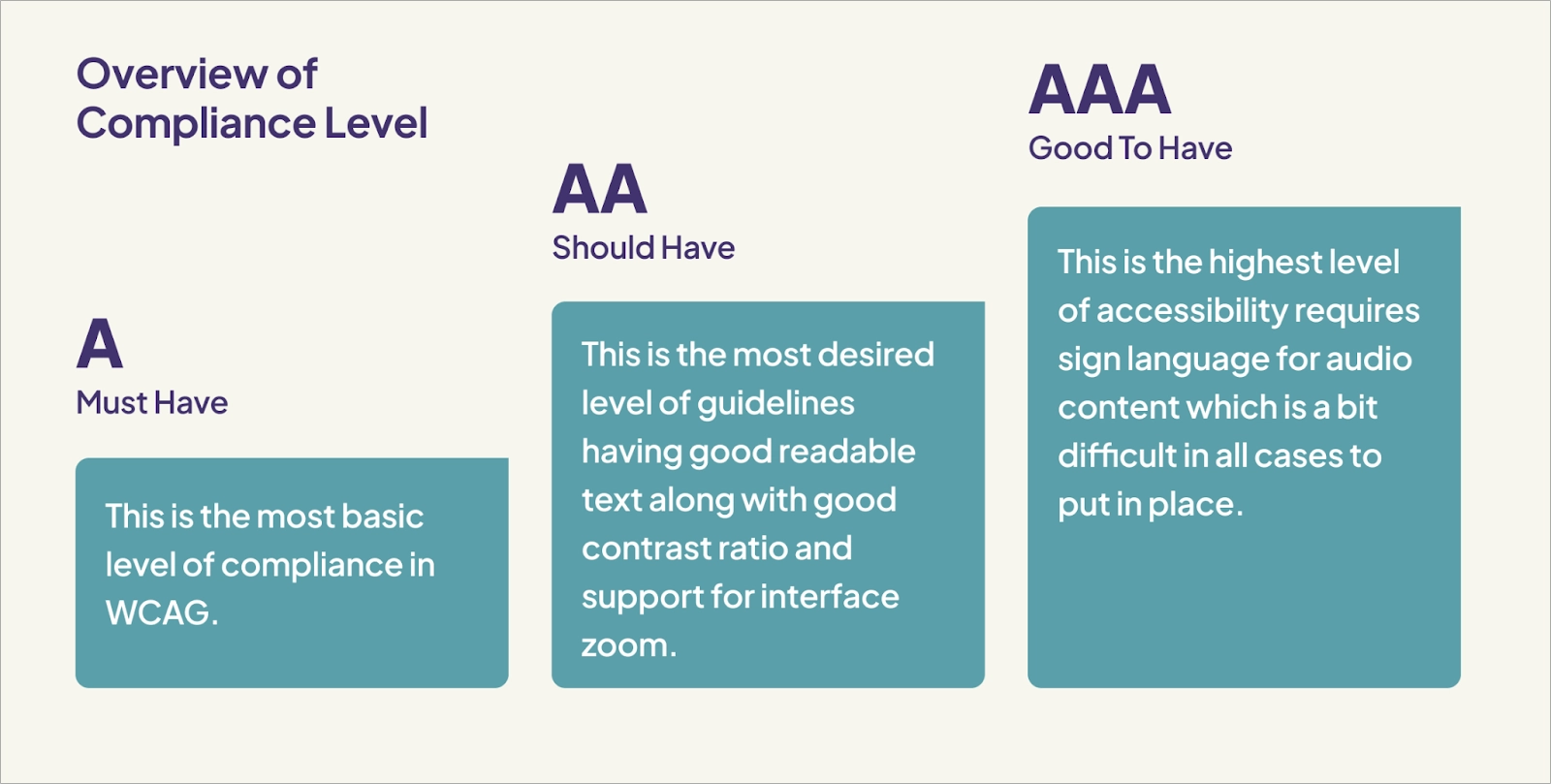
WCAG organizes its success criteria into three conformance levels: A, AA, and AAA. These levels show how thoroughly a landing page meets accessibility expectations and how many barriers it removes for different user groups. They also guide marketers who create landing pages and need a clear structure for planning accessibility improvements across different types of web content.
Most landing pages aim for Level AA because it balances meaningful accessibility with realistic production work.
Level AA also aligns with common global standards, which makes it a safe and future-proof target for marketing teams and helps a web page remain compatible with current and future user agents.
The three WCAG levels include:
- Level A – The essential level. It covers baseline accessibility needs and addresses major blockers that prevent users from accessing content. These criteria help remove the most urgent barriers, such as missing alt text, inaccessible controls, or elements that cannot handle user input.
- Level AA – The recommended level for most landing pages. It expands Level A with additional requirements that improve usability across devices and assistive tools. This level of success criteria includes expectations for contrast, clear labels, and predictable interactions that support web pages presenting information clearly.
- Level AAA – The most advanced level. It includes the strictest criteria and supports the broadest range of needs. Most marketing teams do not aim for AAA because it requires highly specific adjustments that may not suit every design or message.
These levels serve as a practical benchmark for reviewing any web page. They help you confirm which improvements are already met and which updates should be added to achieve a more inclusive and reliable experience for all visitors.
FAQ About WCAG for Landing Page
Understanding WCAG can raise practical questions, especially for marketers who need their pages to be accessibility supported across different devices and regions. This FAQ covers the most common concerns so you can make informed decisions and build accessible landing pages with confidence, whether you work on a single web page or create landing pages at scale. WCAG helps ensure that all users can access the same information, regardless of their tools or abilities.
Is WCAG a legal requirement?
WCAG itself is not a law, but many countries base their digital access regulations on its standards. This means WCAG often becomes the practical measure for compliance as users navigate content online. Some regions even expect businesses (whether a marketing site, blog, or online store) to meet similar accessibility features for consistency.
Check your country’s regulations to confirm your obligations before publishing a campaign.
Is ADA compliance the same as WCAG?
ADA compliance is not the same as WCAG, because ADA is a U.S. civil rights law and WCAG is a technical standard. WCAG is widely used as the benchmark for proving accessibility under the ADA, which is why many teams rely on it. In many cases, WCAG serves as the default setting for evaluating digital access expectations.
What happens if you are not WCAG compliant?
If you are not WCAG compliant, some users may be unable to read, navigate, or complete actions on your landing page. This can lower conversions and, in some regions, increase your exposure to accessibility-related claims or penalties.





