


Credits in Landingi are virtual tokens that serve as a method of billing and are required to access some of the additional features, including background removal from images and Programmatic Landing Pages.
This guide explains how to buy credits, how to use them, and which features require them.
How do credits work?
Any credit-paid feature will deduct a specific number of credits from your total credit pool when used. The cost of using a feature varies depending on the feature and is displayed on the feature use button (1).
The number of your remaining credits is shown next to the button (2).
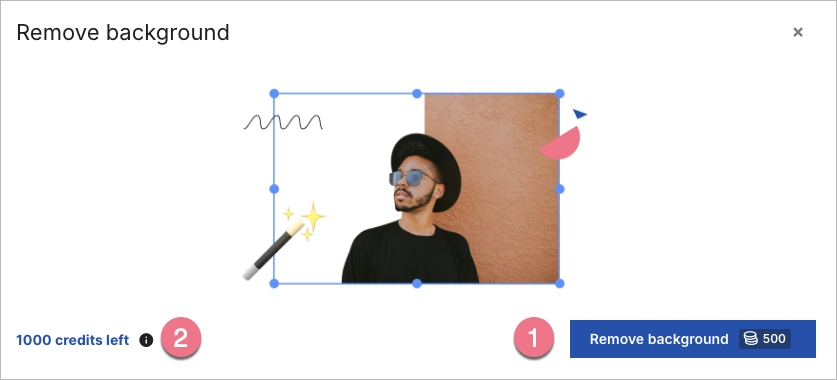
After using the feature, the number of credits decreases by the cost of an action.
If you do not have sufficient credits in your account, you will not be able to use a feature that requires credits. In this case, you must purchase additional credits.
Credits are non-renewable – they do not reset at the start of a new billing period. However, you can purchase a new credit package at any time (as a one-time payment).
Using, buying, and enabling access to use credits to subaccounts depends on the user’s role.
Users’ credit permissions
For business accounts:
| Owner | Admin | Author | Designer | Viewer | Accountant | |
|---|---|---|---|---|---|---|
| Using credits | YES | YES | YES | YES | no | no |
| Buying credit | YES | YES | no | no | no | no |
For Agency accounts:
| Main account owner | Main account admin | Subaccount manager | Subaccount owner | |
|---|---|---|---|---|
| Using credits | YES | YES | YES | YES |
| Buying credit | YES | YES | no | no |
| Enabling access of credit use to subaccounts | YES | YES | no | no |
How to buy credits in Landingi?
Each plan comes with a starter package containing 1000 credits by default.
You can purchase more credits either from the platform itself or through a feature that requires the use of credits.
NOTE: If you do not have a payment method set up in Landingi, you can still purchase credits, but it may take up to 2 business days for them to be added to your account.
#1 Buy credits from the platform
1. Open the My Usage menu from the lower left corner and click the Buy credits button.

2. You will see a pop-up window with all the payment details. Select the credit package, click Buy now, and follow the instructions.
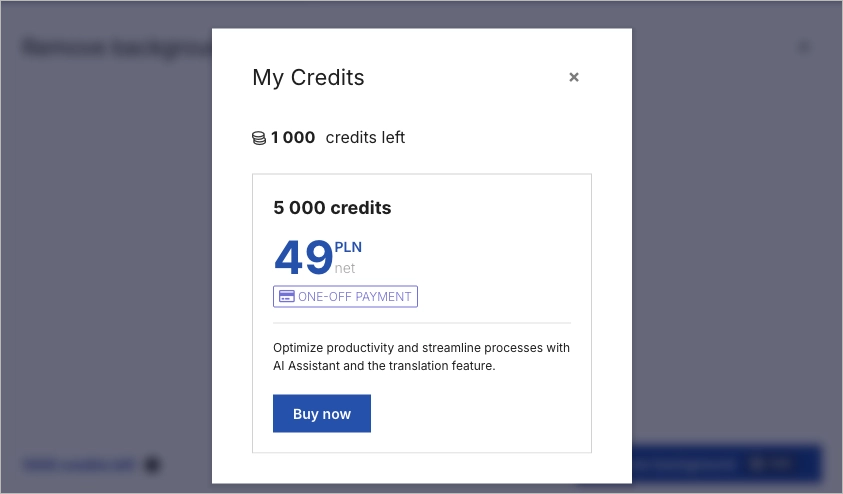
3. After your payment is successful, the number of credits will update automatically and you will receive the invoice via email.
#2 Buy credits through a feature
1. Access one of the credit-paid features.
2. At the bottom of the feature window, you will see the counter with your remaining credits. Click on the number to view a pop-up window with payment details.
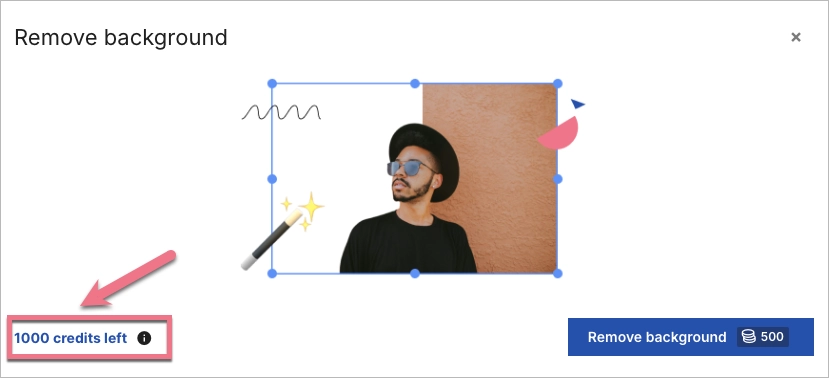
3. Select the credit package, click Buy now, and follow the instructions.
4. After your payment is successful, the number of credits will update automatically and you will receive the invoice via email.
How do I check my credit usage?
To check your credit usage, open the My Usage menu located in the lower left corner of the Landingi platform.
At the bottom of the unfolded menu, you can see your remaining credits (1) and buy more (2).

Which features require credits?
Features that require credits are:
Features available without credits are:
Features available without credits but requiring a plan higher than Lite are:
Credits on Agency accounts and subaccounts
The credits available to an agency account are shared between both the main account and all subaccounts. However, subaccounts themselves cannot purchase credits – only the main account has this ability.
The admin or account owner determines whether subaccounts have access to the shared credits.
1. To activate this function, navigate to the Settings tab located in the lower left corner.

2. In the Agency Options tab, activate the option in the Share your credits section.

Once the option to Allow subaccounts use your credits has been enabled, all subaccounts will have access to the shared credit pool.

