


Bing PPC is a paid search channel in Microsoft Advertising where advertisers pay for clicks from users searching on Bing, Yahoo, AOL, and selected Microsoft partner placements. While Google Ads usually gets more budget attention, Bing Ads can be worth testing when your audience uses Microsoft products, desktop search, or lower-competition search queries. Before adding Bing PPC to a media plan, marketers should check search volume, CPC levels, conversion intent, and whether the landing page matches the query behind the ad click.
According to ThinkOrion data, Bing Ads recorded a 2.83% CTR versus 1.91% for Google Ads, underscoring its efficiency. Because Bing is available in 238 countries and supports 105 languages, Microsoft Advertising can be relevant for international campaigns, especially when search demand exists outside Google-heavy markets. For now, Bing is most popular in China, where it holds 32.95% of the user base, and its popularity is growing in the US, where it holds 26.23% of the user base.
Bing PPC can help advertisers reach users who may not be as exposed to Google Ads, but the channel works best when campaign targeting, keyword intent, and landing page messaging are checked together. All you need to do is equip yourself with the right PPC marketing tools for landing pages – this is where Landingi, an AI landing page operation system, is useful, so that your campaigns in Bing can be even more effective.
This Bing PPC guide explains how Microsoft Advertising campaigns work, which practices reduce wasted clicks, how landing pages affect post-click conversions, and what different Bing ad formats look like in practice. Before launching a Bing PPC campaign, check these four areas:
- Set measurable goals – they will determine your entire campaign strategy.
- Know your audience to leverage targeting options properly.
- Focus on keywords to meet the right audiences.
- Optimize landing pages to ensure ad consistency and boost overall ROI.

What Is PPC in Bing?
PPC in Bing is a paid search model in Microsoft Advertising where advertisers pay when someone clicks their ad on Bing or across the Microsoft Search Network. Compared with organic search, Bing PPC can generate traffic faster, but profitability depends on CPC, conversion rate, offer quality, and landing page relevance. Bing PPC ads are integrated across Microsoft’s extensive network, including Bing, Yahoo, and AOL, leveraging over five billion monthly searches.
Moreover, Bing PPC offers competitive advantages like lower cost-per-click rates compared to Google and access to a unique audience that may not be as heavily targeted by competitors. Microsoft Advertising also connects with Microsoft’s ecosystem, which can matter for advertisers using Microsoft audience data, desktop placements, or imported Google Ads campaigns.
Bing PPC is usually worth testing as a separate channel when your Google Ads CPCs are rising or when Microsoft Search Network users match your buyer profile.
Create Bing PPC landing pages that repeat the keyword intent, ad promise, offer, and CTA from each ad group.
How Does PPC Advertising in Bing Work?
Bing PPC operates on a keyword bidding system similar to Google Ads: advertisers choose keywords, set bids, and compete for ad placements when users search for matching terms. Bing PPC can be cost-efficient in less competitive auctions, but advertisers should compare CPC, impression volume, and conversion quality before shifting budget from other paid search channels.
The PPC advertising on Bing involves a few steps, as follows:
- Bidding system – you set ad group and keyword bids, while Microsoft Advertising can adjust them in real time by bidding higher on searches more likely to convert and lower on searches with weaker conversion signals. Over time, automated bidding attempts to keep CPC close to your bid settings, but advertisers still need to monitor spend, conversion volume, and search term quality.
- Keyword selection – in Bing PPC, keyword selection should separate informational, comparison, and purchase-intent queries because each group needs different ad copy and landing page messaging. You can use the Microsoft Advertising keyword planner to research and expand your keyword list, ensuring they align with your business offerings. Microsoft Advertising Keyword Planner lets you see search volume, trends, and performance, helping you decide which keywords to bid on.
- Ad placement and targeting – Bing PPC ads are displayed based on keyword selections. Your ads can appear in various formats across the Microsoft Search Network, including Bing, Yahoo, and AOL. You can fine-tune your campaigns by geotargeting, demographic targeting, and device targeting, ensuring your ads reach the right audience at the right time. Targeting settings should be reviewed by location, device, age group, and schedule, especially when Bing traffic converts differently from Google Ads traffic.
5 Bing PPC Best Practices That Reduce Wasted Clicks
The five Bing PPC practices below focus on reducing wasted clicks, matching ads to search intent, and improving post-click conversion tracking. Use these methods as your guide to creating pay-per-click ad campaigns that reach your target audiences, bring more clicks, and increase conversion.
#1 Use relevant keywords and negative keywords
The first Bing PPC best practice is to use relevant and negative keywords. Using professional tools, like Microsoft Advertising keyword planner, research terms your ideal customers use to find businesses like yours. Target high-value keywords, but use negative keywords to reduce exposure to irrelevant queries. You should still review the search terms report because some low-intent searches will pass through broad or phrase match.
#2 Create compelling ad copy
The second Bing PPC best practice is to write ad copy that mirrors the search query, names the offer, and gives users a reason to click before they compare another result. Focus on clear, benefit-driven messaging. In just a few words, showcase what makes your business the perfect solution. Match the CTA to the conversion goal: “Book a demo” for SaaS leads, “Get a quote” for service campaigns, or “View pricing” for high-intent product searches.
#3 Optimize landing pages
The third Bing PPC best practice is to optimize landing pages. Make the landing page repeat the ad’s main promise, keyword theme, offer, and CTA so users do not feel they clicked into a different funnel. Check load speed before launch, especially on mobile, because paid clicks become expensive when users abandon the page before the form or offer section loads.
Finally, guide visitors towards a clear conversion goal. Craft a clear path with buttons and calls to action, making it easy for visitors to take that next step. In Bing PPC, landing pages often decide whether cheaper clicks translate into qualified leads or only additional traffic.
For Bing PPC campaigns, Landingi can help create separate landing page variants for different ad groups, offers, or keyword intents without rebuilding the whole site. Landingi provides over 400 page templates and an AI-powered landing page generator. Its user-friendly editor allows for easy customization. With more AI-powered features, users can craft perfect copy for the entire landing page, ensuring its relevance to an ad campaign. Built-in A/B testing feature allows experimenting with various page versions and incorporating data-based optimization. Once you discover this powerful tool, you can boost your campaign performance and achieve higher ROI.
Running Bing PPC campaigns? Build landing pages that match each ad group’s keyword intent, offer, and CTA before you increase the budget.
#4 Monitor and adjust bids regularly
The fourth Bing PPC best practice is to monitor and adjust bids regularly. Bing PPC bids should be reviewed regularly because CPC, impression share, and conversion volume can shift by keyword, device, location, and time of day. Increase bids for high-performing keywords to drive valuable traffic and conversions. For keywords draining your budget with minimal return, consider lowering bids or using negative keywords to block them entirely.
By actively managing bids based on performance data, you can ensure your Bing Ads stay competitive and maximize your return on investment (ROI). You can also consider using Bing’s automated bidding strategies to optimize for specific goals, such as maximizing clicks or conversions.
#5 Utilize Bing’s ad extensions
The fifth Bing PPC best practice is to utilize Bing’s ad extensions. Ad extensions add extra paths or information to the ad, such as sitelinks, phone numbers, locations, or prices, which can improve click quality when they match the user’s intent. Extensions can also qualify clicks before the user reaches the landing page, for example by showing pricing, location, or service categories directly in the ad. Plus, extensions can increase your ad’s placement, making it stand out from the competition.
How to Start a PPC Campaign on Bing?
To start a Bing PPC campaign, create or access a Microsoft Advertising account, define the campaign goal, prepare keyword groups, and make sure each ad points to a relevant landing page. Once your ad creatives and related landing pages are ready, you can choose the campaign type, set your budget and bids, and select KPIs for tracking. Don’t forget to use ad extensions, which can significantly boost your ad’s efficiency. Once your campaign is live, you should monitor its performance and optimize it for better results.
Check out the detailed guide below to ensure you didn’t miss any step in creating a new PPC Bing campaign:
1. Set up a Microsoft Advertising Account
Firstly, set up a Microsoft Advertising Account – visit the Microsoft Advertising website and sign up for an account if you don’t already have one. Provide details like your business name, website, and payment information to complete the setup. When you access Microsoft Ads, you can start creating a new campaign.

2. Define your campaign goals
Secondly, define your campaign goals. Determine what you want to achieve with your PPC campaign – increasing website traffic, generating leads, or boosting sales. Knowing your goals helps craft a targeted strategy. For lead generation, separate campaigns for “book a demo,” “get a quote,” or “download a guide” may require different keywords, ad copy, forms, and landing page sections. Clearly defined goals will guide your campaign strategy and help measure success – if you aim for website traffic, track metrics like clicks and impressions. Lead generation focuses on conversion rates, gauging how many visitors become leads. Track sales to measure campaign effectiveness in driving revenue.
3. Conduct keyword research
Thirdly, conduct keyword research. Use tools like the Microsoft Advertising keyword planner to identify relevant keywords for your business. Focus on a mix of broad and specific keywords; use broader keywords only when you have enough budget and negative keywords to control irrelevant traffic; use more specific keywords for queries with clearer purchase or lead intent. The key is finding the right balance. This approach will help capture a wide audience while ensuring your ads reach your ideal customers, maximizing your Bing Ads impact.
4. Choose the campaign type
Fourthly, choose the campaign type. Bing Ads offers various options to suit your specific goals. Here’s a breakdown of some popular choices:
- Search Network – target users actively searching for products or services related to your keywords. Great for driving traffic and conversions.
- Shopping Network – showcase your products directly in Bing search results with high-quality images and descriptions. Perfect for e-commerce businesses.
- Audience Network – reach your ideal audience beyond Bing search results, targeting them on partner websites and apps. Ideal for brand awareness and retargeting past website visitors.
Choosing the right campaign type depends on your goals. Use Search Network when users are actively looking for a service or solution, and use Shopping campaigns when product feed quality, price, and availability can influence the click. Audience Network expands your reach for broader brand exposure. Explore the options and pick the one that aligns best with your Bing Ads strategy.
5. Set your budget and bids
Fifthly, set your budget and bids. Determine your daily or monthly budget based on how much you’re willing to spend on the campaign. Start with a comfortable daily budget and experiment with bids. Track your campaign performance – clicks, conversions, and CPC. Gradually adjust your bids to maximize clicks and conversions within your budget. Lower CPCs on Bing can make testing cheaper, but judge the channel by cost per qualified lead, purchase, or demo request rather than by click price alone. You can always switch to automated bidding as you gather performance data.
6. Craft an engaging ad
Sixthly, craft an engaging ad. Write headlines that include the main keyword, name the offer, and remove ambiguity about what happens after the click. Include a strong CTA to encourage clicks. For display ads, use immersive visuals. These can be static, high-quality pictures or visually attractive videos. Remember to meet your target audience’s expectations and persuade clicks.
7. Design and optimize landing page
Seventhly, design and optimize the landing page using professional tools like Landingi. The landing page should repeat the ad offer, answer the query behind the keyword, show the next step above the fold, and avoid navigation that distracts from the conversion goal. Make sure it loads quickly and is mobile-friendly.
A PPC landing page should make the offer visible, explain who it is for, reduce friction in the form, show trust signals near the CTA, and keep the message consistent with the ad. Run A/B tests to determine the most effective page version and make data-based adjustments to boost overall campaign performance.
Turn ad clicks into leads with professionally designed, personalized landing pages!
8. Use ad extensions
Eighthly, use ad extensions. By adding Bing ad extensions, you can show extra information such as sitelinks, prices, phone numbers, or locations before the user clicks. Extensions can also make your ads visually larger, grabbing more attention on the search results page and increasing ad clicks. The most popular and highly effective ad extensions include the following:
- Sitelink Extensions – showcase links to different sections of your website relevant to the search query, giving users a clear path to what they’re interested in.
- Call Extensions – make it easy for mobile users to contact you directly by displaying a “Call Now” button. Call extensions are useful for businesses that rely on phone inquiries.
- Location Extensions – increase your local visibility by highlighting your business address and prompting users to get directions. Location extensions are great for physical stores or businesses with defined local service areas.
- Price Extensions – showcase your competitive pricing right within your ad. Price extensions can help businesses with clear pricing structures qualify clicks before users visit the landing page.
9. Set up tracking and conversion goals
Ninthly, set up tracking and conversion goals. Define and set conversion goals to measure key actions aligning with your campaign objectives. You can use EventTracker to monitor events on your landing page.
10. Launch your campaign
Before launching the Bing Ads campaign, review the budget, bids, targeting, keywords, ad copy, tracking setup, and the landing page path from click to conversion. A pre-launch review reduces avoidable mistakes, such as sending paid traffic to the wrong page, missing conversion tracking, or targeting locations outside the service area.
Once your campaign is live, regularly monitor the performance of your ads, keywords, and overall campaign. Use the insights you gain to make data-driven adjustments to improve your campaign’s effectiveness.
What Is the Cost of PPC Bing Campaign?
The average CPC across all industries on Bing is $1.54, which is approximately 33% lower than on Google Ads. This lower cost is largely due to Bing’s less competitive ad auction environment, which provides a cost-effective platform for advertisers, especially in high-cost industries, such as legal services. The average cost per acquisition (CPA) on Bing stands at $41.44, about 30% lower than Google Ads, but advertisers should compare this benchmark with their own industry, sales cycle, and lead quality before treating Bing as a cheaper acquisition channel.
When planning your budget, consider the following factors that can significantly influence your overall PPC costs:
- industry,
- audience size,
- geographical location.
For instance, more competitive industries and larger target audiences may require a higher CPC. For real estate, the average CPC on Bing is $2.88, but for clothing and accessories, it is $0.91.
Bing offers various bidding strategies that can help optimize your spending based on clicks, conversions, and other key metrics, ensuring you maximize the impact of your investment in Bing PPC advertising.
Before scaling Bing Ads spend, use Landingi to test whether the ad promise, landing page headline, form length, and CTA produce qualified conversions.
3 Examples of PPC Bing Advertising
The examples below show how Bing PPC ads can appear in search results, product listings, and Microsoft Audience Network placements.
1. Search Ads
The first example illustrates search ads on Bing, which provide a direct way to showcase your offerings right where potential customers are most likely to engage – at Bing’s SERP. These ads typically include a headline, description, display URL, and a destination URL leading to a landing page related to the search query.
Bing search ads are triggered by selected keywords, so the ad appears when a user’s query matches the campaign’s targeting settings. You choose relevant keywords – terms people use to search for products or services like yours, as you can see in the following example of a Live Bearded search ad for their product, beard oil. This ad appears in search results when someone searches using selected keywords – “beard oil”. It includes a catchy title, a short yet persuasive copy, and a link to the dedicated page.

What makes search ads stand out on search result pages are ad extensions, including phone numbers, locations, and links to specific web pages, directly within the ad. As you can see in the example of NYC Dental Center, they use site link extensions showcasing different sections of their website. Users get a richer experience, making this ad more informative and trustworthy, ultimately increasing click-through rates.

Such ads can also have call extensions with a phone number for easy contact, or location extensions highlighting the address. Bing also offers dynamic search ads, which generate ad headlines from website content. Before using them, review which pages can be targeted and exclude sections that could attract irrelevant queries.
Boost your Bing PPC strategy! Use Landingi to design landing pages that engage and convert clients.
2. Product Ads
The second example shows Bing product ads, which use a product feed to display items with images, prices, store names, and product details during product-related searches. These ads feature images, prices, and promotional text directly pulled from users’ updated catalogs in the Microsoft Merchant Center. By using product ads, advertisers tap into Bing’s ability to match their products with user queries, enhancing visibility and likely increasing conversion rates due to the detailed product information provided.
Bing product ads can appear in various forms in Bing’s SERP. Bing audience searching for specific products or shops by typing, e.g., “sport shoes online shop”, can see the most relevant ad in the right bar, as in the example below. This type of product ad includes a specific item picture, headline with URL, and price, encouraging visitors to explore more products from the store.

The other type of product ad campaign is product tiles, featuring a high-quality product image, a precise title, keywords related to the product, a link to the product page, price, store name, and, optionally, ratings or special offers. These ads display on Bing’s SERP once search terms include specific keywords or at the top of Bing’s Shopping tab results, as showcased in the following example.

Bing’s product ads effectively engage users with high purchase intent because they target them when they’re actively considering a purchase. These ads appear when users search for specific products or services, making them highly relevant and timely. By showcasing detailed product information, including images, prices, and promotions, Bing’s product ads capture the attention of potential buyers and drive higher engagement. This targeted approach increases the likelihood of clicks and boosts conversion rates.
3. Display Ads
The third example shows Bing display ads, which appear across Microsoft Audience Network placements such as MSN, Outlook.com, and Microsoft Edge. These ads can take various forms, such as banner ads, video ads, and native ads, allowing advertisers to create eye-catching campaigns that capture users’ attention.
Display ads on Bing leverage Microsoft’s extensive data and audience insights to target specific demographics, interests, and behaviors. As you can see below, the LendingTree banner ad that appears on the MSN platform leverages a static picture with a short, attention-grabbing title to encourage users to click their ad.

Once the ad is clicked, it directs the user to a specific landing page consistent with the ad copy. The page itself is clear, optimized for mobile devices, and engaging. The customer journey continues from the ad through a survey page, leveraging one of the most effective lead-generation methods. This page includes trust signals, building brand credibility, which helps increase conversion rate.

Bing display ads are better suited to awareness, remarketing, and upper-funnel campaigns than to capturing users who are actively searching for a specific product or service. Still, the consistency between display ads and linked landing pages is crucial in every PPC digital marketing strategy.
Ad-to-landing page consistency reduces friction because users see the same offer, message, and next step after the click that they saw in the ad. Ensuring this alignment is key to maximizing the effectiveness and ROI of PPC campaigns.
Generate a PPC landing page with AI to drive more leads from Bing advertising.
Can PPC Be Used on Bing?
Yes. PPC ads can be run on Bing through Microsoft Advertising, which manages search, shopping, audience, and other campaign types across the Microsoft network. Bing Ads, now known as Microsoft Ads, lets advertisers create PPC campaigns, set bids and budgets, import campaigns, define audiences, and track conversions. For advertisers already using Google Ads, Microsoft Advertising can be useful because many campaign elements can be imported and then adjusted for Bing’s audience and auction conditions.
Microsoft Ads allows you to organize your account into distinct campaigns tailored to specific goals, products, or services and target Bing’s audience. This customization ensures that your ads reach the right audience at the right time, maximizing your impact and driving relevant traffic to your website. Additionally, the platform offers competitive advantages such as lower CPC rates and access to a unique audience that may not be as heavily targeted by competitors.
What Is the Difference Between Bing Ads and PPC?
PPC is an advertising model in which advertisers pay per click. Bing Ads is one platform that uses this model across Bing and the Microsoft Search Network.
While Bing Ads operate on a PPC model, they offer certain unique advantages:
- Extended reach – Bing search campaigns can also appear on Yahoo and AOL, so reporting should separate network performance where possible.
- Demographic targeting – Bing users typically include an older, more affluent demographic, which can be advantageous for certain products or services.
- Cost-effectiveness – generally, Bing Ads have a lower cost-per-click due to less competition, which can lead to a higher ROI for your campaigns.
- Detailed control – Bing provides more detailed control at the ad group level and allows adjustments by device type and time zone, which are not as flexible in Google Ads.
These features make Bing Ads a valuable component of a comprehensive digital marketing strategy, particularly for businesses aiming to maximize their advertising spend while targeting specific user demographics. By leveraging the unique aspects of Bing Ads, you can effectively enhance your online presence and reach a segment of the market that might be less saturated by competitors.
Which Is Better, PPC or Bing Ads?
PPC and Bing Ads should not be compared as direct alternatives: PPC is the pricing model, while Bing Ads is one platform where that model is used.
PPC is a general advertising model where advertisers pay per click across various platforms, while Bing Ads is a particular PPC platform within the Microsoft Advertising network, offering targeted reach primarily on Bing and less popular search engines. Microsoft Ads can be an excellent choice for businesses looking to reach a slightly different demographic, often with less competition and lower CPCs compared to Google Ads. It is particularly effective for targeting older, higher-income users and those in specific niches.
What Is the Best PPC Bing Tool for Landing Pages?
The best PPC Bing tool for landing pages is Landingi, an AI landing page operation system for crafting landing pages that are not only visually appealing but also optimized for high conversion rates. This tool offers an intuitive drag-and-drop interface, allowing you to create and customize landing pages without needing any coding expertise. With Landingi, you can effortlessly design, publish, test, and optimize your pages.
Building Bing PPC ads? Create matching landing pages for each campaign goal, from demo requests to quote forms.
The page creation process in Landingi starts with choosing one from over 400 templates or with generating a page with AI. The platform’s robust suite includes additional AI-powered features such as AI + Text, AI + SEO, and AI + Image, which elevate your content and ensure your pages are optimized for search engines and user engagement. Multi-language feature supports translation into 35 languages and lets you create pages consistent with your ad campaigns within minutes by generating content for entire landing pages or selected sections.
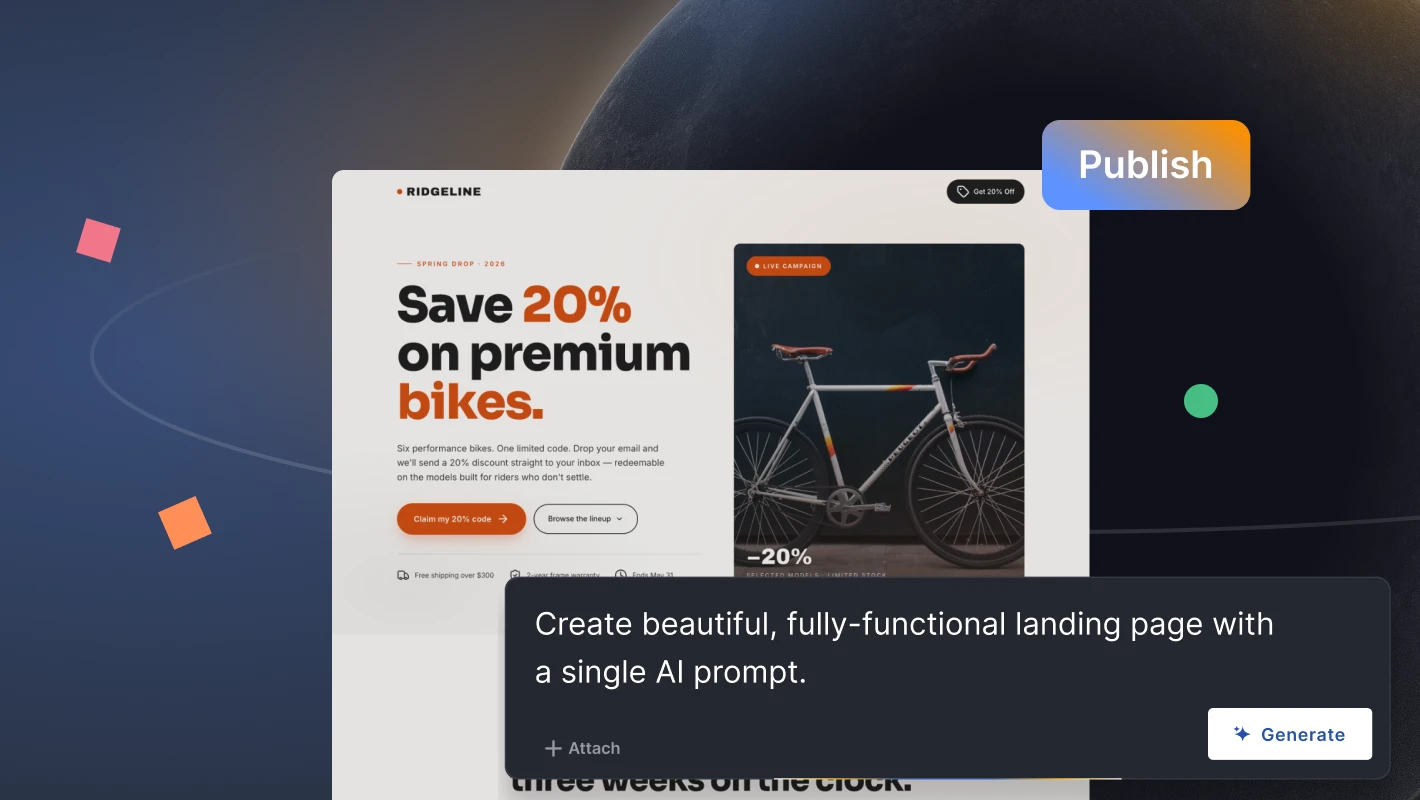
Still, landing page creation is just the beginning. After launch, Bing PPC landing pages should be reviewed by conversion rate, form completion, scroll depth, button clicks, and differences between mobile and desktop behavior. Thanks to the built-in A/B testing tool, Landingi provides features for experimenting with multiple page versions to choose the most effective one. EventTracker tracks user behavior and events on your pages, giving you data-based insights for further optimization. To support this process further, Solis AI helps analyze landing page performance and identify smarter optimization opportunities that can improve conversions. With Landingi, you don’t have to worry about mobile optimization – its editor automatically adjusts mobile views, leaving you space for customization.
Additionally, Landingi supports over 170 integrations, allowing seamless synchronization with your favorite tools. This integration enhances workflow automation and data management across platforms, contributing to a streamlined marketing process. This combination of ease of use, powerful features, and reliable performance makes Landingi an invaluable asset for maximizing the effectiveness of your PPC campaigns on Bing.
Run Bing PPC Campaigns with Landing Pages Built for Each Ad Group
Bing PPC is a powerful component of digital marketing that offers businesses a valuable opportunity to connect with a unique and often undervalued audience. Understanding Bing PPC basics helps you avoid common budget leaks, such as broad keywords without negatives, mismatched landing pages, and missing conversion tracking.
Real-world examples showcased in this article demonstrate the effectiveness of Bing PPC in driving targeted traffic, increasing conversions, and achieving marketing goals. Integrating Bing PPC into a comprehensive digital marketing strategy can maximize your reach, engage high-intent users, and ultimately boost ROI. Before increasing your Bing PPC budget, use Landingi to build landing page variants for your main ad groups and test whether each page matches the keyword, offer, and conversion goal.






