
Key Facts
- An Instagram landing page turns traffic from a bio link, Story, or ad into a focused path toward a lead, registration, purchase, or another campaign goal.
- An Instagram landing page should be designed mobile-first, because the journey usually starts inside the Instagram app on a phone.
- An Instagram profile landing page can support one campaign offer or work as an Instagram link in bio landing page that organizes several destinations.
- Conversion tracking shows which Instagram traffic sources, messages, and page variants produce results.
Instagram can bring people to the link, but the landing page decides what happens next. A dedicated landing page for Instagram gives that traffic a clear destination, whether the goal is to collect leads, register users for an event, sell a product, or continue the message from an Instagram ad.

What Is Instagram Landing Page?
An Instagram landing page is a page created for traffic coming from an Instagram profile, Story, ad, or other campaign placement. Its job is to take attention generated inside the app and turn it into a more useful next step, such as a lead, registration, purchase, download, or product inquiry.
It can work in two ways. For a profile, it may act as an Instagram link in bio landing page, grouping several important destinations in one branded place. For campaigns, it is usually more focused: the page continues the message from the ad or post, explains the offer, and guides visitors toward one conversion instead of sending them to a general website.
That makes an Instagram landing page useful for:
- lead generation from profile or campaign traffic,
- product and service promotions,
- event or webinar registration,
- gated content and downloads,
- creator portfolios or personal brands,
- paid Instagram campaigns with a dedicated conversion goal.
The strongest pages feel like a continuation of Instagram rather than a separate experience. Keep the visual language consistent with the post or ad, design mobile-first, and make the primary action clear from the first screen. For campaign traffic, tracking matters too: without it, you know someone clicked, but not whether that click became a lead or sale.
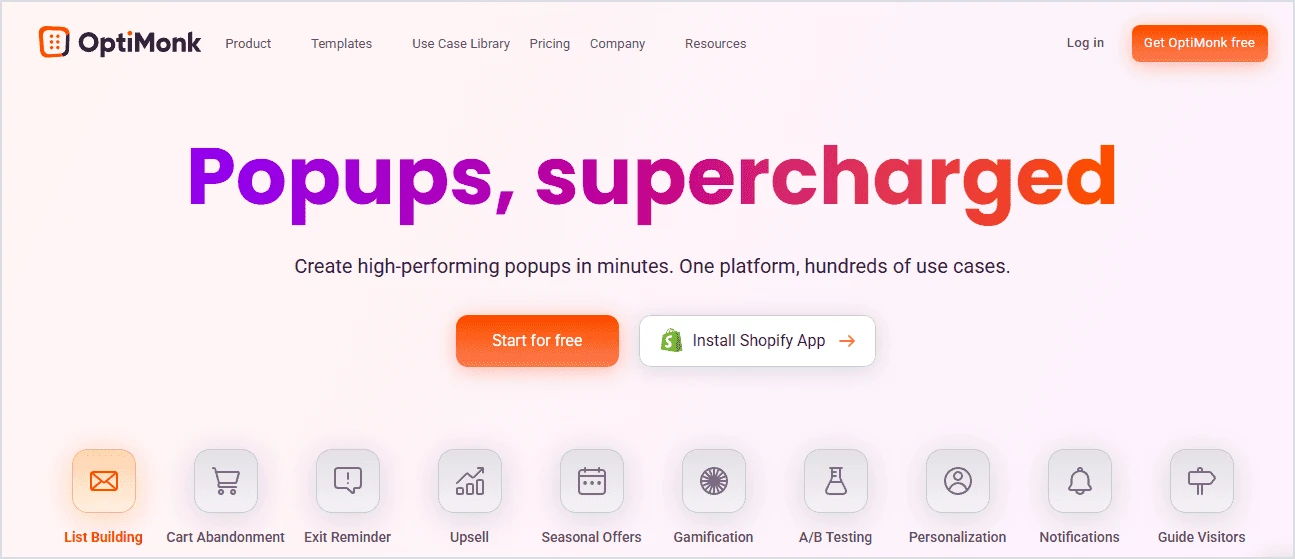
OptiMonk is a strong example of an Instagram landing page because it carries the message from the ad into a focused, conversion-oriented page without distracting the visitor. The offer is clear, the headline is easy to scan, and the short path to action makes sense for mobile traffic coming from Instagram. It also shows how an Instagram landing page can do more than just capture attention – it can turn that attention into a lead with a simple, well-matched offer.
6 Steps to Create an Instagram Landing Page
An Instagram landing page should be built around what happens after the tap. Start with the conversion goal, generate the first version quickly, then refine it for mobile, connect tracking, and improve it based on real traffic from Instagram.
Step 1: Define one conversion goal
Decide what you want Instagram traffic to do next: leave an email, register for an event, buy a product, download a resource, book a call, or explore a small set of links.
That choice should shape the page from the start. A lead generation page needs a short form and a clear reason to submit it. A product campaign may need stronger proof, pricing, and a direct purchase CTA. An Instagram link in bio landing page can support several destinations, but campaign pages should still keep one action clearly primary.
Step 2: Generate the first version from a campaign brief
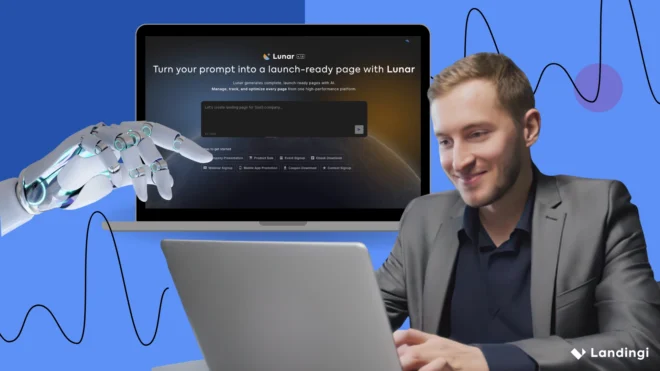
Instead of starting with an empty canvas, you can use Lunar to generate a complete, editable landing page from a prompt.
Give it the Instagram campaign context, audience, offer, conversion goal, brand direction, and the sections you need. A practical prompt could look like this:
Create a mobile-first landing page for an Instagram campaign promoting a free 7-day meal-planning challenge for busy professionals. Most visitors will come from Instagram Stories and paid ads on mobile. The main goal is to collect email sign-ups. Use a clean, modern visual style with warm natural colors and strong food photography. Start with a concise hero section, a short signup form, and one clear CTA. Explain what participants will receive, show the main benefits, add a simple “how it works” section, social proof, a short FAQ, and a final signup CTA. Keep the copy concise, easy to scan, and visually consistent with an Instagram ad.Lunar can turn that brief into a complete, editable landing page in just a few minutes, generating the structure, copy, and layout. You then have a first version to refine: replace generic visuals with real campaign assets, verify every claim, and make sure the page continues the same message visitors saw before they clicked.
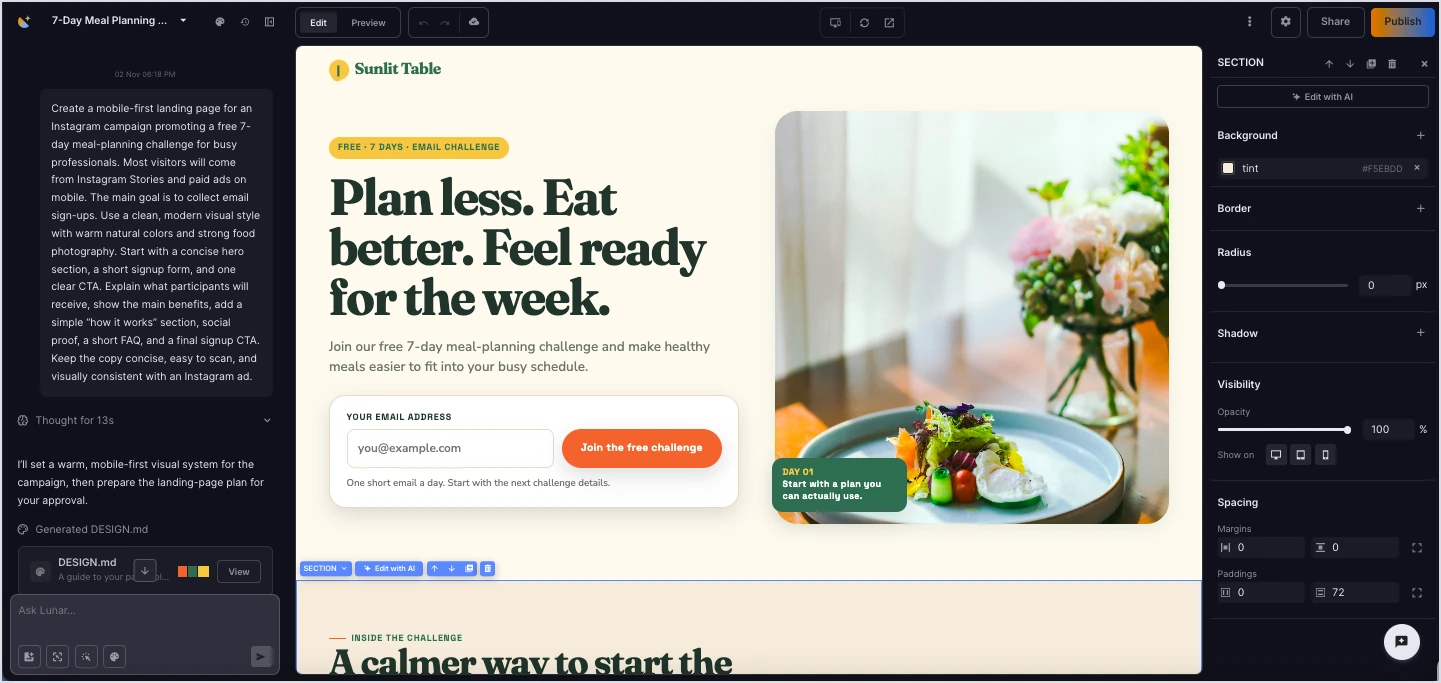
With the first version ready, you can focus on refining the offer and preparing the page for your Instagram traffic.
Turn your Instagram campaign brief into a complete, editable landing page built around one clear conversion goal.
Step 3: Design for the Instagram-to-mobile journey
Most visitors will move directly from the Instagram app to the landing page on a phone, so review the mobile experience before anything else.
Keep the hero compact, make the CTA easy to reach, avoid heavy media, and check how forms, buttons, videos, and sticky elements behave on smaller screens. The first screen should make the offer and next action clear without forcing visitors to hunt for them.
Step 4: Keep the message consistent with the ad, Story, or profile
The landing page should feel like the next step in the same campaign, not a completely different experience.
Carry over the main promise, visual style, product, and CTA from Instagram. If one ad promotes a specific benefit or offer, send that traffic to a page that continues the same angle rather than a generic product page.
Maintaining that consistency becomes easier when your AI tools have access to the same campaign context:

For larger campaigns, create separate variants for different audiences, creators, offers, or traffic sources instead of making one page handle every message. Orbit can help here by connecting your AI workflow with the Landingi workspace, so the same campaign brief, brand rules, existing page, or design context can be reused when duplicating and adapting pages for another segment or channel.
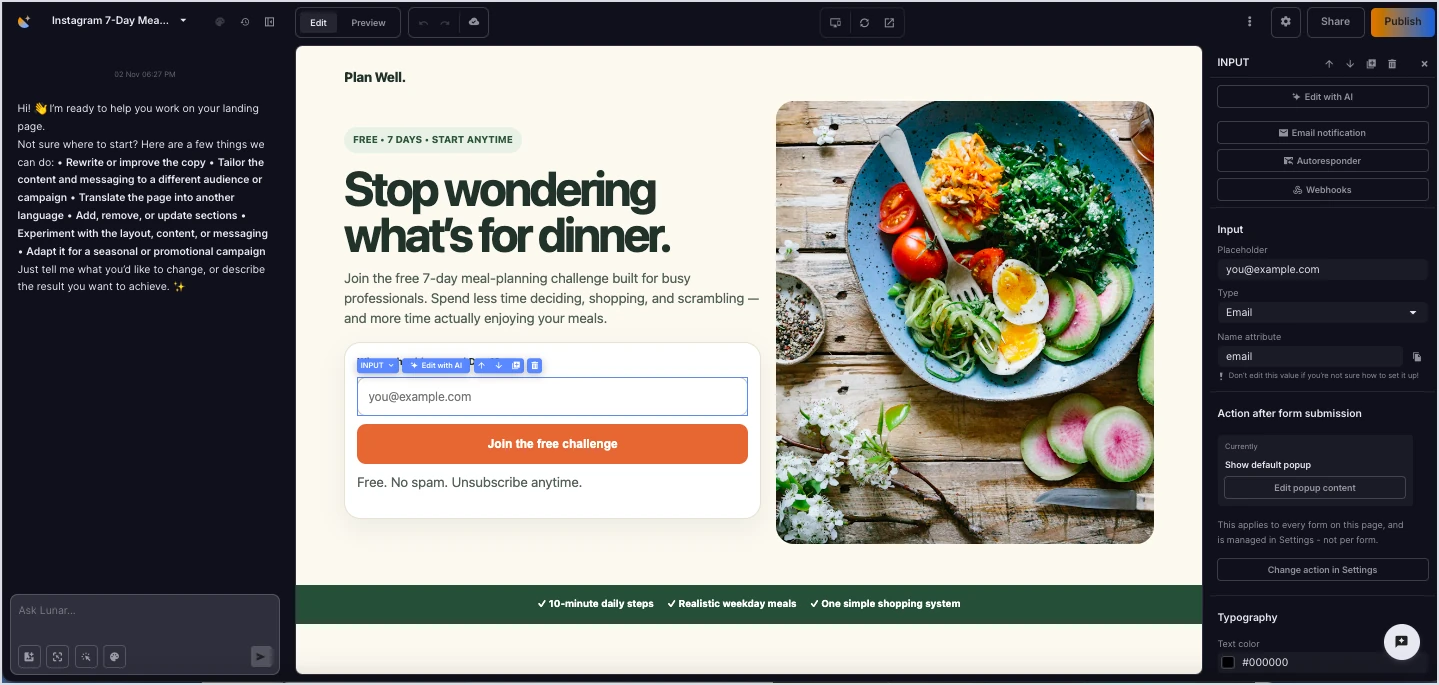
That makes it easier to scale the campaign without rewriting the setup every time, while keeping the core message and brand direction consistent across variants.
Reuse your campaign context to create and adapt landing page variants for new audiences, offers, and traffic sources.
Step 5: Publish, connect tracking, and send traffic
Once the page is ready, publish it and use the URL in your Instagram bio, Story link, ad, or campaign placement.
Before sending traffic, test the page on mobile, check every CTA and form, confirm the thank-you or purchase flow, and verify tracking. EventTracker can then show clicks, form activity, scroll depth, conversions, and other on-page events, including event and scroll maps.
Step 6: Optimize from real Instagram traffic
Once visitors start arriving, use the data to decide what deserves changing.
Solis analyzes EventTracker data together with the landing page and campaign context and surfaces alerts, discoveries, and optimization recommendations. That can help identify problems such as a form users abandon, a CTA that gets little engagement, a section most visitors never reach, or a mobile experience that needs attention.
Use those findings to test focused changes to headlines, visuals, forms, CTAs, or page variants rather than redesigning everything at once.
Generate your Instagram landing page, publish it, track what visitors do after the tap, and keep improving the parts that affect conversion.
5 Instagram Landing Page Examples
The best Instagram landing page examples do not all look the same because the job changes with the traffic. Some pages need to convert an ad click, while others organize profile traffic or give visitors enough context to take the next step.
1. 42 Heilbronn
42 Heilbronn is a useful example of an education-focused Instagram journey. Its current social setup directs followers toward practical next steps such as visiting the school website, joining the newsletter, or starting the application process.

The lesson here is simple: Instagram traffic does not need a long detour. The destination should quickly answer what the offer is, who it is for, and what the visitor should do next.
2. Canva Creators
Canva Creators shows how a landing page can turn social interest into a more structured application journey. The page explains who the program is for, what creators can contribute, how the program works, and what applicants need before they apply.

That makes it a good model for creator, community, or recruitment campaigns where an Instagram post can generate attention, but the landing page needs to handle the details and qualification step.
3. Teamflow
Teamflow is not a dedicated Instagram landing page, but its homepage follows many of the same principles. The hero section keeps the message focused, the signup form asks only for a work email, and testimonials add proof without pulling attention away from the main action.

That makes it a useful example for Instagram traffic when the homepage already behaves like a campaign page. The main drawback is length: on mobile, visitors coming from Instagram may have to scroll through more content than they need before reaching another CTA.
4. Stripe
Stripe’s resource and guide pages show another useful Instagram landing page model: turning interest in educational content into a focused next step. Instead of explaining the whole Stripe product ecosystem, these pages center on one topic or resource and let the content carry the value proposition. Stripe continues to publish dedicated guides and reports around specific business questions.

This format works especially well for B2B Instagram campaigns promoting reports, research, calculators, guides, or other high-intent content.
5. Jamie Oliver
Jamie Oliver uses a link-in-bio page to organize several destinations for followers, including recipes, cookbooks, video content, and current projects. The page is still active and tied to his Instagram presence.

It is a good example of when an Instagram link in bio landing page should not force one conversion. For a personal brand with several active content streams, giving followers a small, curated set of relevant paths can be more useful than sending everyone to the homepage.
What Can You Use an Instagram Landing Page For?
An Instagram landing page can support different goals depending on where the traffic comes from and what you want people to do next. Common use cases include:
- Lead generation – collect emails, webinar sign-ups, waitlist entries, or other contact data from Instagram traffic.
- Product or service promotion – continue the message from a post or ad and move visitors toward a purchase, demo, or inquiry.
- Event registration – turn Story, bio, or ad traffic into registrations for webinars, workshops, launches, or live events.
- Content downloads – promote ebooks, reports, guides, checklists, or other gated resources.
- Link-in-bio navigation – organize several important destinations in one branded Instagram profile landing page.
- Personal brands and portfolios – direct followers to a portfolio, booking page, newsletter, course, or simple one page website for Instagram.
For paid Instagram campaigns, a dedicated landing page is usually the better choice when one specific conversion matters most. For profile traffic, a broader link-in-bio page can make more sense when visitors need several useful paths.
FAQ About Instagram Landing Pages
These answers cover the most common practical questions about creating, using, and tracking an Instagram landing page.
Can I create a free landing page for Instagram?
Yes, but the available features depend on the tool you choose. Free options can work for a very simple page, but campaign use usually benefits from custom domains, forms, analytics, testing, and easier optimization.
What is the difference between an Instagram landing page and a link-in-bio page?
An Instagram landing page is usually built around one campaign goal, while a link-in-bio page typically organizes several destinations from one Instagram profile. The first is more conversion-focused; the second is more navigational.
Can I use a onepage website for Instagram?
Yes. A onepage website can work well as an Instagram landing page for a personal brand, portfolio, or simple offer, especially when visitors need a bit more context. For campaign traffic, though, the page should still prioritize one clear conversion goal.
Do I need a fanpage to create an Instagram landing page?
No. An Instagram profile is enough to share a landing page link. A Facebook fanpage is a separate Meta asset and is not the same as an Instagram profile, although separate Meta account requirements may apply when you run ads.
How do I track conversions from an Instagram landing page?
Track conversions by connecting analytics and event tracking to the page and measuring actions such as form submissions, purchases, registrations, or CTA clicks. In Landingi, EventTracker can show clicks, form activity, scroll behavior, and other on-page events, while Solis can analyze those signals and highlight areas worth optimizing.
Turn Instagram traffic into a focused campaign path with a landing page you can generate, publish, track, and optimize in Landingi.
Create Instagram Landing Pages with Landingi
Instagram can bring the click, but the landing page decides whether that click turns into a lead, registration, sale, or nothing at all. Landingi gives marketers one AI landing page operation platform for building that next step, publishing it quickly, and improving it as campaign data starts to come in.
Lunar can generate a complete, editable landing page from an Instagram campaign brief, while EventTracker shows what visitors do after they arrive, including clicks, form activity, scroll behavior, and other on-page events. Solis adds context to those signals and surfaces alerts, discoveries, and optimization recommendations, so the page can evolve with the campaign instead of staying fixed after launch.
For larger workflows, Orbit connects Landingi with an MCP-compatible AI environment, making it easier to reuse campaign context, duplicate pages, adapt variants for different audiences or offers, publish changes, and review performance from the same conversation.
That makes Landingi useful for both simple Instagram profile landing pages and more focused campaign pages built around paid traffic, lead generation, product promotion, events, or downloads. Try Landingi to create the page, connect tracking, and keep improving the path from Instagram tap to conversion.