


Solis is Landingi’s AI-powered assistant that helps you understand and improve the performance of your landing pages.
Solis combines two features:
- Chat, where you can ask questions about your landing page data, compare results, and identify trends.
- Insights, which automatically generates suggestions, discoveries, and alerts based on visitor behavior and micro-conversions.
Instead of checking multiple dashboards separately, you can use Solis to interpret your data, identify pages that need attention, and better understand what may be affecting their results.
How to access Solis?
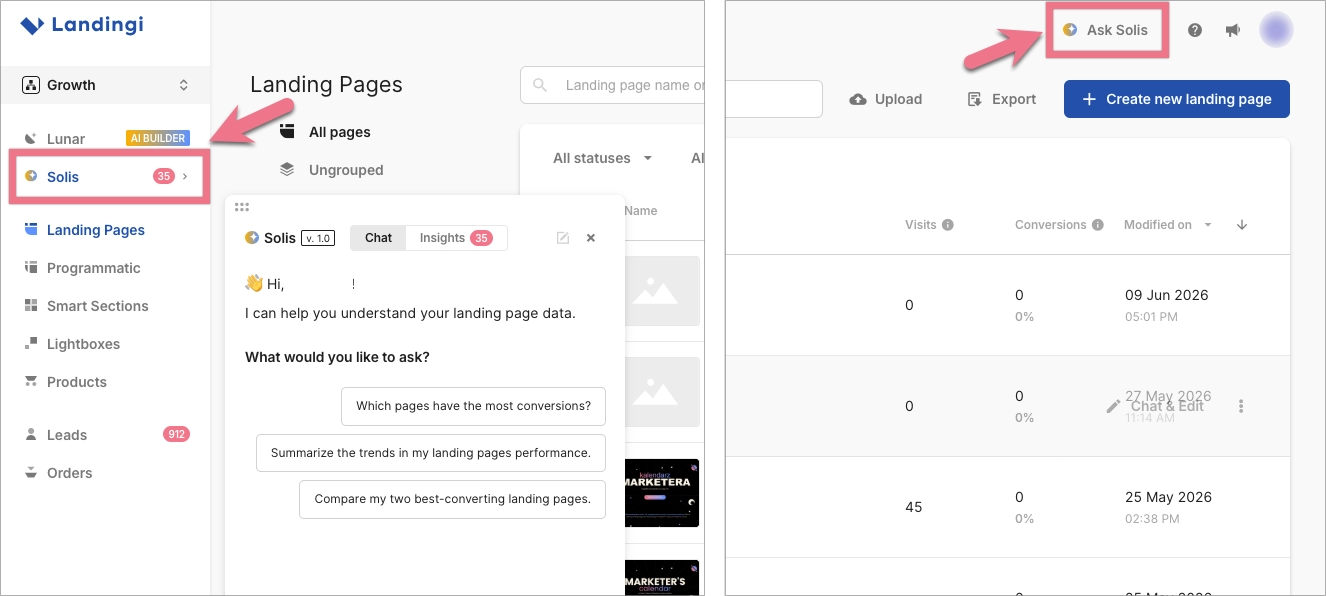
Solis is available from two places in the platform:
- Click Solis in the left-side menu, directly below Lunar.
- Click Ask Solis in the top bar.
Both options open the Solis panel. You can then switch between the Chat and Insights tabs.
Solis is available by default on the Optimize plan and higher. Solis continues to analyze data and generate recommendations as long as it remains enabled. If you want to disable Solis, go to your account Settings and deactivate insights.
How to use Solis Chat
- Open Solis from the left-side menu or the Ask Solis shortcut.
- Select the Chat tab.
- Choose one of the suggested questions or enter your own prompt in the text field.
- Send your question and wait for Solis to analyze the available data.
- Review the answer and follow any links to landing pages mentioned in the response.
- Ask follow-up questions to explore the results in more detail.
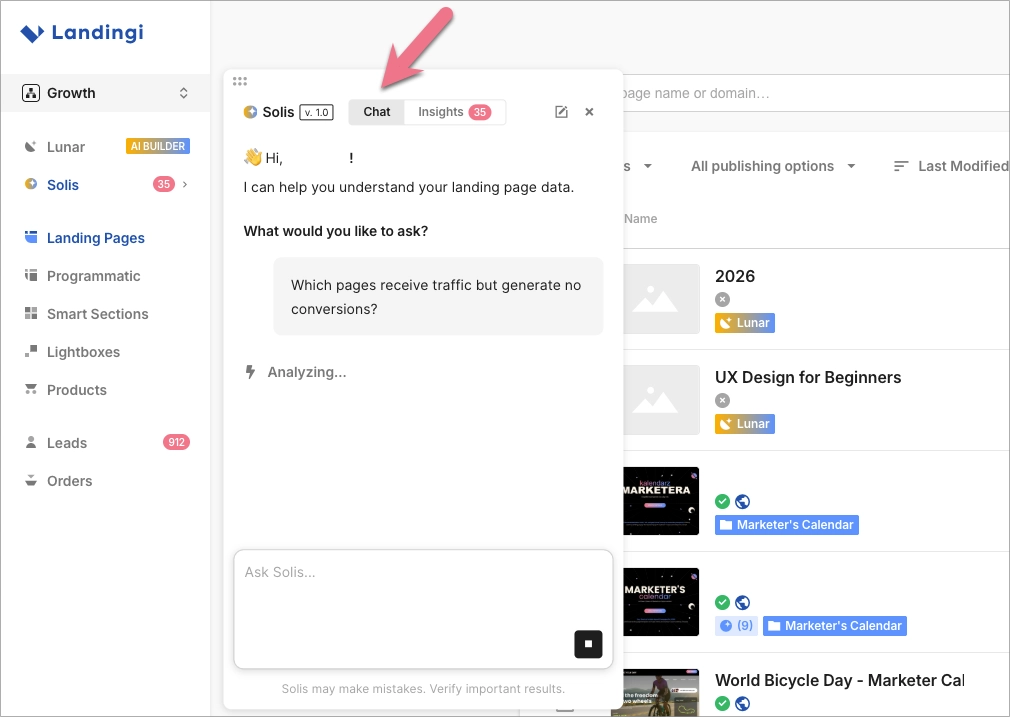
Example questions include:
- Which landing pages have the most conversions?
- Compare my 5 best-converting landing pages.
- Which pages should I review first?
- What could be affecting the conversion rate of the landing page “name“?
- Which pages receive traffic but generate no conversions?
For more useful answers, include the metric, page, or period you want Solis to analyze. For example, instead of asking “How are my pages doing?”, ask “Compare the conversion rates of my landing pages from the last 30 days.”
Where to find Solis Insights
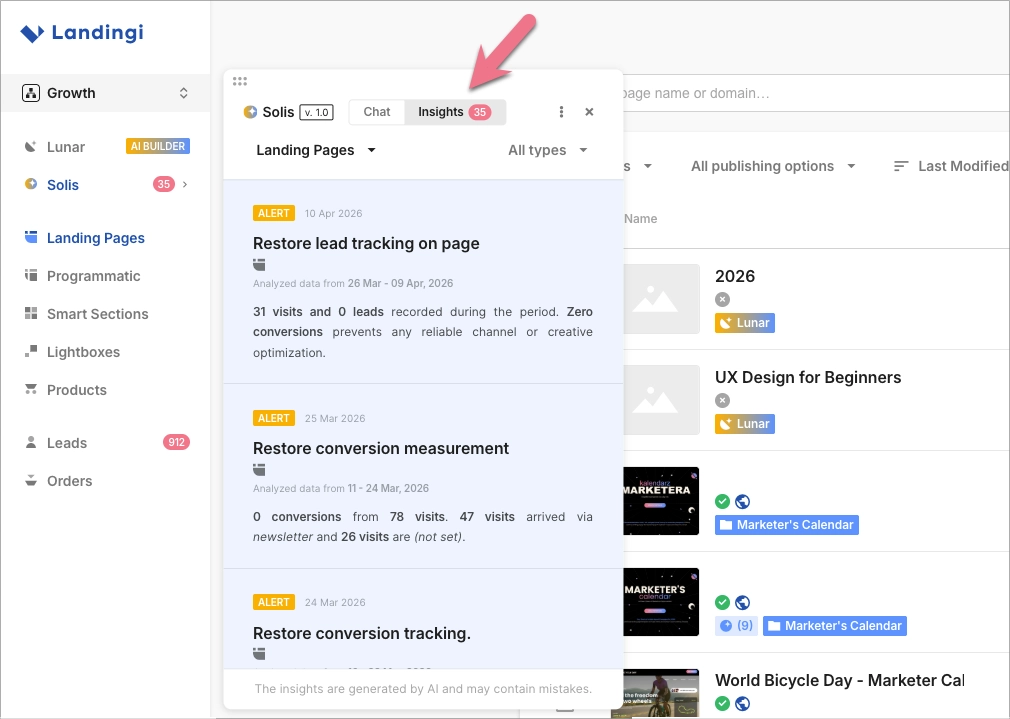
- Open the Solis panel.
- Go to the Insights tab.
- Browse the available suggestions, discoveries, and alerts.
- Click on an insight to get more details.
The number displayed next to Solis in the menu indicates newly generated insights. New insights appear automatically as Solis analyzes EventTracker data.
Filtering and organizing Solis insights
In the Solis Insights tab, you can customize the information displayed in the panel.
- Choose whether insights are shown for all landing pages, for a selected landing page, or for a group.
- Filter insights by type (suggestions, discoveries, alerts).
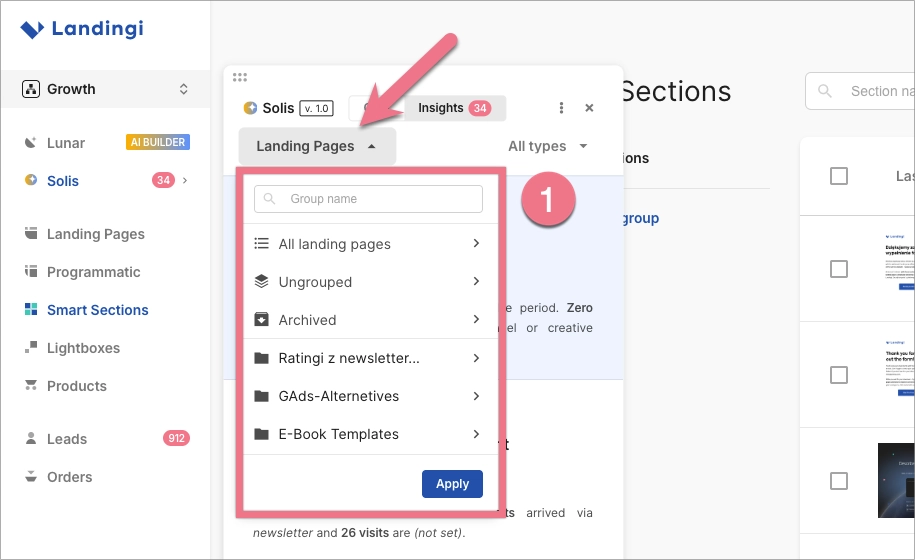
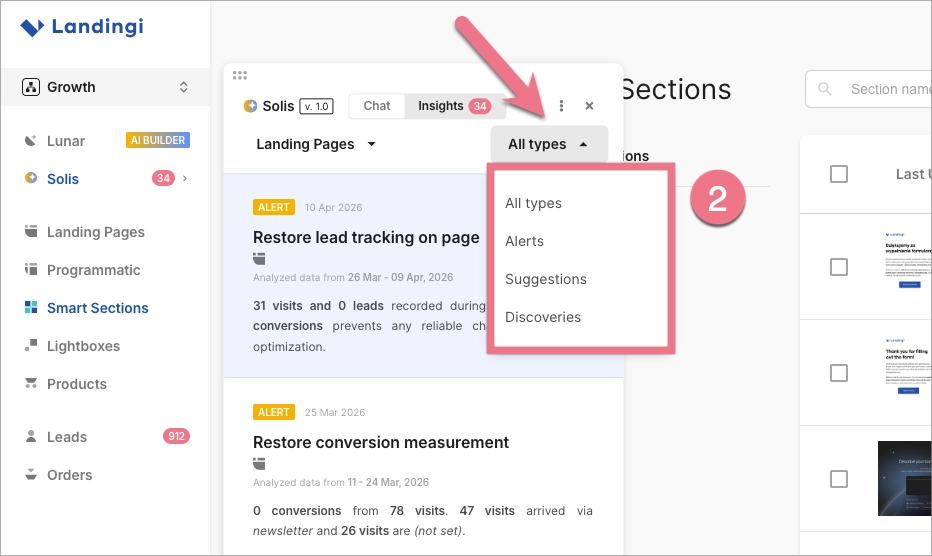
These filters help you focus on the most relevant insights and prioritize optimization actions.
How does Solis work?
Solis analyzes landing page performance and visitor interaction data, including information collected by EventTracker. This may include conversions, micro-conversions, clicks, scrolling, form activity, and other user actions.
You can switch between Chat and Insights directly in the Solis panel.
NOTE: Solis uses AI and may produce inaccurate or incomplete answers. Verify important data and recommendations before making changes to your campaigns or landing pages.
Chat
In the Solis Chat tab, you can talk to the AI agent about your landing pages and their performance.
For example, you can ask Solis to:
- identify landing pages with the most conversions,
- summarize recent performance trends,
- compare your best-converting landing pages,
- point out pages that may require attention,
- explain what may be affecting a page’s results,
- provide practical optimization suggestions.
Solis analyzes the available landing page data and presents the answer directly in the conversation. When relevant, the response may include links to specific landing pages, allowing you to review them without searching through the entire list.
By default, Solis analyzes data from the last 30 days. You can also ask it to use a different date range in your prompt.
You can continue the conversation by asking follow-up questions or narrowing the analysis to a specific page, metric, or period.
NOTE: Each interaction with Solis Chat uses credits.
Insights
The Solis Insights tab contains automatically generated recommendations and observations based on data collected by EventTracker.
Solis analyzes micro-conversions and visitor actions such as clicks, scrolling, and form activity. Based on this data, it generates:
- Suggestions – recommendations aimed at improving page performance and reducing friction.
- Discoveries – observations that highlight patterns in visitor behavior or traffic quality.
- Alerts – notifications about potential issues that may affect tracking accuracy or conversions.
Each insight is generated for a specific landing page and updated as new data is collected.
Selecting the language for Solis insights
After enabling Solis, you can choose the language in which Solis insights will be displayed.
1. In the left-side menu, go to your account Settings.
2. Go to the Solis settings section.
3. From the drop-down menu, select your preferred language for Solis insights.
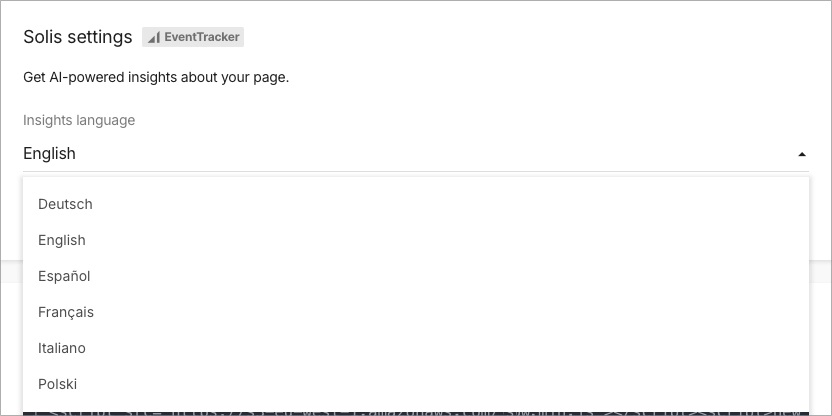
4. Save your changes.
